GemSecurity is a free, separate plugin that secures how people log in to your site. Its settings also apply to the Academy LMS login form, so you set them once.
|
Feature |
What it does |
|
Brute-force protection |
Locks out someone who keeps entering a wrong password |
|
Two-factor authentication |
Asks for a second code after the password |
|
Social login |
Lets people log in with Google, Facebook, GitHub or X |
Note: The old Social Login add-on in Academy LMS is deprecated. Use GemSecurity’s social login instead.
Install and activate GemSecurity, then open its settings.
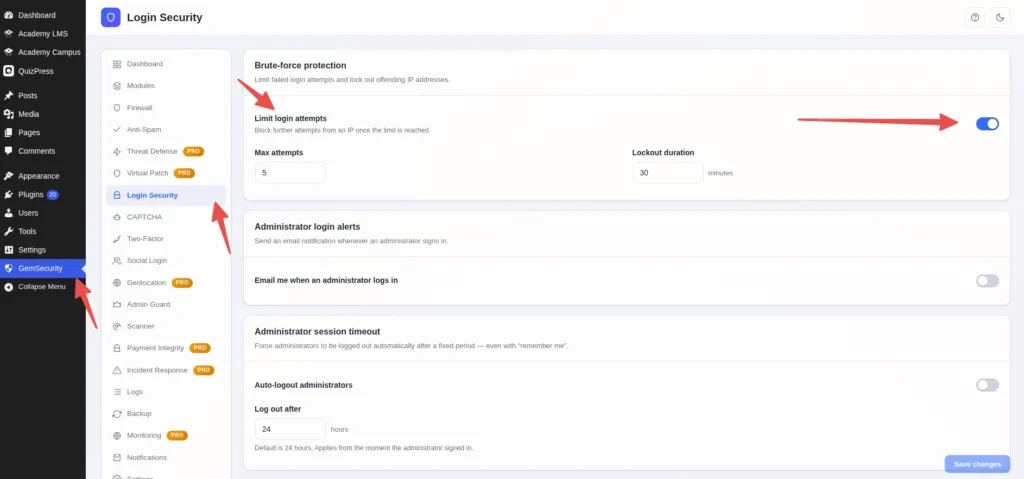
Limit login attempts
Open Login Security → Brute-force protection.
|
Setting |
What it does |
|
Limit login attempts |
Turns the protection on |
|
Max attempts |
Wrong tries allowed before a lockout. Default: 5 |
|
Lockout duration |
How long the lockout lasts. Default: 30 minutes |
The limit is shared with the Academy LMS login form. Wrong tries on either form count together.
Two-factor authentication
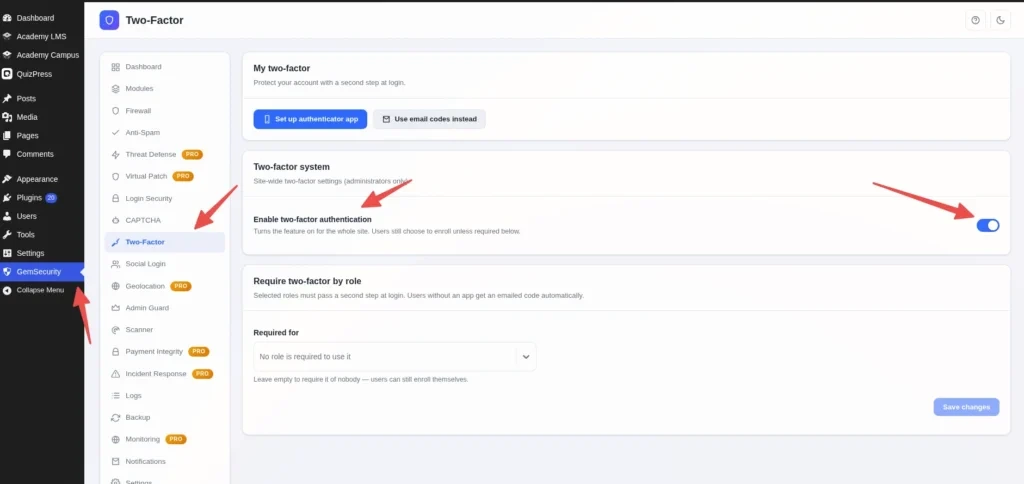
Two-factor also works on the Academy LMS login form. After the password, the user is asked for the code.
Social login
|
Setting |
What it does |
|
Allow new account registration |
A first-time social login creates a new account |
|
Link to existing accounts by email |
If the email already has an account, the social login is linked to it |
|
Default role |
The role given to new accounts. Choose the Academy Student role for a course site |
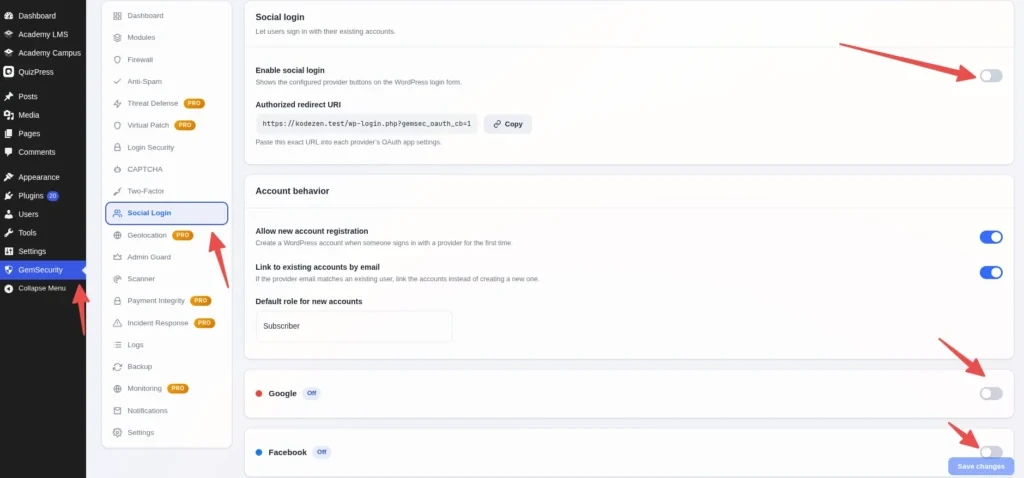
The login buttons appear on the Academy LMS login form automatically.
reCAPTCHA
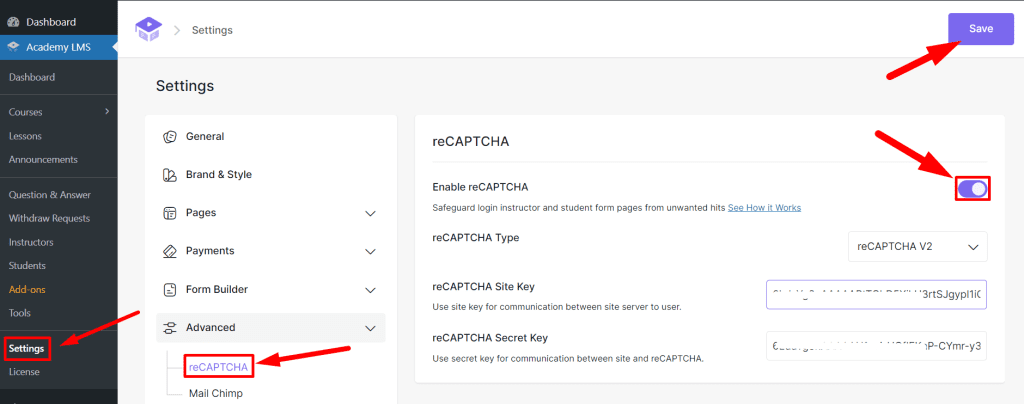
GemSecurity doesn’t add a CAPTCHA. reCAPTCHA stays in Academy LMS Pro.
It protects the login form and the student and instructor registration forms.