Gumlet Integration

The Gumlet Video Integration allows you to securely embed Gumlet-hosted videos directly into your Academy LMS courses using Gumlet’s native video player. Unlike a standard iframe embed, Academy LMS can generate a cryptographically signed playback URL for each learner, ensuring that videos can only be accessed by authorized users for a limited period of time. 

Requirements

Before configuring the Gumlet integration, ensure that you have the following:

  • A Gumlet account.
  • At least one uploaded Gumlet video (Asset).
  • A Video Sign Secret from your Gumlet account.
  • Signed URLs are enabled in your Gumlet Video Security settings (recommended for secure video delivery).

Configuration

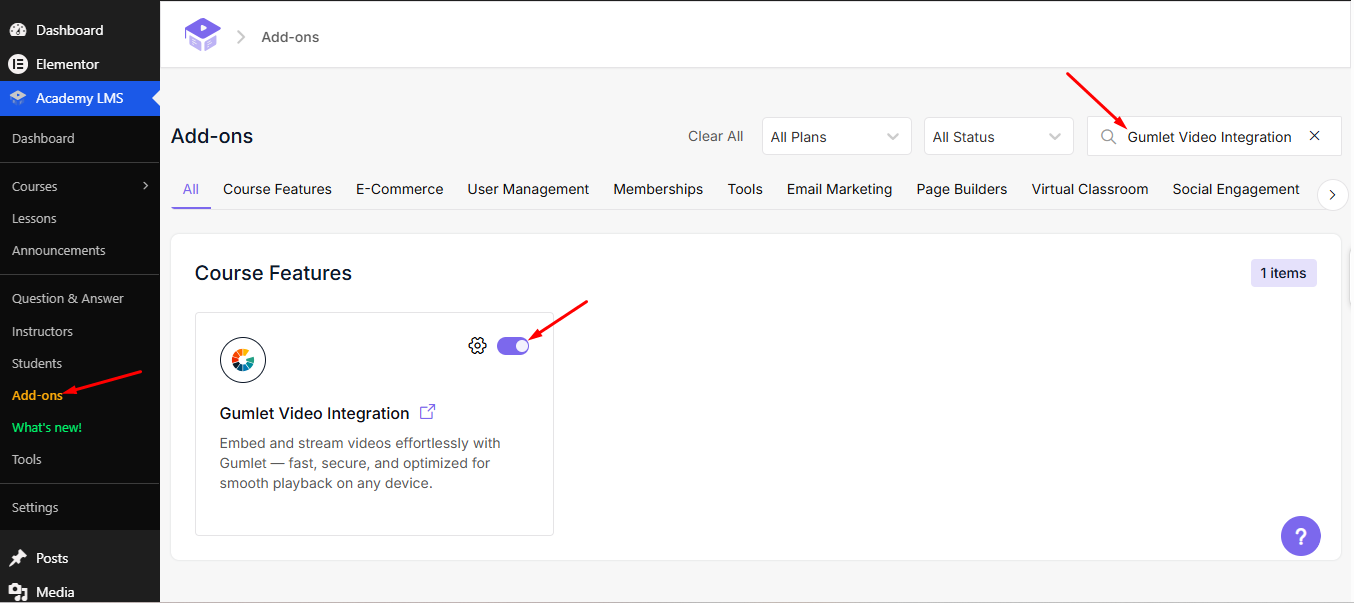
To configure the “Gumlet video integration” in Academy LMS, log in to your WordPress dashboard and navigate to Academy LMS → Addons. Search for the “Gumlet Video Integration” addon and enable it. Once activated, you can proceed with the integration settings. 

Enable Gumlet Video Integration

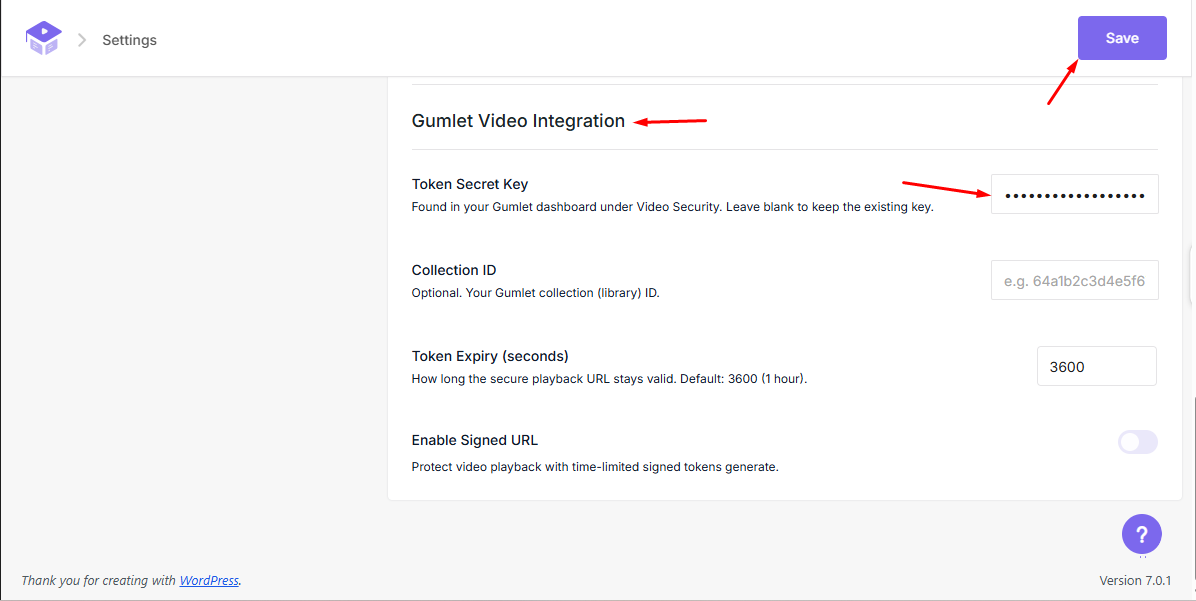
After activating the addon, navigate to Academy LMS → Settings → Pages → Learn Page. Scroll down to the Gumlet Video Integration section, then copy the Secret Key from your Gumlet Security Settings and paste it into the designated field. Finally, click Save or Update to complete the integration. 

Gumlet Video Integration

Collection ID (Optional)

Enter your Gumlet Collection ID only if you use Collections in your Gumlet account. If you do not use Collections, you can leave this field blank. 

Token Expiry (seconds)

Specifies how long a generated Signed URL remains valid. The default value is 3600 seconds (1 hour). Once the configured time has elapsed, the playback URL expires and can no longer be used. When an authorized learner opens the lesson again, Academy LMS automatically generates a new Signed URL, ensuring secure access to the video. 

Enable Signed URL

Enable this option if Signed URLs are enabled in your Gumlet Dashboard. When enabled, Academy LMS automatically generates secure, signed playback URLs using your configured Video Sign Secret and Token Expiry settings. If Signed URLs are enabled in Gumlet but this option is disabled in Academy LMS, playback will fail because Gumlet expects a signed URL but receives an unsigned one. In this case, Gumlet will display an error such as: “The expiry token is missing”. 

Adding Gumlet Videos to Lessons

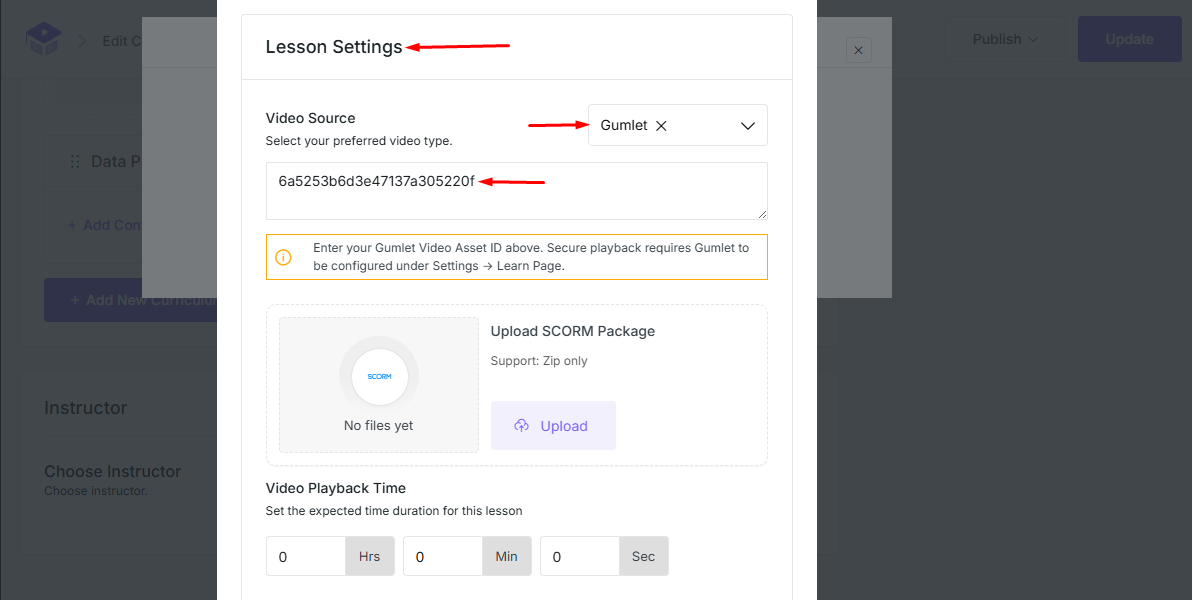
When editing a lesson, select Gumlet as the Video Source. Enter the Asset ID of your Gumlet video and save the lesson. Academy LMS will automatically generate a secure playback URL and embed the Gumlet video using its native player. 

Select Video Source

Conclusion

By integrating Gumlet with Academy LMS, you can securely deliver video content using Gumlet’s native player and Signed URL authentication. This integration ensures that only authorized learners can access your videos while providing a seamless playback experience. Configure the required settings correctly to maximize video security and performance.