









Add your students to GemCRM as contacts automatically, and send Academy LMS student emails through GemCRM.
You need GemCRM Pro. The setup is done inside GemCRM, not in Academy LMS.
Open the integration
Go to GemCRM → Settings → Integration → LMS Integrations → Academy LMS.
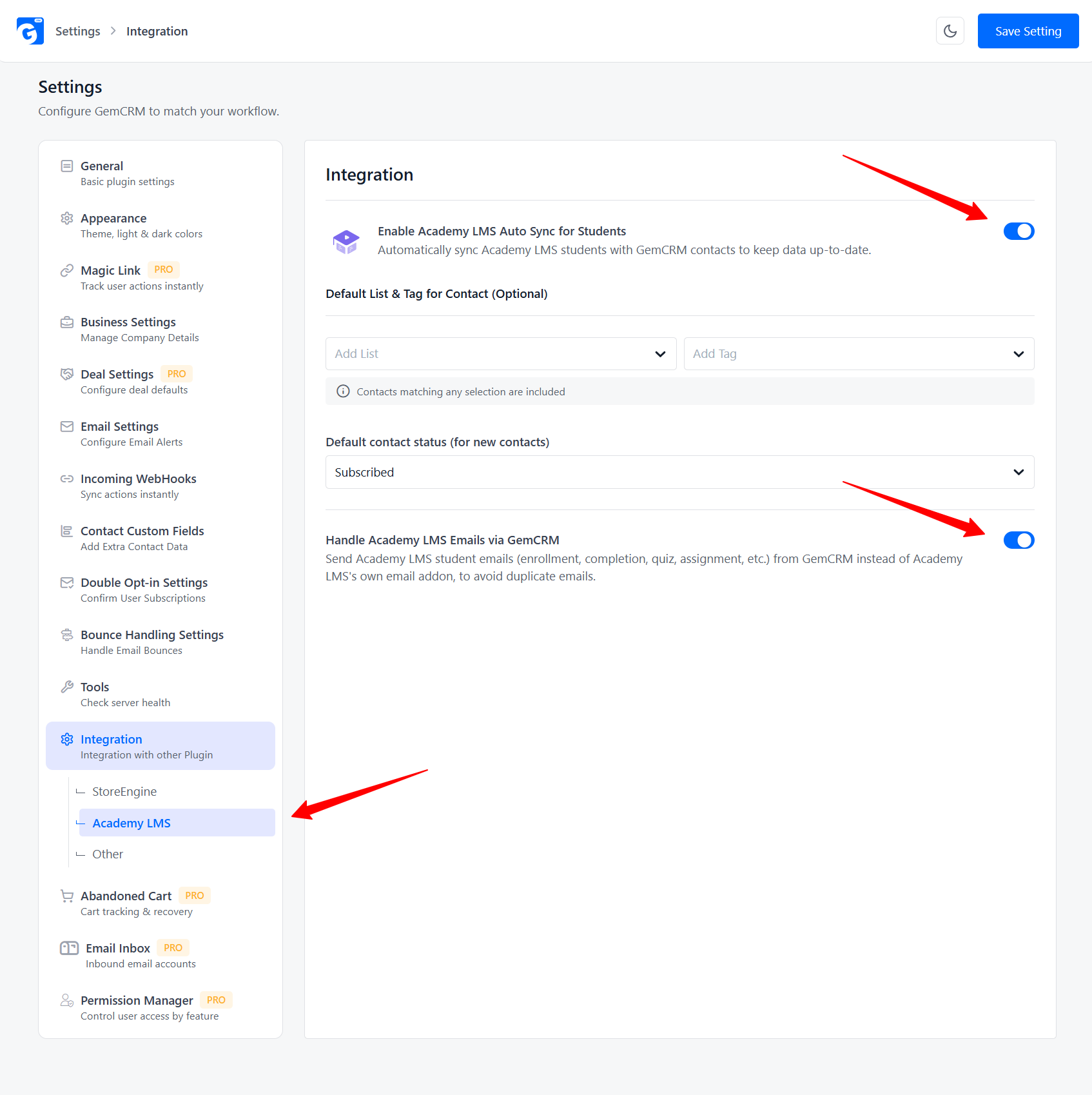
There are two controls.
Sync students automatically
1.Turn on Enable Academy LMS Auto Sync for Students.
2.Optional: choose a Default List & Tag for synced students.
3.Choose the Default contact status. The default is Subscribed.
4.Click Save Setting.
GemCRM now adds your students as contacts. A student is any user with the Academy Student role.
The sync runs about once an hour, so a new student may take up to an hour to appear.
Send student emails from GemCRM
Turn on Handle Academy LMS Emails via GemCRM and save.
Student emails are then sent by GemCRM instead of the Academy LMS Email add-on. This stops students getting the same email twice.
Using FluentCRM instead? See FluentCRM.