









Anyone holding an Academy certificate has a certificate number printed on it. Put a verification form on your site and an employer, a registrar or the student themselves can type that number in and confirm the certificate is genuine.
Note: Certificate verification is part of the Pro Certificates addon. The form is public, so visitors do not need an account to use it.
Before you start
Step 1: Turn on the Certificates addon
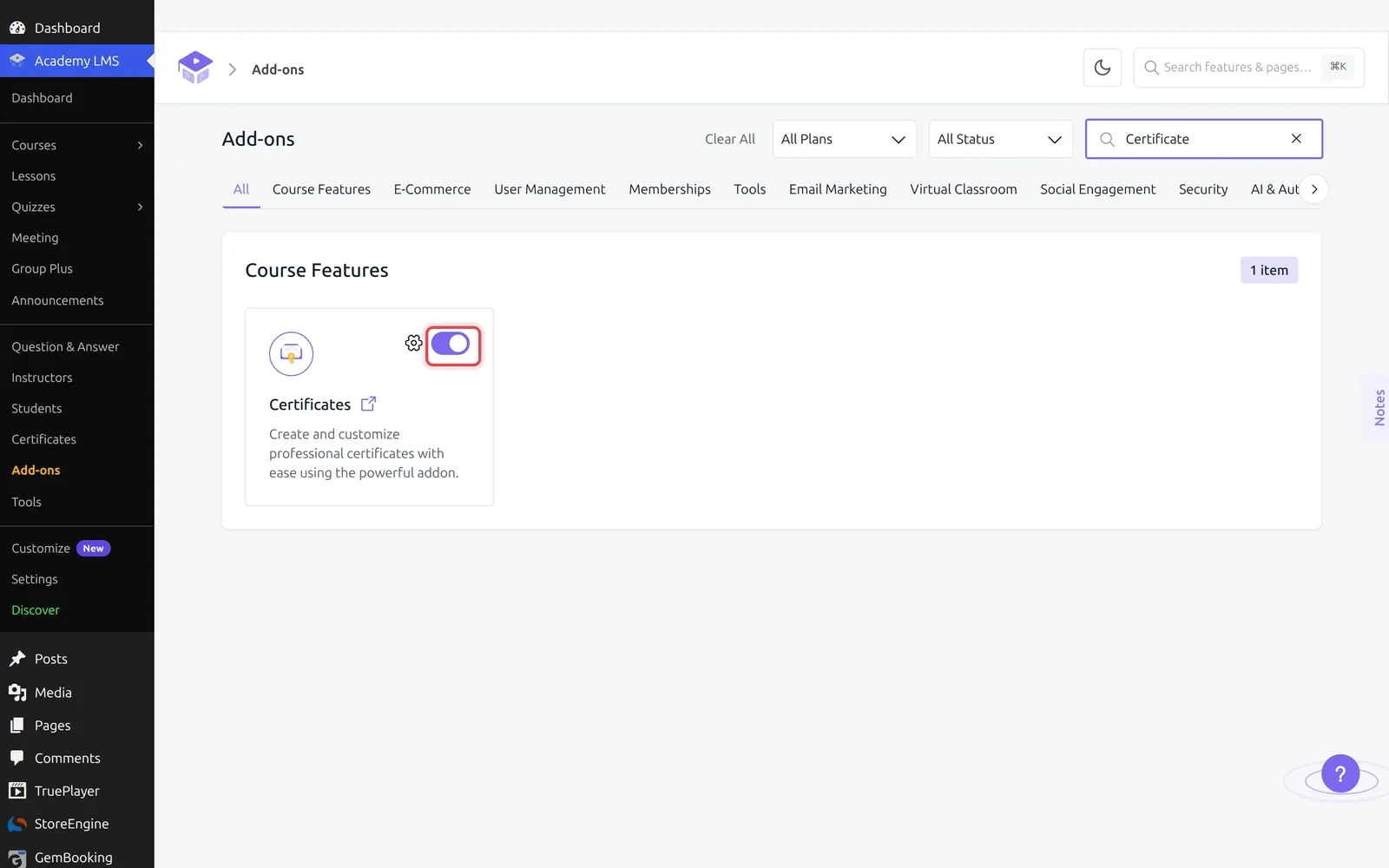
Go to Academy LMS → Add-ons and search for Certificate. Switch the toggle on.
This adds the Certificates menu, the certificate builder, and the verification form covered here.
Step 2: Copy the shortcode
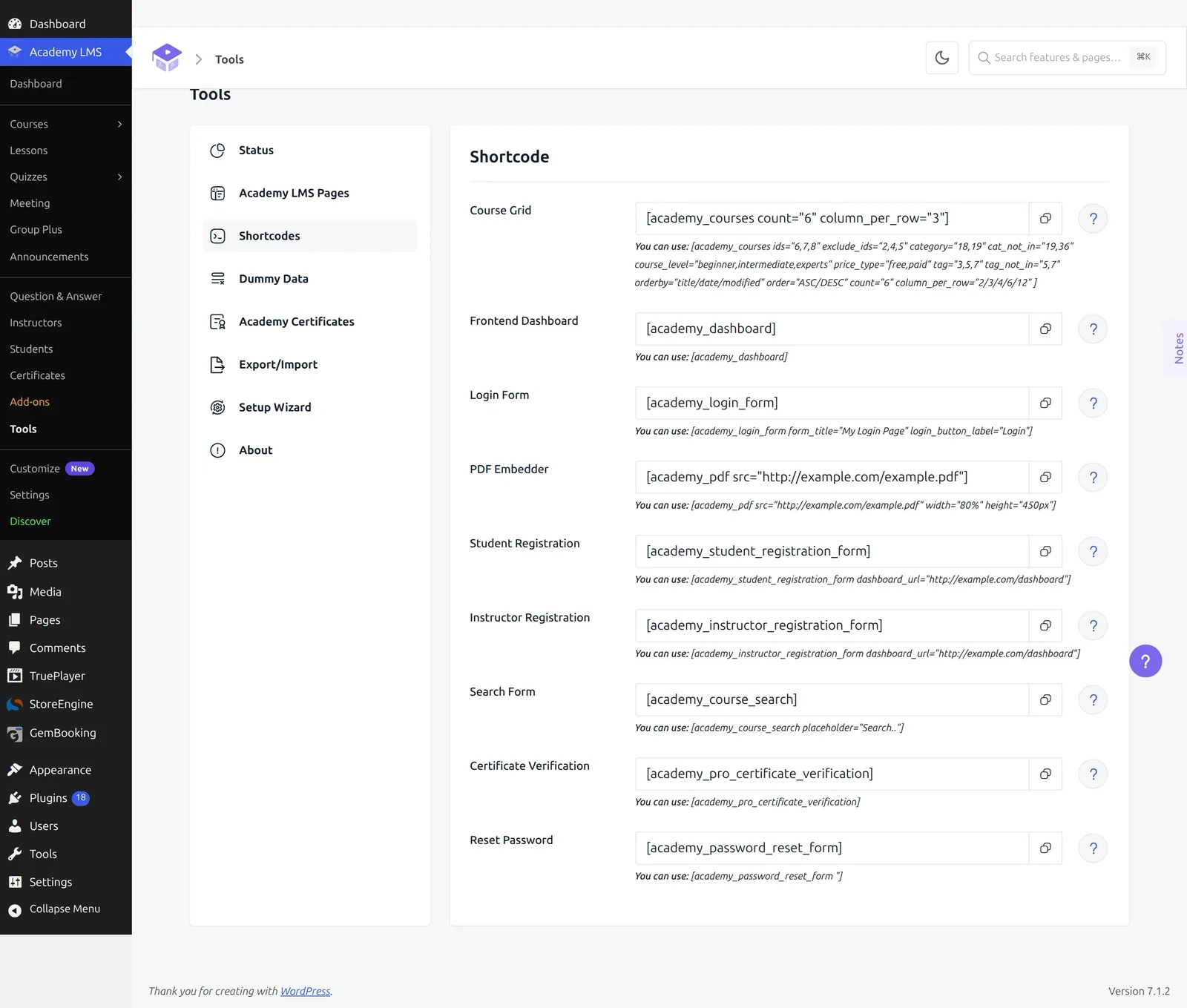
Go to Academy LMS → Tools → Shortcodes. Find Certificate Verification in the list and copy it with the button beside it:
[academy_pro_certificate_verification]It takes no attributes. Everything it needs comes from the number the visitor types in.
Step 3: Build the verification page
Create the page that will hold the form, at Pages → Add New. Give it a name people will recognise, such as “Verify a Certificate”, then add the form one of two ways.
Using the block. In the editor, search the inserter for Certificate Verification, in the Academy category. It is described as a form where anyone can check that an Academy certificate is genuine. The block ships with three styles, default, card and compact, so you can match it to the page.
Using the shortcode. Add a Shortcode block and paste [academy_pro_certificate_verification] into it.
Both produce the same form. The block is easier to style, the shortcode works anywhere shortcodes run, including widgets and page builders.
Publish the page.
Step 4: Check it works
Open the published page. The form shows a Certificate Number field with an example format in the placeholder, and a Verify Certificate button.
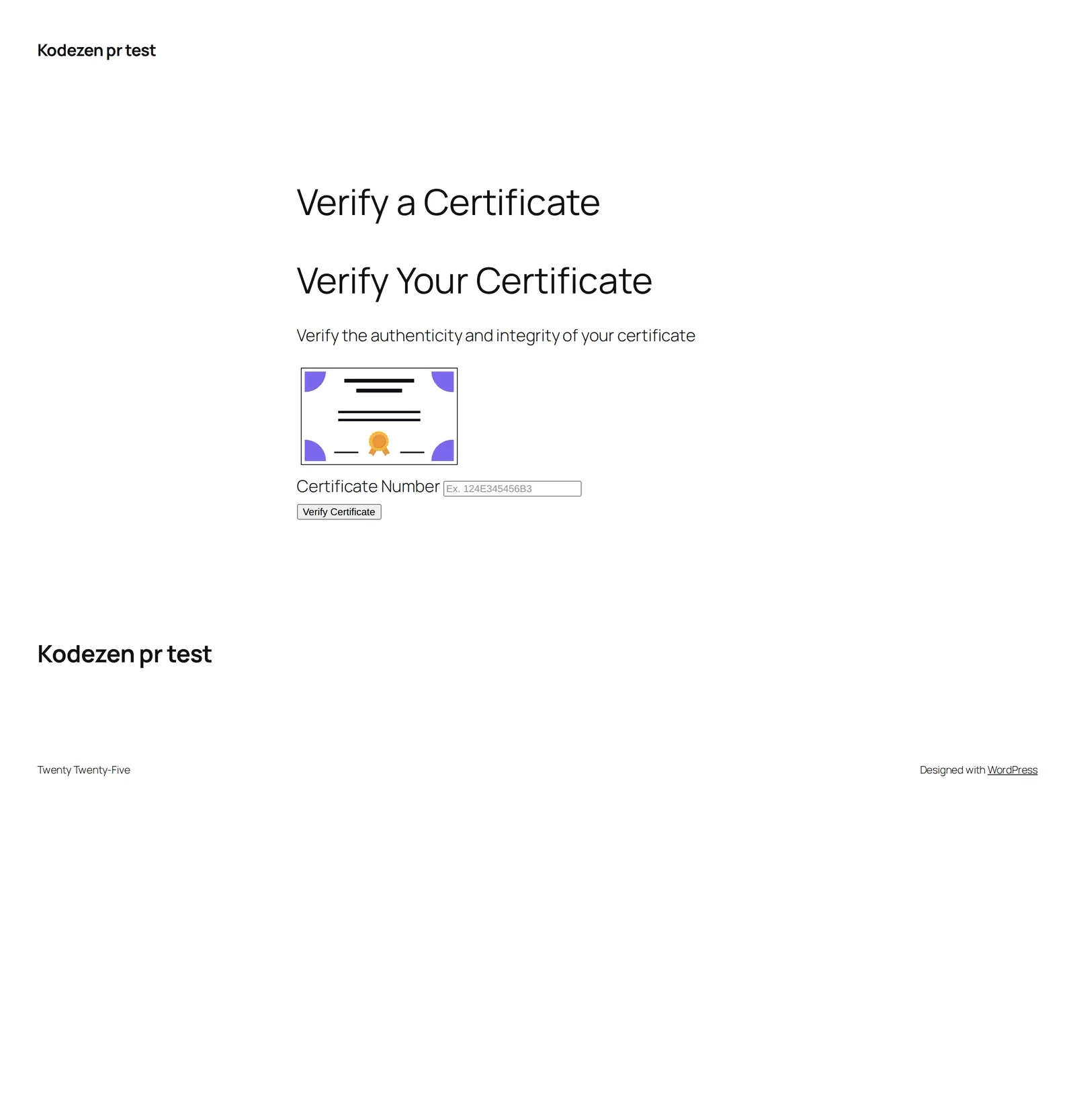
Type a real certificate number and submit. What comes back depends on the number:
|
What you enter |
What happens |
|
A valid number |
The certificate is confirmed and a View Certificate button appears, opening the certificate itself. |
|
A number that does not exist |
“The certificate number you entered is incorrect.” |
|
Nothing |
“Verification code is missing.” |
The View Certificate link opens the course page with the certificate in view, so the person checking sees the real document rather than only a yes or no.
Where the certificate number comes from
The number is issued when a student completes a course and earns their certificate. It has to appear on the certificate design itself, otherwise the holder has nothing to quote.
Open your certificate in the builder and make sure the field that prints the certificate number is on the design. Without it the verification form still works, but nobody will know what to type.
Troubleshooting
The shortcode prints as plain text.
The Certificates addon is off, so the shortcode is not registered. Turn it on as in Step 1.
The form shows but every number comes back incorrect.
The numbers being tried are not ones this site issued. Verification only matches certificates awarded on this installation.
There is no Certificate Verification block in the inserter.
Check the addon is active, then reload the editor. The block sits in the Academy category.
The certificate number is not on the printed certificate.
Add it in the certificate builder. Verification depends on the holder being able to read their number.