









Move courses, lessons and quizzes between sites, back them up, or add many at once, using CSV files. Everything lives on one screen.
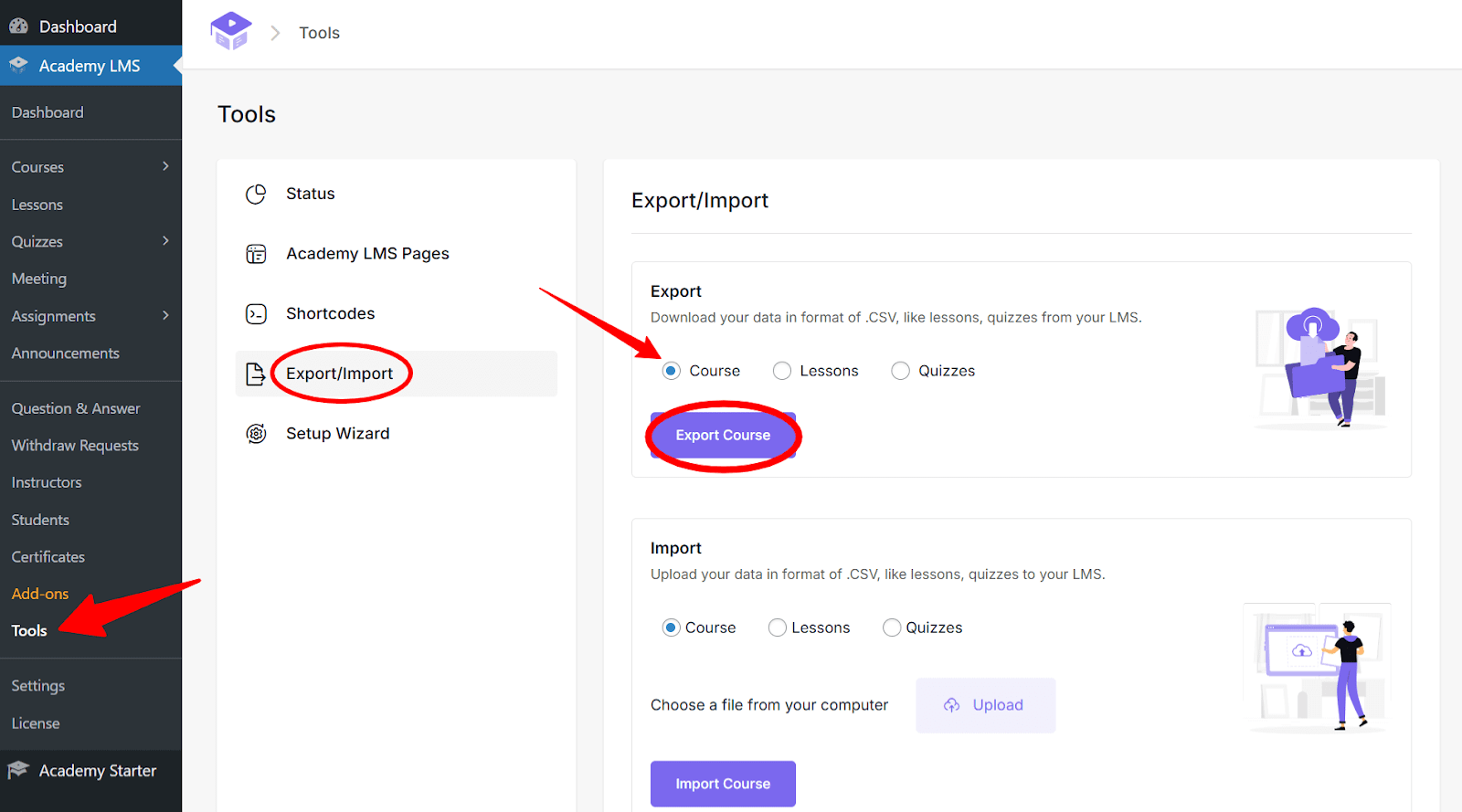
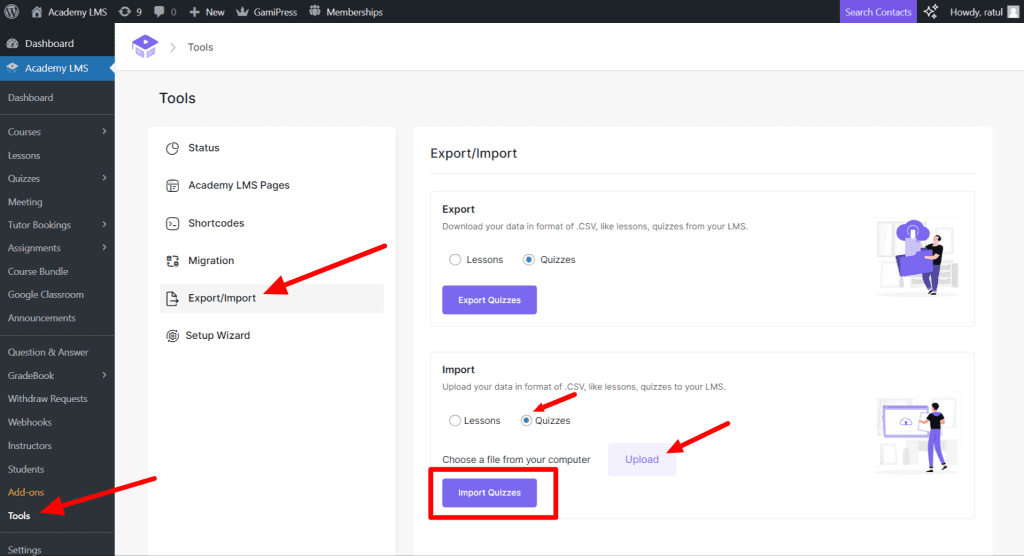
Go to Academy LMS → Tools → Export/Import.
Courses
Export
1.Select Courses.
2.Click Export Courses. A CSV file downloads.
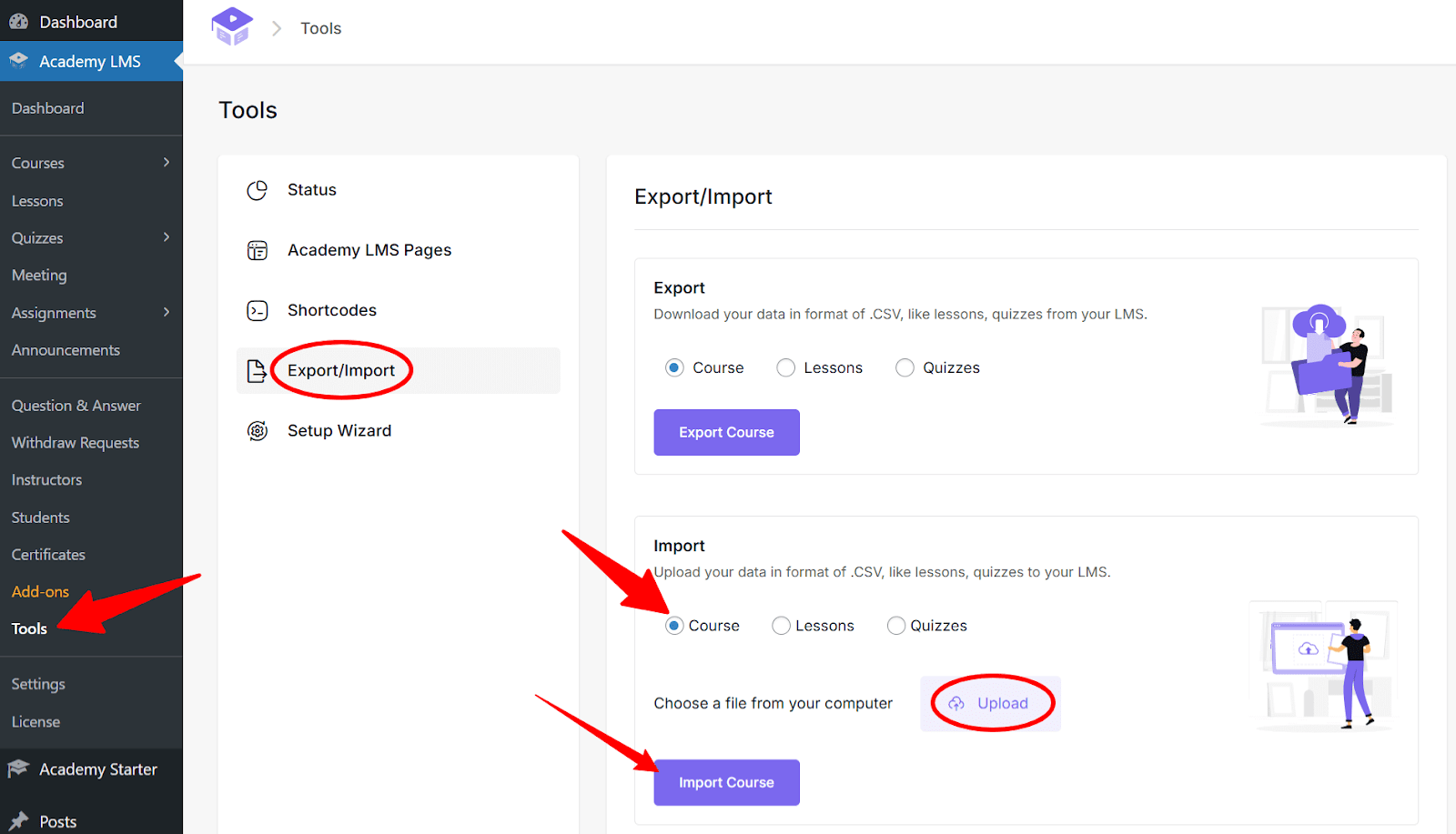
Import
1.Select Courses.
2.Click Choose File and pick your CSV.
3.Click Import Courses.
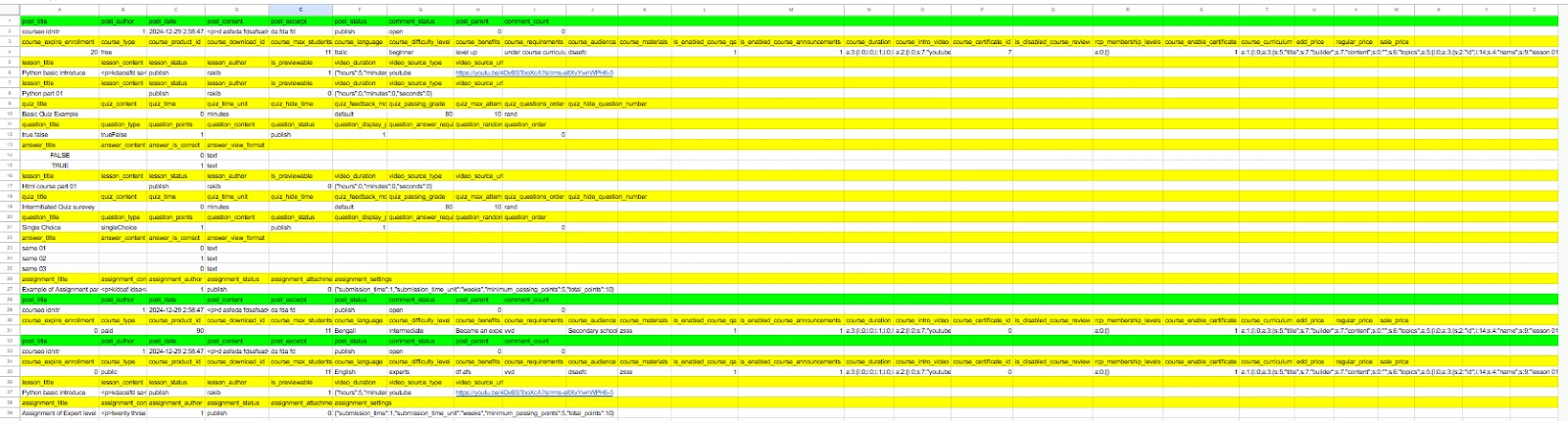
The easiest way to get the right format is to export one course first and copy its columns.
Lessons
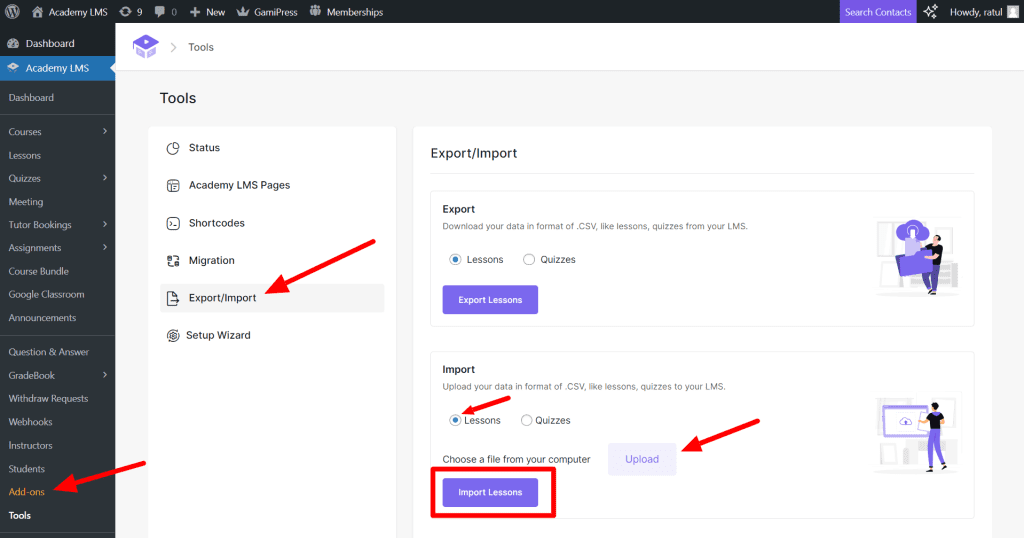
Select Lessons, then:
Export: click Export Lesson.
Import: choose your CSV and click Import Lesson.
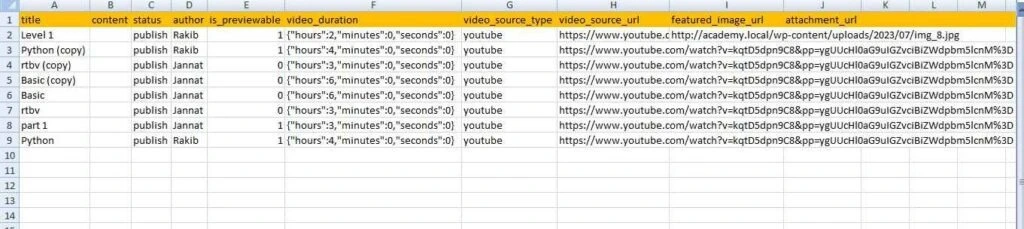
Keep the required column headers (marked orange in the example) exactly as they are.
Quizzes (Pro)
Select Quizzes, then:
Export: click Export Quizzes.
Import: choose your CSV and click Import Quizzes.
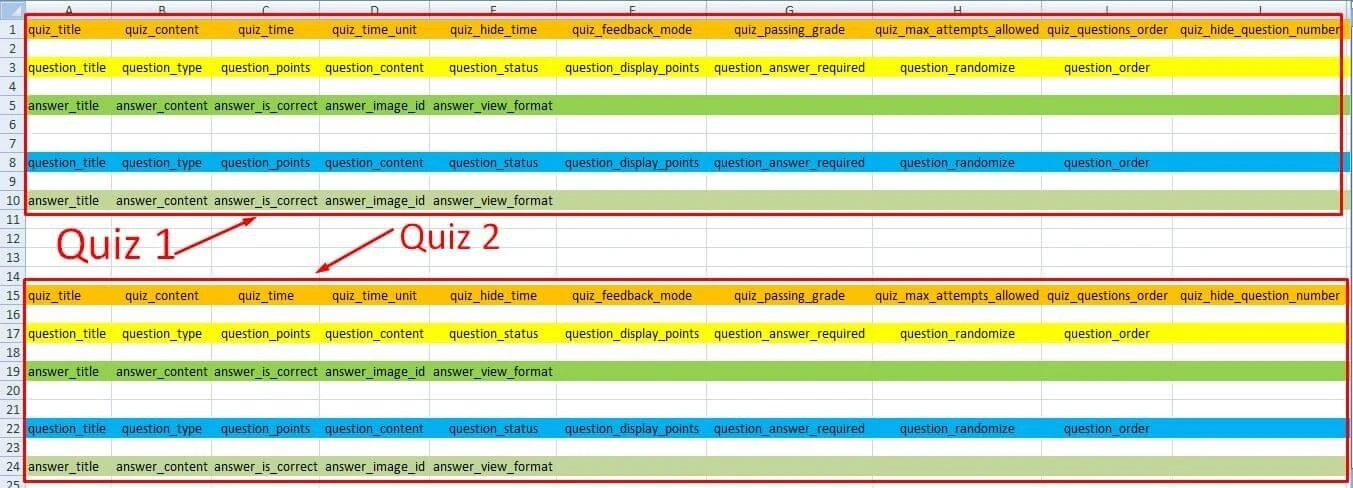
One file can hold many quizzes, each with many questions. Set the answer type for every question, and keep the required headers.
Limits and tips
Import up to 500 items per file. Split bigger files into smaller ones first.
Some fields need Academy LMS Pro on the destination site, for example Pro-only quiz settings.
Import into a staging site first if you are moving a lot of content.
For student and instructor lists, see Student and Instructor Export.