
Academy LMS 4.0 is out, and it is the biggest release we have ever shipped. Every admin screen is rebuilt, with light and dark mode. Students get a new learn page with notes, Q&A, and progress in side drawers. Quizzes get a reusable question bank. A new Customize screen sets the look of your whole site, with a live preview. Course pages, the catalog, the learn page and the dashboard are now built from 47 blocks. Certificates have a real design canvas. And the frontend dashboard now gives students, teachers and parents each their own view.
This post walks through all of it, one area at a time, with screenshots from the release itself.
From Two Betas to One Stable Release
This is the third post in the 4.0 story, and the first one that is not about a beta.
In Beta 1, we rebuilt the admin from the ground up and introduced three new plugins around Academy. In Beta 2, we opened the dashboard to teachers and families and moved school fees onto StoreEngine.
Since Beta 2, we closed nearly 400 more commits in Academy and over 120 in Academy Pro. Across the whole 4.0 cycle, that adds up to more than 900 commits since version 3.8.
Some of that work is new. The Certificate Builder, the block learn page, the block dashboard, the Registration Form block and the rebuilt Customize screen all arrived after Beta 2. The rest is finishing work. We tested the betas on real sites, listened to what broke and fixed it.
So this post does two jobs. It is a complete tour of 4.0 for anyone who skipped the betas. And it is the list of what is new since Beta 2 for anyone who has been following along.
Part 01: A Learn Page Students Want to Stay On
The learn page is where students spend most of their time, so we rebuilt it from scratch.
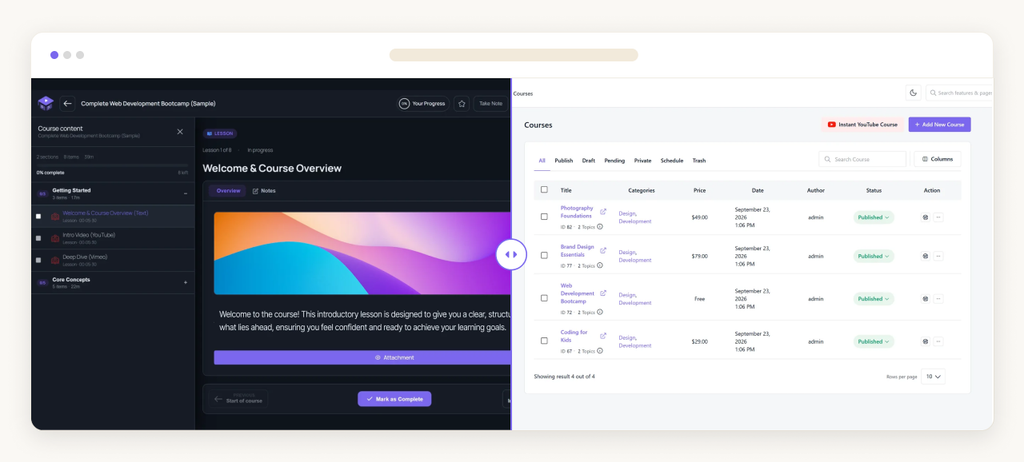
Notes, Q&A, announcements and progress now open in drawers beside the lesson. A student can write a note or ask a question without leaving the video. When they close the drawer, they are exactly where they were.
The Drawers, Up Close
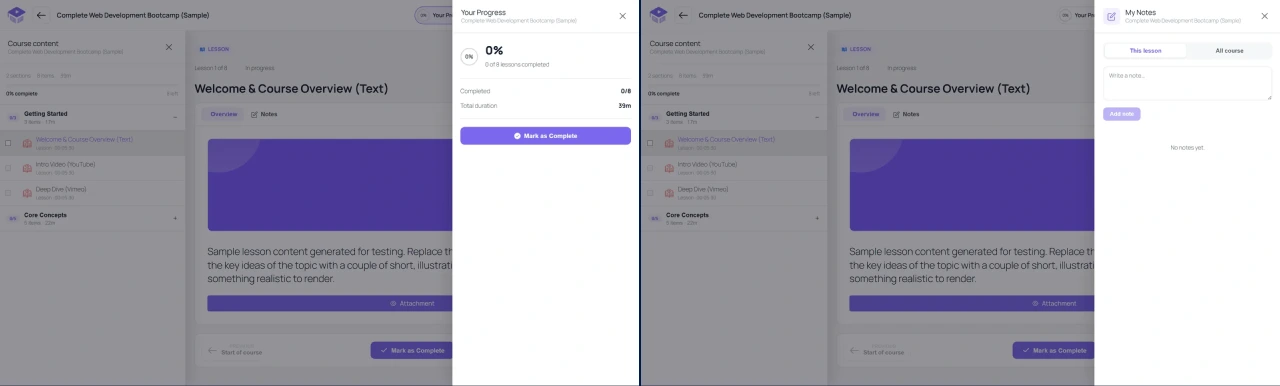
The Notes drawer keeps notes per lesson or for the whole course. The Progress drawer shows completed lessons, total duration and the Mark as Complete button in one place.
Built Around the Reader
Every part of the page can now be adjusted to the student and to you.
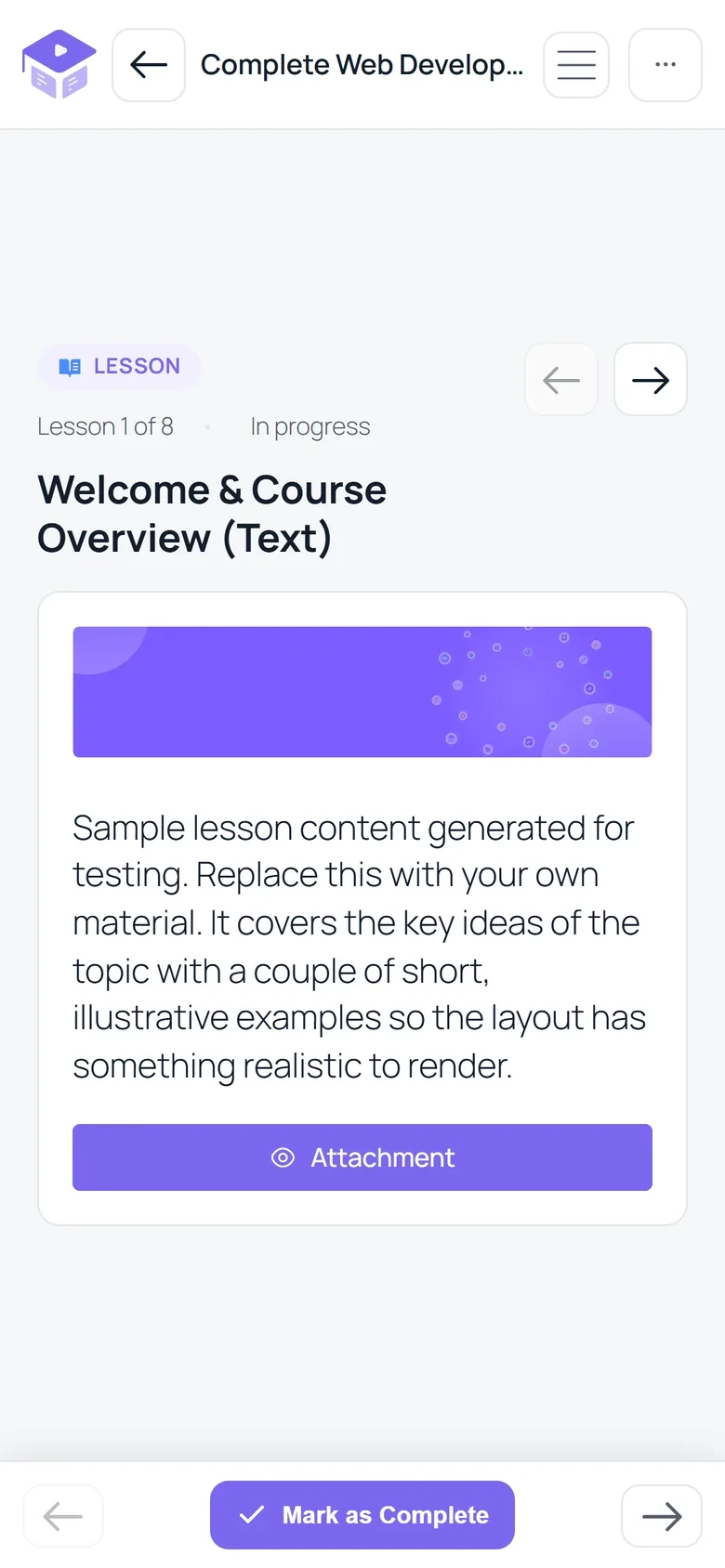
A Block Learn Page
New since Beta 2, the learn page is also available as a set of blocks. You can open it in the block editor to remove parts, reorder them or style each one. It uses the WordPress Interactivity API, so it stays fast, and lessons can use any shortcode or block. The classic learn page is still there if you prefer it.
Part 02: Your Look, Set in One Place
A new Customize screen decides how your courses look across the whole site. It has five panels: Colors & Style, Course Catalog, Course Page, Learn Page and Dashboard.
The best part is the live preview. Your real site sits beside the settings, on desktop, tablet or mobile. Every change shows in the preview first. Nothing changes on your live site until you press Save.
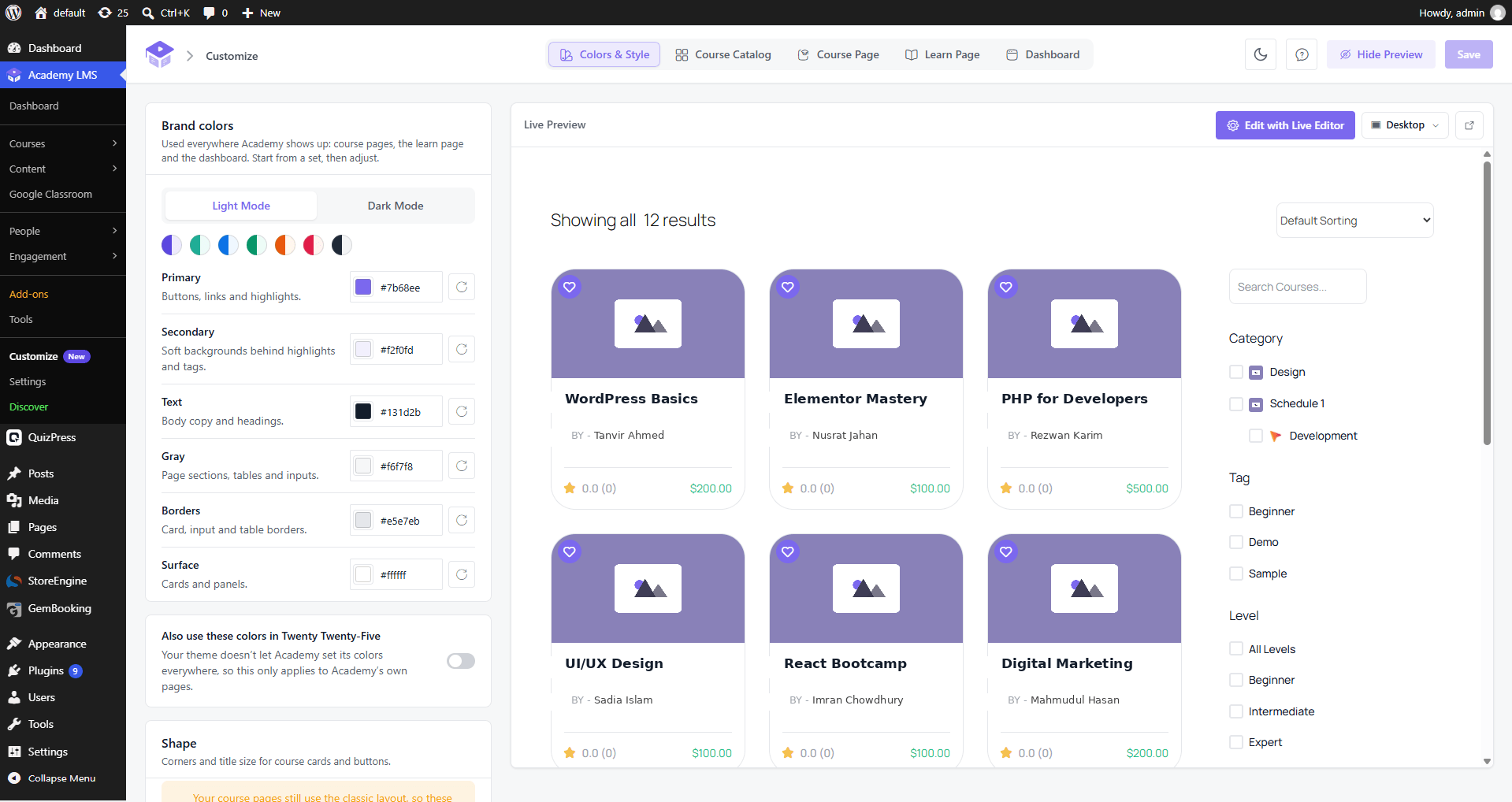
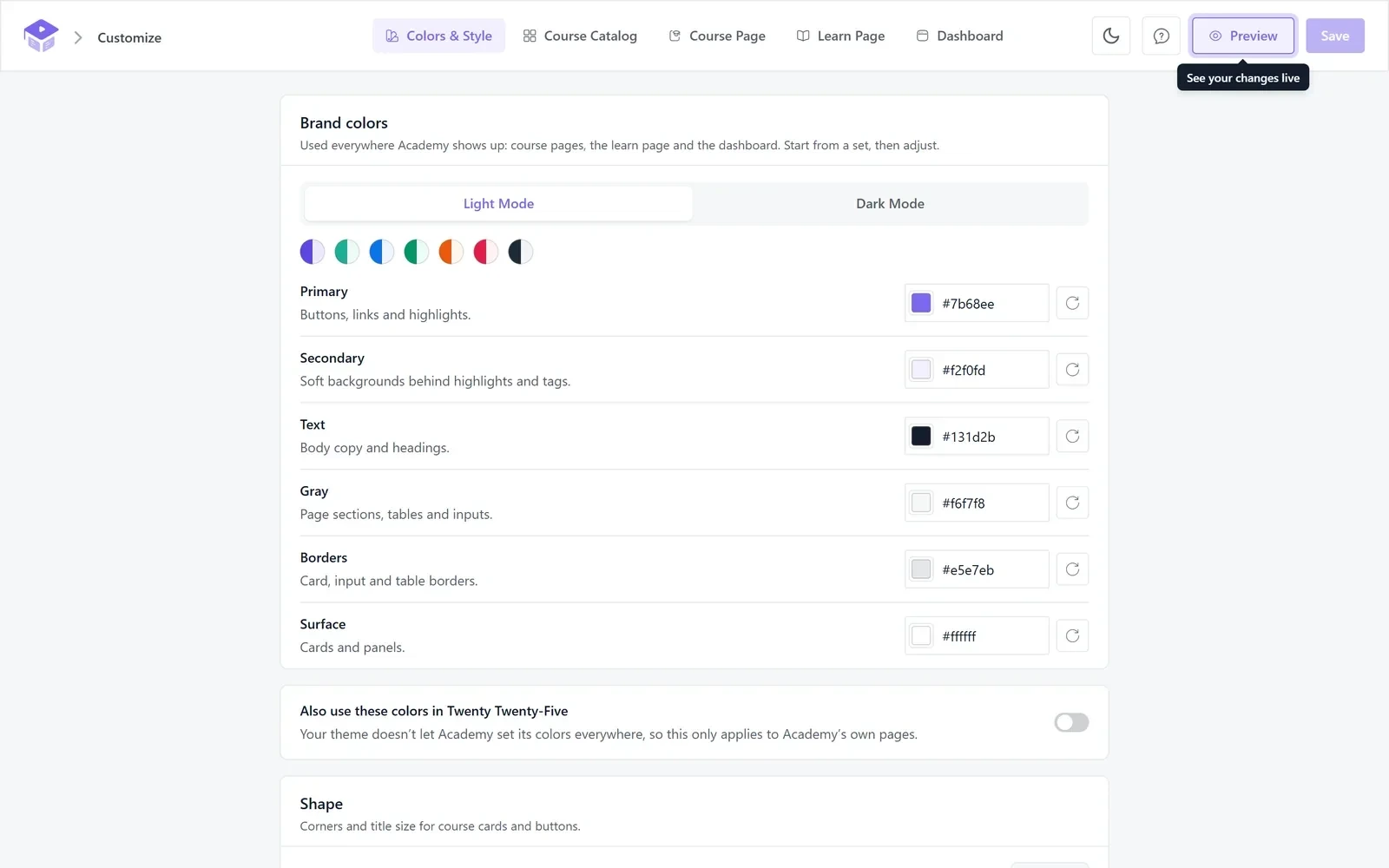
Brand Colors for Light and Dark
In Colors & Style, you pick a color set and then adjust it. The same colors run through course pages, the learn page and the dashboard.
Course Cards, Course Pages and Presets
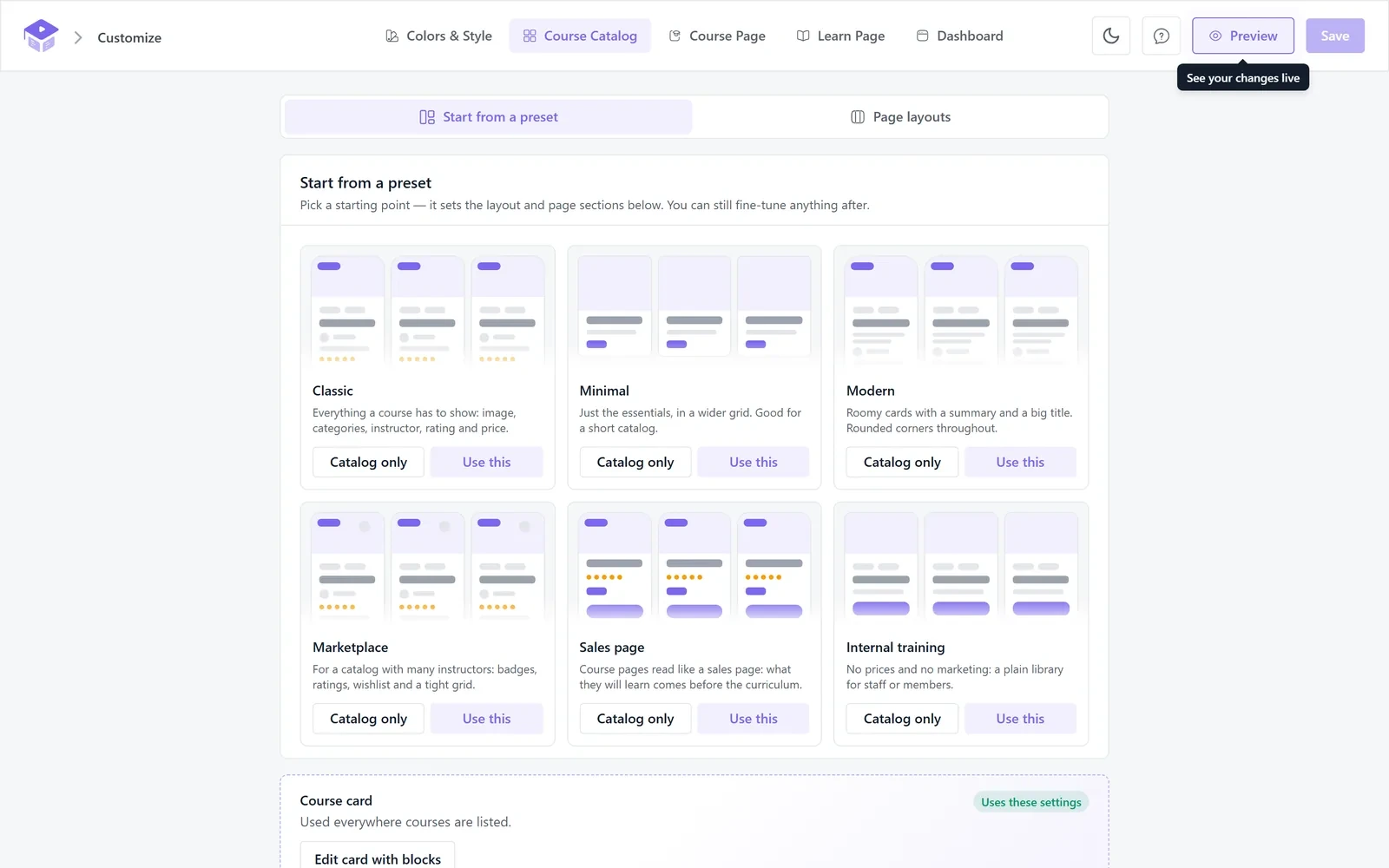
In Course Catalog, you decide what every course card shows. You drag the parts into order and switch off anything you do not need. You also set the image shape, how many courses sit in a row on each screen size, and where the filters sidebar goes.
In Course Page, you arrange the sections down the middle of a single course page. You can also choose which side the enroll box sits on.
If you would rather not start from zero, six presets set up the catalog and the course page in one click.
The Learn Page and Dashboard panels work the same way. You set layouts, colors, menu items and the home page, and the preview updates as you go. For anything the settings do not cover, each panel has an Edit with Blocks button.
Part 03: 47 Blocks, and Every Page Is Editable
Course pages, the catalog, the learn page and the dashboard are now built from blocks. Academy 4.0 ships 47 blocks in total.
Course, Archive and Category Templates
You can open any Academy page in the Site Editor and change it like the rest of your site. Patterns and style presets give you a head start. The block templates work in classic themes too.
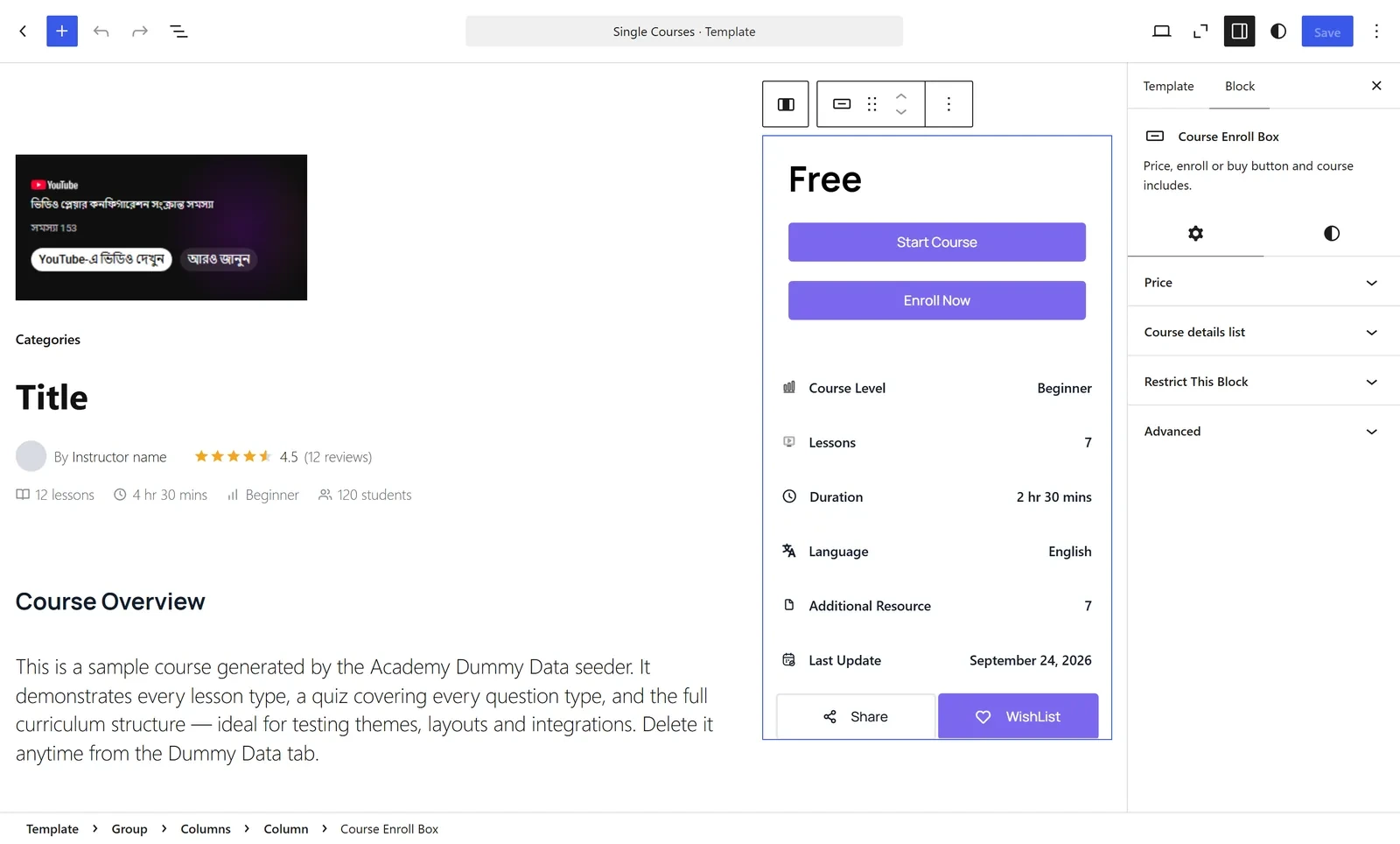
Academy also stopped loading its own font family. Course pages now take their fonts, line heights and heading sizes from your theme, so they match the rest of your site.
Sign-Up Forms You Build Like a Page
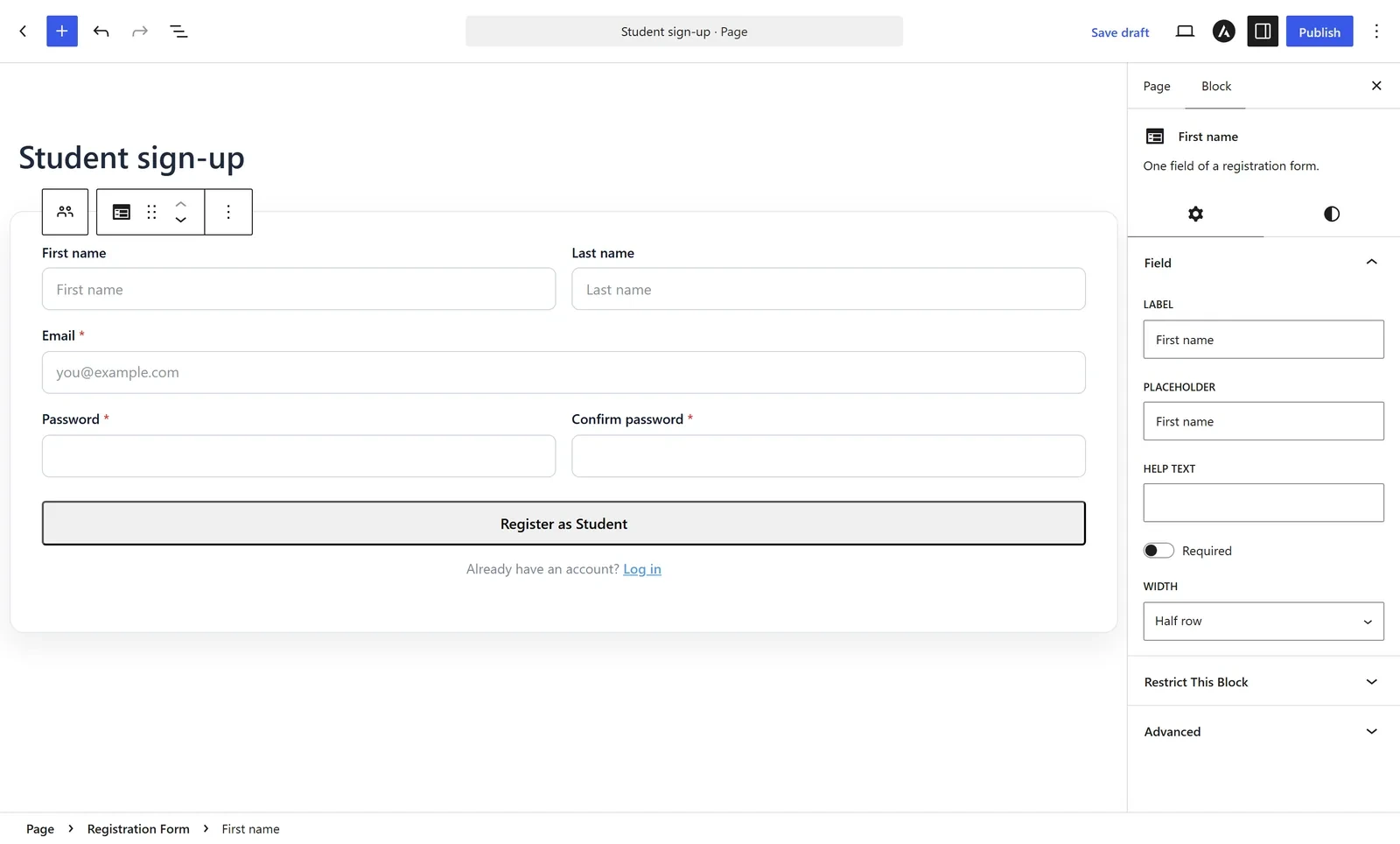
The new Registration Form block handles student and instructor registration. Every field is its own block, with eleven field types to choose from. It replaces the old admin Form Builder, and an existing form converts to the block in one click.
Part 04: Write a Question Once, Use It Everywhere
Quizzes get the biggest structural change of any part of Academy.
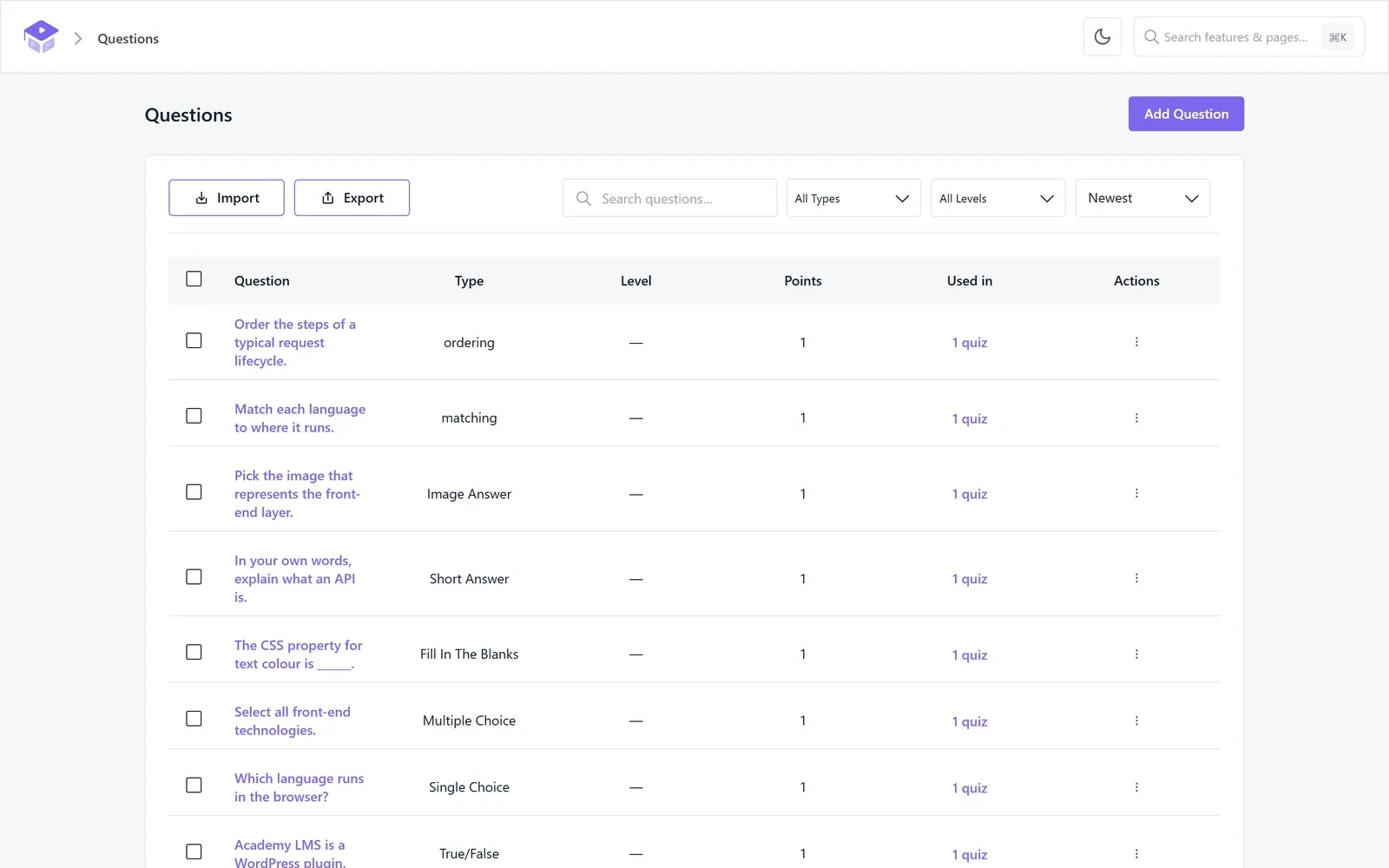
A new Questions menu holds every question on your site in one library. You can filter it by question type and difficulty. Each question shows a “Used in” count, so you can see how many quizzes rely on it before you edit it. You can import and export the whole bank.
A Quiz Editor That Matches the Course Builder
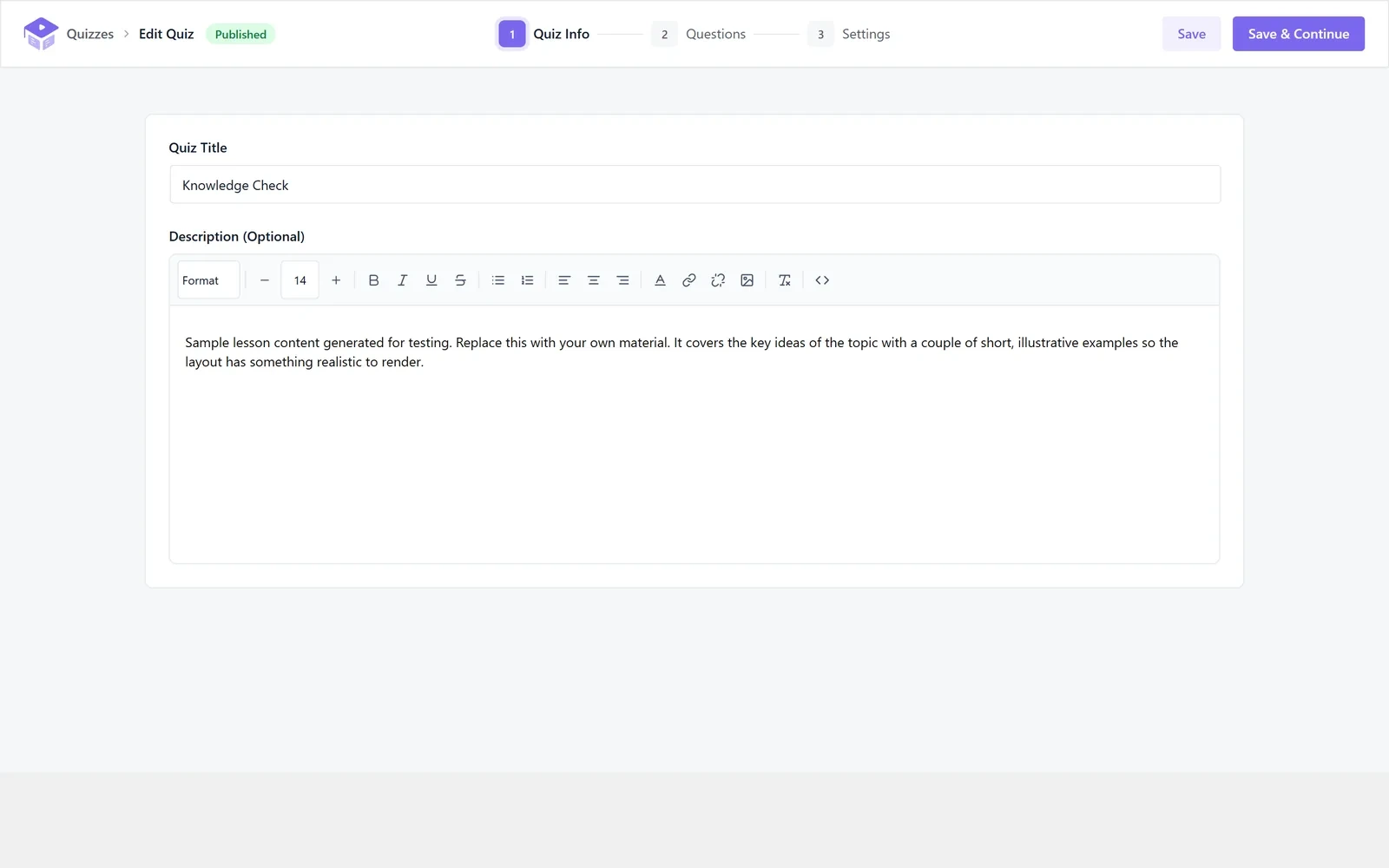
The quiz editor now follows the same three steps as courses. Quiz Info holds the title and description, Questions holds the questions, and Settings holds the rules. New quizzes are published by default, and attempt details open on their own page.
Fairer Tests, and More Fun to Take
Several new question types and rules came with the rebuild.
All of these are part of the free plugin.
Part 05: Certificates Worth Putting on a Profile
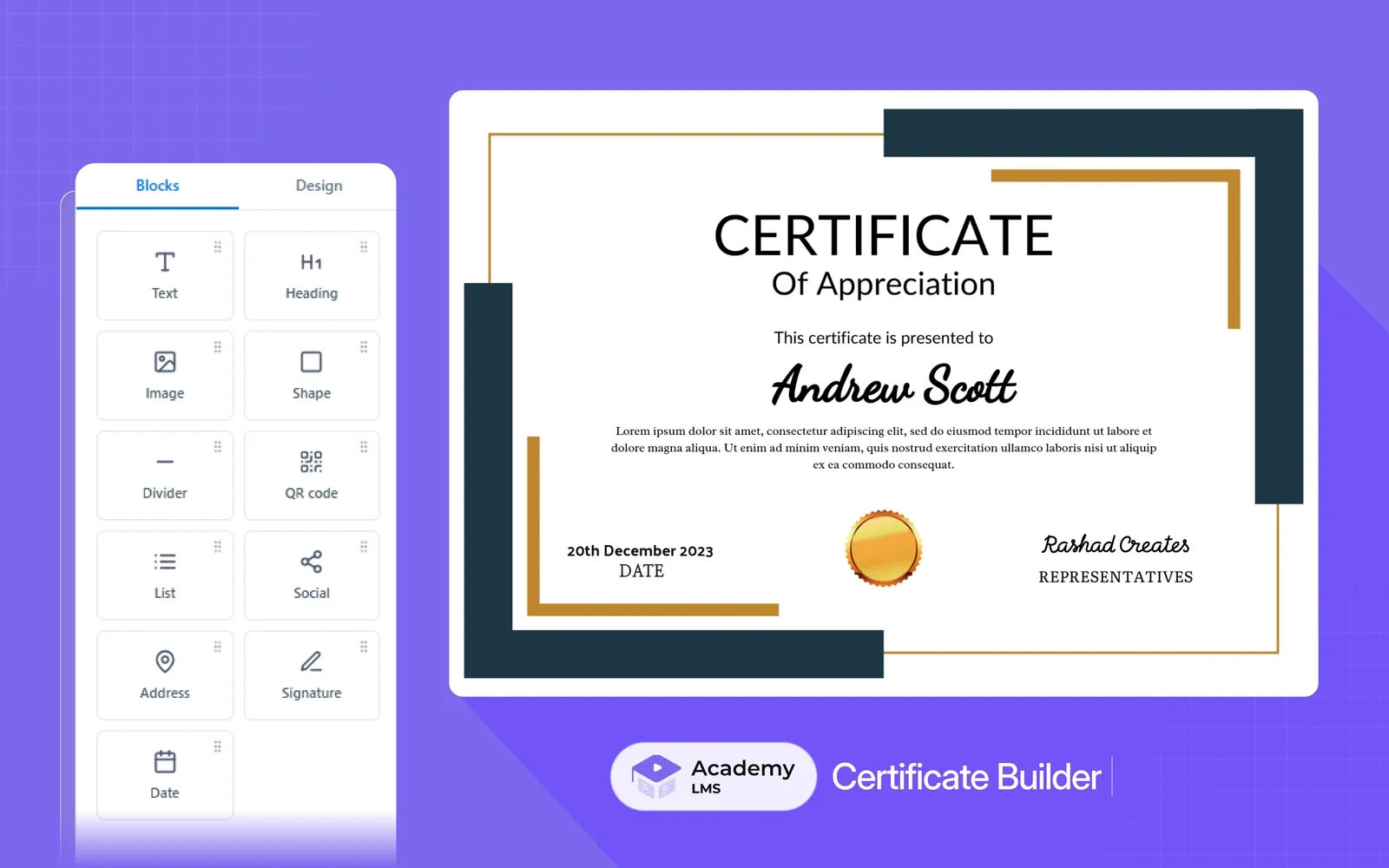
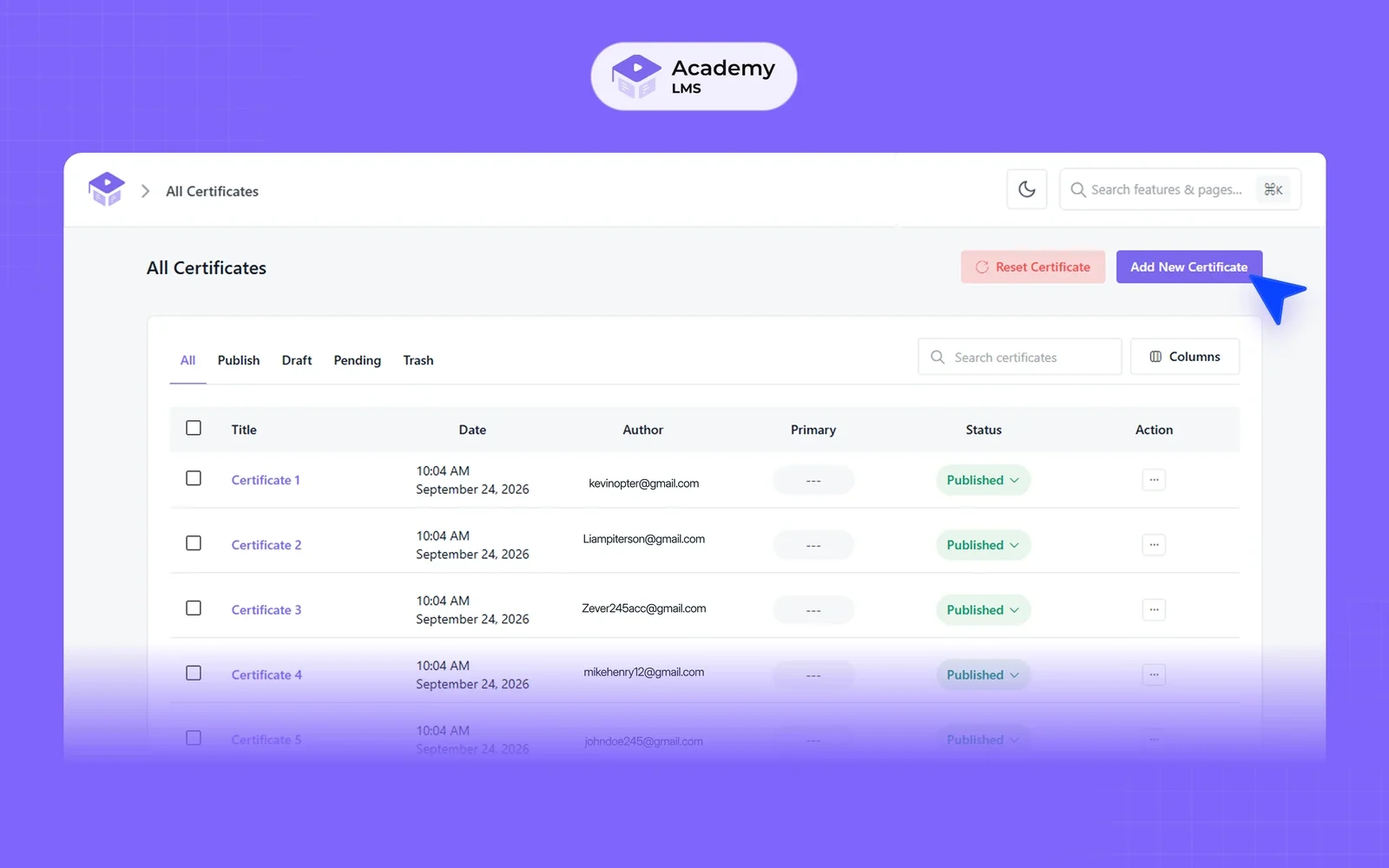
The certificate designer is rebuilt as a real Certificate Builder. It arrived after Beta 2 and is one of the pieces we are proudest of.
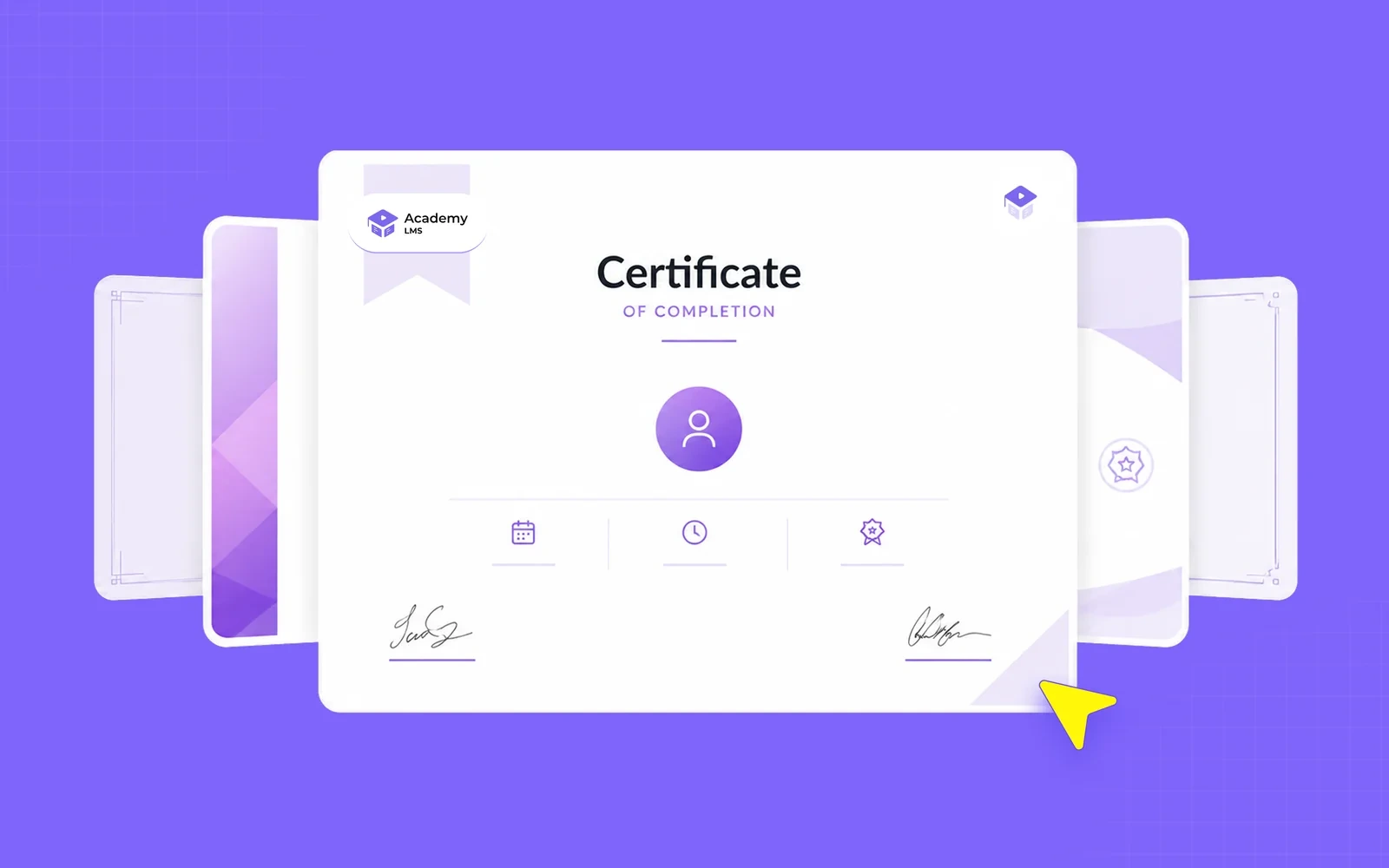
You design on a canvas. Drag text, headings, images, shapes, QR codes, signatures and dates exactly where you want them. Each layer has its own position, style and order settings.
Part 06: One Dashboard, a View for Every Role
We introduced this in Beta 2, and it is now finished.
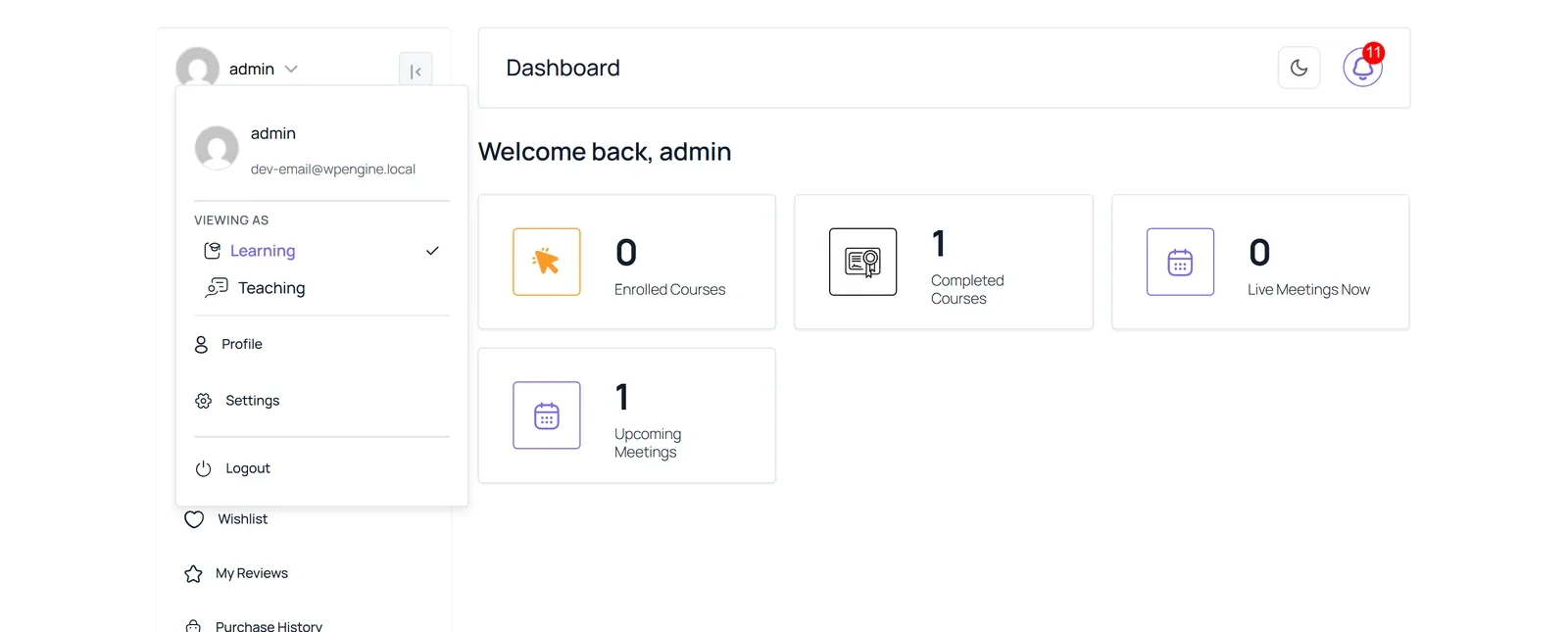
The frontend dashboard is grouped into three areas: Learning, Teaching and Family. Each area has its own landing page and its own numbers. Before, an instructor saw learner items and teaching items mixed together in one long menu.
Now students land on Learning. Instructors land on Teaching. Guardians land on Family. Someone with more than one role switches areas from the account menu, under Viewing as. People with a single role never see the switcher at all.
A few other dashboard changes came with it.
Part 07: An Admin Designed for Day and Night
The first thing you will notice after updating is the admin itself.
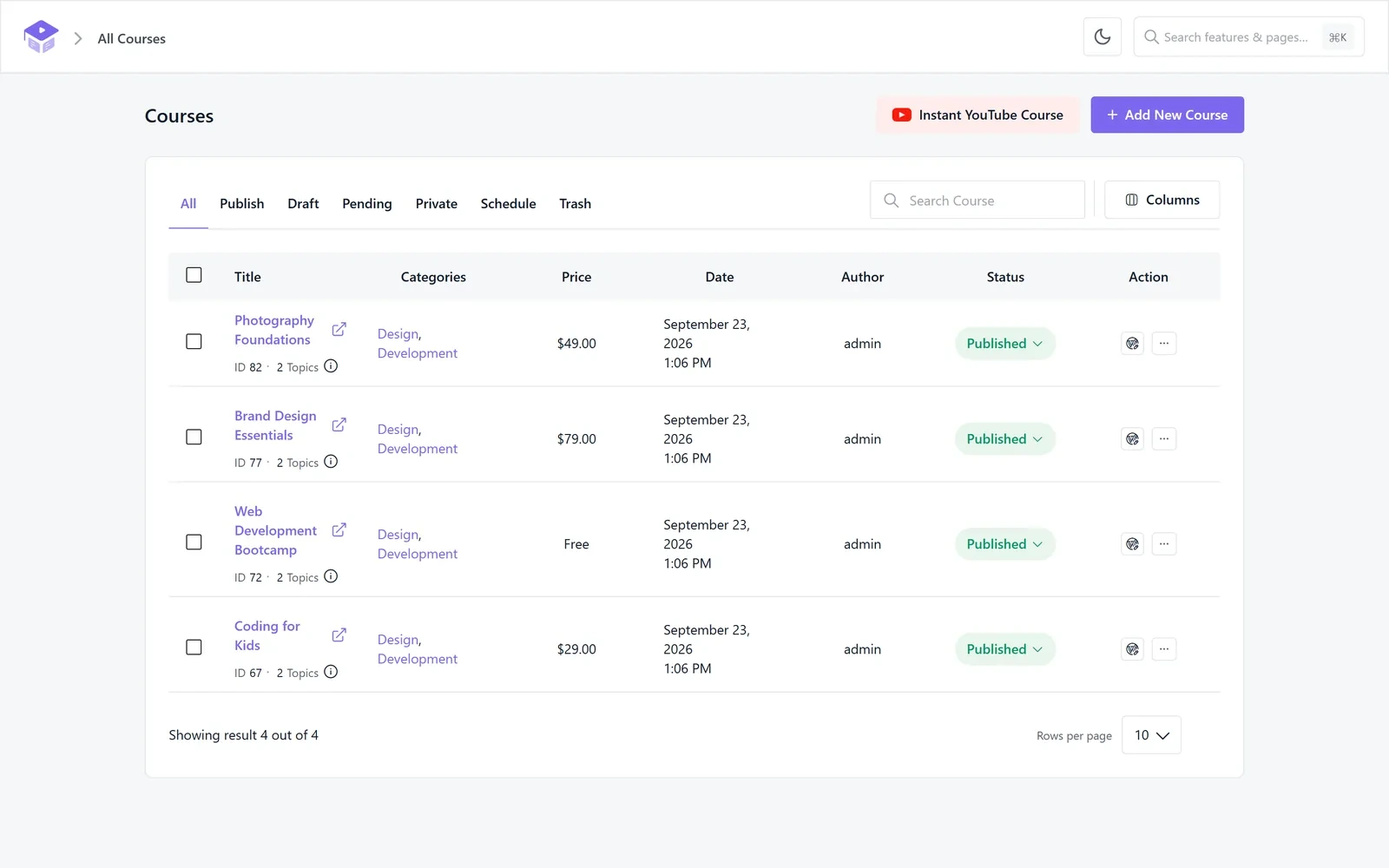
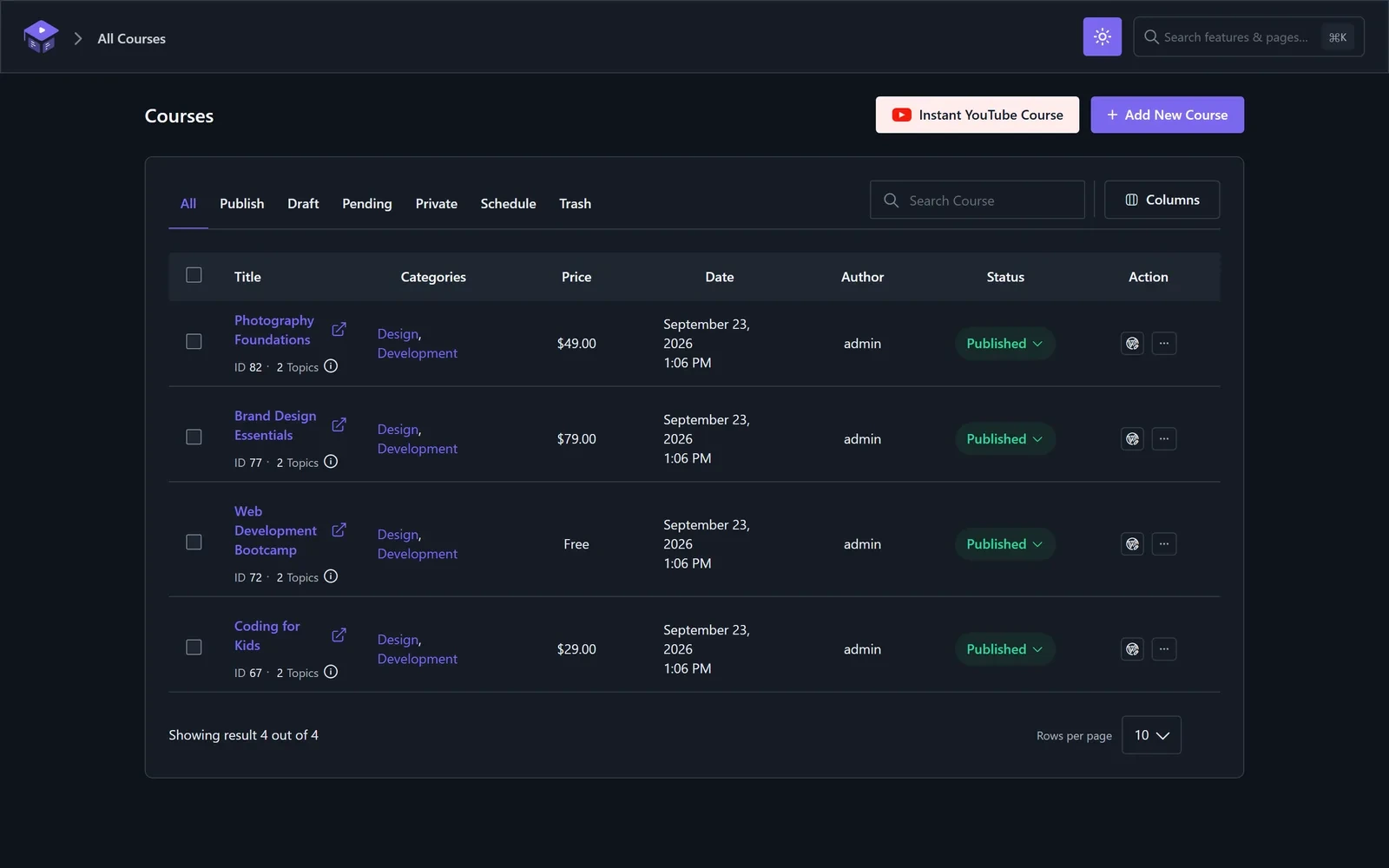
Every Academy screen now runs on one design system. The palette is calmer. Tables are denser, so you see more rows without scrolling. And the same controls sit in the same place on every page, so a new screen never feels unfamiliar.
Light, Dark or Follow Your System
A single toggle in the top bar switches the entire Academy admin between light and dark. Your choice is remembered in your browser, so it stays set the next time you log in. This was one of the most requested changes from Beta 1 testers who spend long evenings building courses.
Small Things That Save Time Every Day
A few smaller additions make daily work faster.
A Home Screen That Tells You What to Do Next
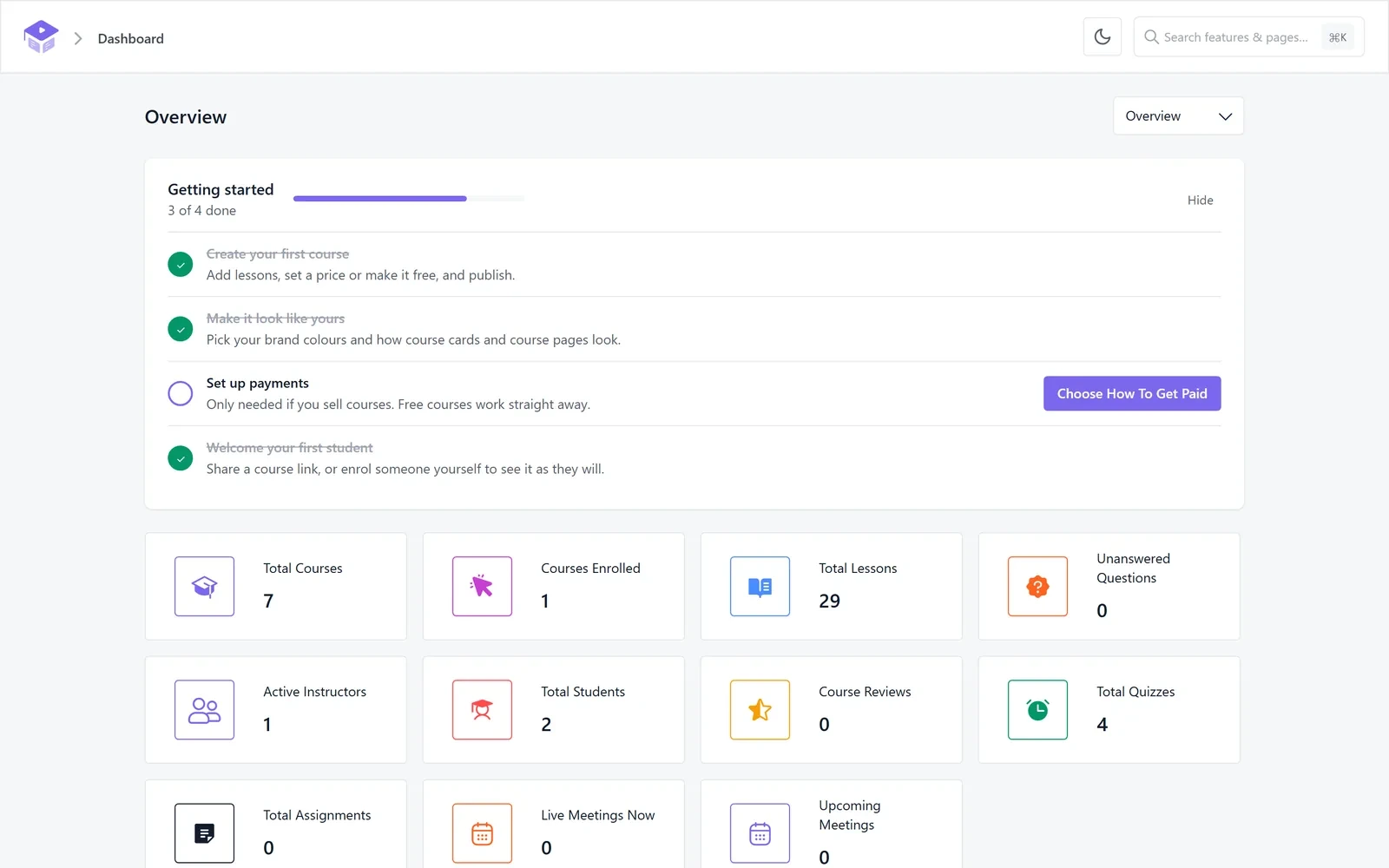
The new Overview screen opens with a getting-started checklist. It ticks itself off as you create your first course, set your look, connect payments and welcome your first student. Once your site is set up, you can hide it.
Below the checklist are the numbers that matter. You see your courses, enrollments, lessons, open questions, students, reviews, quizzes and assignments. Live and upcoming meetings sit on the same screen.
Part 08: Build a Course One Clear Step at a Time
Courses, lessons, quizzes and announcements now open as full pages. The small pop-up editors are gone.
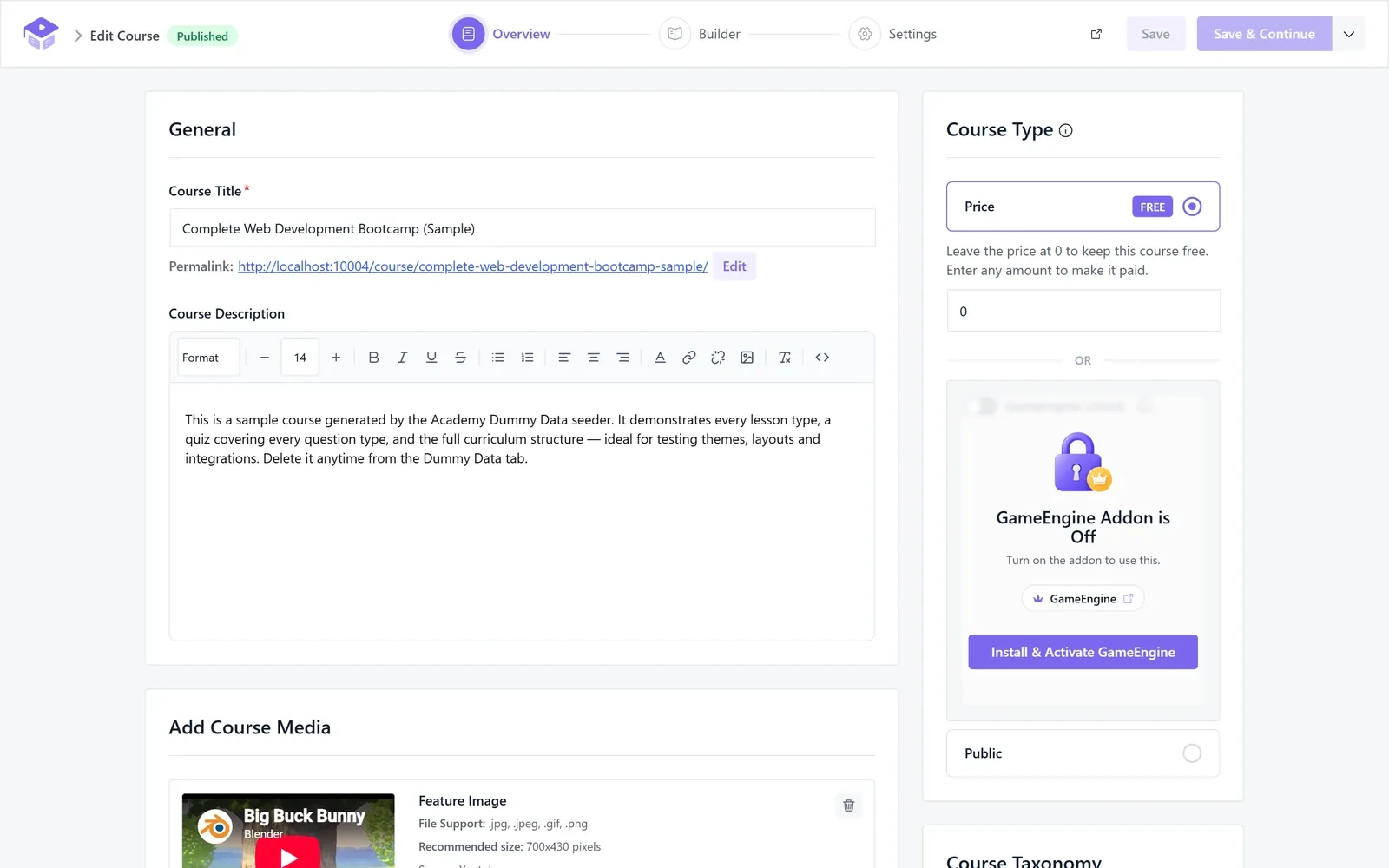
A course is built in three steps. Overview holds the title, description, price, media and categories. Builder holds the curriculum. Settings holds everything else. You always know where a setting lives, because each step only shows what belongs to it.
Saving Works the Way You Expect
Each step has two buttons. Save keeps your changes and stays where you are. Save & Continue saves and moves you to the next step. The same button also sets the status, so you can publish, send for review or keep a draft without hunting for another control.
If you try to leave an editor with unsaved changes, Academy asks first. No work gets lost to a stray click.
Drag the Curriculum Into Shape
In the Builder step, you add topics and then drop lessons, quizzes and assignments inside them. You can nest topics inside topics for longer, module-based courses.
The Reuse Content picker lets you add a lesson or quiz you already made to another course. You do not have to build it twice. And when you permanently delete a lesson, quiz or assignment, Academy now removes it from every curriculum that used it.
Every Course Setting, Grouped
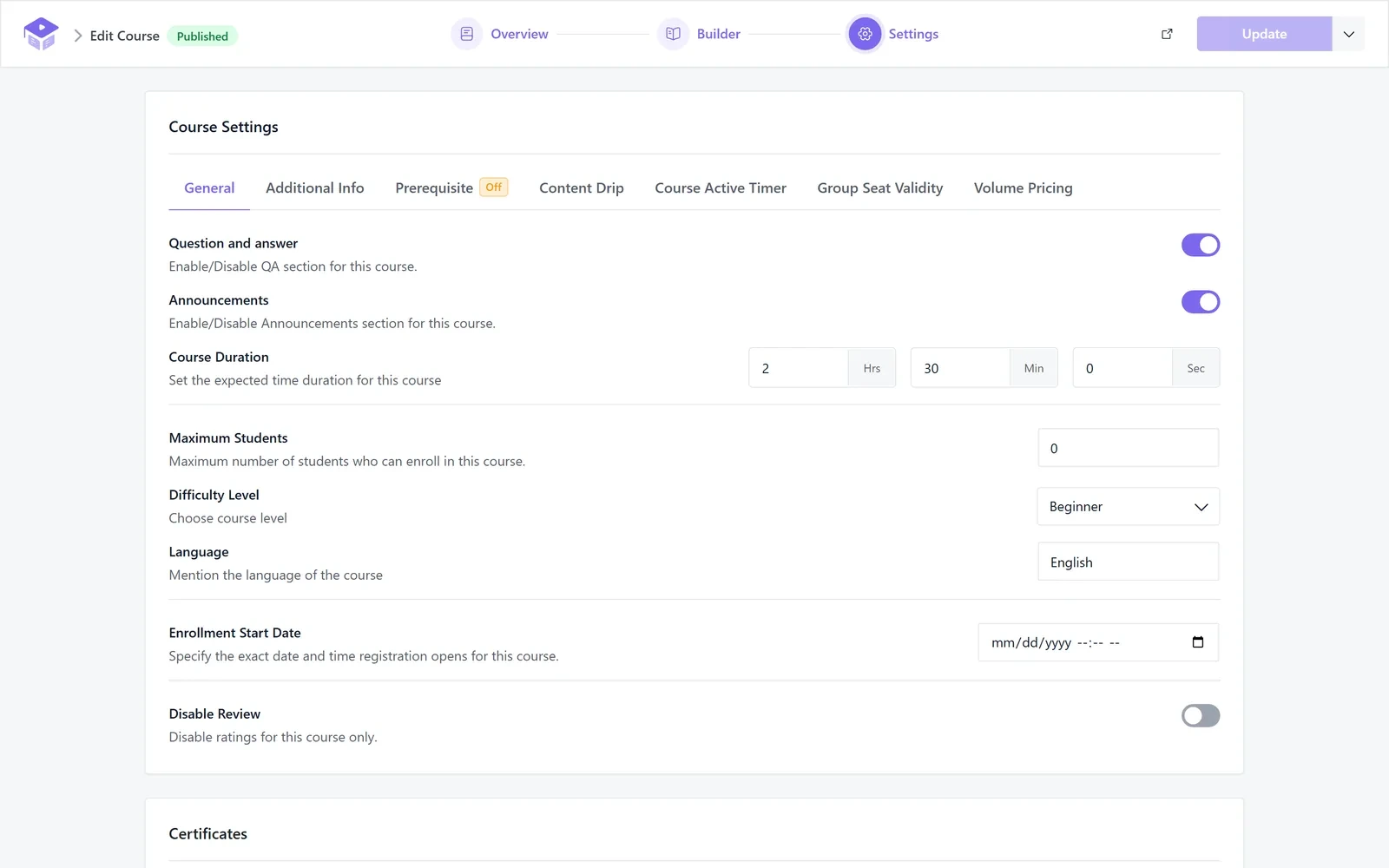
The Settings step splits course options into clear tabs. General settings, additional information, prerequisites, content drip, the course timer, seat validity and volume pricing each have their own place.
A few other course features landed in 4.0 too.
Part 09: The Kodezen Player and a Lesson Reader
Video lessons now play in the new Kodezen Player. It picks up where the student stopped. More importantly, it only marks a lesson complete after enough of the video has been watched.
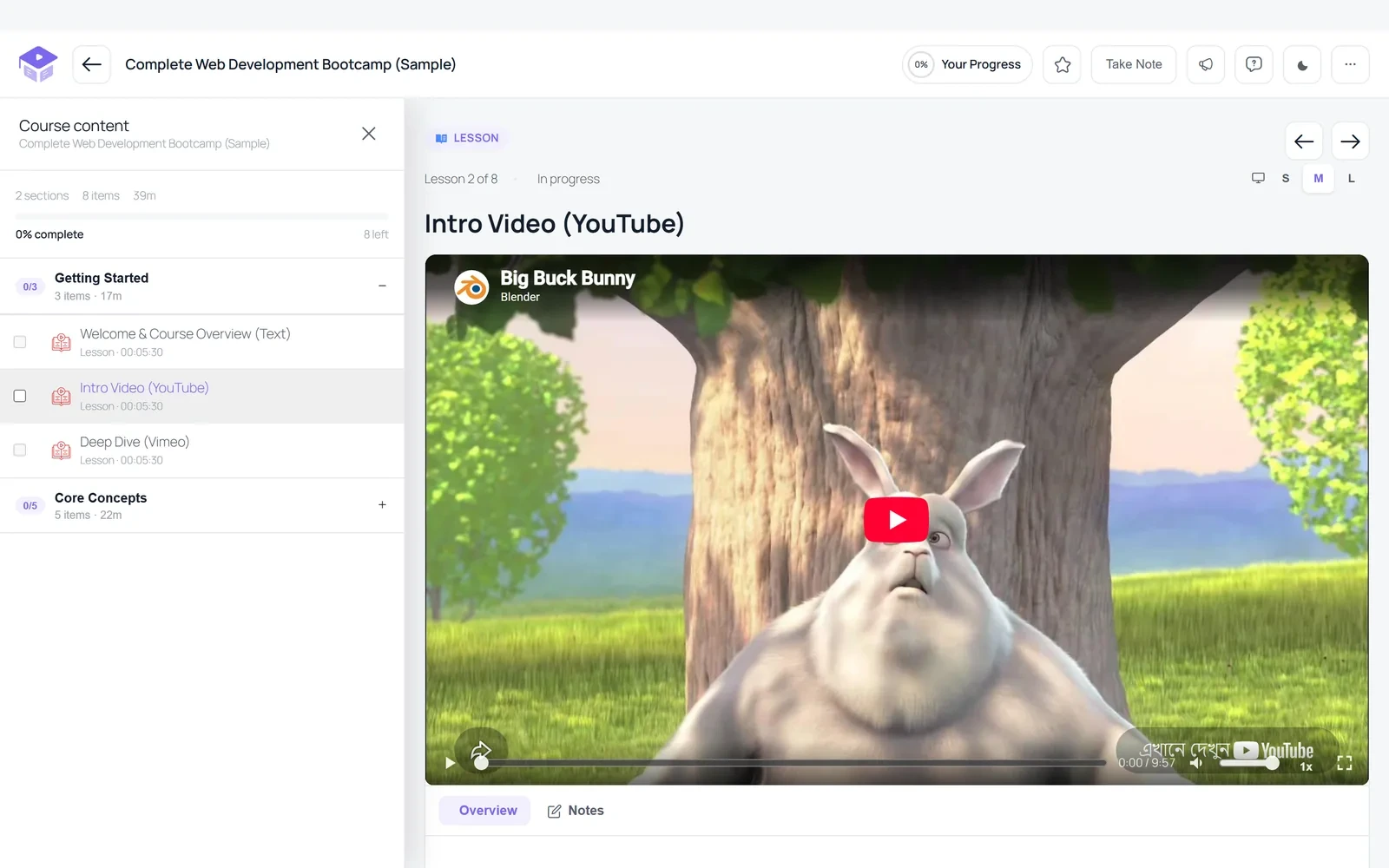
Text lessons get something new too. The Text Reader adds a Listen button above lesson text, so students can hear it read aloud. It uses the browser’s built-in speech engine, with speed control and highlighting of the sentence being read. It helps students who learn better by listening, and students who need it for accessibility. You turn it on under the Learn Page settings.
Part 10: New in Academy Pro
Academy Pro 4.0 is aimed at schools and teams that run their teaching on Academy every day.
Course Active Timer
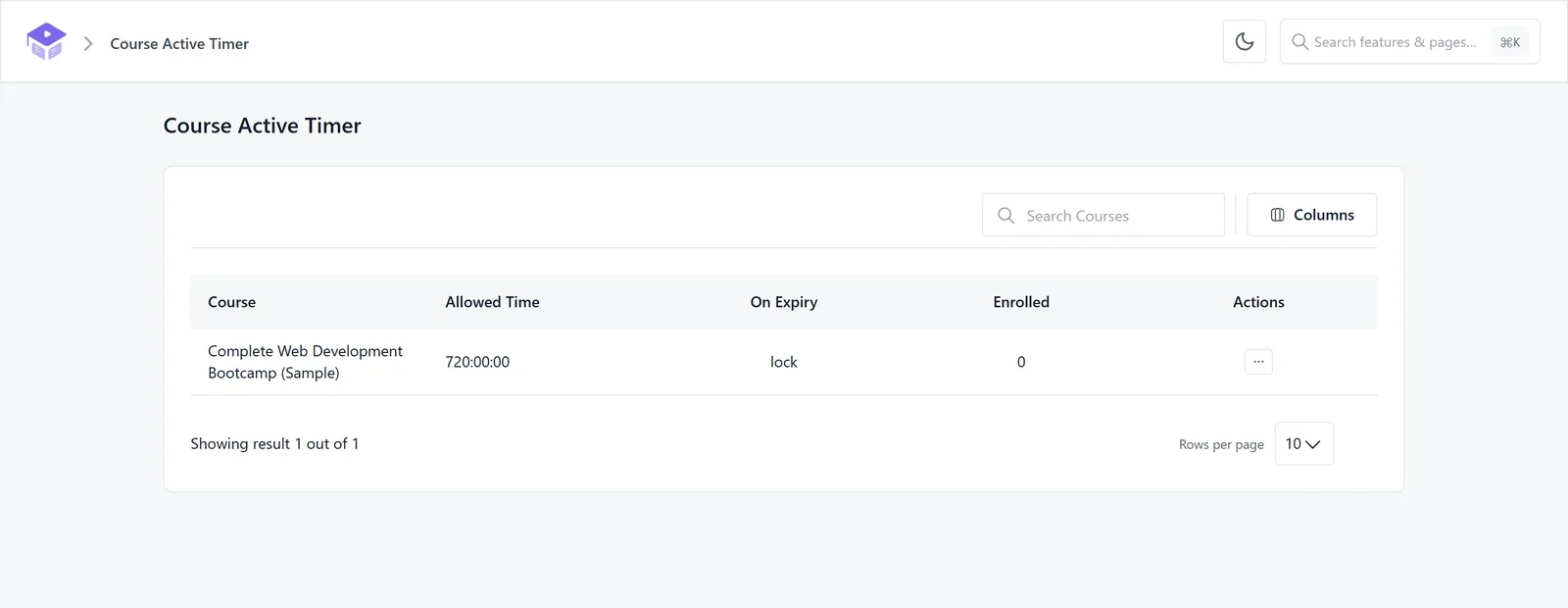
Give each student a fixed amount of time to finish a course. The timer runs on the server, so it cannot be reset by clearing the browser. When time runs out, the course locks. Admins watch every timer from a monitor screen.
Tutor Booking With Meetings
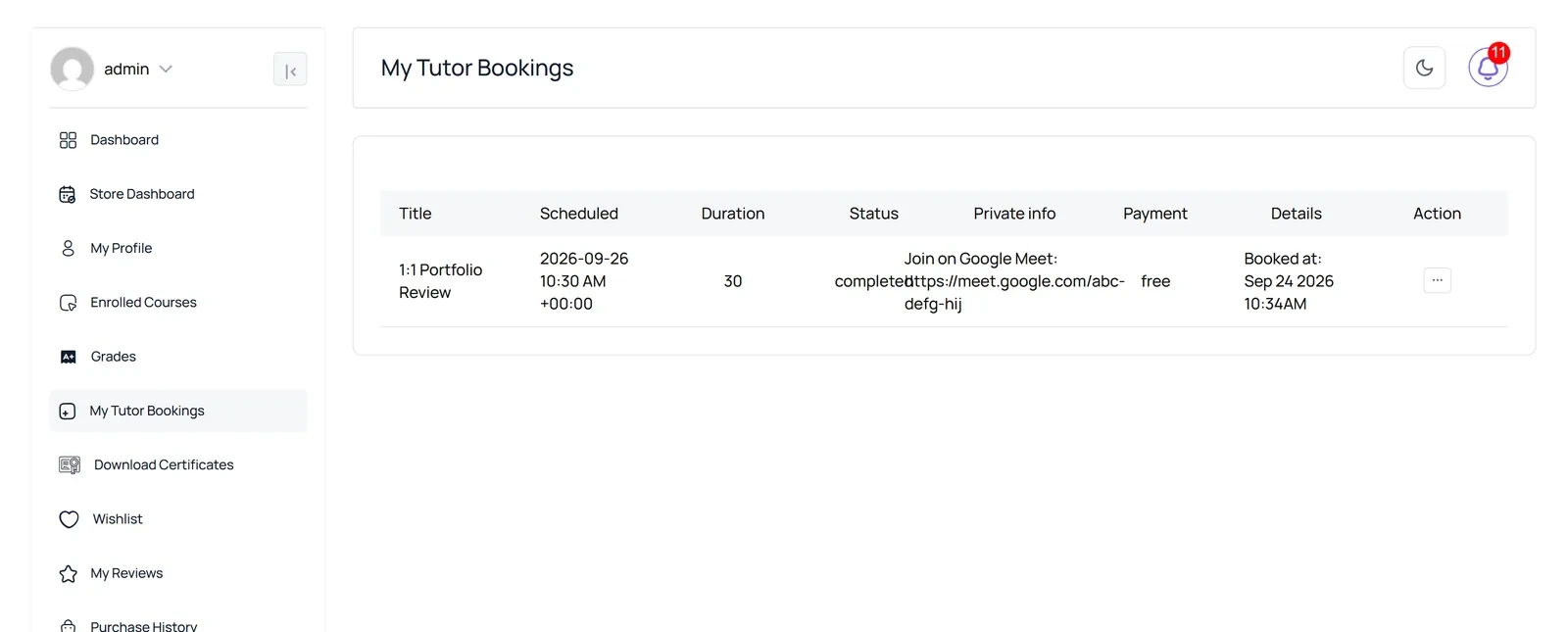
When a booking is confirmed, Academy can create the Zoom or Google Meet link automatically. Students can reschedule or cancel, with one live booking at a time. Booking and meeting notifications are new in 4.0 too.
And More in Pro
See Academy Pro plans and pricing to unlock these on your site.
Part 11: Bring Parents Into the Classroom
The Guardian addon links families to students. It is free, and it gives parents their own Family area in the dashboard.
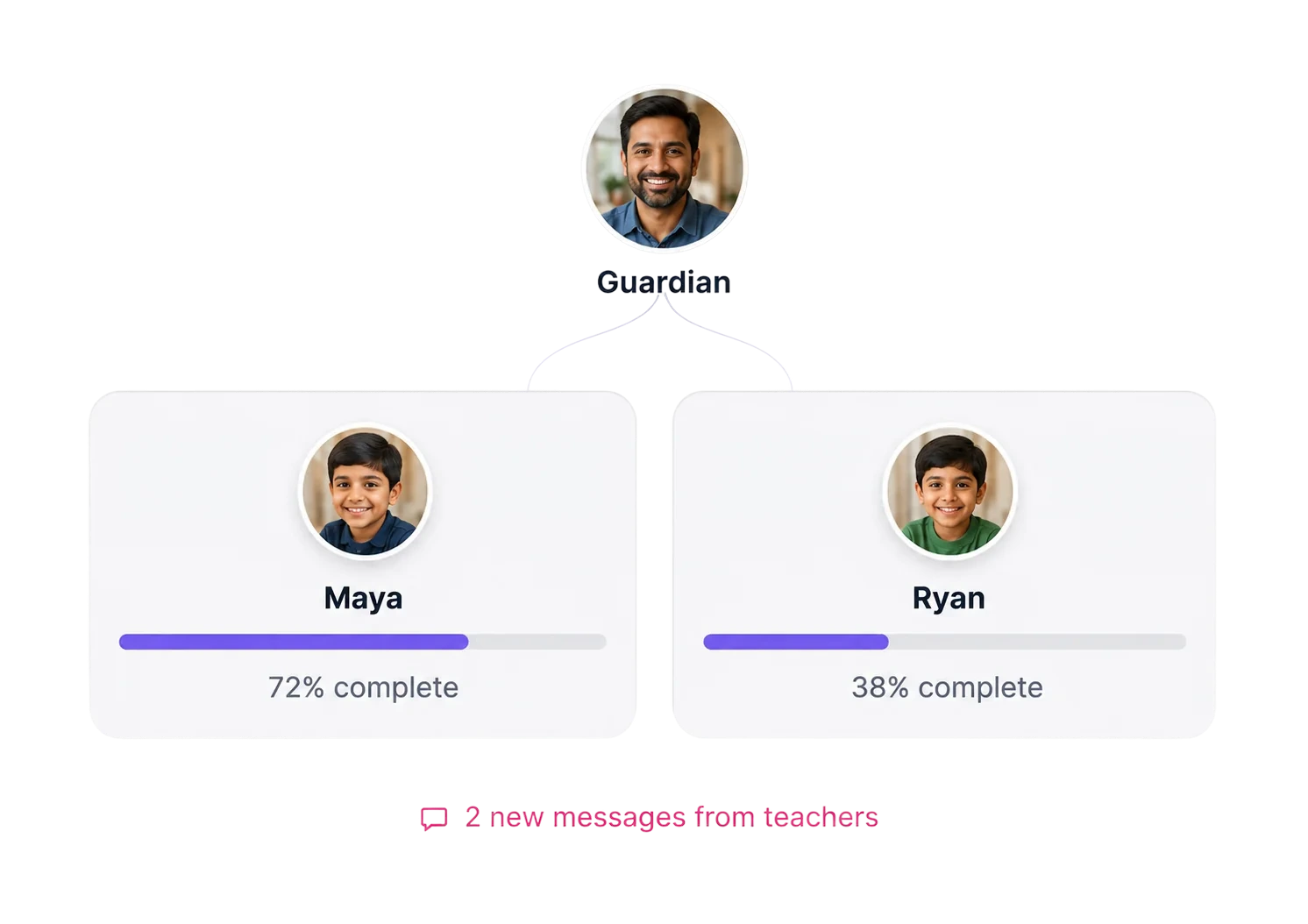
On the My Family page, a guardian sees each child’s courses and progress. They can assign new courses directly from the dashboard. Requests can wait for approval before they take effect.
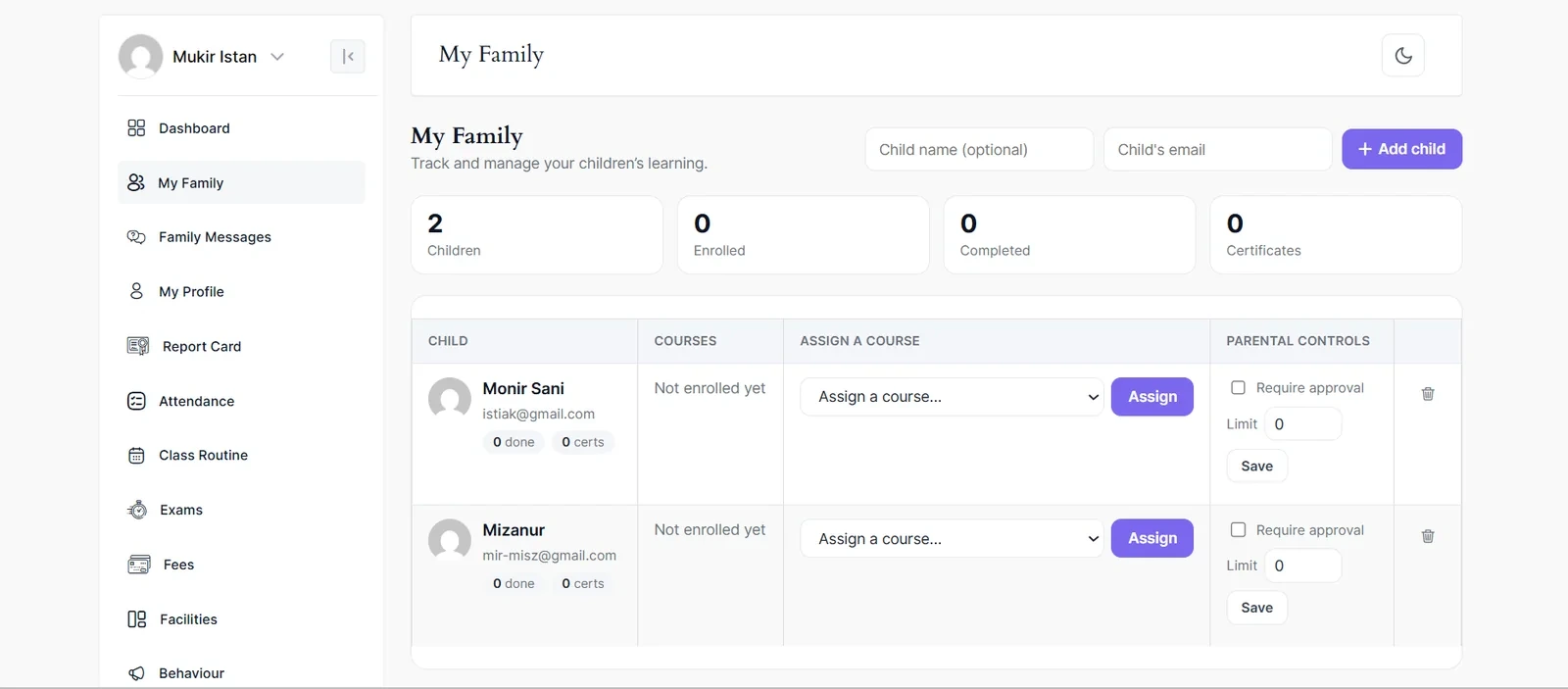
Guardian Pro adds two things families asked for.
Part 12: Plays Nicely With the Tools You Run
Academy 4.0 connects to more of the Kodezen family, and fixes several popular third-party integrations.
Part 13: The Quiet Features You Will Use Every Week
Some of the most useful changes in 4.0 are small.
Maintenance Mode
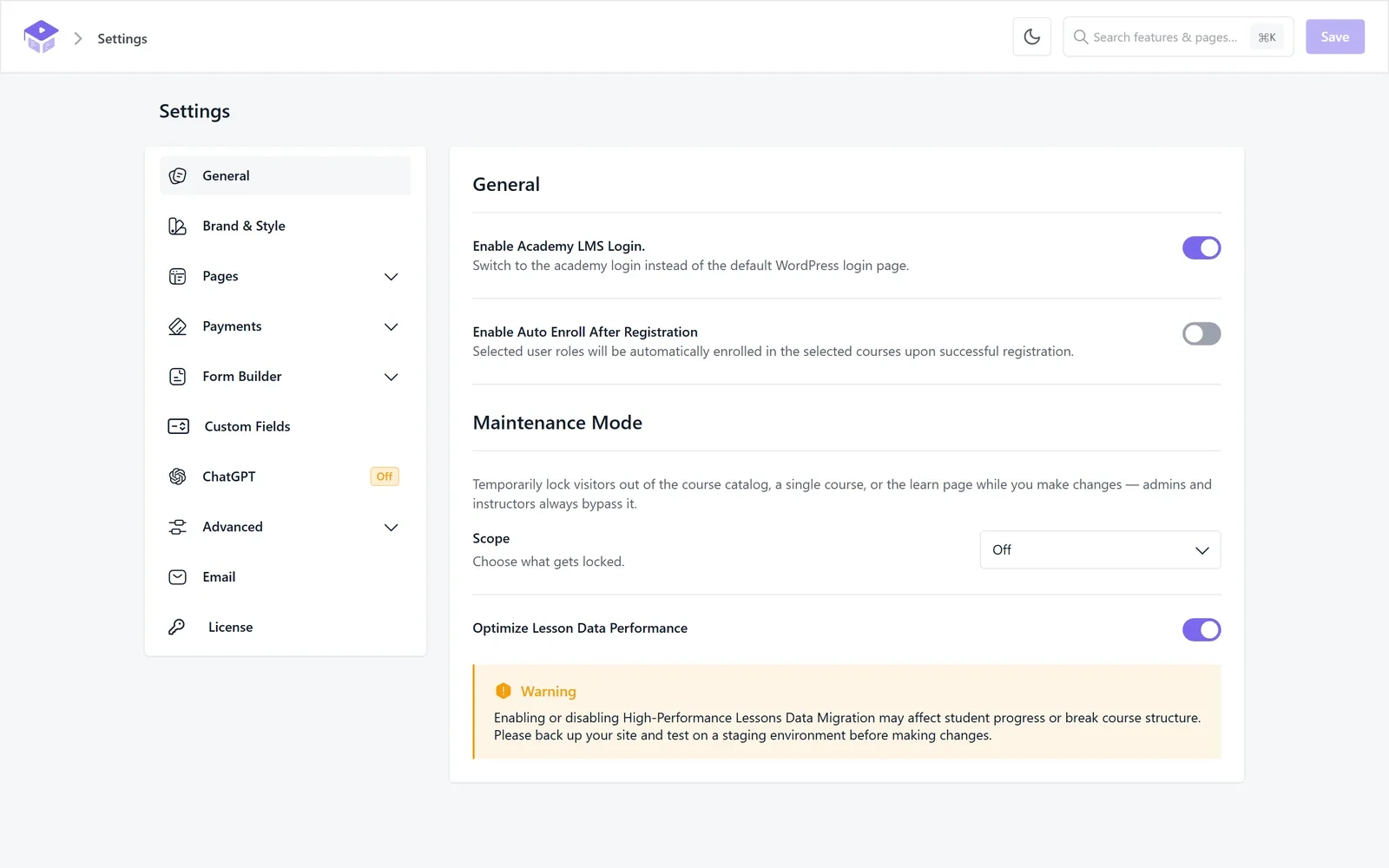
You can now lock visitors out while you make changes. Lock the whole course catalog, a single course or the learn page. Admins and instructors always get through. It is off by default.
Every Addon, Filtered and Explained
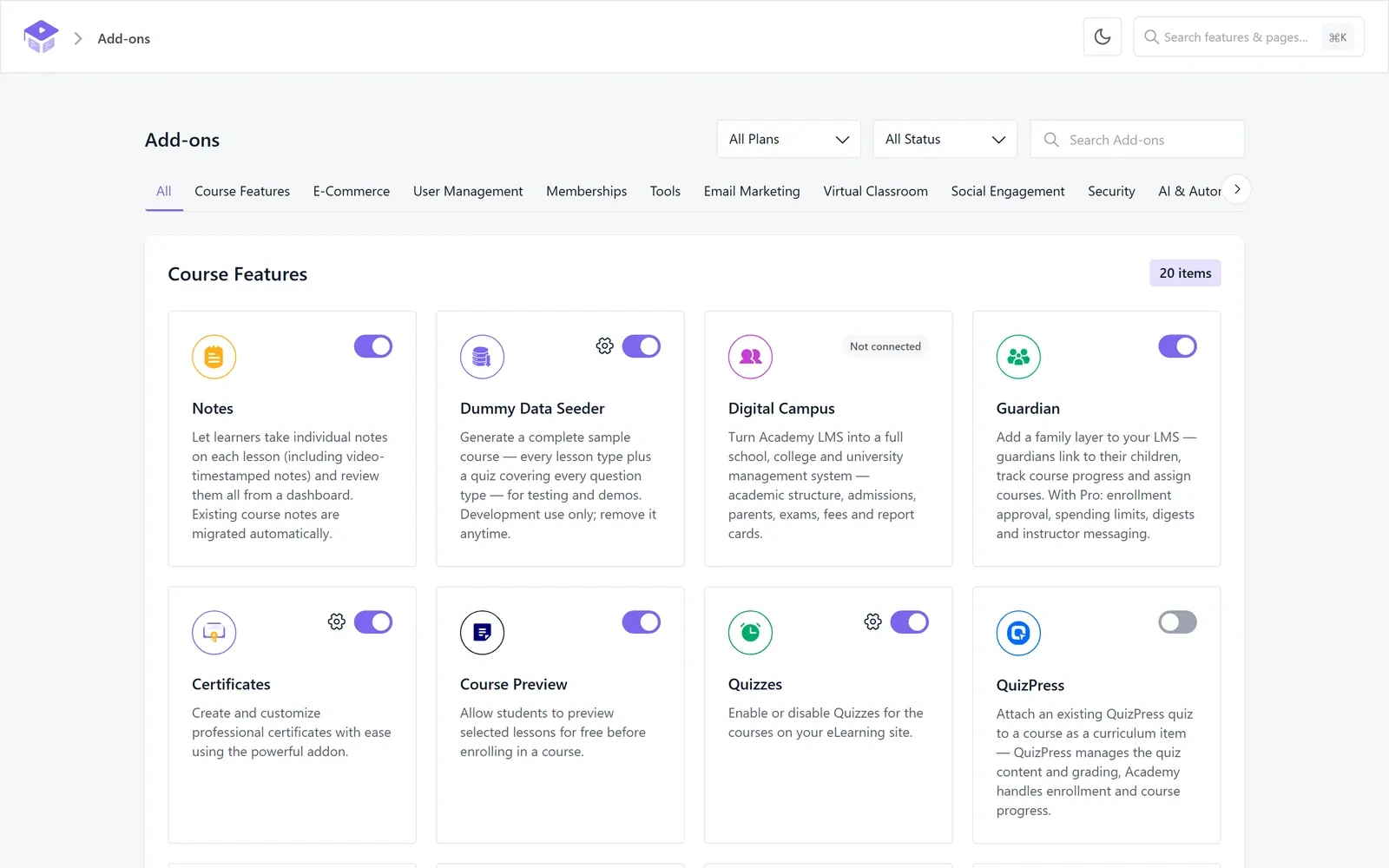
The Add-ons screen now groups addons by what they do. You can filter by plan and status, and each card has a short description, so you know what you are switching on.
And a Long List of Small Fixes That Add Up
Behind the scenes, Academy now follows the WordPress VIP coding standards, and every finding from that audit was fixed before release.
Before You Update an Existing Site
None of the changes below remove your data. A few things do work differently, though, so here is what to check after you update from 3.8.
As always, take a backup before updating a live site, and try the update on a staging copy first if you can.
Go Build Something With It
Academy LMS 4.0 is available now. Update from your WordPress dashboard, or download it fresh from WordPress.org.
If you run into anything, our documentation covers every feature in this post, and our support team is one message away. And if 4.0 makes your teaching easier, a short review on WordPress.org helps other course creators find Academy.
Thank you to everyone who tested Beta 1 and Beta 2 on real sites and told us what broke. This release is better because of you.