









Attach files to lessons so students can download them: slides, worksheets, PDFs, Word files or images.
1. Turn on the add-on
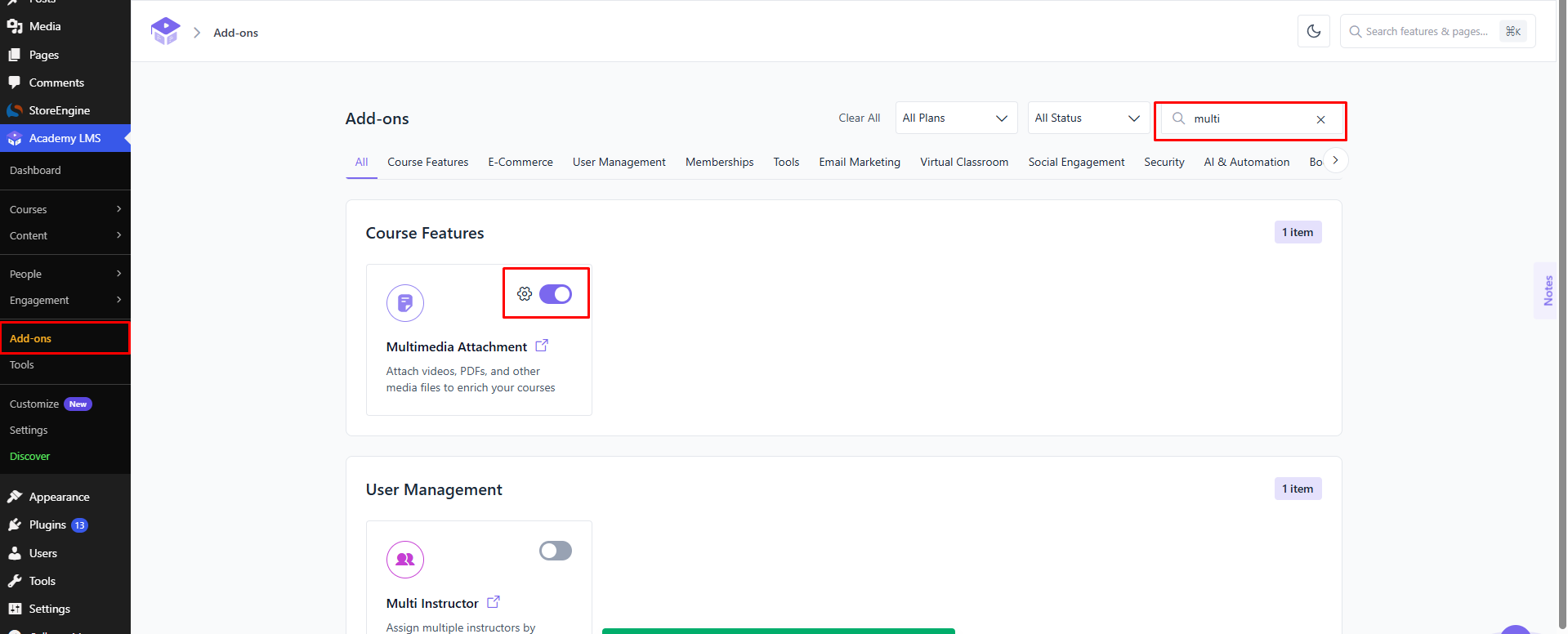
Go to Academy LMS → Add-ons and turn on Multimedia Attachment.
2. Attach a file to a lesson
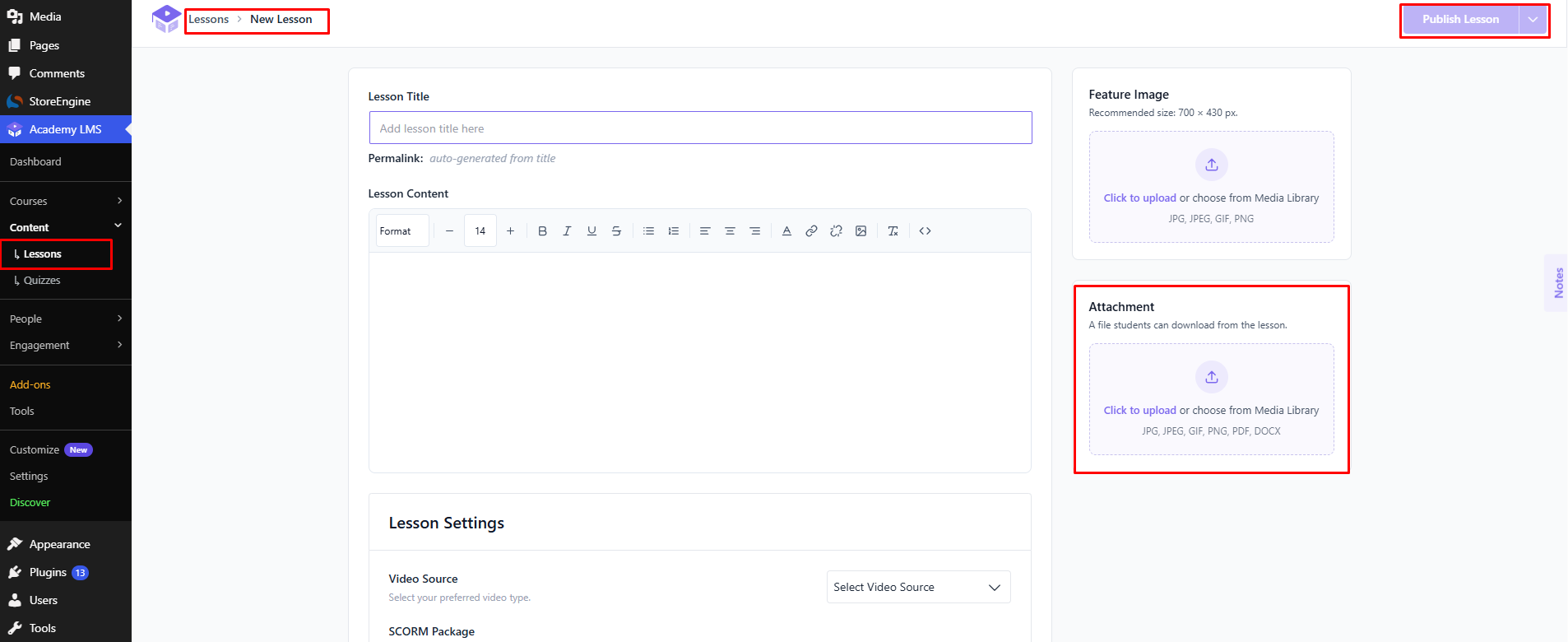
1.Open the lesson in the course builder.
2.On the right, find Attachment and click Upload.
3.Choose your file. The box accepts files such as JPG, PNG, GIF, PDF and DOCX.
4.Click Publish Lesson or Update Lesson.
What students see
Students find the file on the lesson page and can download it.
See who downloaded a file
With the Advanced Analytics add-on on, you can see each download: who downloaded which file, and when. See Attachment Download Tracking.