The Course Bundle feature in Academy LMS allows you to package and sell multiple courses together. Instead of buying individual courses separately, learners can access a collection of related courses bundled at a discounted price.
First ensure you have enabled WooCommerce addon from Academy LMS addon menu.
Please note that to use this feature, you must set up your eCommerce engine WooCommerce. To do this, go to the Academy LMS dashboard, then navigate to Settings > Payment> Select eCommerce Engine and set it as WooCommerce.
We will show a step-by-step guide on how to create a course bundle in Academy LMS
Enable Academy LMS Course Bundle Addon
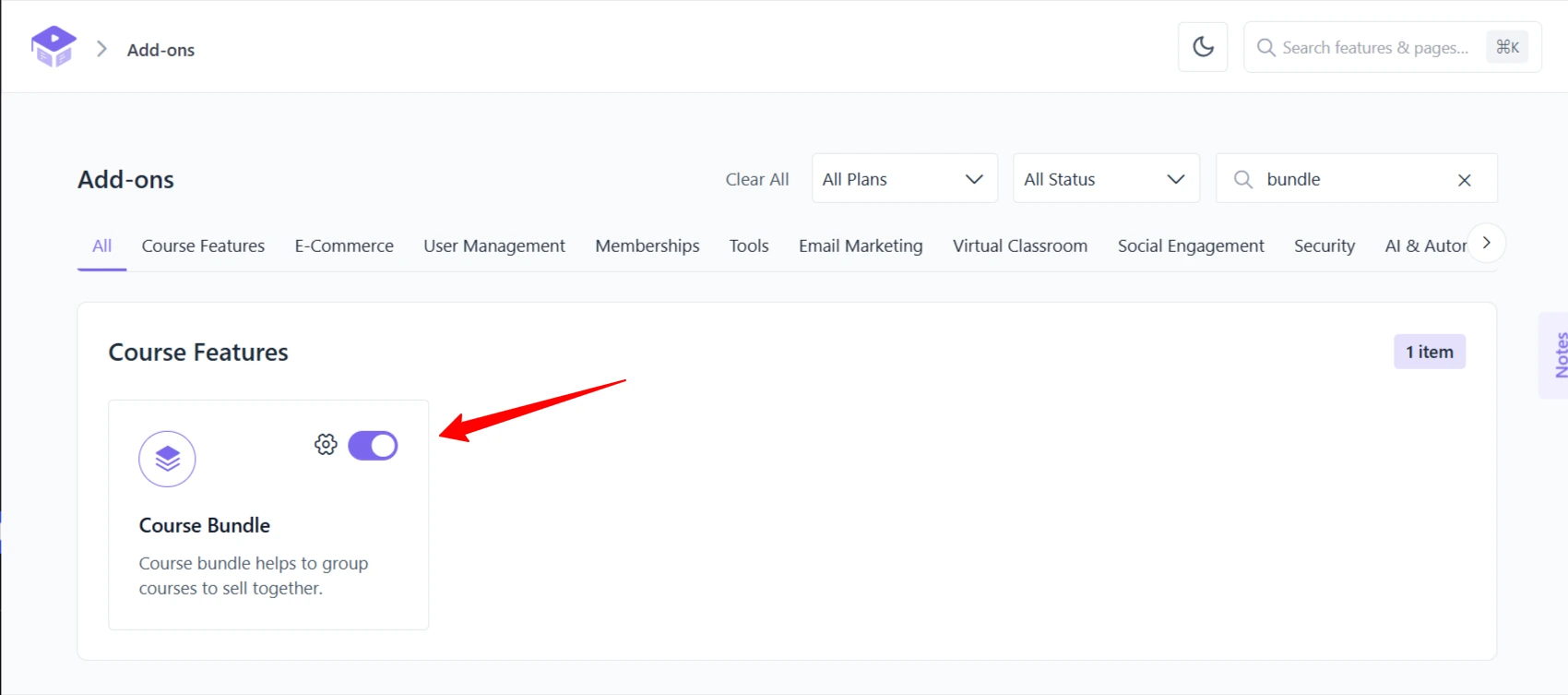
To create course bundles in Academy LMS, you need to enable the Course Bundle addon. Access the backend dashboard of Academy LMS, go to Add-ons, and enable the Course Bundle addon.
After enabling the course bundle addon you can see a Course Bundle menu added in the Academy LMS menu option.
Academy LMS Course Bundle Creation
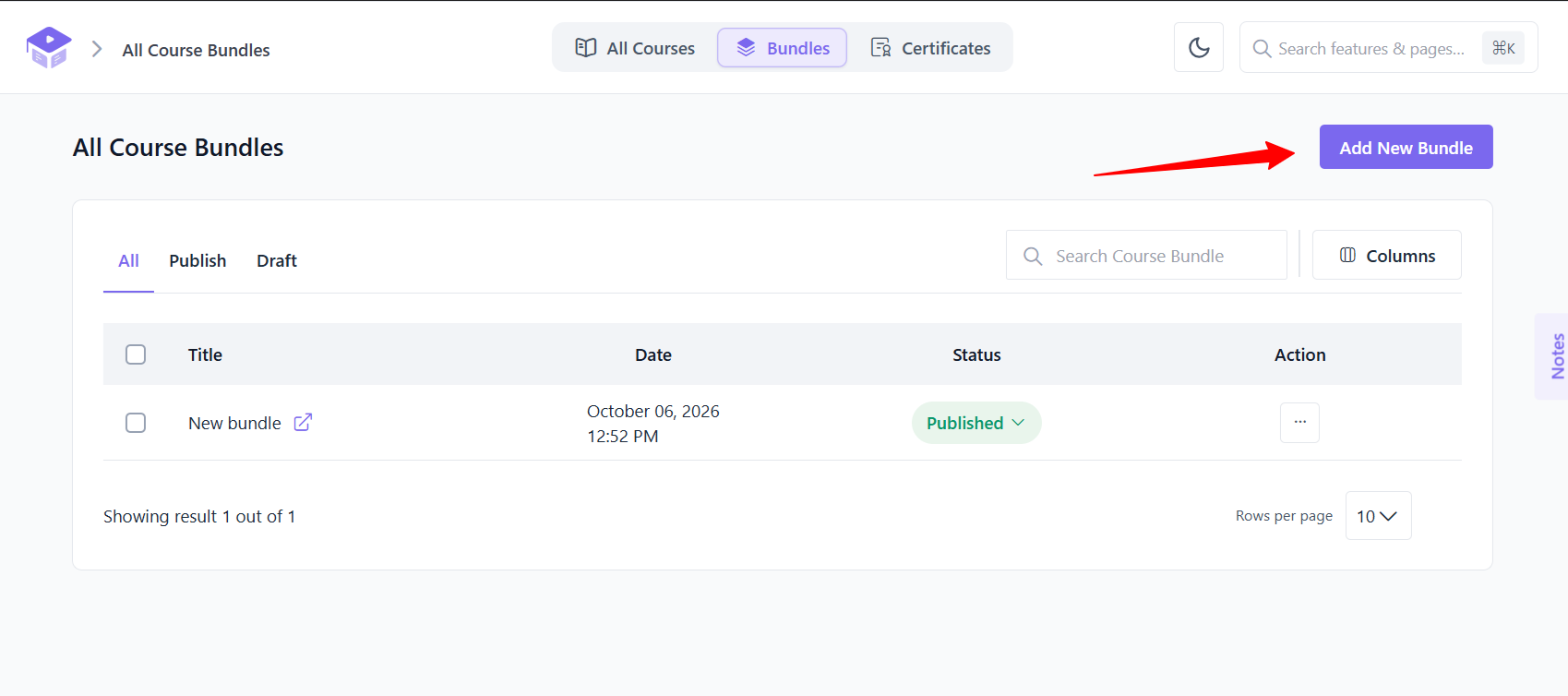
Click on Course Bundles from the Academy LMS menus and choose Add New Bundle.
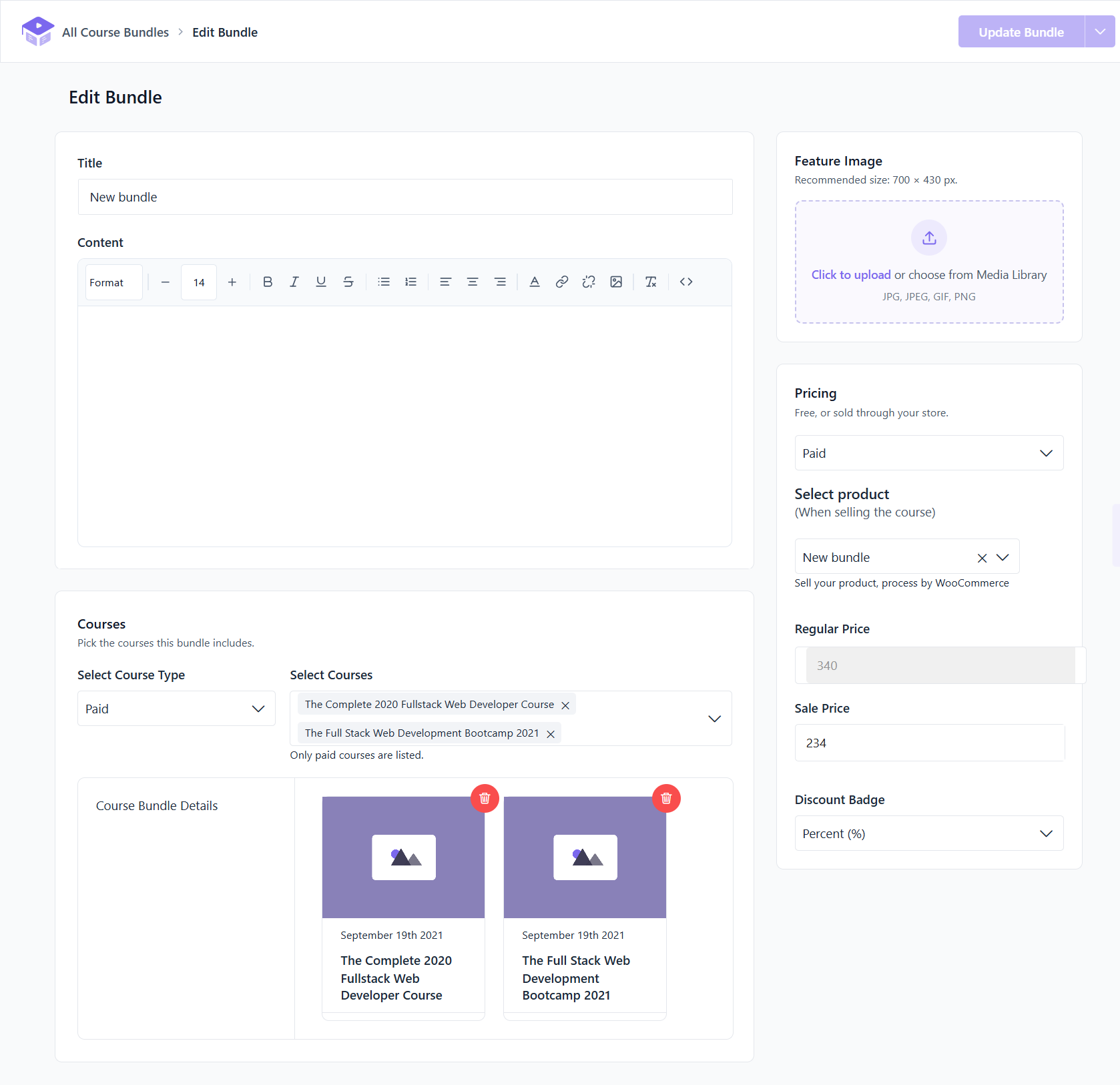
Now select the courses you want to include in the bundle from the dropdown menu. Make sure to group related courses together to enhance the learning experience and increase the likelihood of bundle purchases.
The Regular Price of the bundle will be automatically calculated based on the included courses.
Now set the bundle Sale Price and choose how you want to display the discount using the “Discount Badge” options:
Click Add Bundle to save and publish the newly created course bundle.
Page This is how prospective learners will see the newly created course bundle.
This is how you can add a course bundle in Academy LMS. If you have any questions about the course bundle then join our Facebook community to ask, subscribe to our YouTube channel for video tutorials, and follow us on Twitter.