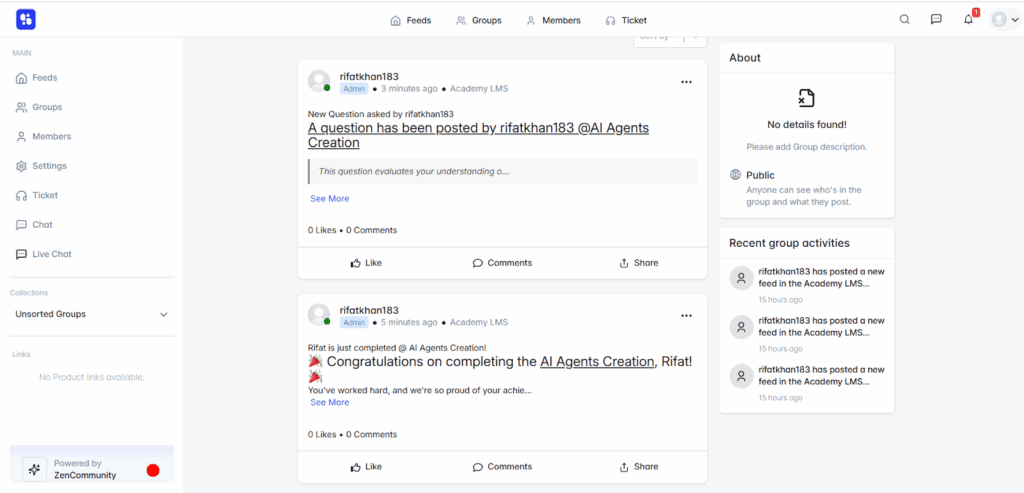
Share course activity in your ZenCommunity groups. Enrollments, completions, announcements and quiz activity appear in a group’s feed automatically.
Unlike most integrations, this one is set up inside ZenCommunity, not in Academy LMS.
1. Install ZenCommunity
Install and activate ZenCommunity. Academy LMS must be active too.
2. Turn on the Academy LMS add-on
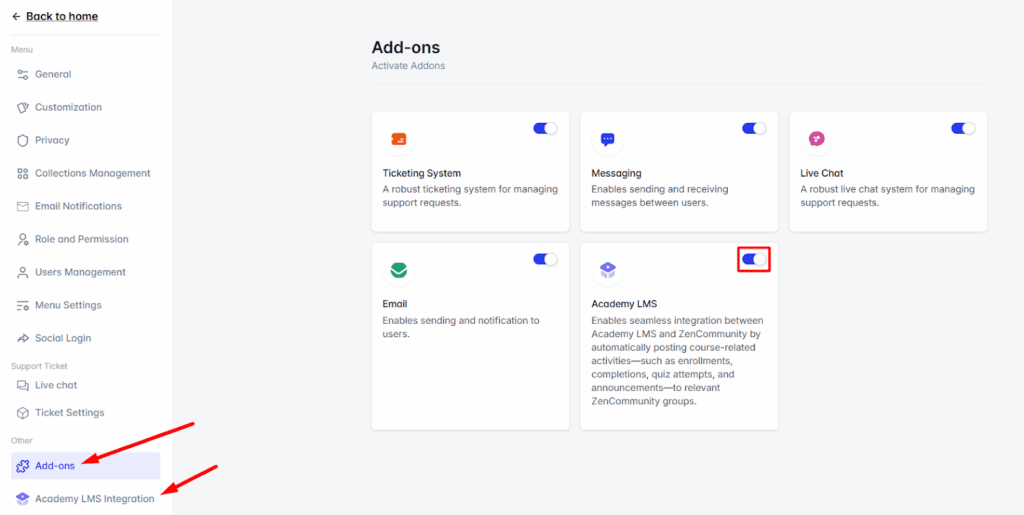
In the ZenCommunity settings, open Addons and switch on Academy LMS.
3. Choose events for a group
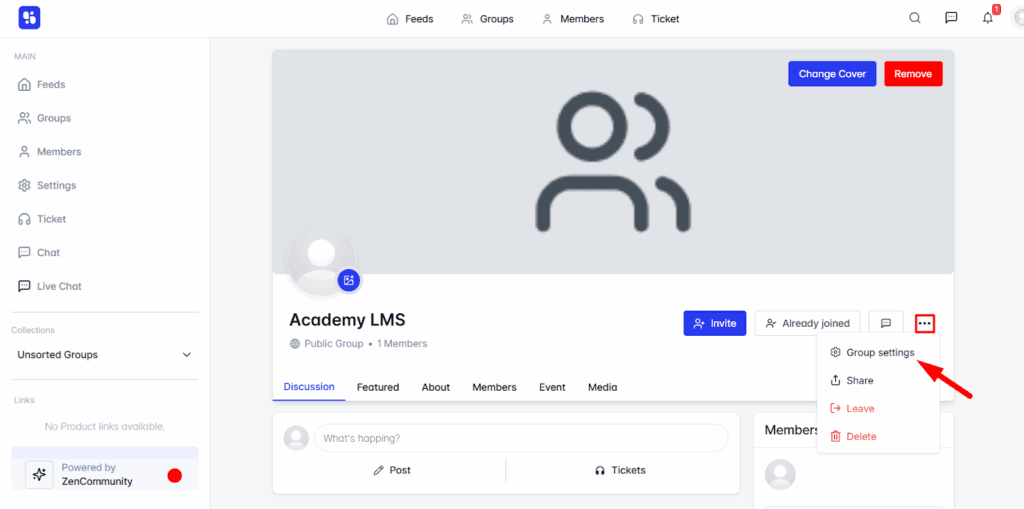
1.Open a group, click the three-dot icon and choose Group Settings.
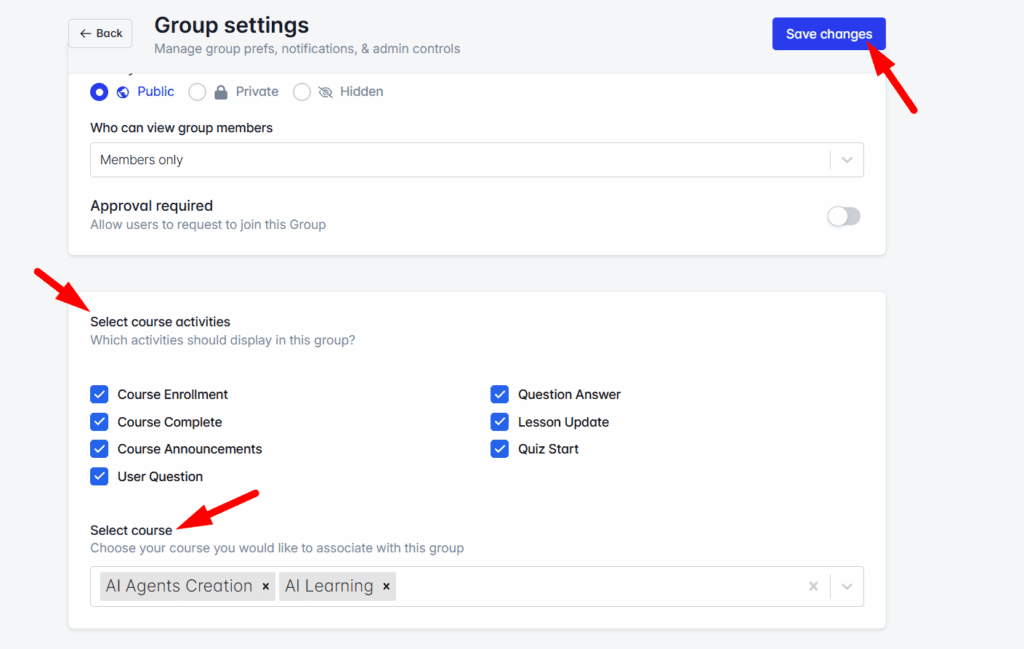
2.Find Course Activities Event.
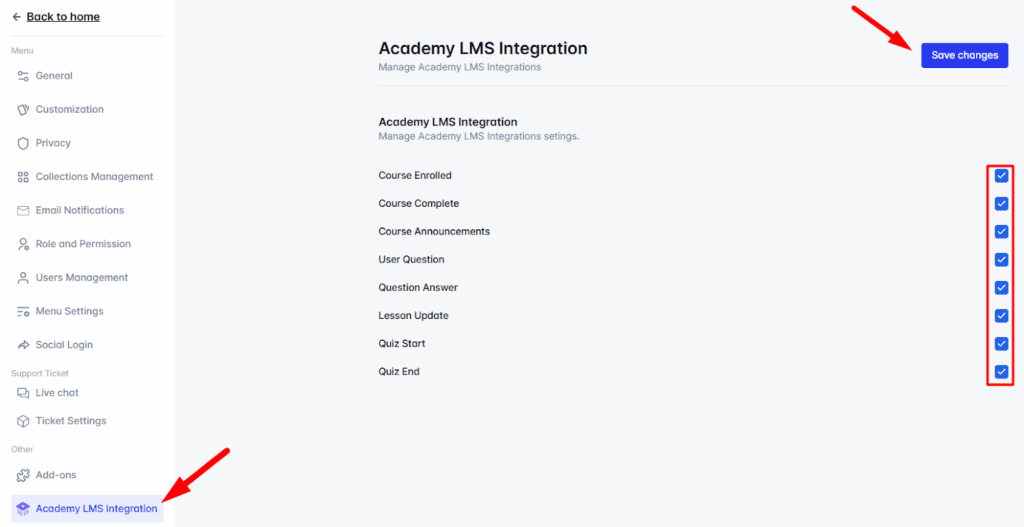
3.Pick the events to post:
4.Pick the course or courses.
5.Click Save Changes.
What members see
Activity from the chosen courses is posted to the group’s feed as it happens.