Post course activity to a FluentCommunity space. When students enroll, finish a course, or ask a question, the space’s feed shows it automatically.
You need Academy LMS and Academy LMS Pro (2.7.0 or later), and the FluentCommunity plugin.
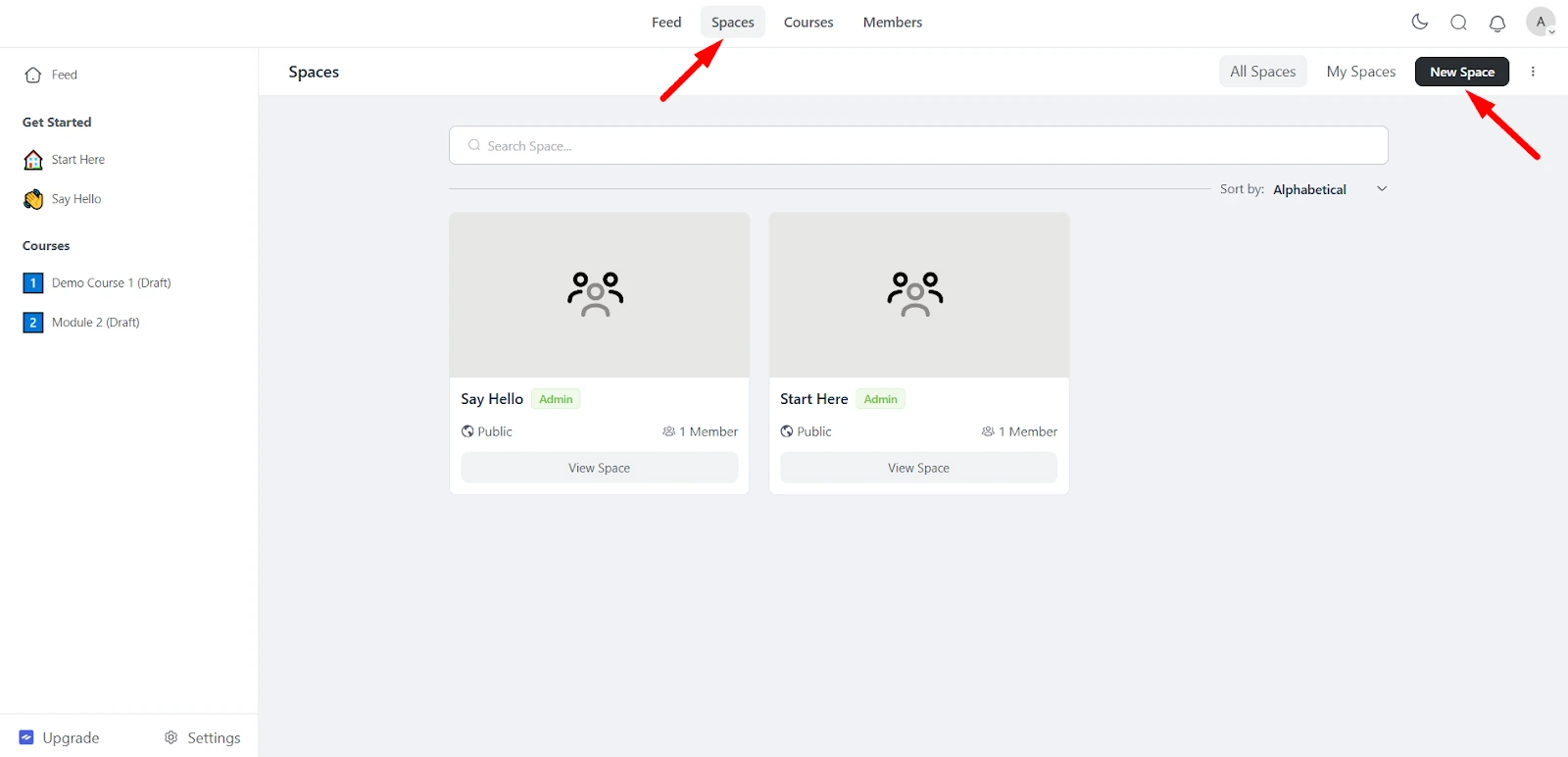
1. Create a space in FluentCommunity
1.In FluentCommunity, open Spaces and click Create New Space.
2.Choose a type: Discussion Space or Course Space.
3.Fill in the details and click Create.
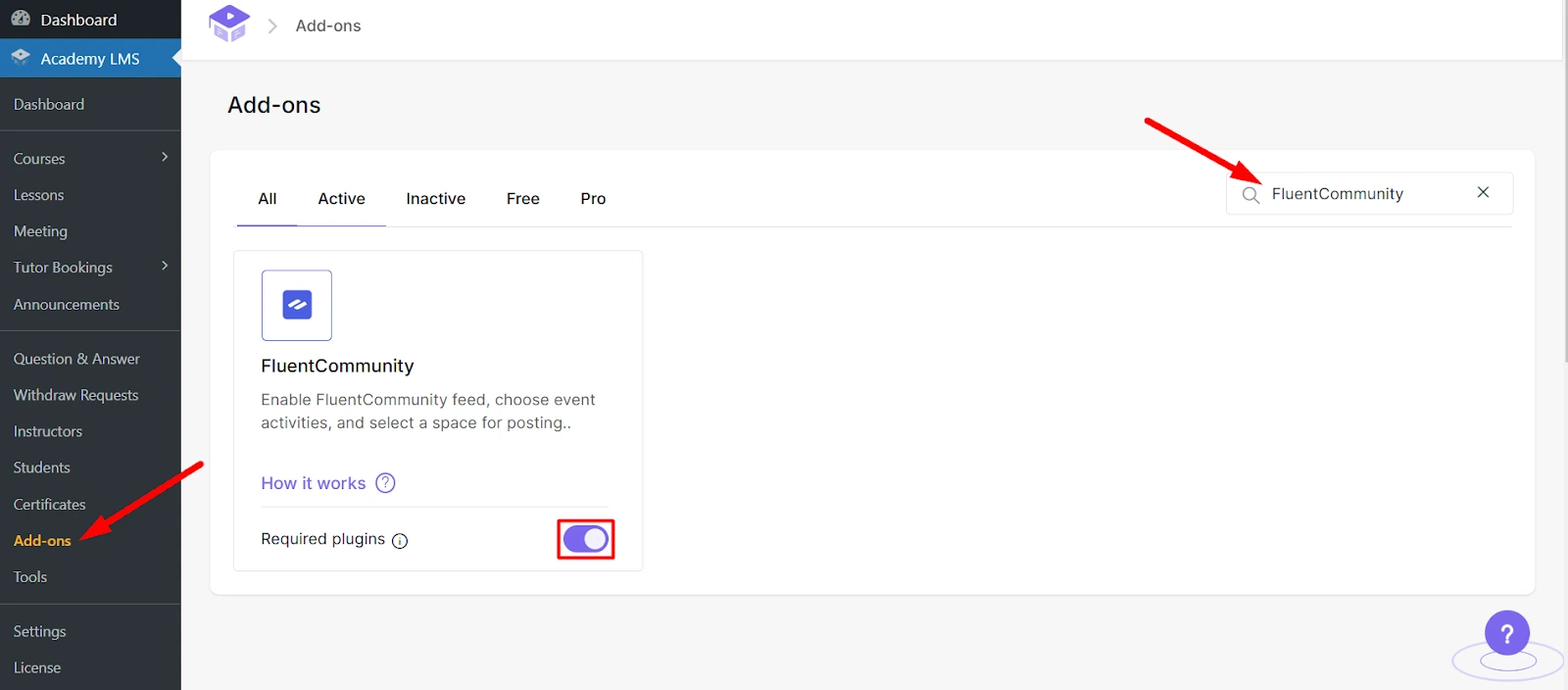
2. Turn on the add-on
Go to Academy LMS → Add-ons and turn on FluentCommunity.
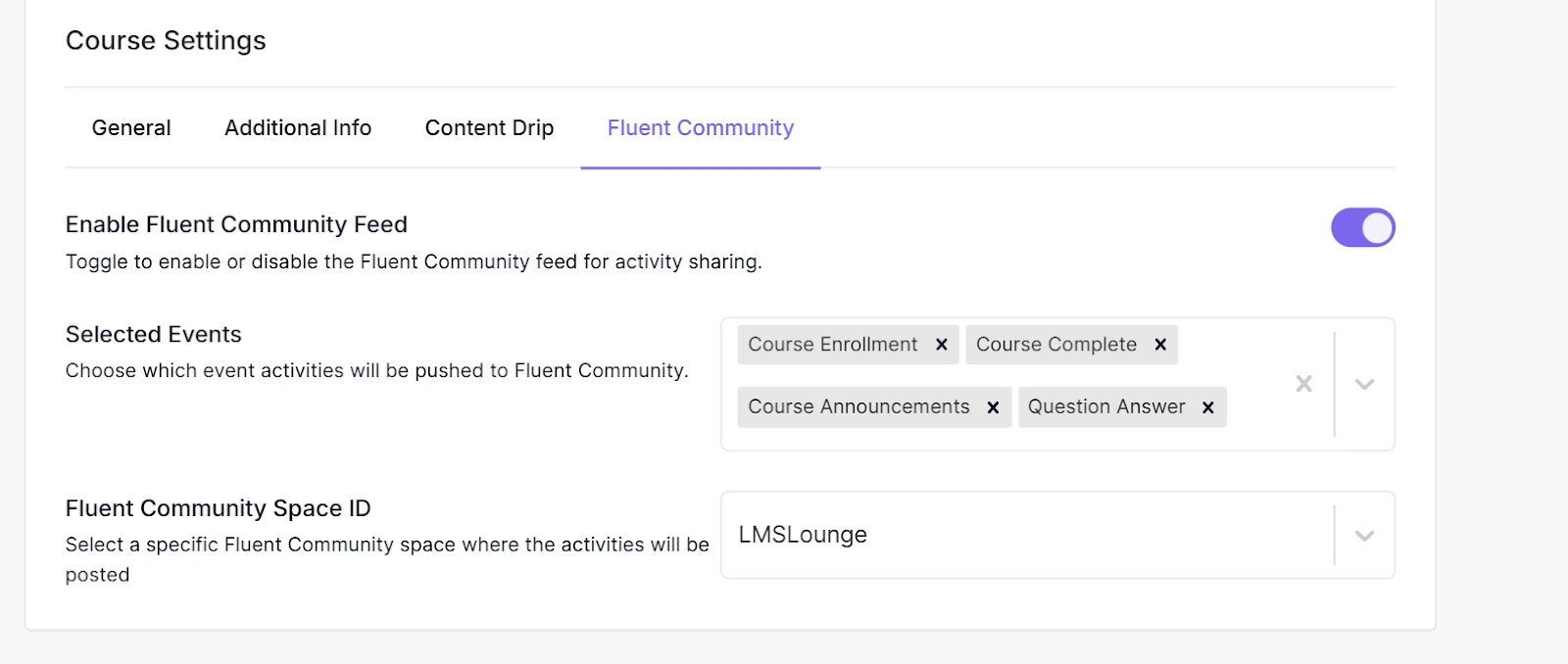
3. Connect a course to a space
1.Open the course and go to its settings.
2.Find FluentCommunity and turn on Enable FluentCommunity Feed.
3.Choose which activities to post:
4.Under Fluent Community Space ID, pick the space.
5.Save the course.
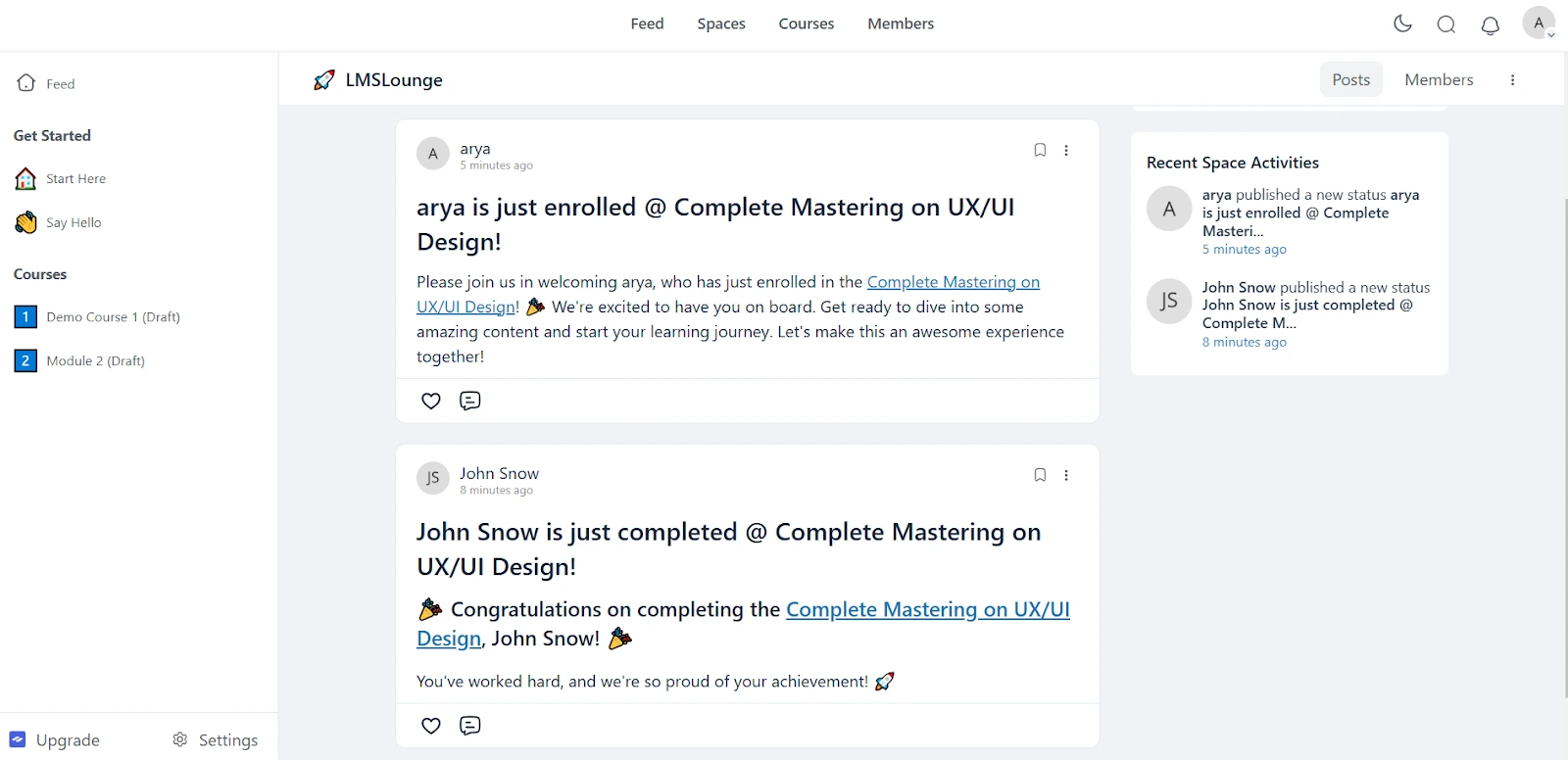
What members see
The chosen activities are posted to the space as they happen.