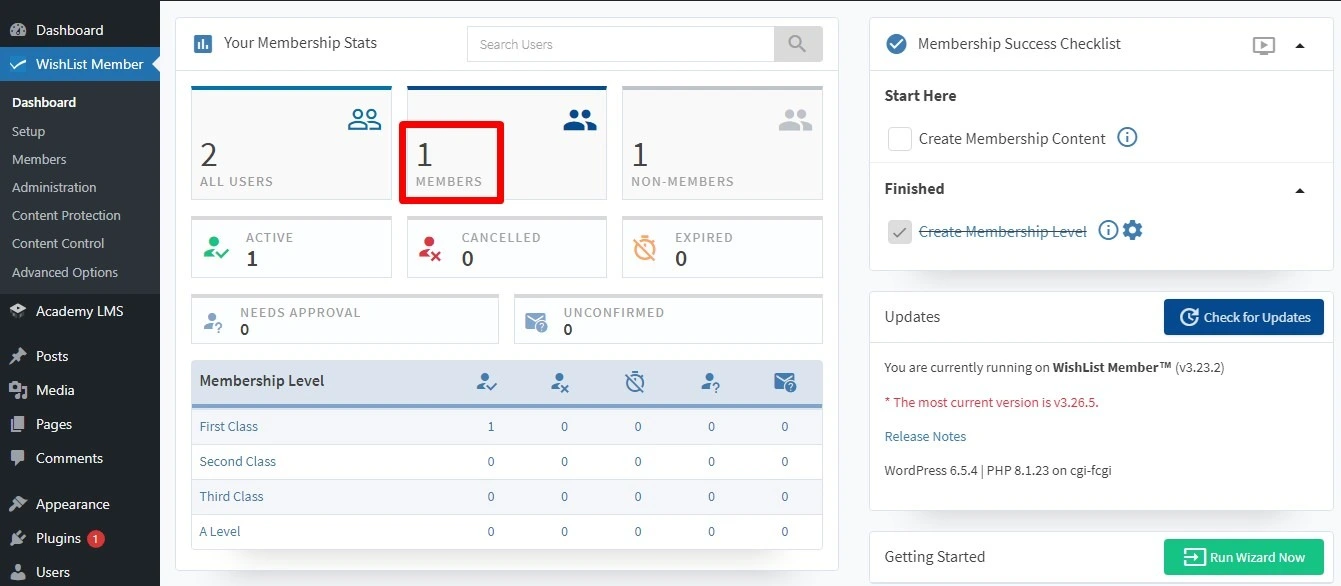
Link WishList Member membership levels with Academy LMS courses. A change in one can trigger an action in the other, for example joining a level enrolls the member in a course, or finishing a course moves them to a new level.
You need Academy LMS, Academy LMS Pro and WishList Member.
1. Turn it on in both plugins
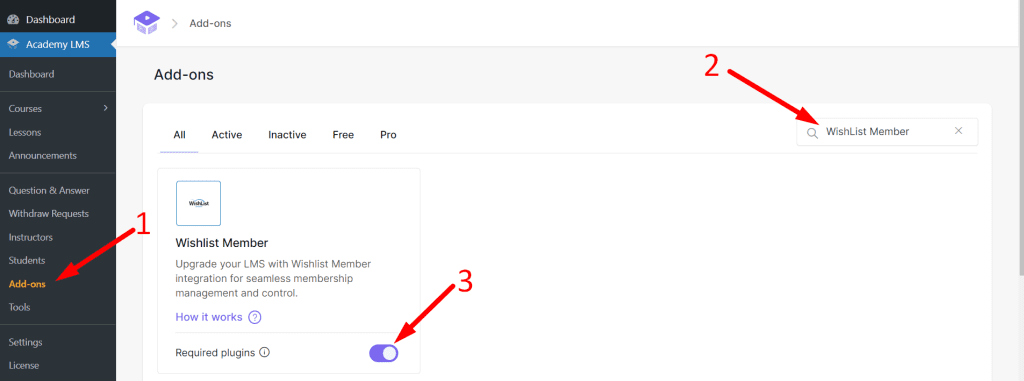
1.Go to Academy LMS → Add-ons and turn on WishList Member.
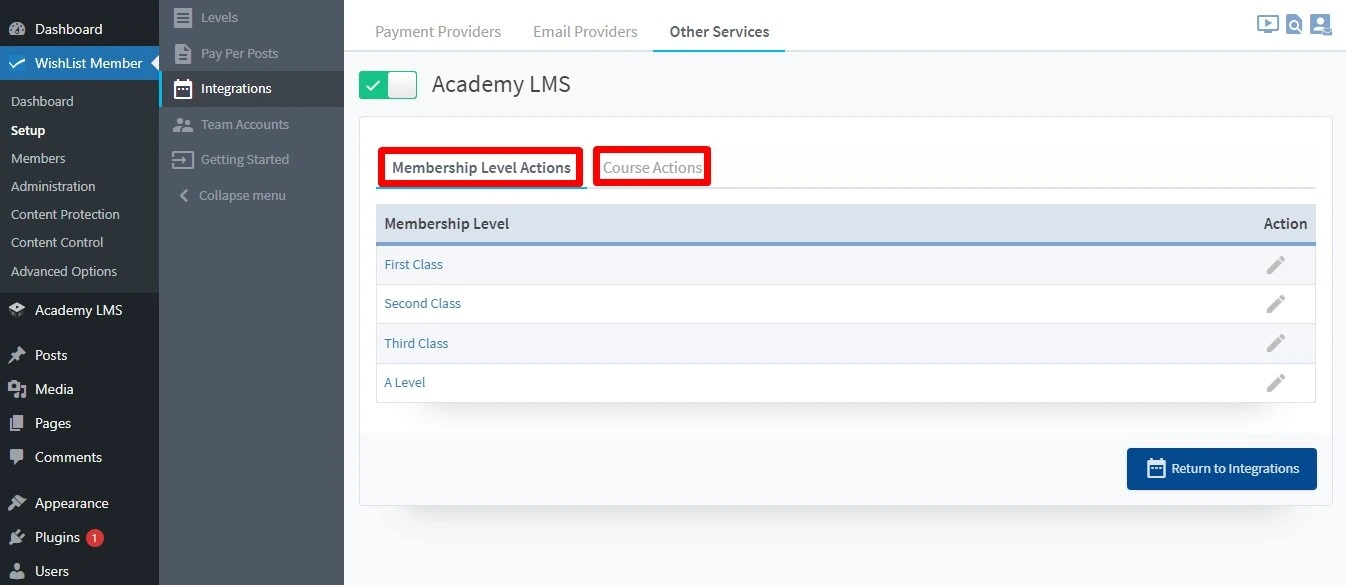
1.In WishList Member, go to Setup → Integrations → Other Services and enable Academy LMS.
2. Membership level actions
Decide what happens in Academy LMS when something happens to a membership level.
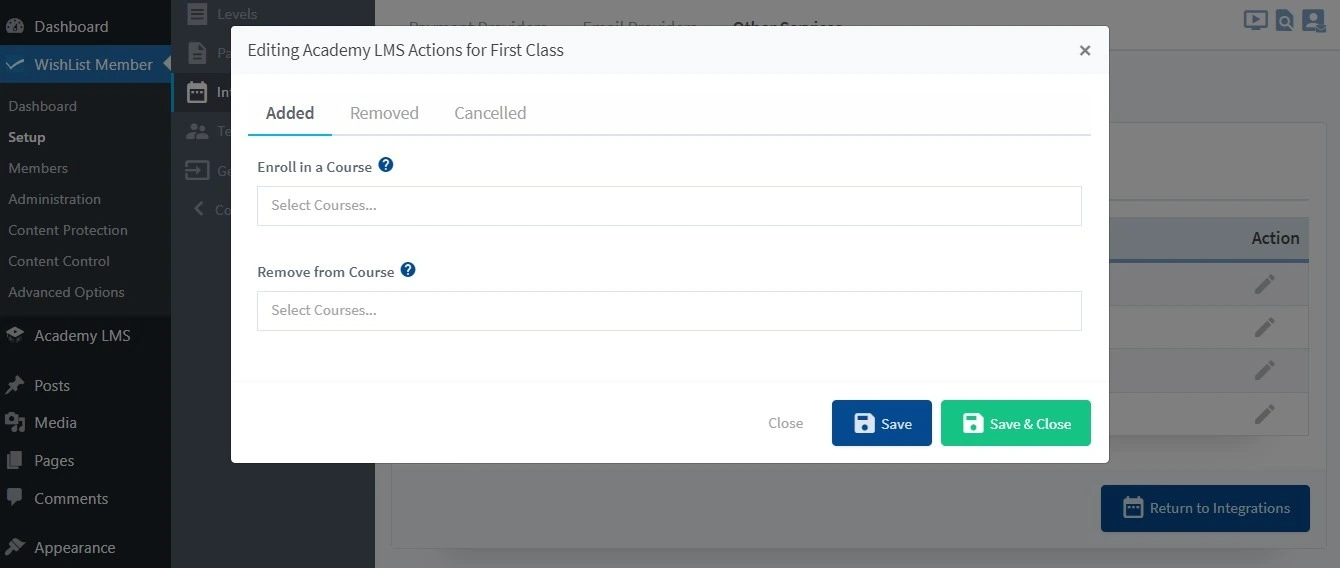
1.Open the Membership Level Actions tab, pick a level and click Edit.
2.Choose the trigger, for example when a member is added, removed or cancelled.
3.Choose the action: Enroll In Course or Remove From Course, and pick the course.
3. Course actions
Decide what happens in WishList Member when something happens in a course.
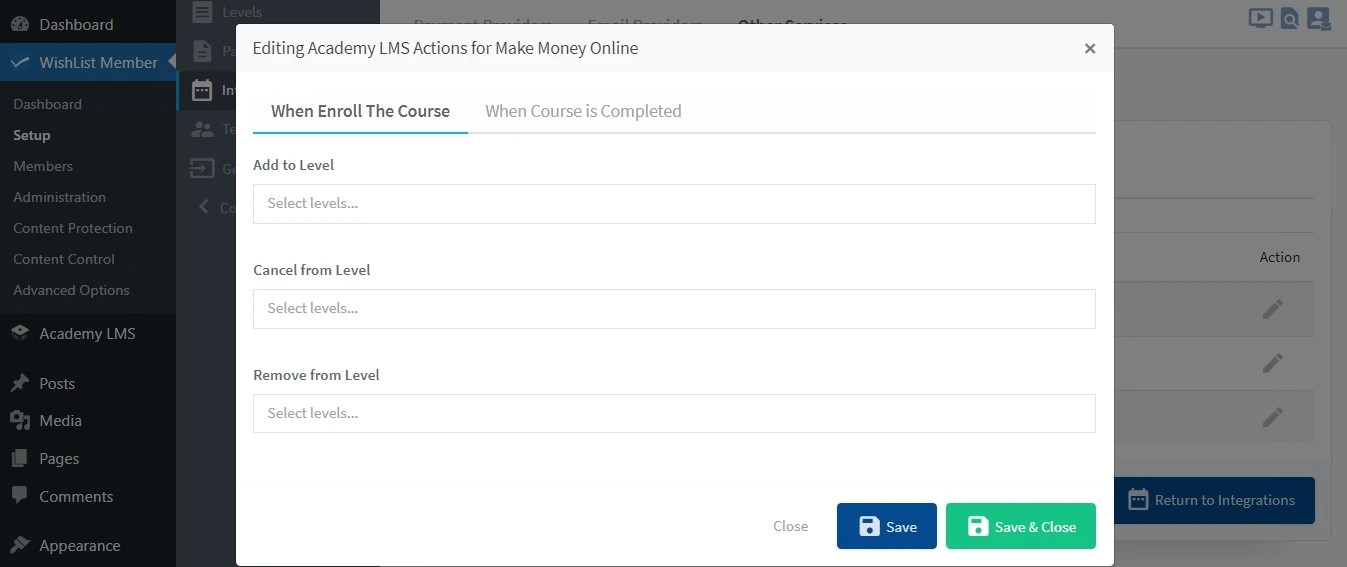
1.Open the Course Actions tab, pick a course and click Edit.
2.Choose the trigger: When Enrolled or When Course is Completed.
3.Choose the action: Add to Level, Cancel From Level or Remove From Level, and pick the level.
Check it works
Enroll a test student in a course, then open the WishList Member dashboard. The student should appear in the level you set.