Academy LMS 4.0 IS LIVE

00
Days
:
00
Hours
:
00
Minute
:
00
Second

Student and Instructor Export

Need your student or instructor list outside WordPress — for a spreadsheet, a mail-merge, or an external CRM? Academy’s admin list screens for Students and Instructors both include a one-click Export that downloads the current list as a CSV file

How to access

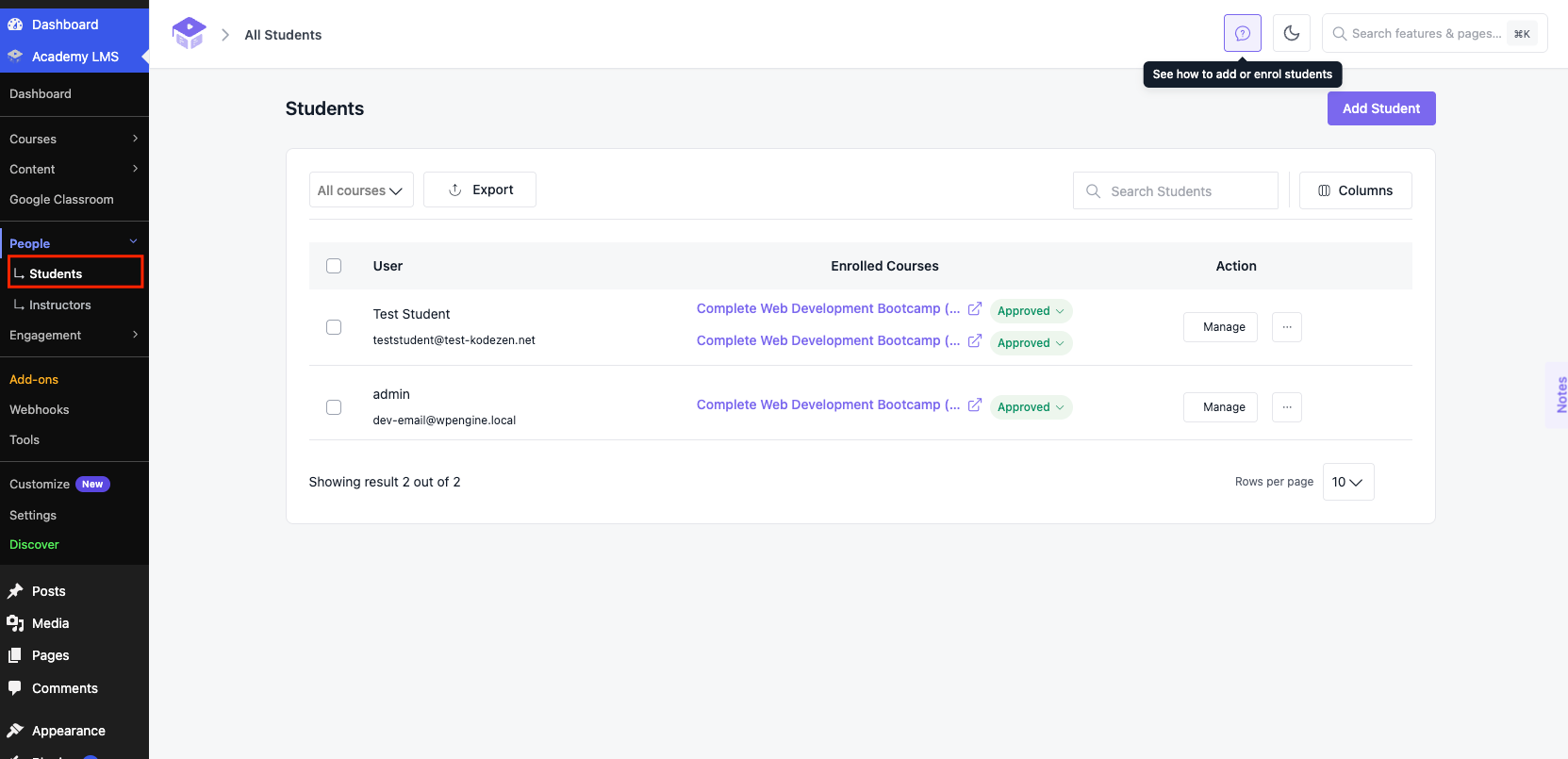
1.Go to Academy LMS > Students (or Academy LMS > Instructors for the instructor list).
2.Optionally filter the list first — use the course filter or the search box — since the export downloads whatever is currently listed.
3.Click Export in the top toolbar.
Students table
1.Your browser immediately downloads a CSV file named academy-students-YYYY-MM-DD.csv (or the equivalent for instructors) — no dialog or extra confirmation step.

What’s in the file

The Students export includes one row per student with these columns:

user_id — the WordPress user ID.
user_email — the student’s email address.
user_nicename — the student’s WordPress username/nicename.
user_registered — the account registration date/time.
first_name / last_name — the student’s profile name fields, if set.
enrolled_courses — a comma-separated list of every course the student is enrolled in.
completed_courses — a comma-separated list of courses the student has finished.
in_progress — a comma-separated list of courses the student is currently working through.

The Instructors export follows the same pattern, covering each instructor’s account details plus the courses they teach.

The export always reflects the list currently shown on screen — apply a course filter or search term first if you only need a subset of students or instructors.

Field breakdown

Export — button that triggers the CSV download; disabled if there are no rows to export.
Course filter (“All courses”) — narrows the exported rows to students/instructors tied to a specific course before you export.
Search — free-text search that also narrows the exported rows by name/email before you export.