









Add enrolled students to a SendFox list automatically.
1. Connect WordPress to SendFox
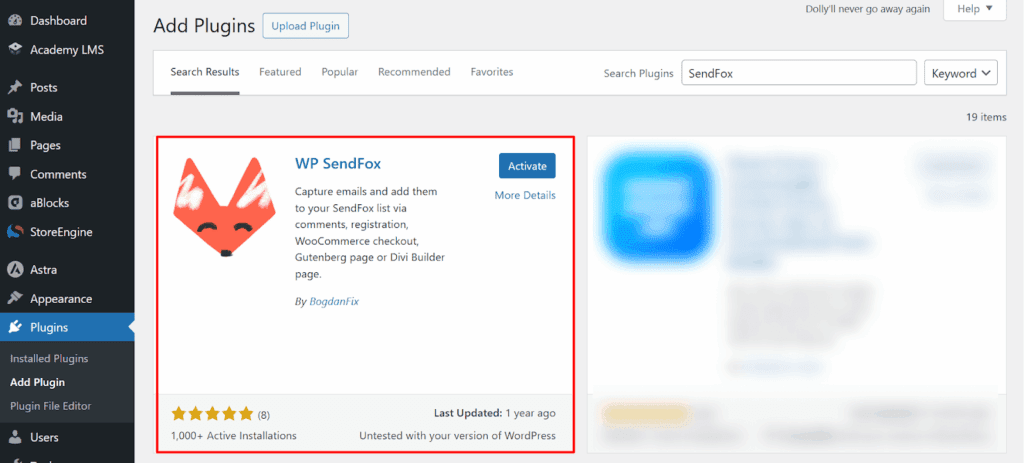
1.Install and activate the WP SendFox plugin.
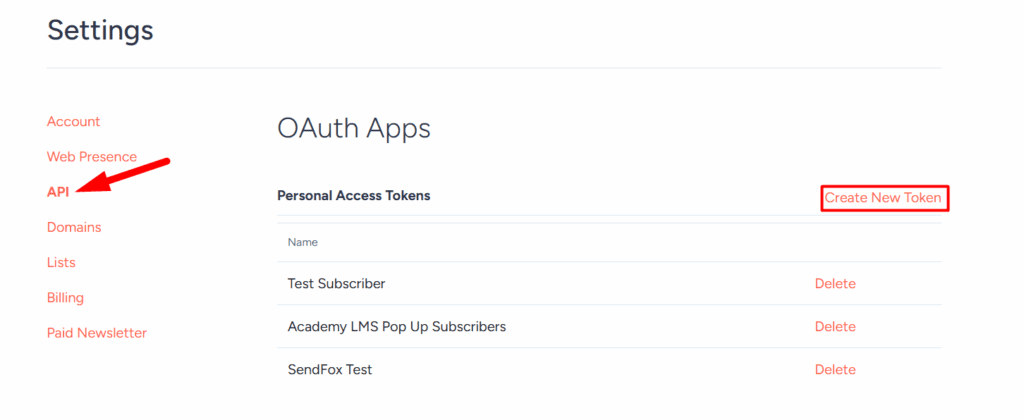
2.In your SendFox account, go to Account Settings → API and copy your key.
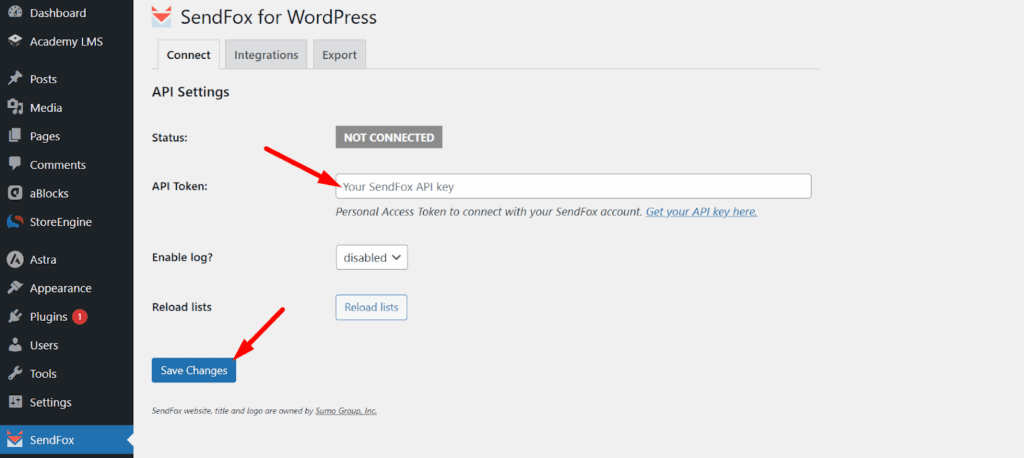
3.Paste the key into WP SendFox and click Save.
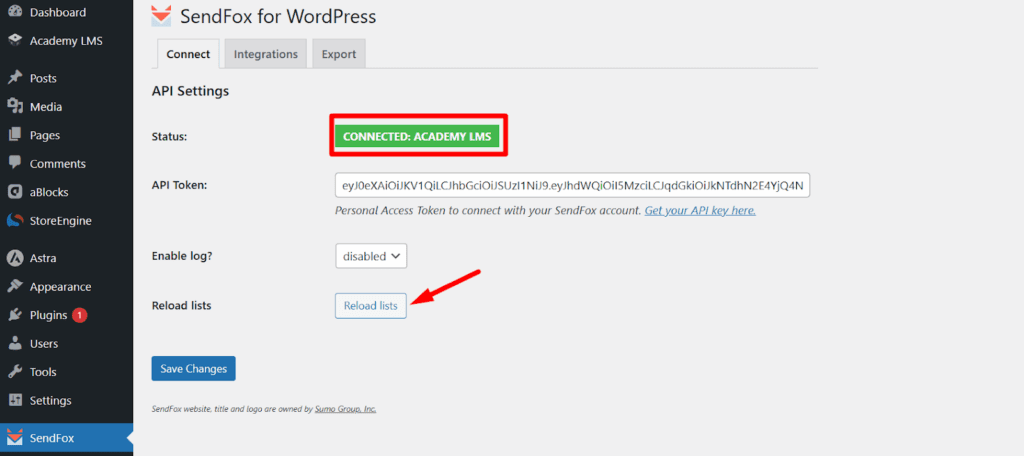
4.Click Reload Lists, then Save again. Your SendFox lists are now available in WordPress.
2. Turn on the add-on
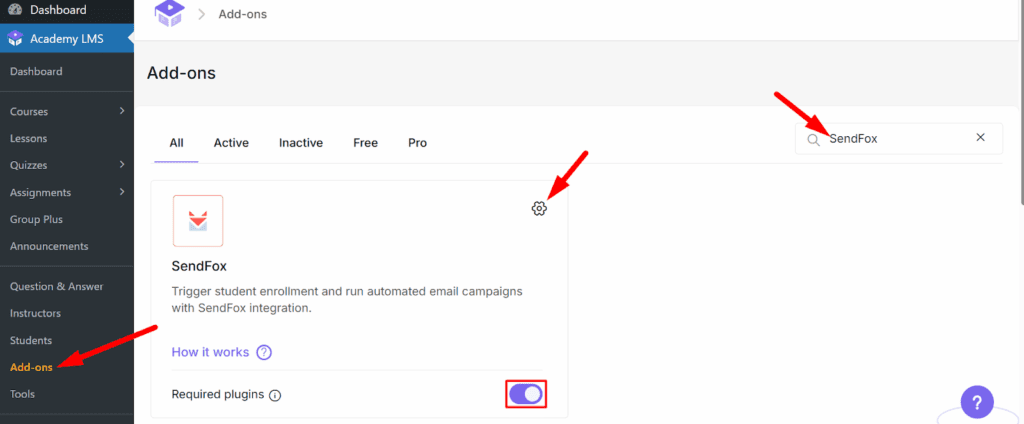
Go to Academy LMS → Add-ons and turn on SendFox.
3. Choose the list
1.Click the gear icon on the SendFox card, or go to Academy LMS → Settings → Advanced → SendFox.
2.Choose the list for enrolled students.
3.Click Save Settings.
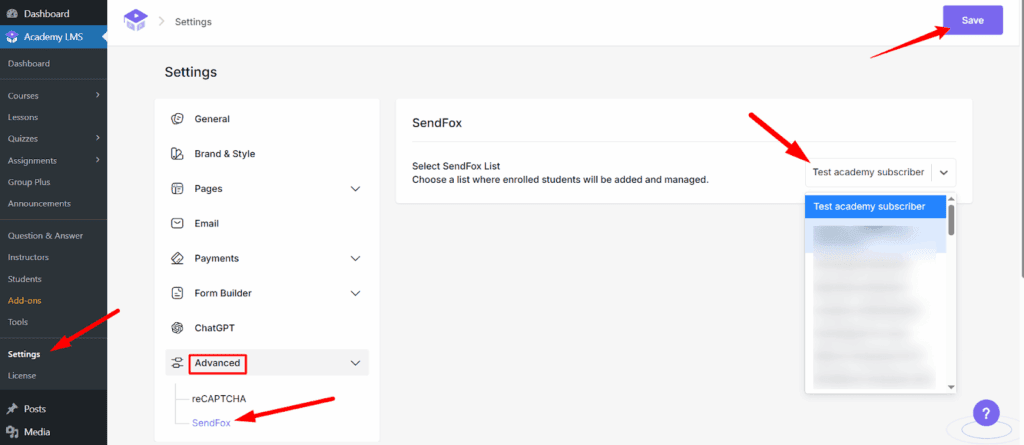
From now on, every student who enrolls in a course is added to that list.