Academy LMS 4.0 IS LIVE

00
Days
:
00
Hours
:
00
Minute
:
00
Second

Notification

The Notification addon tells people when something happens on your site: a student enrols, an instructor is approved, a quiz is marked, a meeting is about to start. Each event can be sent two ways, as a browser push notification or as an on-site notification inside Academy.

Note: Notifications is a Pro addon. Browser push also needs HTTPS and four PHP extensions, listed below.

Before you start

Academy LMS and Academy LMS Pro are both active.
Your site runs on HTTPS. Browsers refuse push notifications on an insecure origin.
PHP has curl, gmp, mbstring and openssl enabled. The addon checks for all four before it can send a push, and signs each message with a VAPID key pair it generates for your site.

On-site notifications work without the extensions. Only browser push depends on them.

Step 1: Turn on the addon

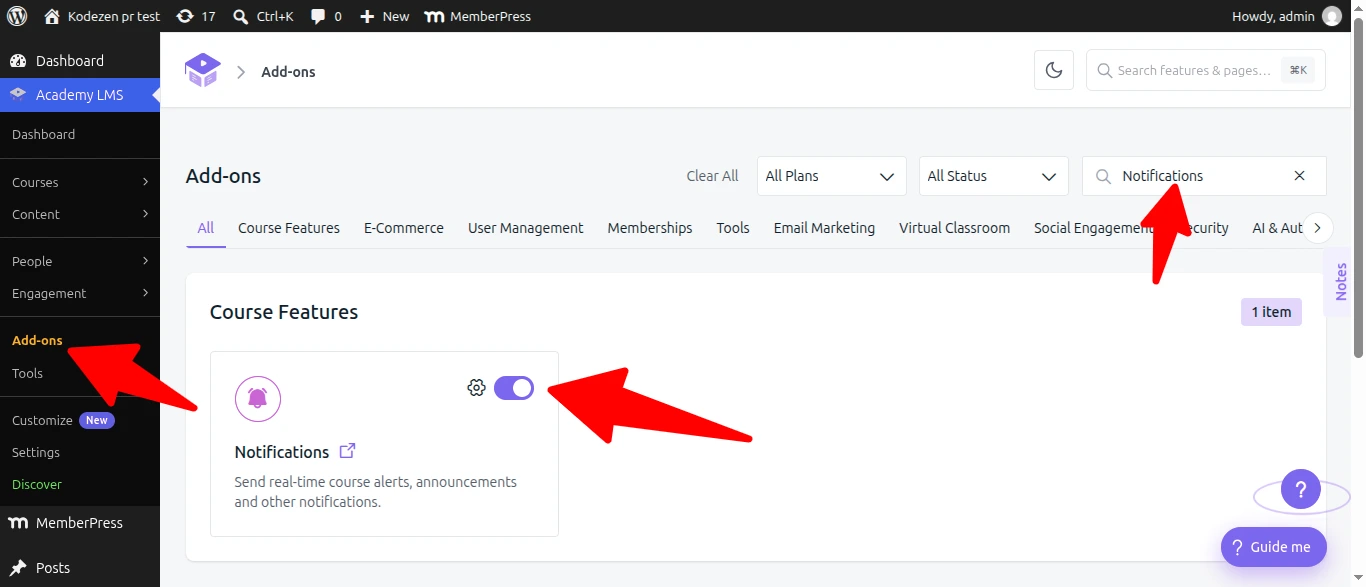
Go to Academy LMS → Add-ons and search for Notification. Switch the toggle on.

Add-ons and search for Notification

Step 2: Choose what gets sent

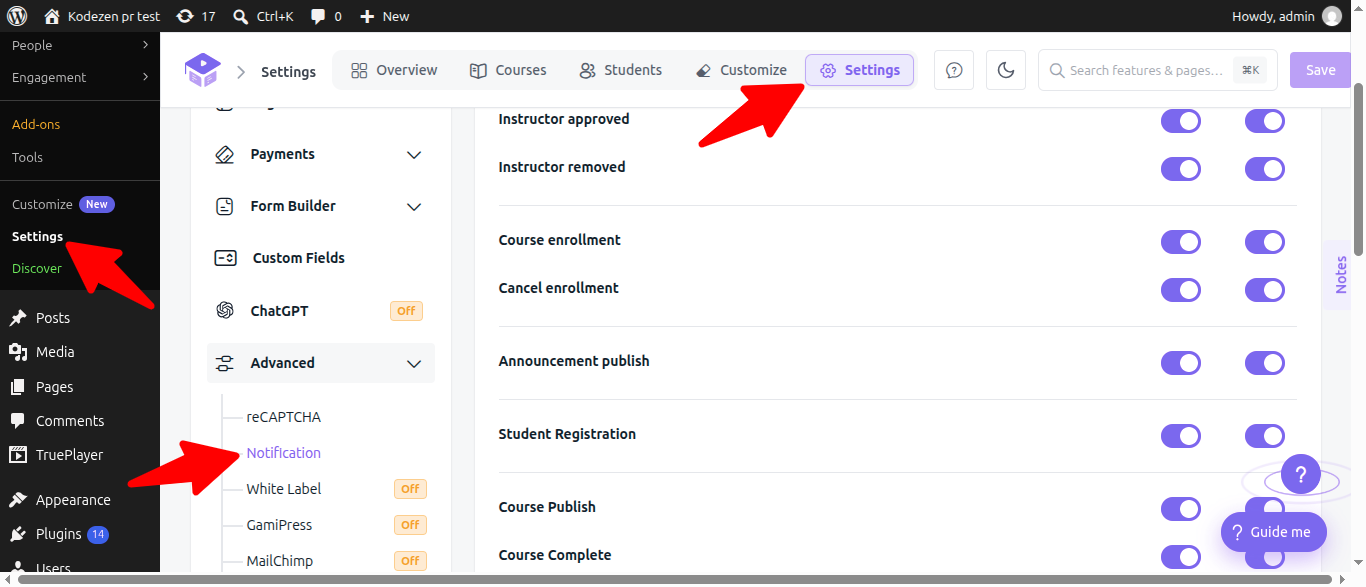
Go to Academy LMS → Settings → Advanced → Notification. Every event is a row with two switches, Push and Onsite, so you can send an event one way, both ways, or neither.

The events are grouped by who they concern:

Group

Events

Instructors

New instructor registration, Instructor approved, Instructor removed

Enrolment

Course enrollment, Cancel enrollment

Announcements

Announcement publish

Students

Student Registration

Courses

Course Publish, Course Complete, Course Review

Quizzes

Quiz Evaluate, Quiz Submit

Assignments

Assignment Evaluate, Assignment Submit

Questions and answers

Question Answer Submit, Question Answer Reply

Withdrawals

Instructor Withdraw Request Approved, Instructor Withdraw Request Rejected

Meetings and bookings

Booking Confirmed, Meeting Reminder (starting soon), Meeting Started

Most events are on for both channels out of the box. Question Answer Submit, Question Answer Reply and Instructor Withdraw Request Rejected start switched off, so turn those on if you want them.

Click Save when you are done.

Settings

Meeting reminders

Meeting reminder lead time (minutes) sets how long before a meeting or booking the “starting soon” reminder goes out. The default is 15.

Three things are worth knowing about these:

The reminders are sent by a background check that runs every 5 minutes, so delivery can lag the exact time by a few minutes. Treat the lead time as approximate.
Changing the lead time applies from the next check onwards. It does not reschedule reminders that were already worked out.
Meeting Reminder and Meeting Started depend on this addon staying on. Turning the addon off stops them on every channel, including the matching Email templates under Email settings.

Troubleshooting

Push notifications never arrive but on-site ones do. Either the site is not on HTTPS, or one of curl, gmp, mbstring or openssl is missing from PHP. Ask your host to enable whichever is absent.

A reminder arrived late. The background check runs every five minutes, so a reminder can be a few minutes behind the lead time you set. This is expected.

Meeting emails stopped after I turned the addon off. Meeting and booking reminders run through this addon, so switching it off silences the emails as well. Turn it back on to restore them.

An event is not notifying anyone. Check both switches on that row. A row with Push and Onsite both off sends nothing.