









Give each student a fixed amount of active learning time in a course. When the time runs out, the course locks or the enrollment is cancelled. Course Active Timer is a Pro add-on.
Turn on Course Active Timer in Academy LMS → Add-ons first.
Set a time limit on a course
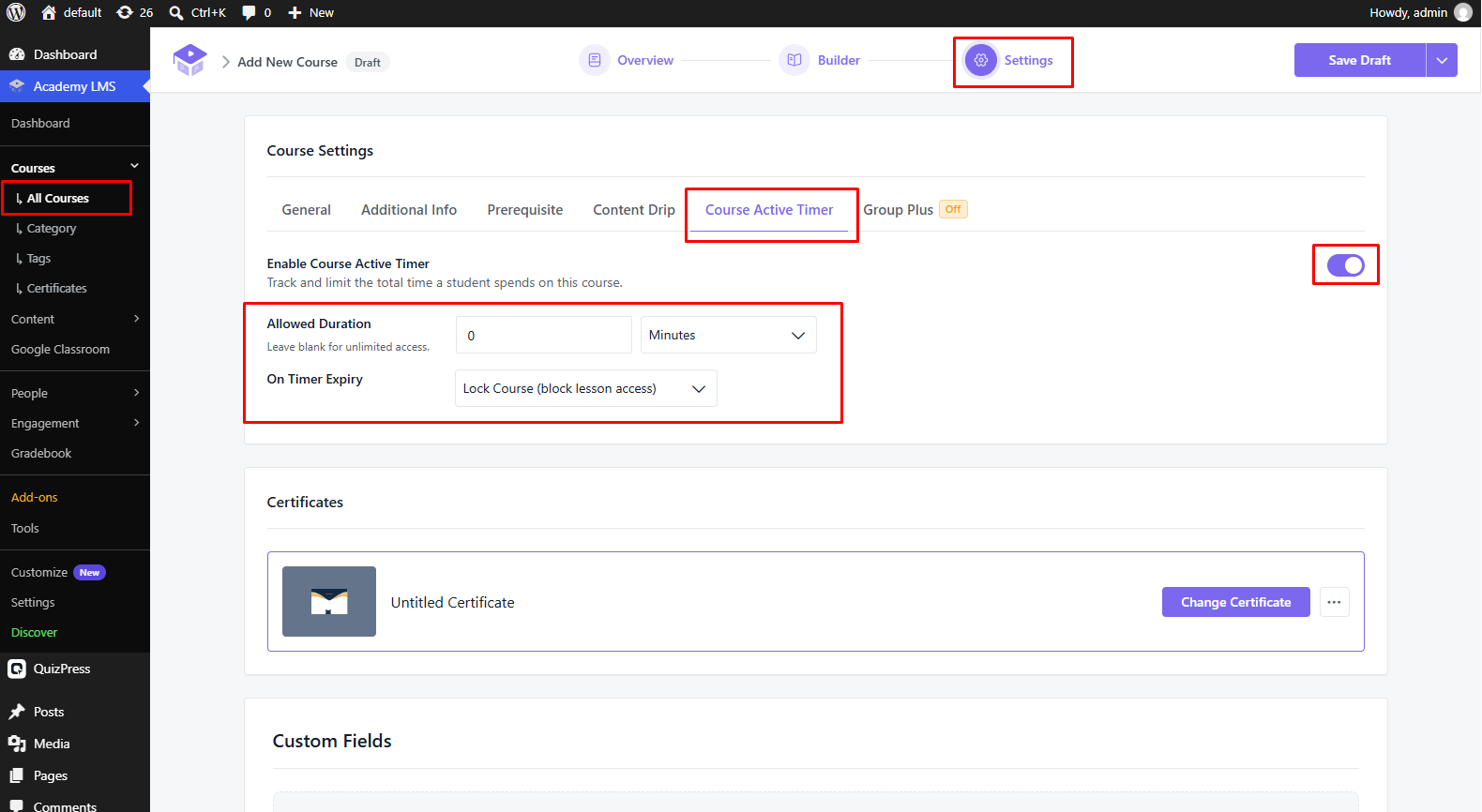
1.Open the course and go to the Settings step.
2.Open the Course Active Timer tab and switch on Enable Course Active Timer.
3.Set Allowed Duration: how much time each student gets, in Minutes, Hours or Days. Leave it blank for unlimited access.
4.Choose what happens On Timer Expiry:
5.Click Update.
See every course with a timer
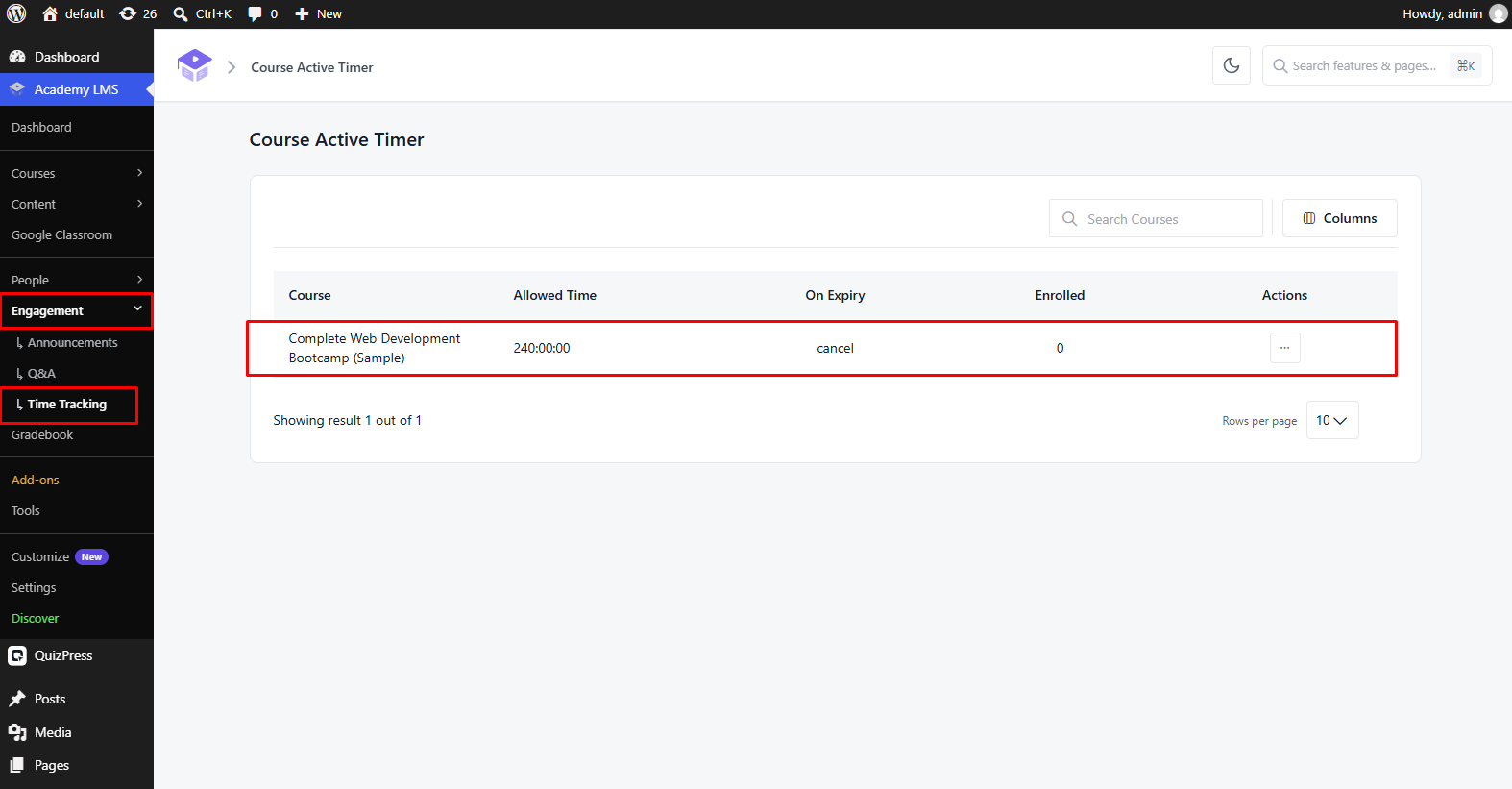
Go to Academy LMS → Engagement → Course Active Timer. The list shows each course’s Allowed Time, what happens On Expiry, and how many students are Enrolled.
Want a course that ends on a fixed number of days after enrollment instead? See Expire Enrollment in Manual Enrollment.