









Let visitors open selected lessons for free, before they enroll. It’s a simple way to show the quality of your course and turn visitors into students.
1. Turn on the add-on
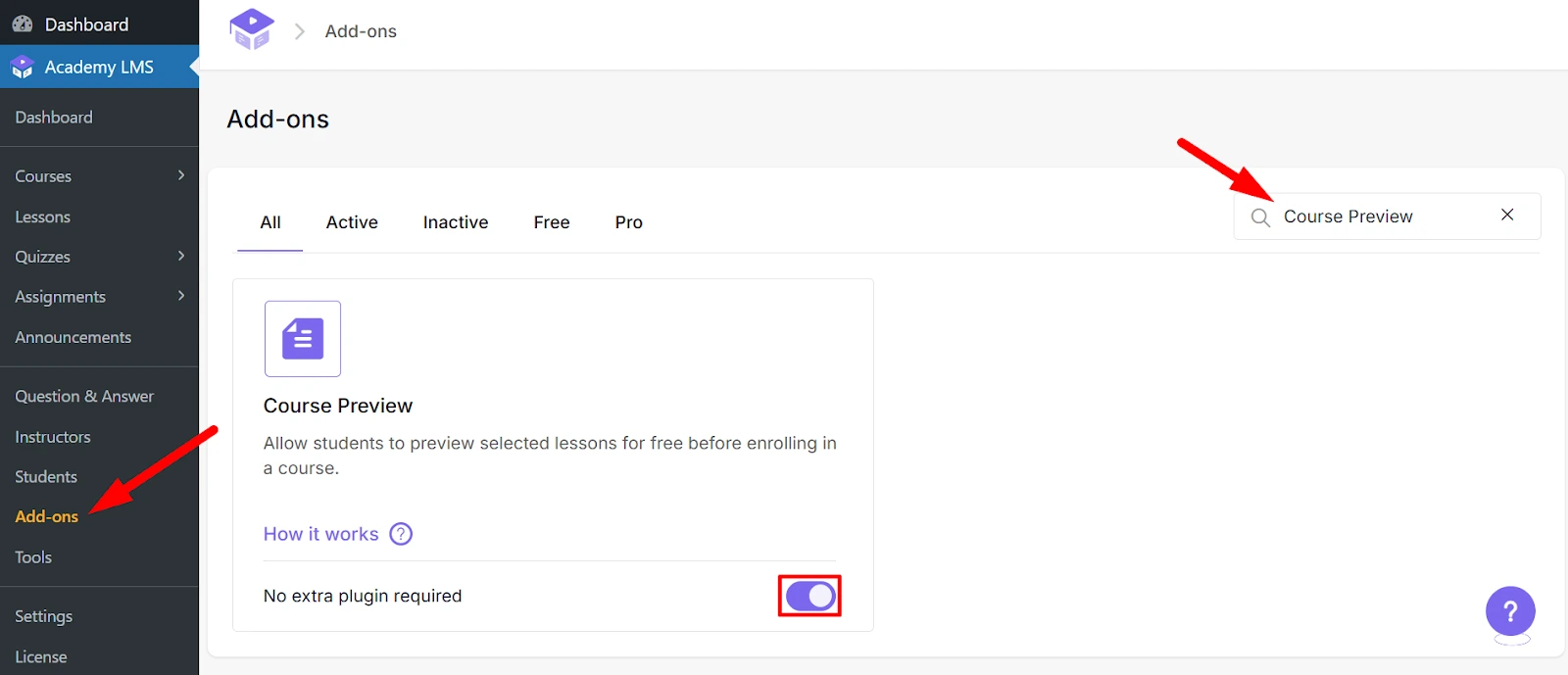
Go to Academy LMS → Add-ons and turn on Course Preview.
2. Choose the preview lessons
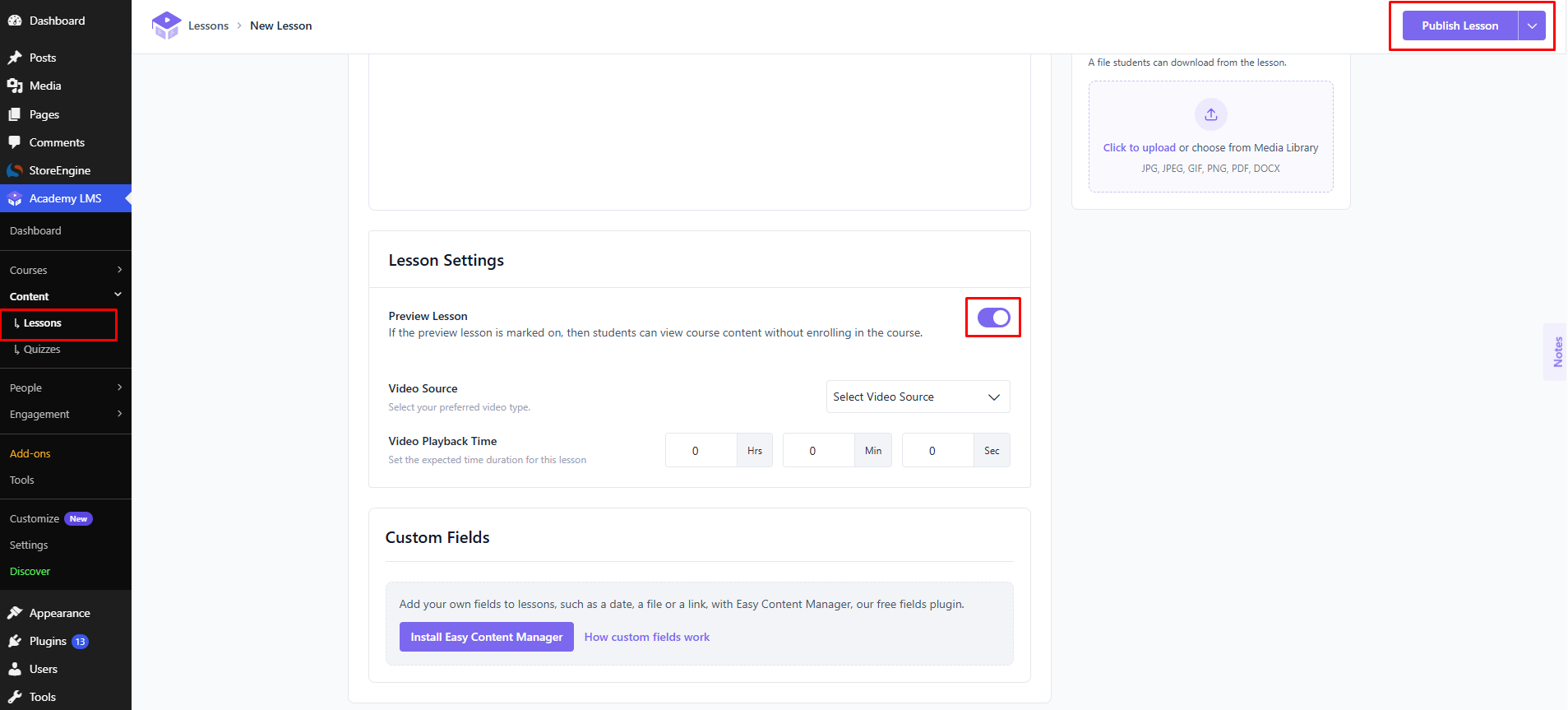
1.Open the course and go to the Builder step.
2.Open a lesson you want to share.
3.Under Lesson Settings, turn on Preview Lesson.
4.Save the lesson and update the course.
Repeat for every lesson you want to make free.
What visitors see
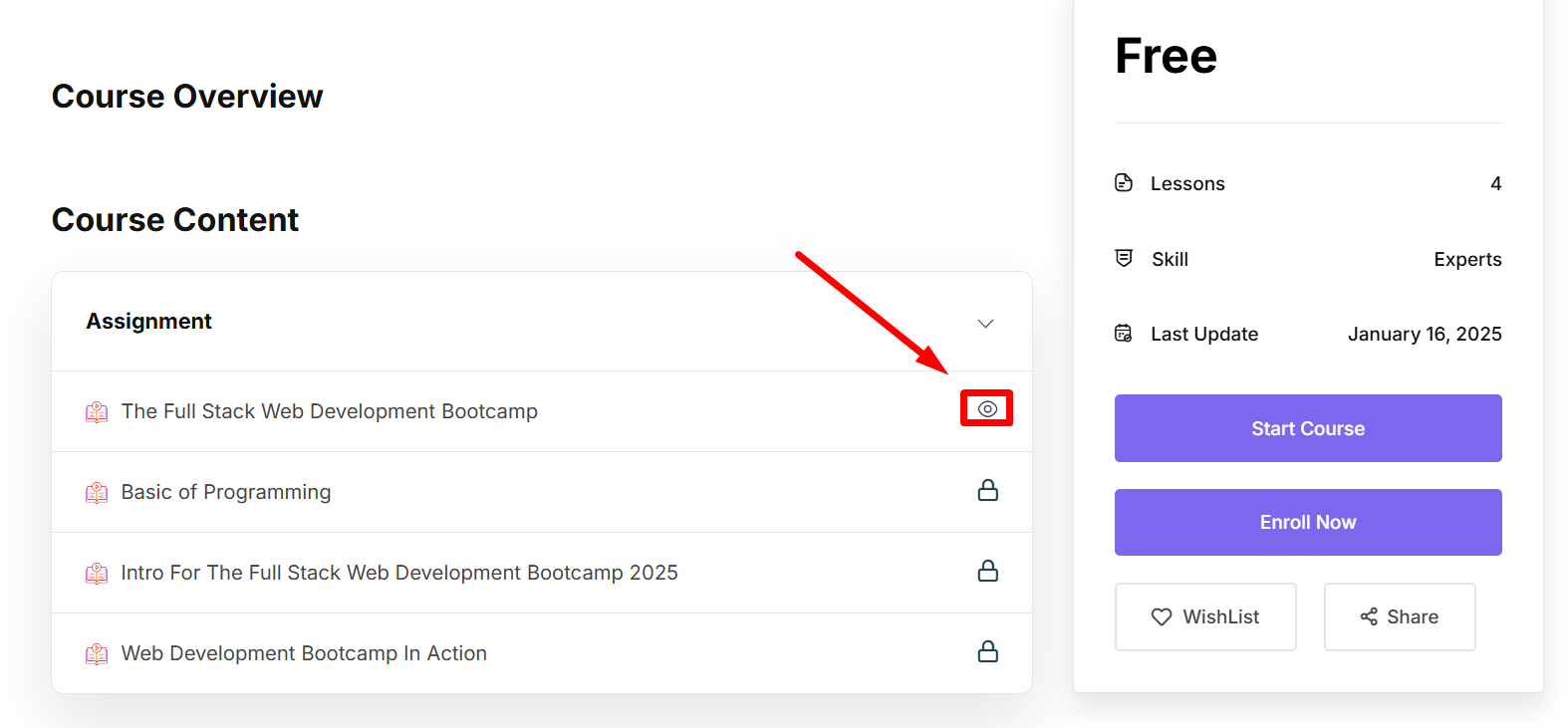
Preview lessons show a Preview label in the course curriculum. Anyone can click it and open the lesson, with no account and no enrollment. The other lessons stay locked until they enroll.
Want the whole course open instead? Use a public course.