Academy LMS 4.0 IS LIVE

00
Days
:
00
Hours
:
00
Minute
:
00
Second

PDF

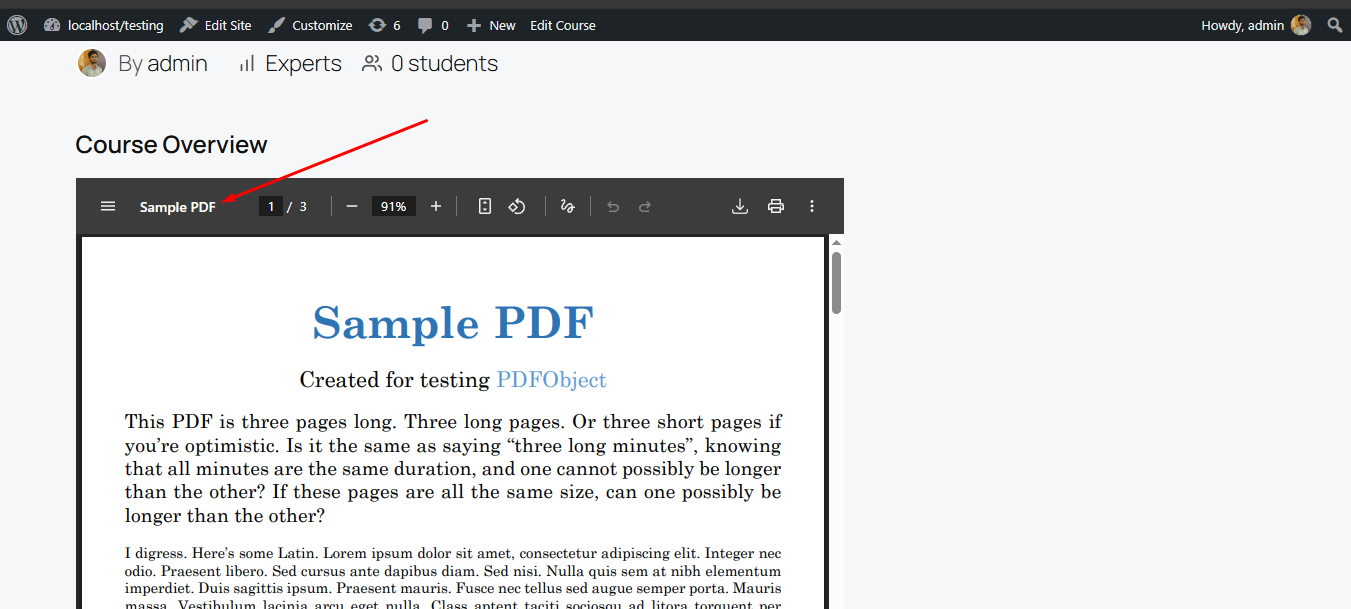
The PDF Embed shortcode ([academy_pdf]) embeds a PDF file directly into a page or post using an <iframe>, letting you share syllabi, worksheets, or reference documents inline without linking visitors away to a separate download.

How to access

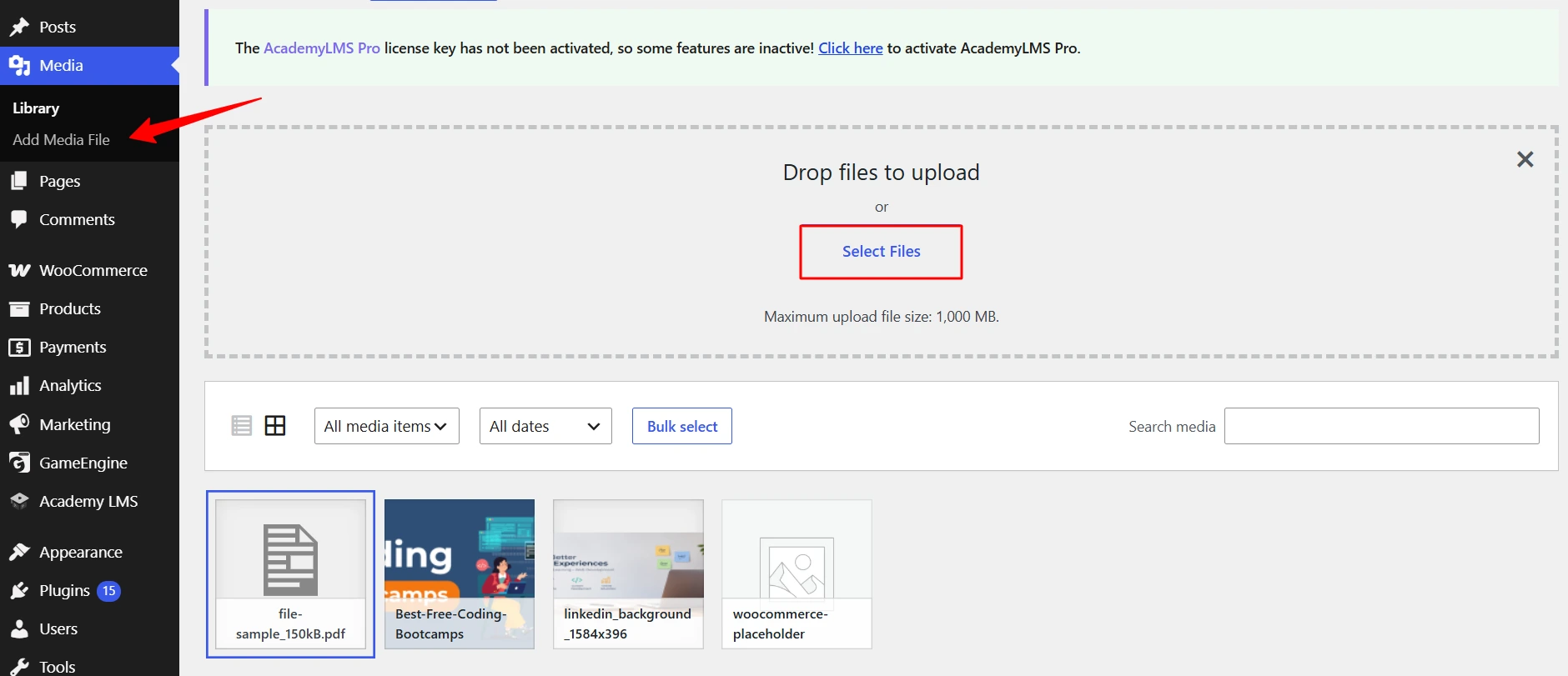
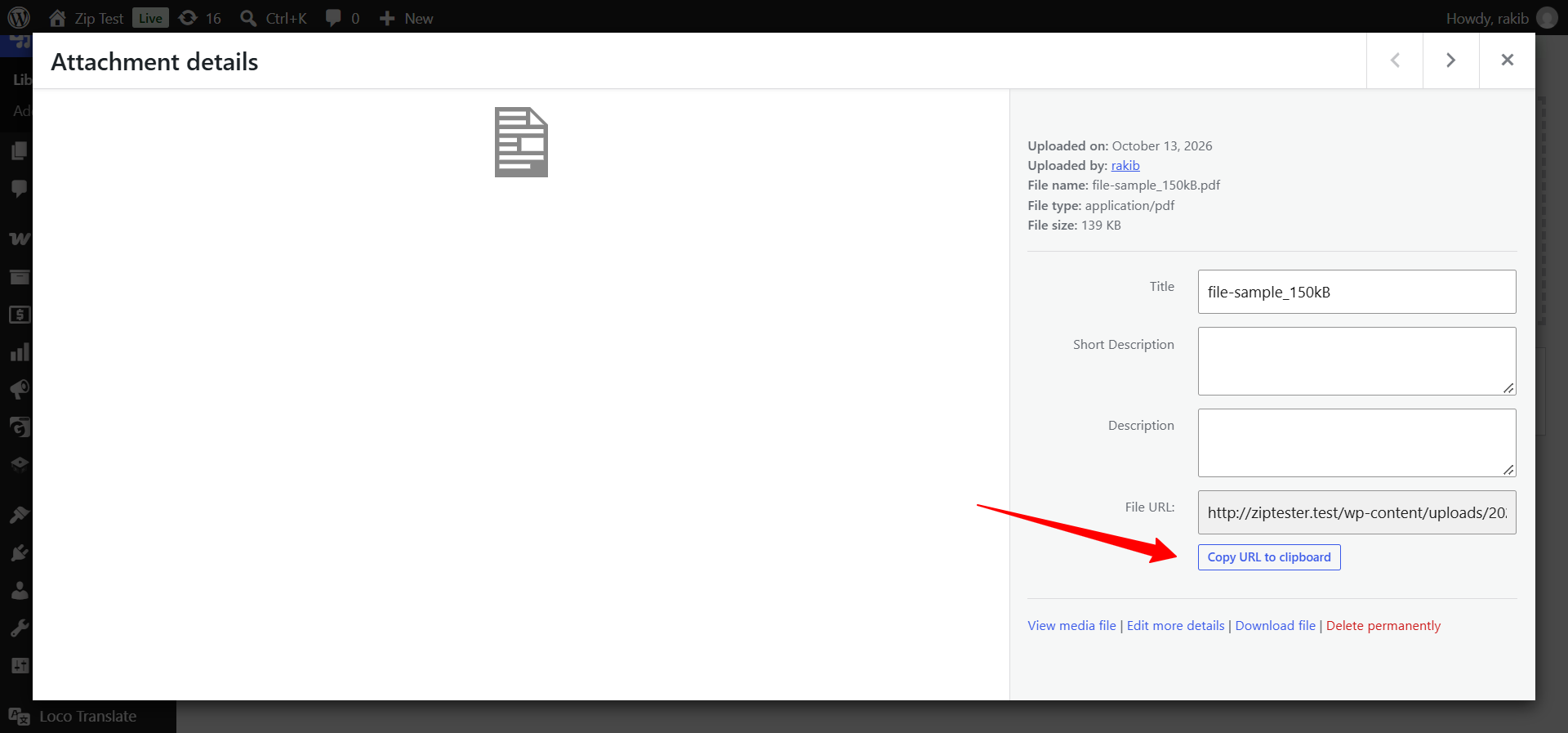
1.Upload the PDF you want to embed via Media > Add New, then copy its file URL from the Media Library (open the file and copy the “File URL” / “Copy URL” link).
2.Go to Pages > Add New (or edit an existing page).
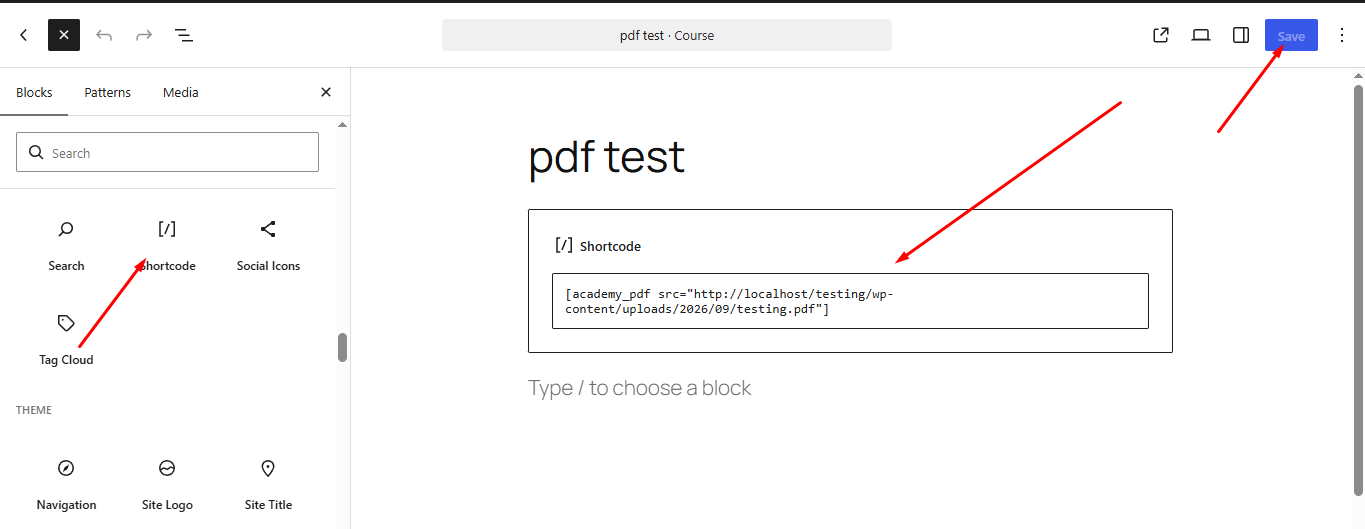
3.Add a Shortcode or Paragraph block and type [academy_pdf src="https://yoursite.com/wp-content/uploads/your-file.pdf" width="700" height="500"], using the URL you copied.
4.Click Publish and view the page on the frontend.
How to access

The screenshot above shows the shortcode’s empty/placeholder iframe state — a real PDF URL was not available to embed cleanly in this environment. Point src at a real PDF (ideally one uploaded to your own Media Library) to see the document render inside the frame.

Shortcode attributes

src — the direct URL to the PDF file. Empty by default; the iframe has nothing to display until this is set. Recommended source: a file uploaded to the WordPress Media Library, so the URL is reliably reachable and versioned with your site.
width — width of the embedded iframe. Accepts any valid CSS width value (e.g. 700, 100%). Defaults to 100%.
height — height of the embedded iframe. Accepts any valid CSS height value (e.g. 500px). Defaults to 500px.

The iframe is capped at max-width: 100% internally, so even a fixed pixel width will not overflow its container on smaller screens.

Notes

The shortcode does not validate that src points to an actual PDF — any URL you provide is simply embedded via <iframe>, so linking to a non-PDF or unreachable URL will show a broken/empty frame like the one in the screenshot above.
Because it renders a plain iframe, embedding a PDF hosted on another domain may be blocked by that host’s own X-Frame-Options or Content-Security-Policy headers, even if the URL itself is valid.