











We are thrilled to introduce the Multimedia Attachment Addon for Academy LMS, a powerful tool to enrich your courses and elevate the learning experience.
With this addon, you can effortlessly attach videos, PDFs, and other media files directly into your courses. It allows you to organize your content intuitively, making it easy for students to access all learning materials in one place. By providing additional resources and interactive content, this addon helps make your courses more engaging, informative, and effective.
The Multimedia Attachment Addon integrates seamlessly with your existing Academy LMS setup, requiring no extra configuration. Empower your courses today and offer students a richer, more interactive learning experience.
How to work Multimedia Attachment Addon
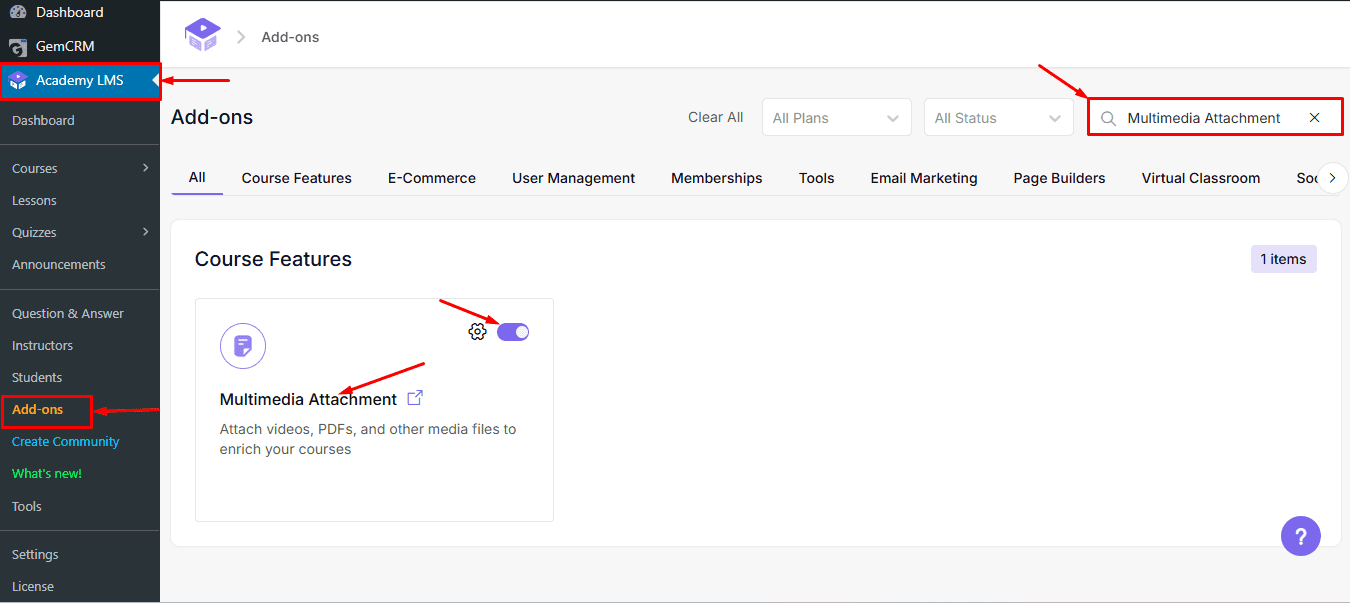
To enable the Multimedia Attachment Addon, navigate to the Addon Section in Academy LMS. Use the search option to locate the Multimedia Attachment Addon, and simply enable it. Once activated, you can start adding videos, PDFs, and other media files to your courses seamlessly.
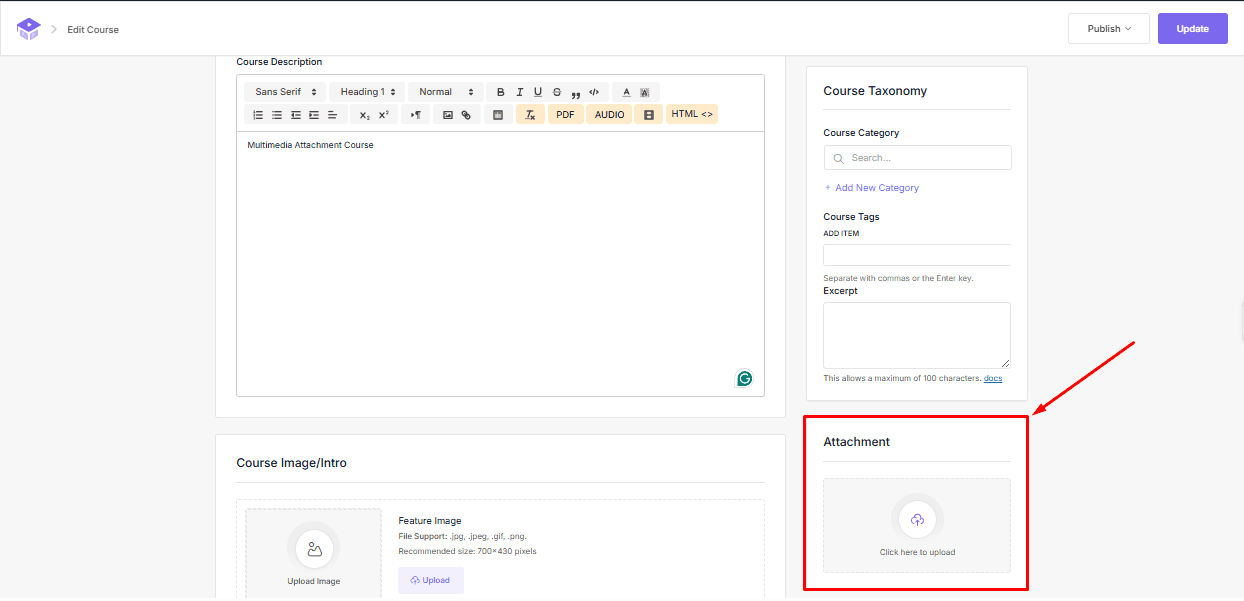
After enabling the addon, navigate to your course. In the Course Editor, you will now see a new Attachment option at the bottom of the Course Taxonomy section. This allows you to add videos, PDFs, and other media files directly to your attachment section.
User Interface and Downloading Attachments
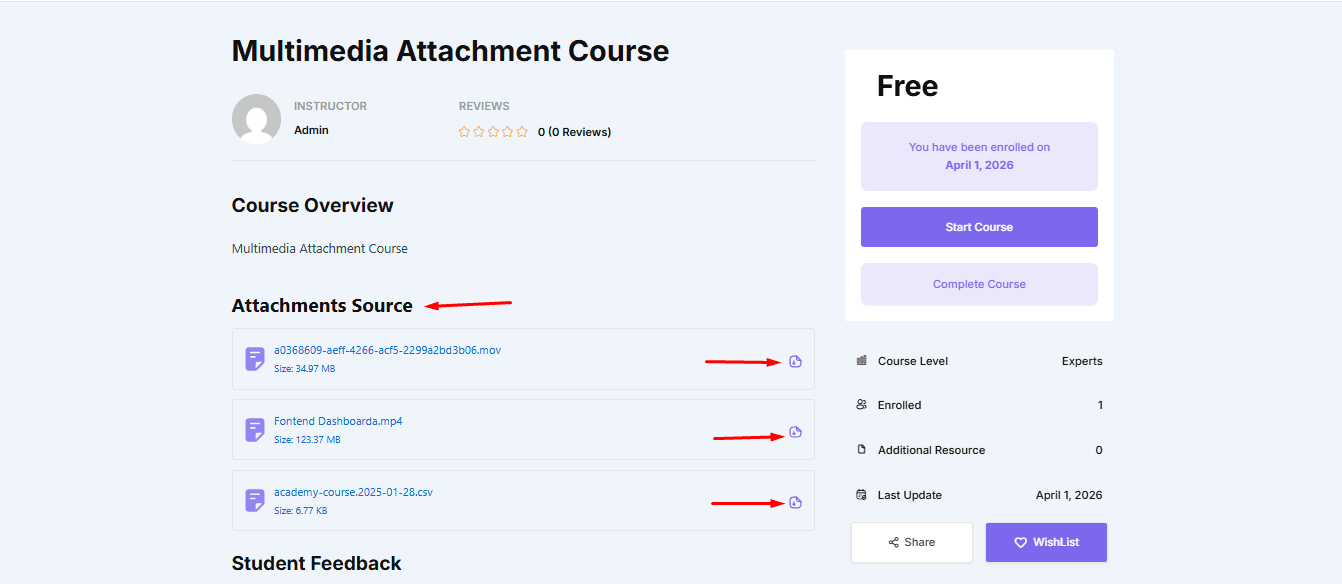
After adding videos, PDFs, and other media files to the Attachment section, don’t forget to update/save your changes. Once updated, view your course, and you will see all the added files in the Attachments Source section. You can easily download any file from here. To download, simply click on the file, and it will be saved to your device.
Prerequisite: Students must be enrolled in the course to view or download Multimedia attachments.
The Multimedia Attachment Addon makes it easy to enhance your courses with videos, PDFs, and other media files. By organizing content intuitively and providing students with easy access to resources, this addon helps make your courses more engaging and effective. Simply enable the addon, add your attachments, and empower your students with a richer learning experience.