











The password reset form shortcode allows Academy LMS users to create a password reset page on their website. This feature ensures that users can reset their passwords easily and securely.
How to Use the Password Reset Form Shortcode?
Follow these steps to locate and use the password reset shortcode:
Navigate to the Academy LMS Tools Menu. Access the Shortcode Area Under this section, you will find the Shortcode area.
In the list of available shortcodes, find the [academy_password_reset_form] shortcode. This shortcode is specifically designed for creating a password reset page.
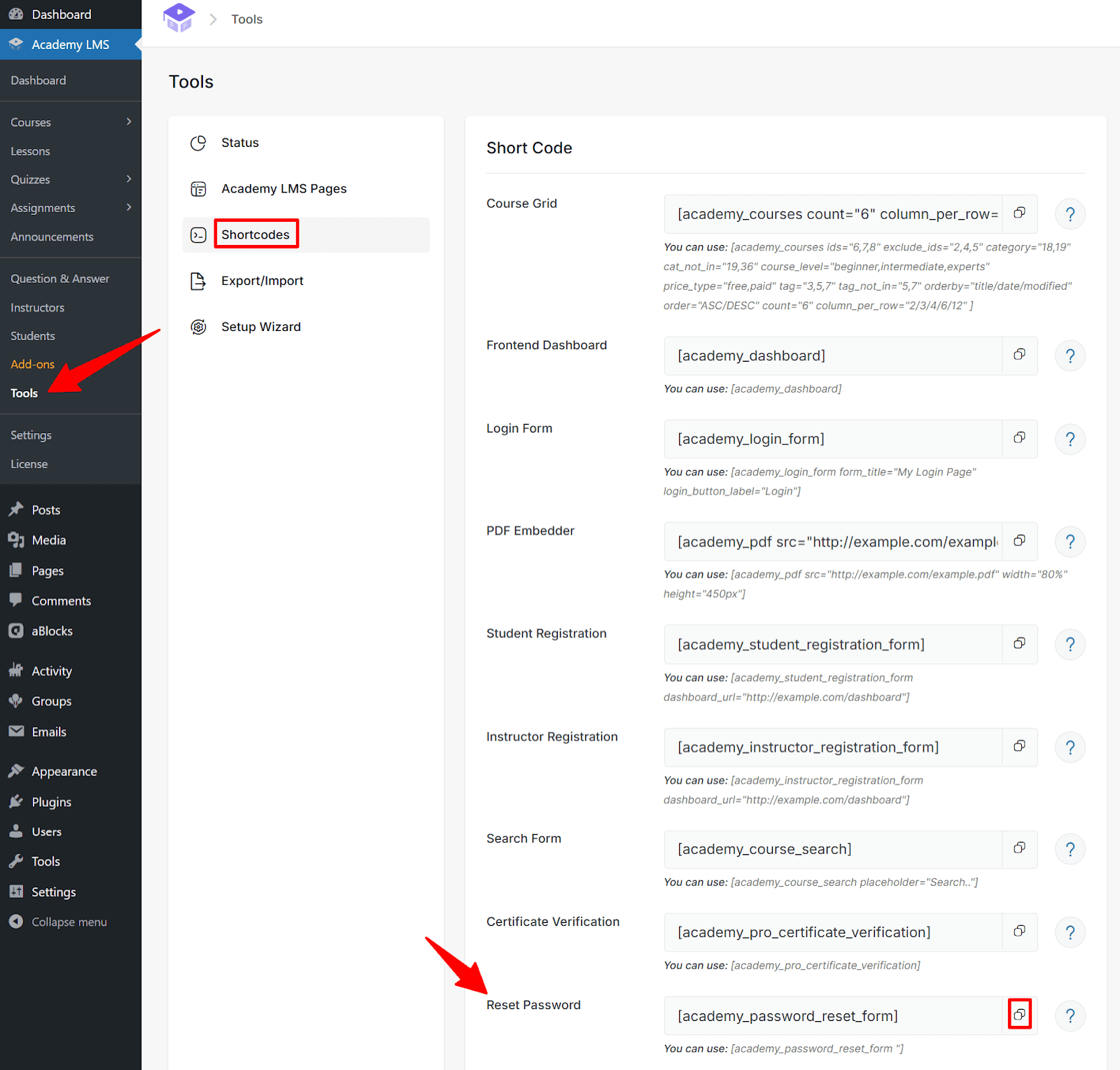
Next to the shortcode, you will see a Copy icon. Click on it to copy the [academy_password_reset_form] shortcode to your clipboard.
Adding the Password Reset Form in Gutenberg
Go to Pages > Add New (or edit an existing page). In the Gutenberg editor, click the Plus (+) icon to add a block.
Search for Shortcode and select the block.
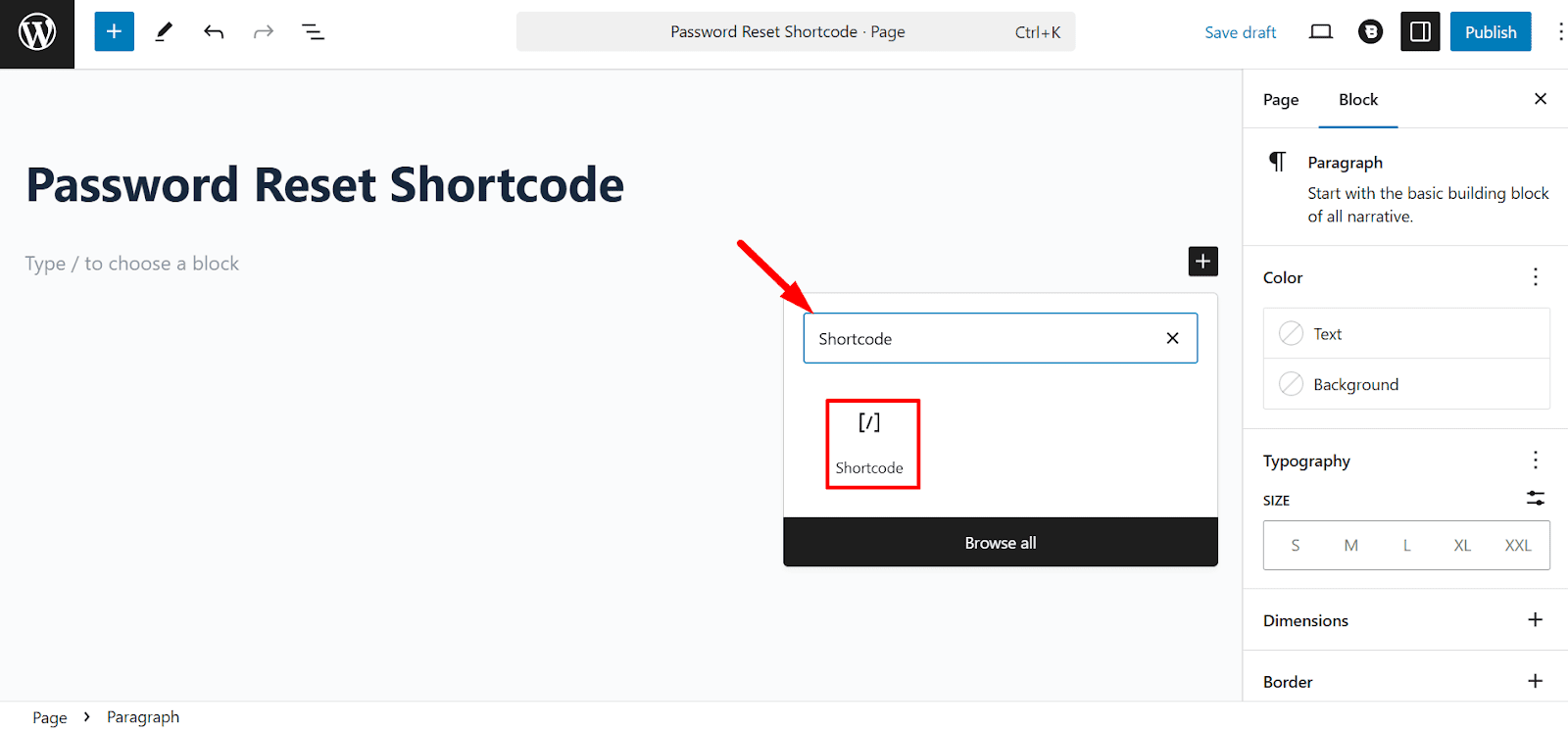
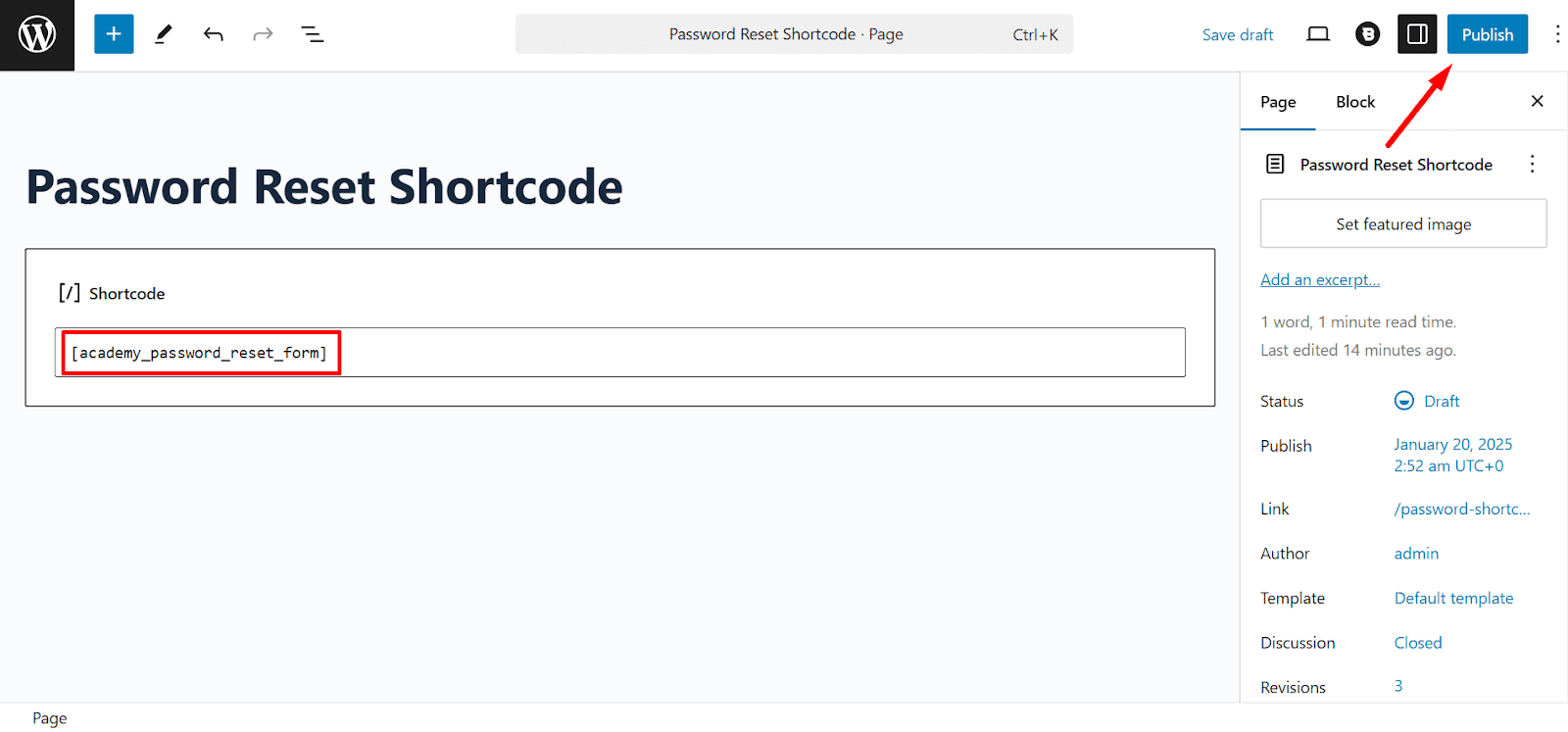
In the Shortcode block, paste:
[academy_password_reset_form]
Click Publish or Update to save your changes.
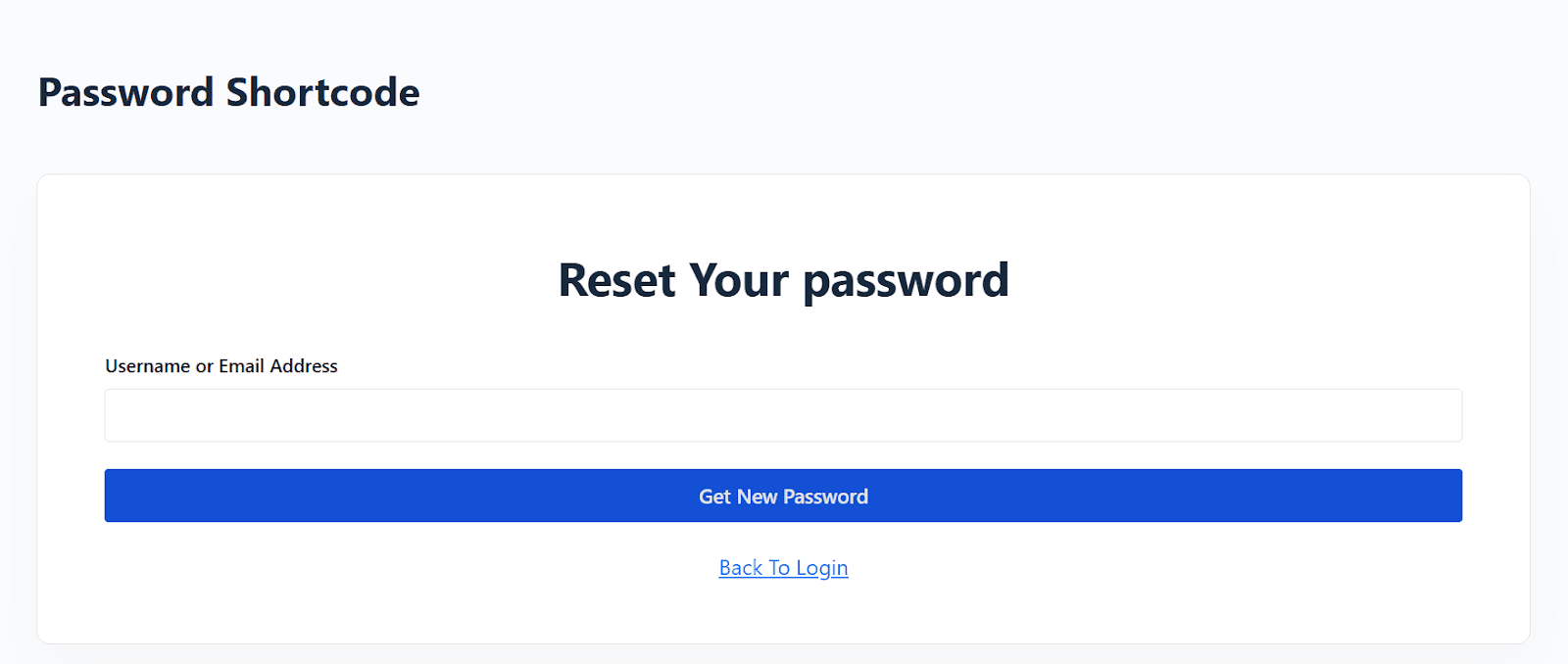
Visit the page to see the password reset form in action. To view the password reset form, first publish the page. Then, copy the page URL and open it in an incognito browser window to see how the form appears to users.
Adding the Password Reset Form in Elementor
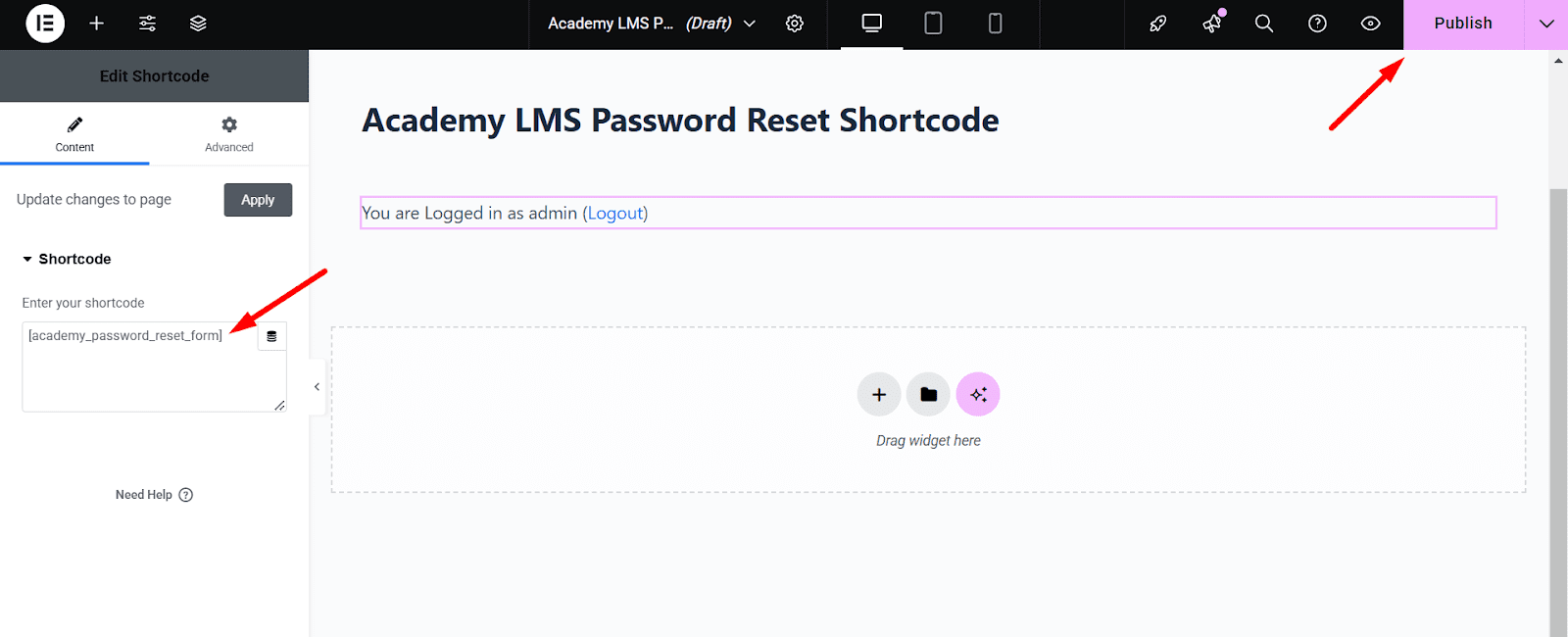
You can also use the [academy_password_reset_form] shortcode in Elementor. Add a new page for password reset and start your page editing with Elementor. Search for the element box shortcode, then drag and drop the shortcode element and enter the shortcode in the box:
[academy_password_reset_form]
To see the password reset form in the preview, publish the page and copy the link to see the change in the incognito browser.
With the [academy_password_reset_form] shortcode, you can easily provide a professional and user-friendly password recovery experience, whether you’re using Gutenberg or Elementor.