











Take your online learning experience to the next level with the Academy LMS Group Plus Addon. This powerful extension enhances the default group functionality by introducing team-based course assignments, leader delegation, and structured group management — all from a user-friendly backend and frontend interface.
Whether you’re managing corporate training, academic cohorts, or organizational teams, Group Plus gives you the flexibility and control to organize your learners like never before.
Prerequisites
Before using the Group Plus Addon, make sure the following requirements are met:
You are using the latest version of both the Academy LMS Free and Academy LMS Pro plugins.
You have enabled the Group Plus Addon.
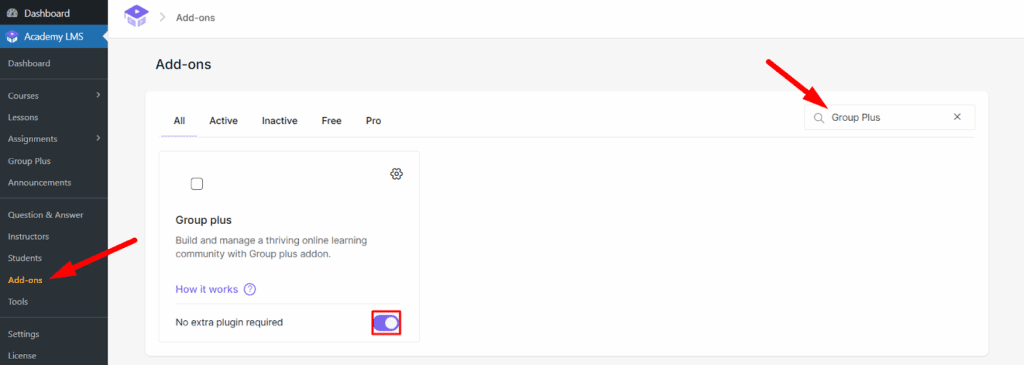
To enable the addon:
- Navigate to Academy LMS > Addons.
- Locate Group Plus Addon.
- Toggle it ON to activate.
Upon activation, a new menu item labeled Groups Plus will appear in your Academy LMS admin panel.
Creating a Group
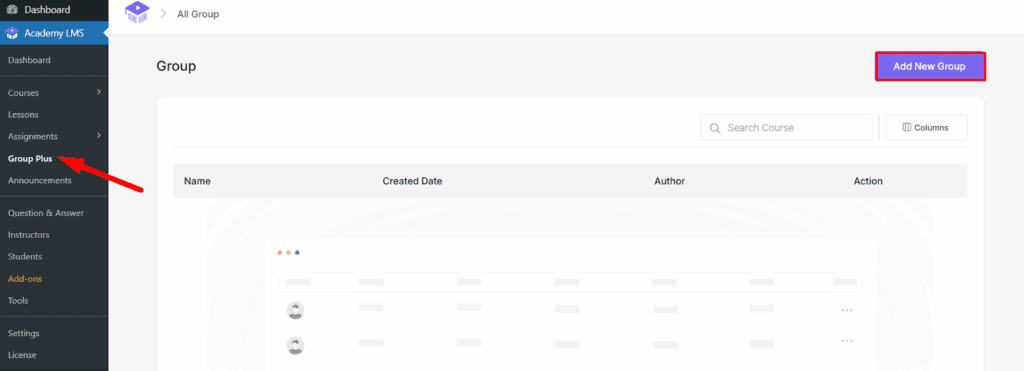
- Go to Academy LMS > Groups Plus.
- Click on Add New.
- Enter a title for the group.
- Click Save.
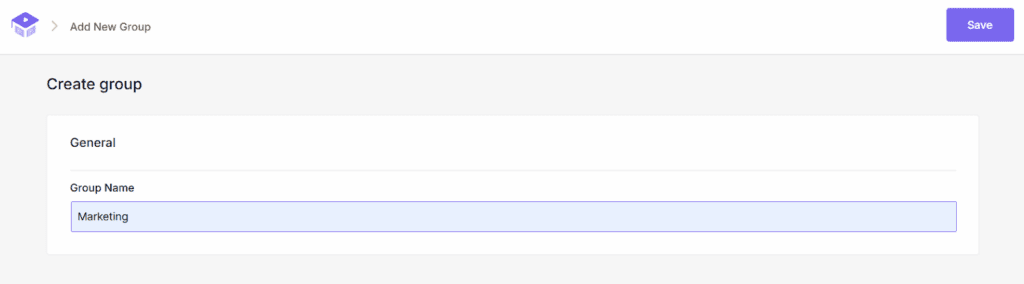
Your group is now created and ready for course assignment and team structuring.
Adding Courses to the Group
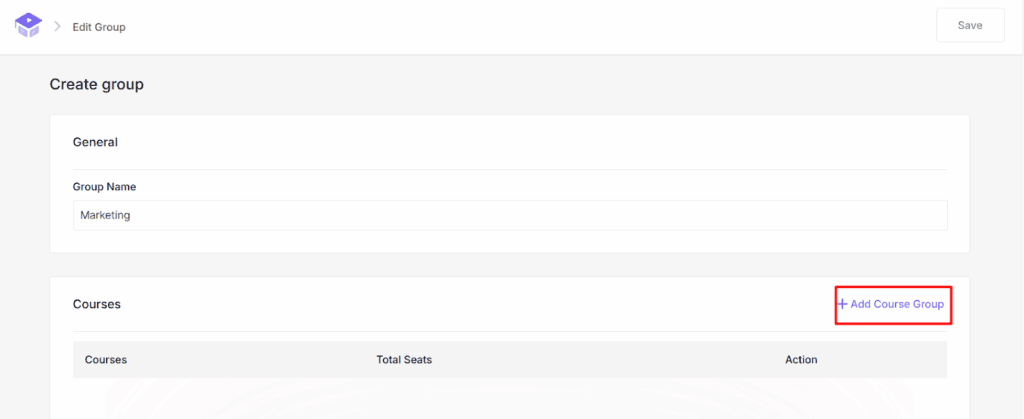
Once your group is set up, you can begin assigning courses:
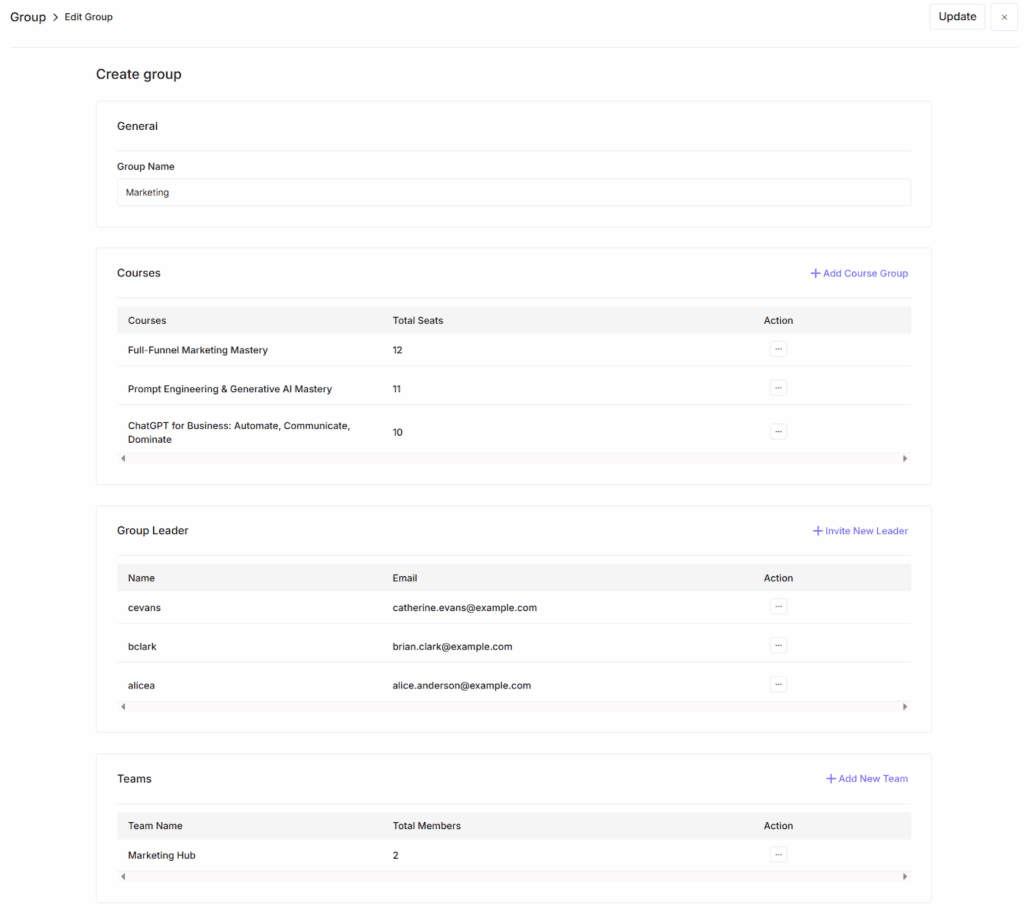
- Click the Add Course Group button.
- Select the desired course from the dropdown menu.
- Specify a seat limit (must be equal to or less than the available seats for that course).
- Click Add.
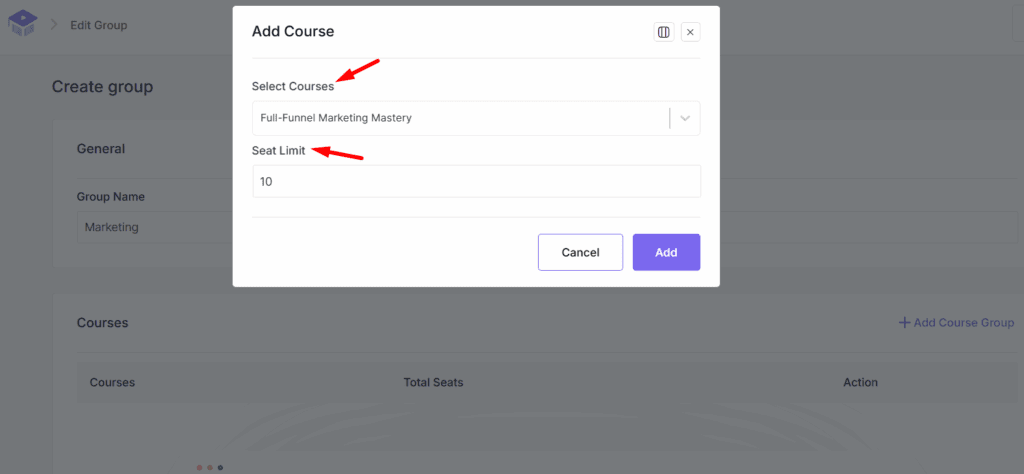
You can repeat this process to assign multiple courses to the group. A single course can also belong to multiple groups.
Adding Group Leaders
To manage groups effectively, you need to assign Group Leaders:
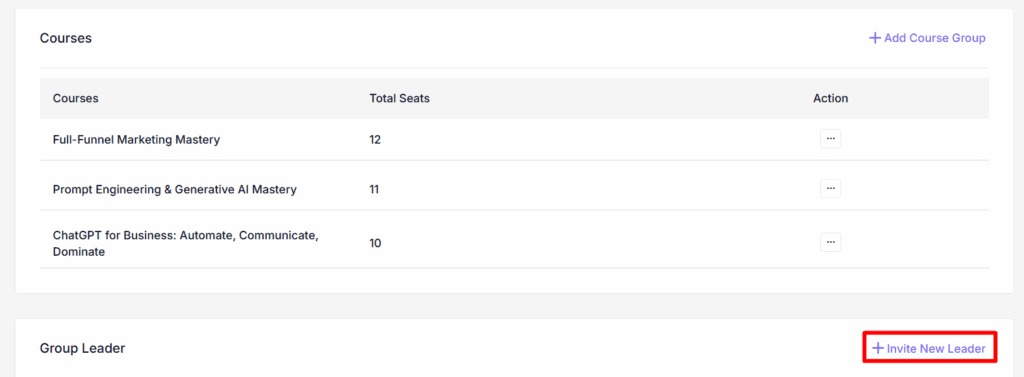
- Scroll down and click on the Invite New Leader button.
- Fill out the form with the leader’s:
- First Name
- Last Name
- Email Address
- Username
- Password
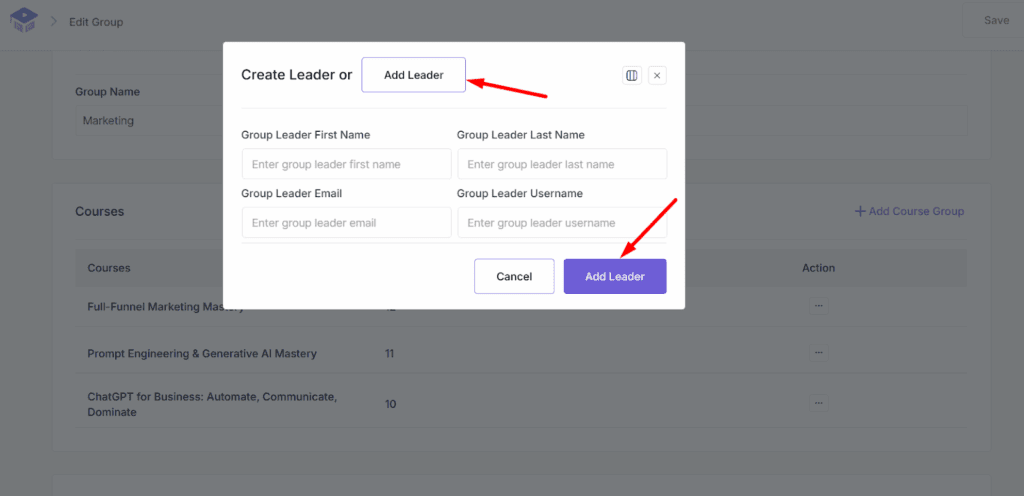
- Click Add Leader to create and assign them to the group.
Alternatively:
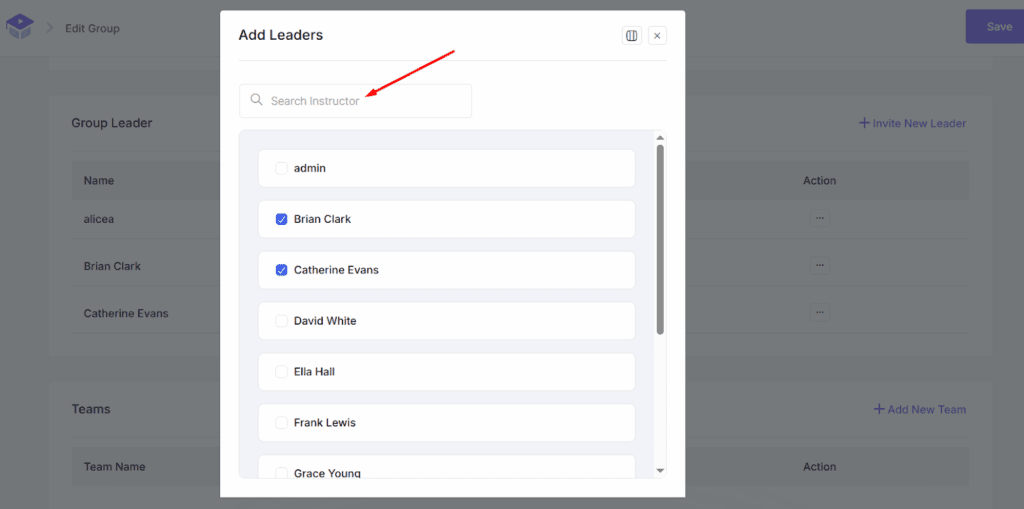
- Click the Add Leader button beside the Create Leader button.
- A pop-up will appear where you can search and assign existing Instructors or Students as group leaders.
- You can assign multiple leaders to a group.
Add New Team
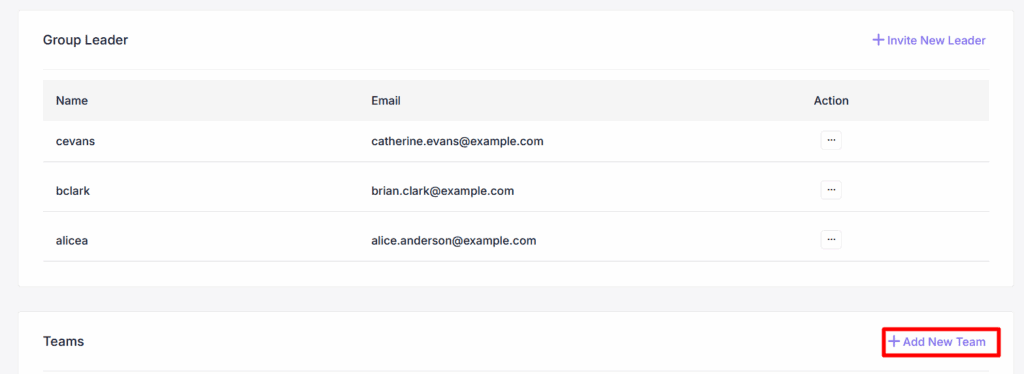
Teams help you divide groups into smaller, manageable units:
- Scroll down and click on the Add New Team button.
- Enter a team name.
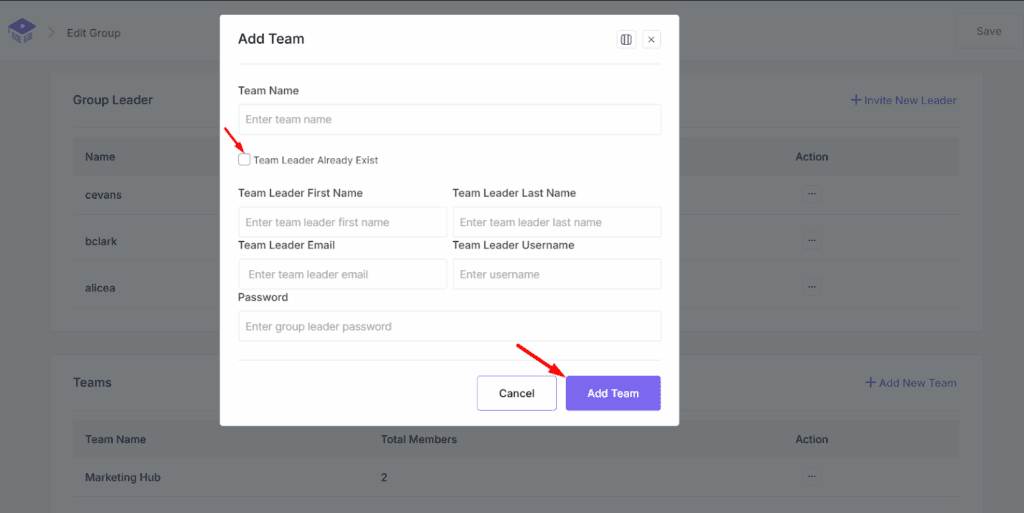
- Assign a Team Leader by:
- Filling out the form (first name, last name, email, etc.)
- Or selecting an existing leader from the list.
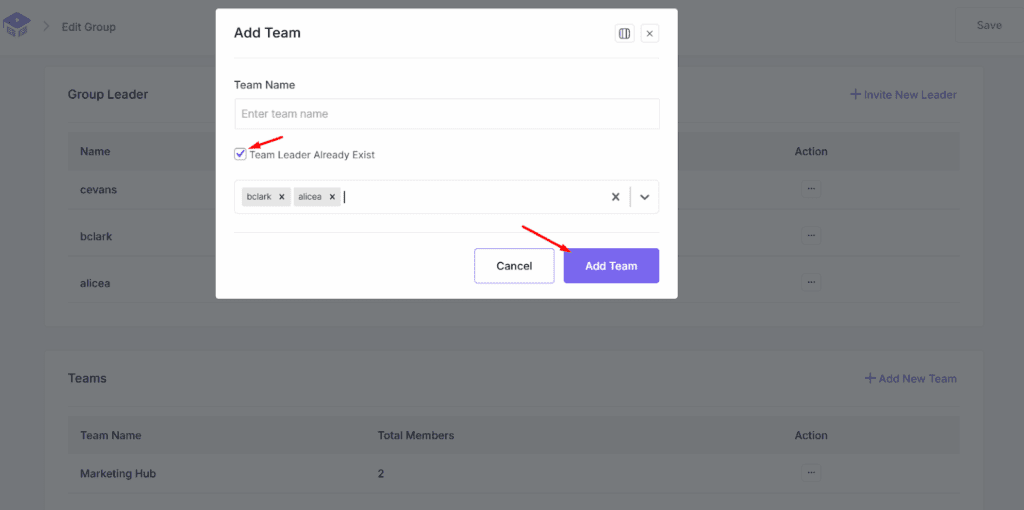
Click Add Team to finalize. You can assign multiple team leaders as needed.
Manage Team
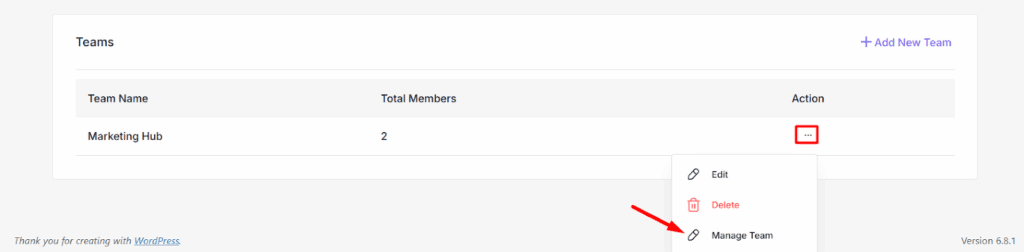
Once your team is created:
- Click the three-dot menu beside the team.
- Select Manage Team.
This opens a detailed management panel:
Add Members
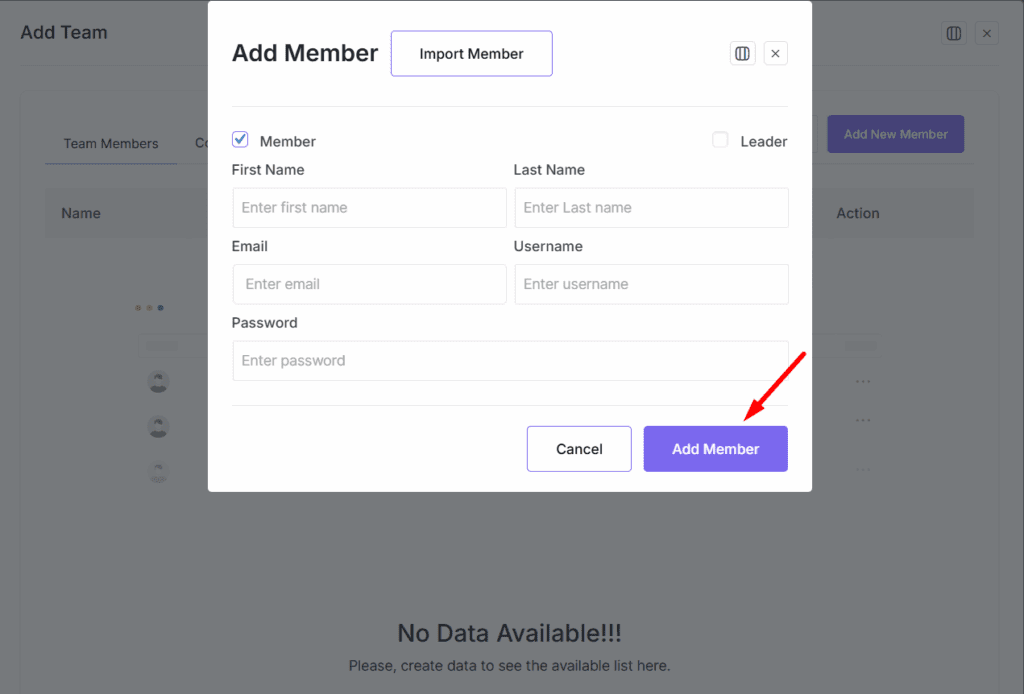
- Click the Add Member button.
- Fill in the form (first name, last name, email, username, password).
- Click Add Member.
Alternatively, click Import Member to select from existing users.
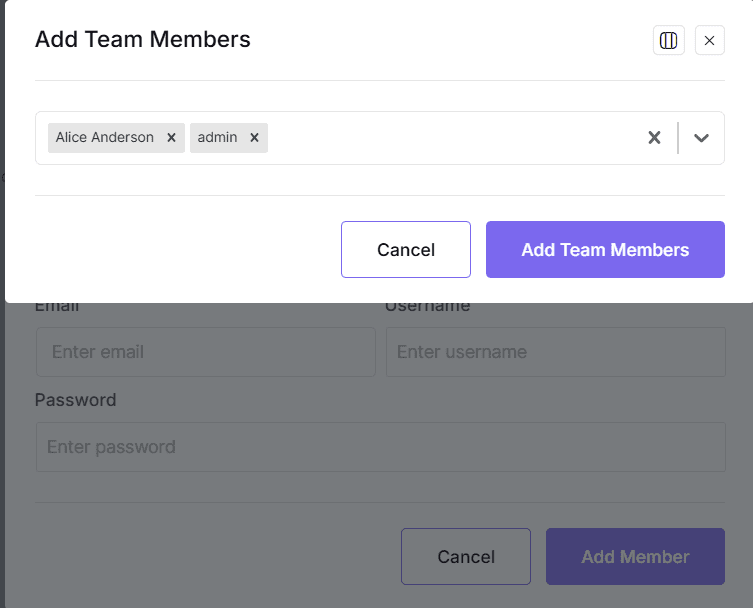
Manage Team Leaders
From this same panel, you can edit or update your team leaders.
Assign Courses to Team
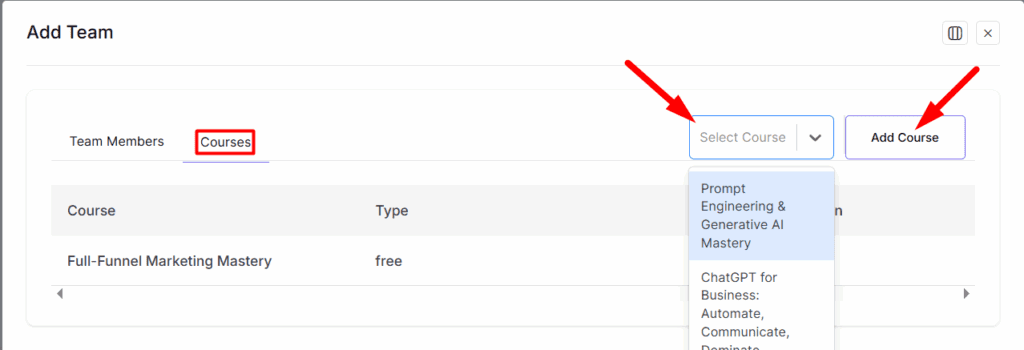
- Click the Courses button in Manage Team view.
- Search and select the courses from the list (these are the ones already assigned to the parent group).
- Assign as many as needed to the team.
All team members will be automatically enrolled in the assigned courses.
Frontend Dashboard Access for Group Plus Addon
To enable frontend functionality:
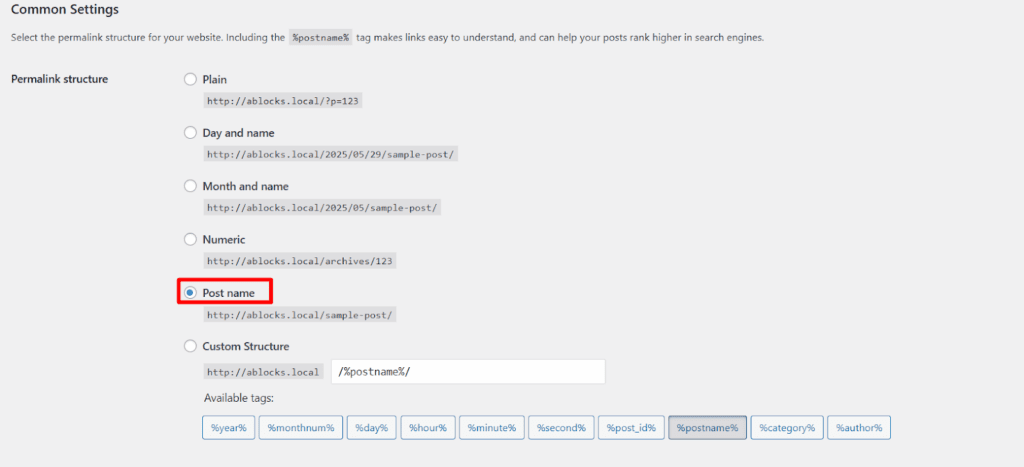
- Ensure your WordPress permalink settings are saved as Post name (or any valid structure).
- Even if this is already set, re-save your permalinks to ensure proper routing.
Access via Instructor Dashboard
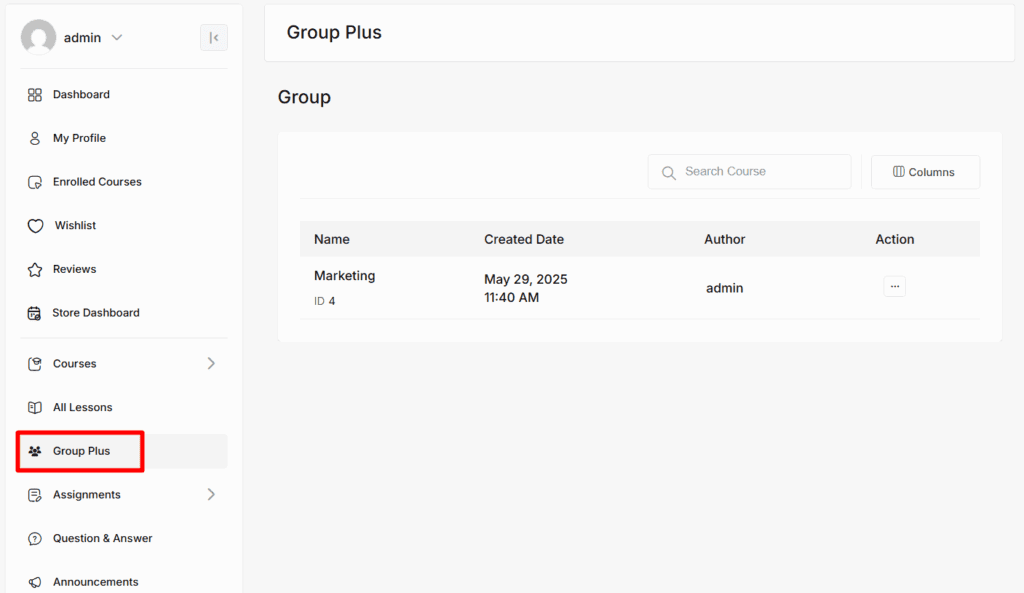
- Log into the Frontend Instructor Dashboard.
- Navigate to the Group Plus menu.
Note: Only assigned Group Leaders, Team Leaders and team member will see the Group Plus menu in the dashboard.
From here:
- Click on the three-dot icon to manage your assigned groups.
- Instructors can handle everything from course assignment to team member management—right from the frontend.
Conclusion
The Academy LMS Group Plus Addon empowers administrators and instructors to organize learners efficiently into groups and teams, assign courses seamlessly, and manage educational journeys with minimal effort. Whether you are conducting employee training, organizing classroom cohorts, or launching internal educational programs, Group Plus provides a powerful and intuitive structure to manage it all — both from backend and frontend dashboards.
Unlock the full potential of collaborative learning today with Group Plus.