











Unlock the Power of Community Academy LMS with ZenCommunity Integration.
Transform the learning experience on your WordPress site by seamlessly connecting ZenCommunity with Academy LMS. This powerful integration brings learners together in ways that encourage collaboration, motivation, and deeper engagement.
Imagine a space where course activities—like enrollments, completions, announcements, and quiz results—are shared directly within your community groups. This integration not only keeps your learners up-to-date but also fosters real-time interaction, sparking conversations and teamwork around each course milestone.
Boost engagement, enhance collaboration, and create a dynamic, interactive learning environment that keeps learners excited to participate and succeed!
Prerequisite
Before you get started, ensure that you have:
- Academy LMS installed and activated on your WordPress site.
- ZenCommunity installed and activated on your WordPress site.
Both plugins must be active to ensure seamless integration and optimal performance.
Activate Academy LMS Add-on from the ZenCommunity Add-on Section
To enable the integration between ZenCommunity and Academy LMS, follow these steps:
- From your WordPress dashboard, navigate to ZenCommunity settings.
- Click on Settings within the ZenCommunity feeds section.
- In the ZenCommunity navigation panel, locate and click on the Addons menu.
- Find the Academy LMS Add-on in the list of available addons.
- Toggle the switch to enable the integration.
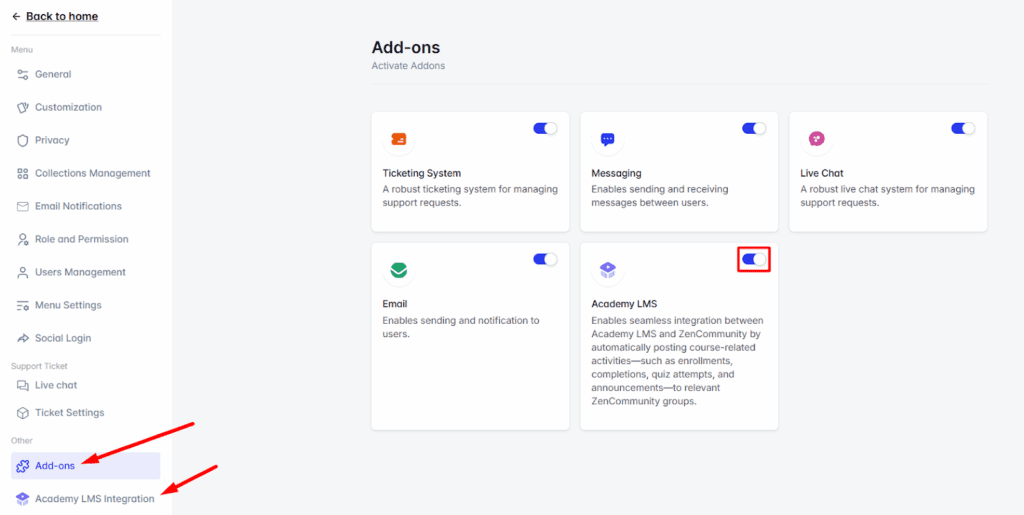
Once activated, a new tab called Academy LMS Integration will appear in your ZenCommunity settings. Click on this tab to proceed with the configuration.
Configure Academy LMS Events from the ZenCommunity Platform
Once activated, you can select which Academy LMS activities to display on your ZenCommunity feed.
There are 8 available events you can connect between Academy LMS and ZenCommunity:
- Course Enrolled
- Course Complete
- Course Announcements
- User Question
- Question Answer
- Lesson Update
- Quiz Start
- Quiz End
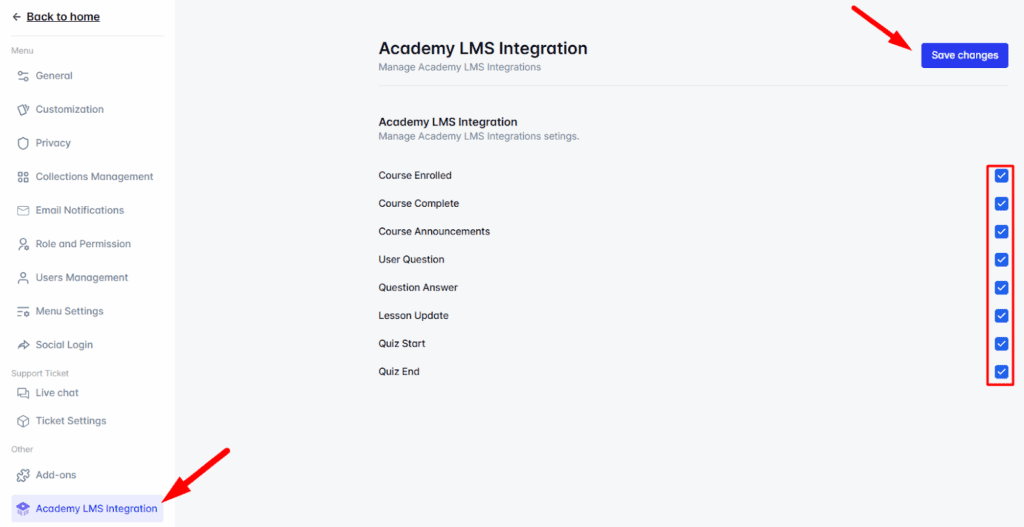
To enable your preferred events:
- Check the box next to each event you wish to activate.
- After selecting your desired events, click Save Changes to apply your settings.
Configure Academy LMS Events in ZenCommunity Groups
Next, choose where you’d like these course-related events to appear within your ZenCommunity groups.
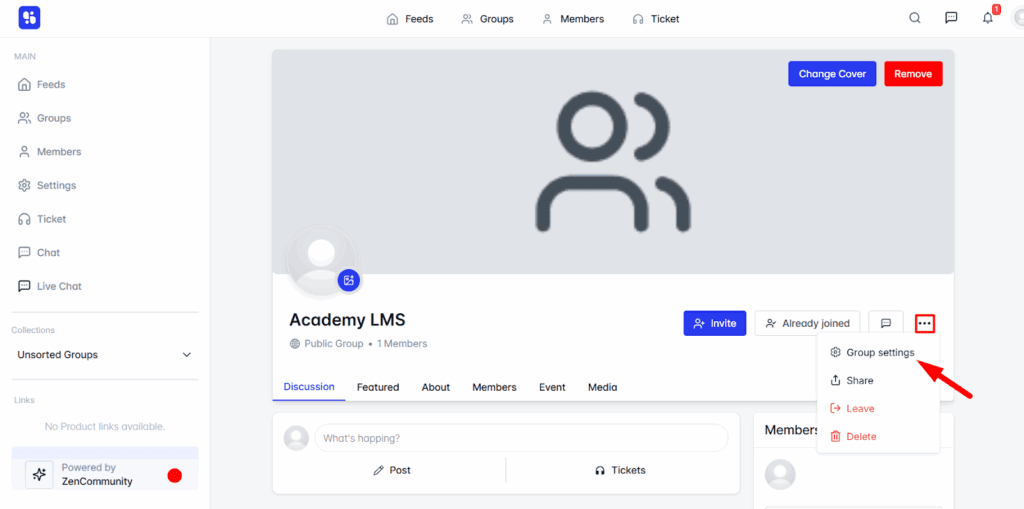
Navigate to any group you prefer in ZenCommunity.
- Click the three-dot icon (⋯) next to the group name.
- Select Group Settings from the dropdown menu.
- Scroll down to the Course Activities Event section.
- Choose the events you want to display within this group.
- Select the course(s) you wish to link these events to.
- Click Save Changes to confirm your settings.
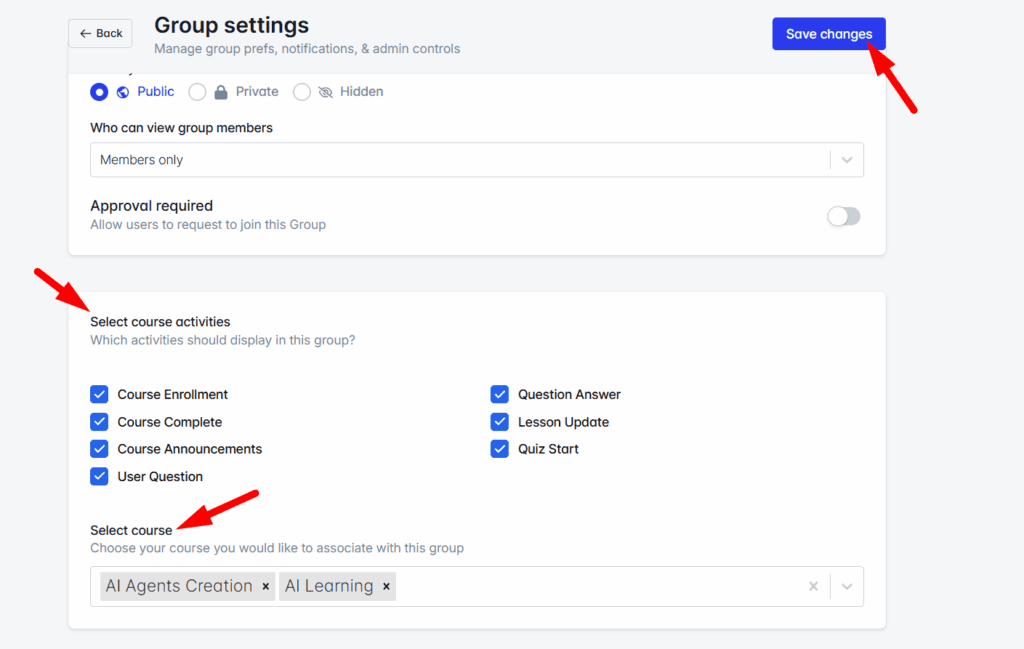
From now on, whenever a selected course event occurs—such as a new enrollment, quiz start, or course completion—it will automatically post an update in the group’s activity feed.
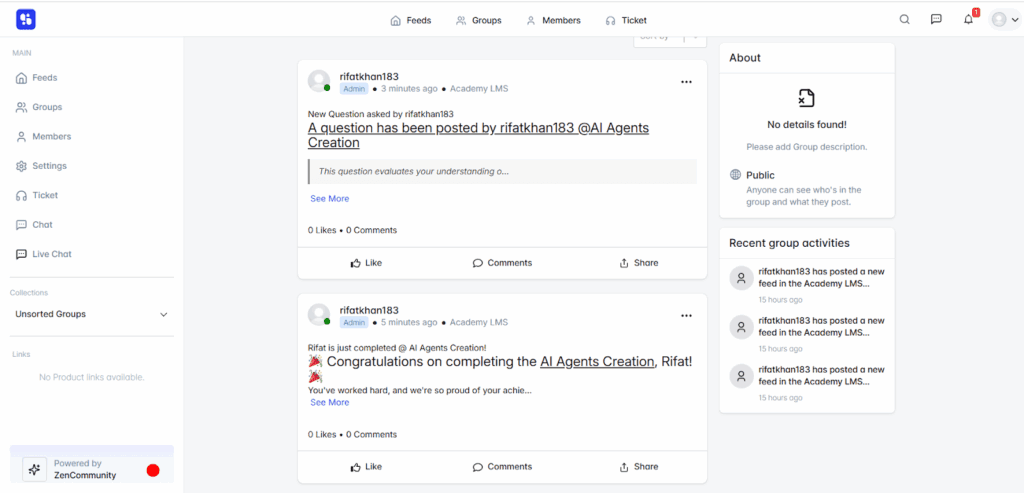
Integrating Academy LMS with ZenCommunity transforms your eLearning platform into a vibrant social learning hub. Learners can celebrate milestones, engage in discussions, and stay updated on course activities—all in real time within your community. This seamless integration makes learning more interactive, collaborative, and rewarding, creating an experience that keeps learners motivated and connected.