








Your brand, your style. Pixel-perfect LMS customization.
Tailor every detail of your learning platform—from brand colors and course card layouts to focus-mode distraction-free learn pages—without touching code.
Style, structure, publish
Match your brand identity effortlessly with visual color controls, modular page sections, and focus-mode learning spaces.
Set brand colors & shapes
Apply custom primary, secondary, text, and border palettes with adjustable border radius and button shapes.
Configure page layouts
Reorder course page elements, toggle metadata badges, and select responsive grid columns for course catalogs.
Personalize student experience
Customize distraction-free learn pages, top bar controls, and dedicated student dashboard menus.
Total control over your platform’s design
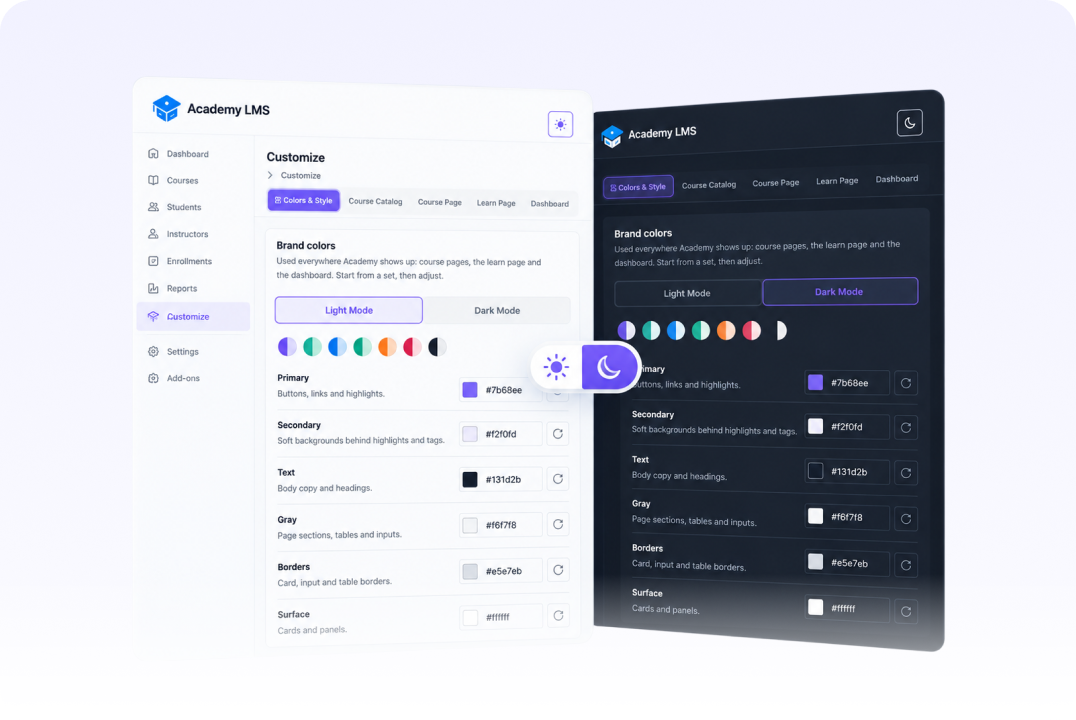
Dynamic Light & Dark Mode
Configure custom brand palettes, surface accents, border styling, and seamless Light/Dark mode toggles across all pages.
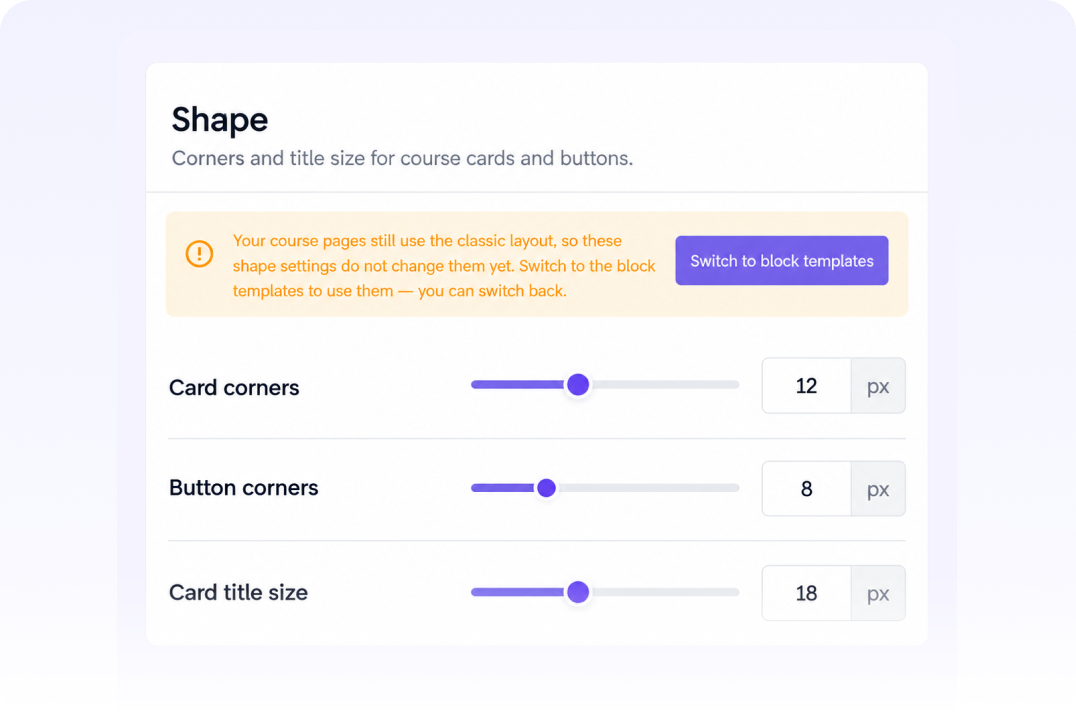
Card & Button Border Control
Fine-tune card corner radius, button curves, and heading font sizes to perfectly align with your brand guidelines.
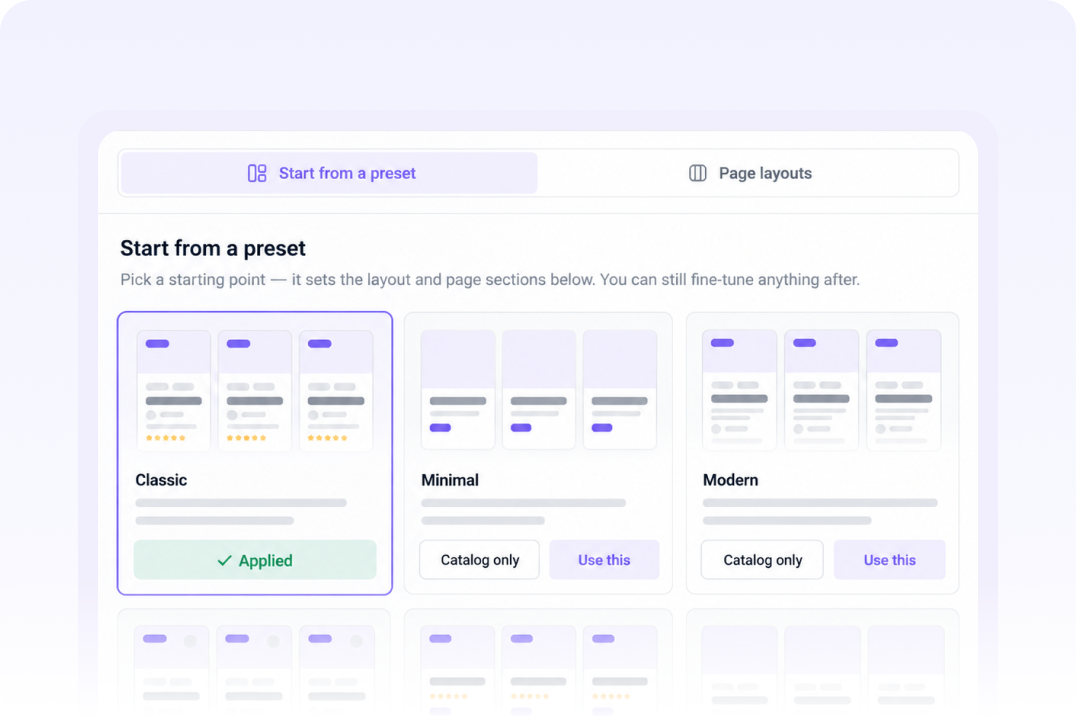
Multi-Style Course Catalog
Choose preset course card designs, adjust images per row, set filter sidebars, and toggle meta details effortlessly.
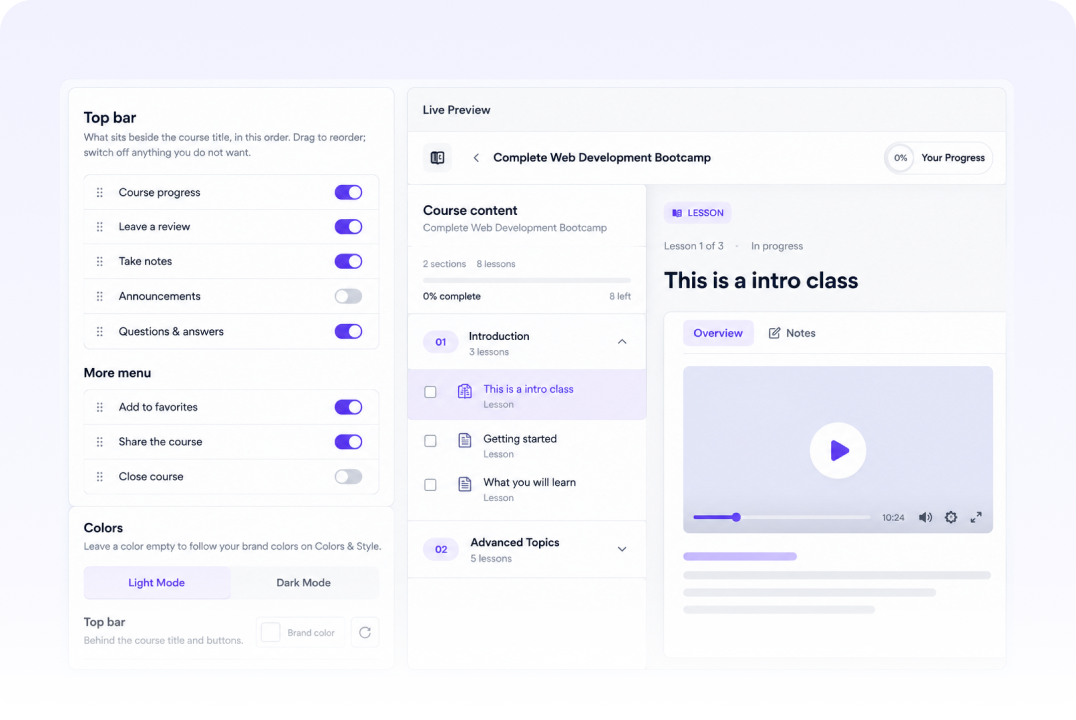
Modular Section Builder
Reorder curriculum lists, instructor profiles, reviews, and enrollment boxes using intuitive toggle controls.

Focus-Mode Learn Player
Customize sidebar width, top bar action buttons (notes, Q&A, progress), and dark mode for a distraction-free student view.
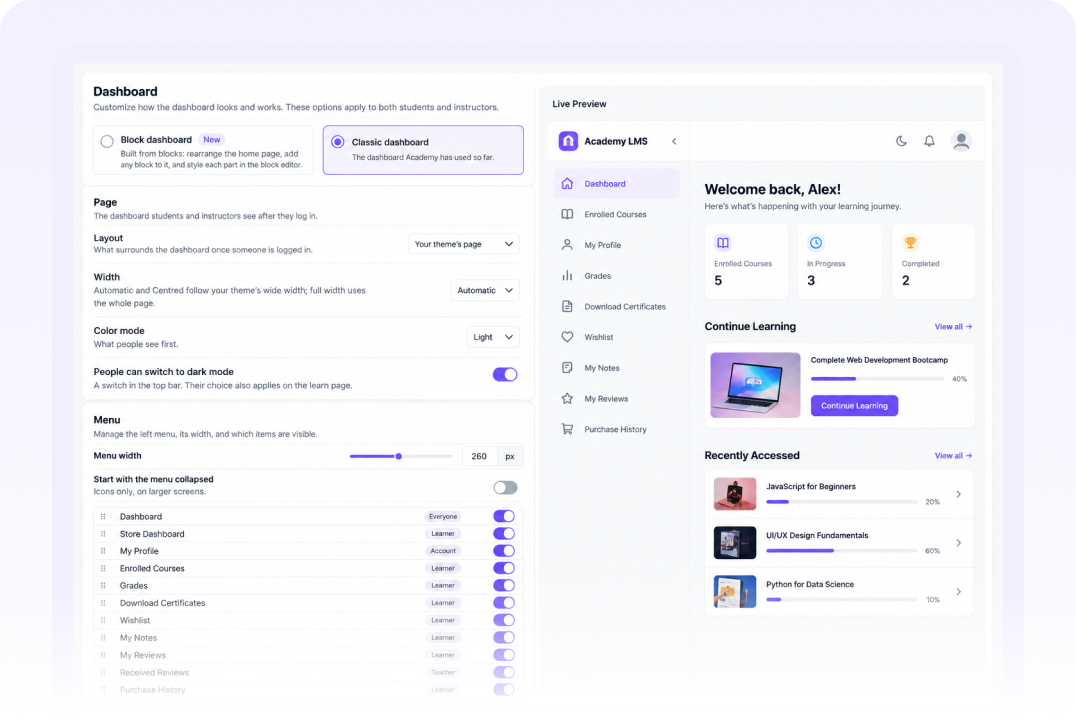
Custom Student & Instructor Portals
Reorganize dashboard navigation menus, add custom pages, and personalize welcome messages and course progress trackers.
Customize via native settings or Block Editor
Academy LMS offers built-in customization settings while seamlessly integrating with WordPress site editor and block templates.

Native Preset Panels
Tweak colors, layouts, and component toggles directly from a dedicated, fast-loading customizer interface.

Full Site Editor Support
Switch to block templates to edit whole course catalogs, single course pages, or player components in Gutenberg.

Universal Theme Harmony
Inherit theme styling smoothly or force custom Academy LMS color overrides on all learning interfaces.
Still have questions?
Can’t find the answer you’re looking for?
Talk to our team.
Can I customize the LMS design without knowing CSS or coding?
Yes, every color, button curve, catalog grid, and page section can be customized visually using simple toggle switches and sliders.
Does Academy LMS support Dark Mode for students?
Absolutely. You can configure global Dark Mode styles and allow students to toggle between Light and Dark mode while learning.
Can I reorder or hide sections on single course pages?
Yes, you can drag and reorder course details, curriculum tabs, instructor bios, and reviews, or turn off any section with one click.
Can I customize student and instructor dashboard menus?
Yes, you can show, hide, reorder, and add custom navigation links or pages inside the student and teacher dashboard panels.
Reaching people, continued


Build a learning platform that truly reflects your brand.
Custom colors, responsive layouts, and focus-mode learn players—all built for maximum student engagement.

14-Day Money-Back Guarantee
Free migration help
4.9★ on WordPress.org
24/7 support team