









Make students finish other courses before they can take a new one. For example, students must complete the beginner course before they start the advanced one. Course Prerequisites is a Pro add-on.
Turn on Course Prerequisites in Academy LMS → Add-ons first.
Add prerequisites to a course
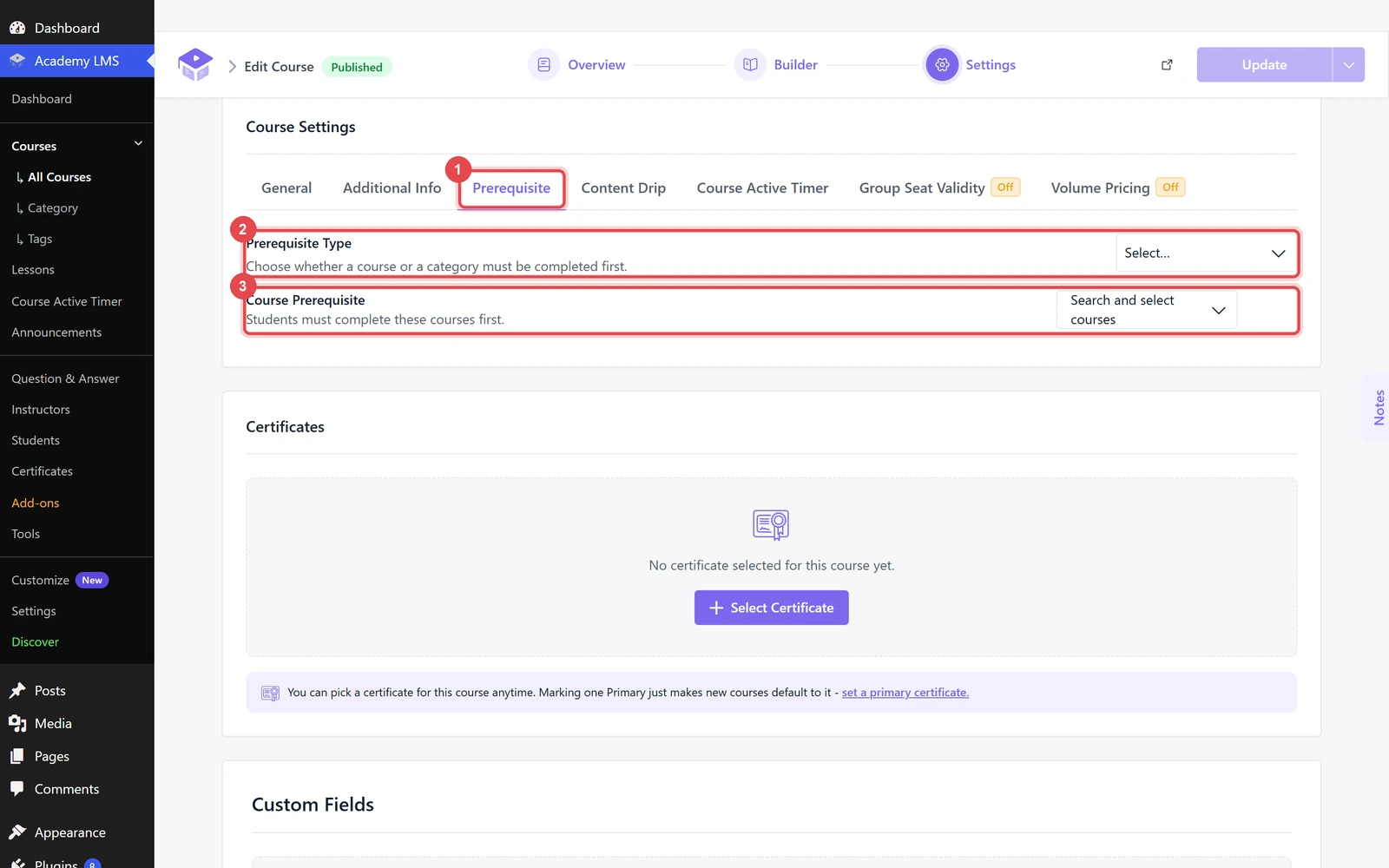
1.Open the course that needs a prerequisite and go to the Settings step.
2.Open the Prerequisite tab.
3.Pick a Prerequisite Type:
4.Choose the courses in Course Prerequisite, or the categories in Course Categories. You can pick more than one.
5.Click Update.
What students see
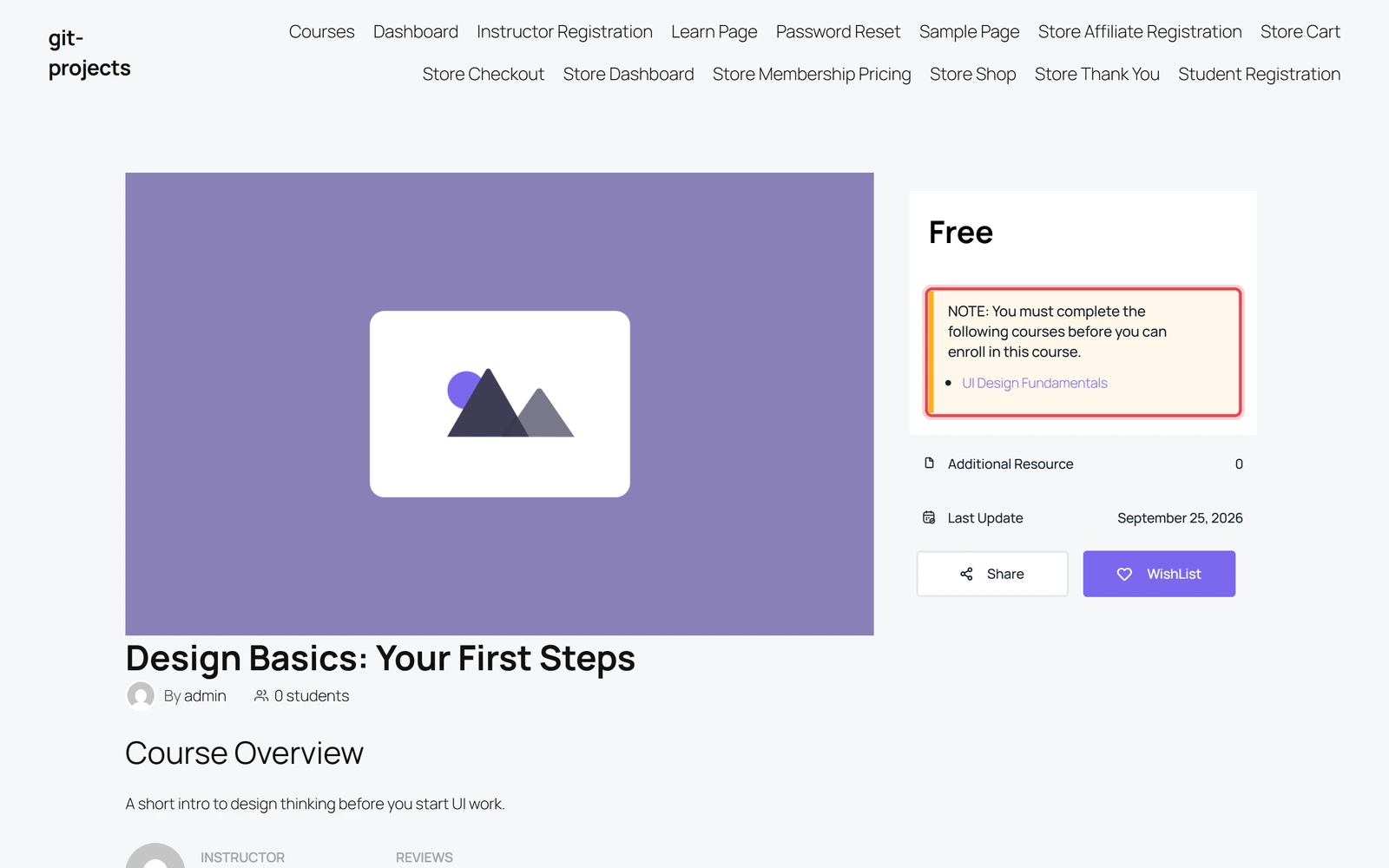
Students who haven’t finished the required courses see a note on the course page: “You must complete the following courses before you can enroll in this course.” Each required course is linked below it.
The enroll button appears once they finish them.
Prerequisites lock a whole course. To unlock lessons one by one inside a course, use Content Drip.