









Share course revenue with the instructors who create your courses. Set each side’s commission, take an optional fee, and let instructors request payouts.
These settings appear only when the Multi Instructor add-on is on. A single-instructor site doesn’t need them.
1. Turn on earnings
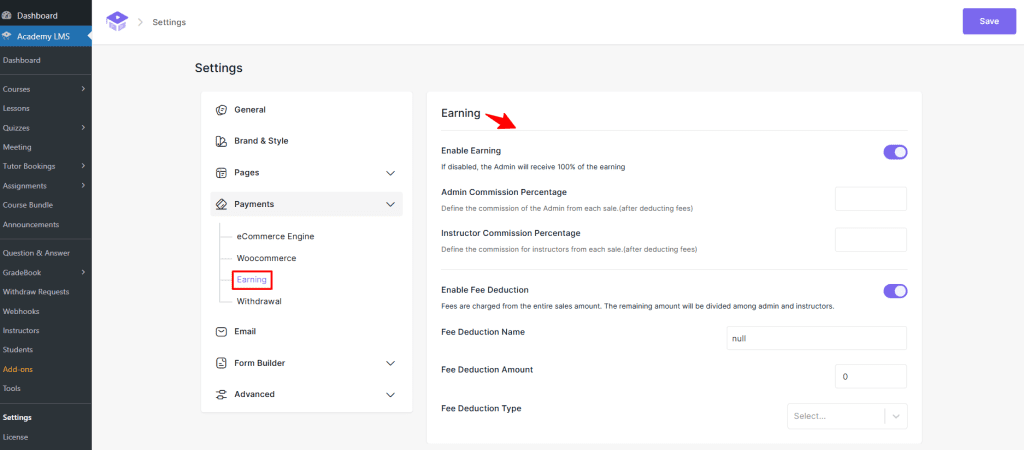
Go to Academy LMS → Settings → Payments → Earning and turn on Enable Earning. If it’s off, the admin keeps 100% of every sale.
2. Set the commission
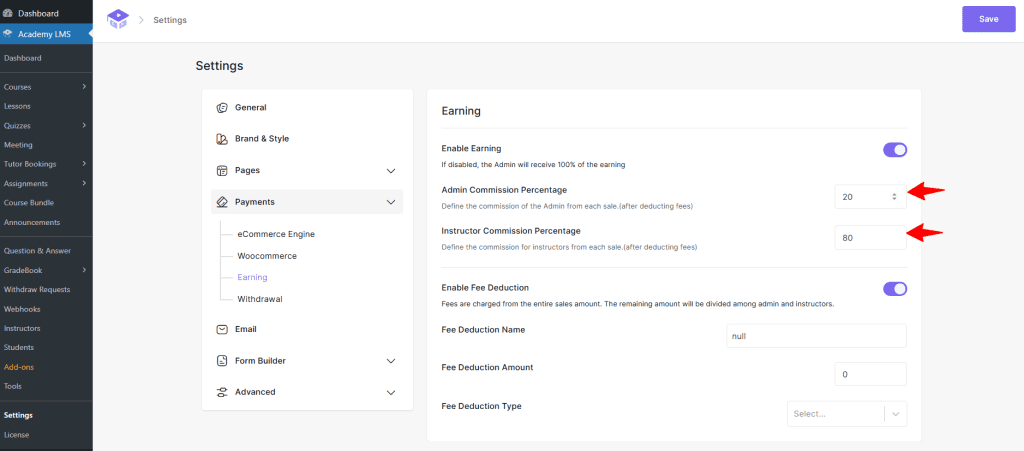
The default is 20% admin, 80% instructor.
3. Take a fee first (optional)
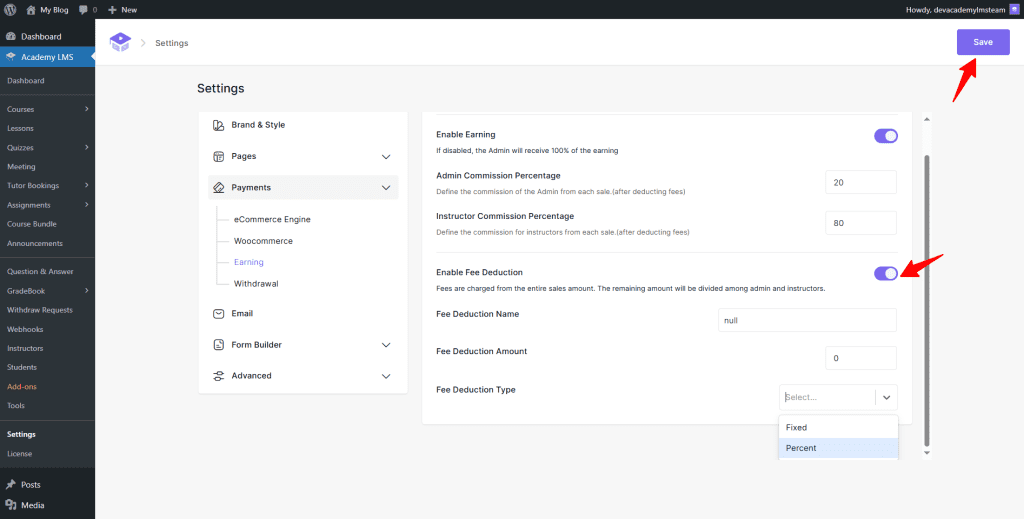
Turn on Enable Fee Deduction to take a fee from each sale before it’s split. Set the Fee Deduction Name, Amount, and Type (Fixed or Percent).
Click Save.
4. Set payout rules
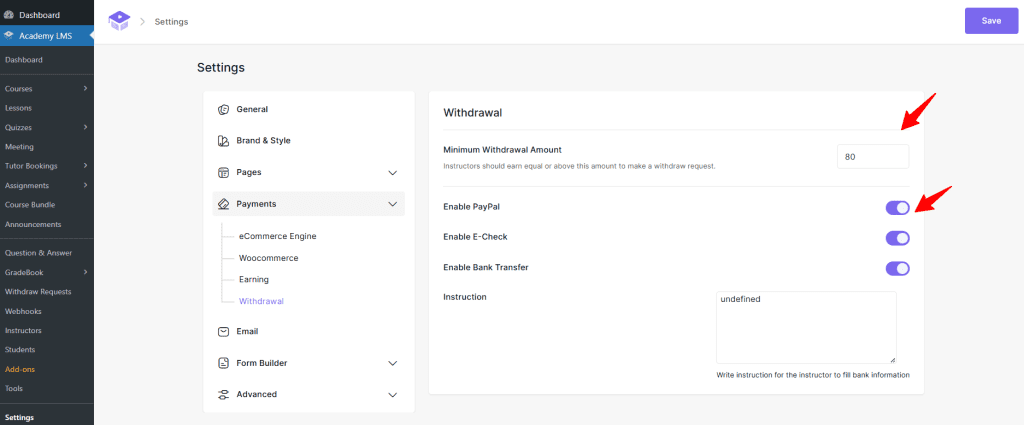
Go to Settings → Payments → Withdrawal.
Click Save.
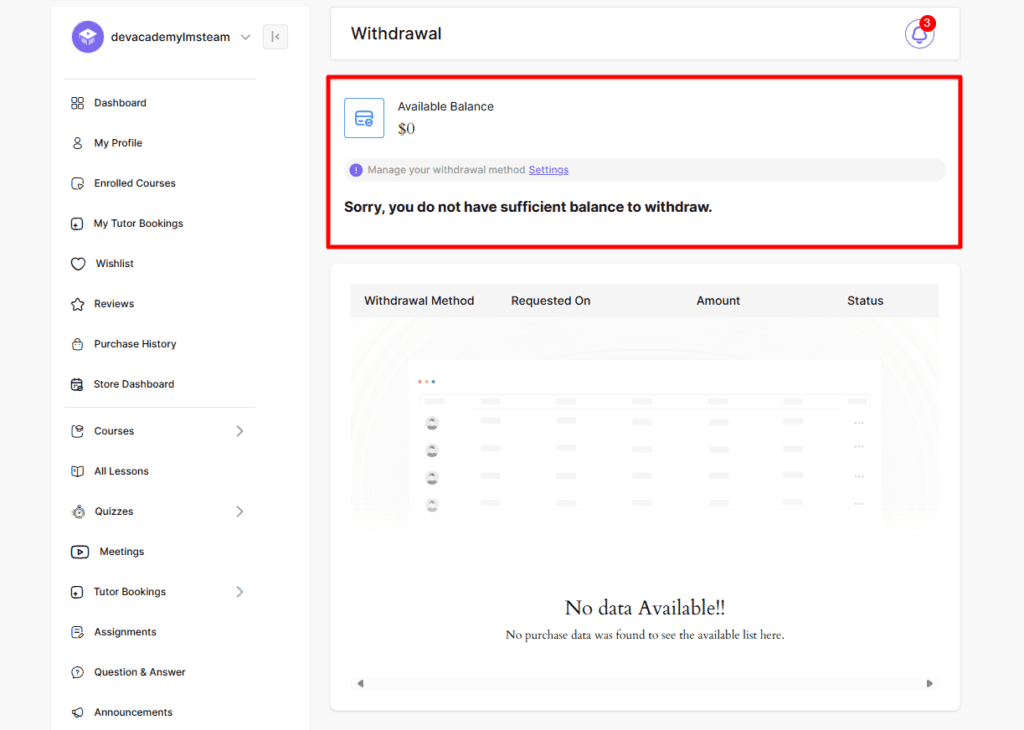
How instructors get paid
Approve a payout
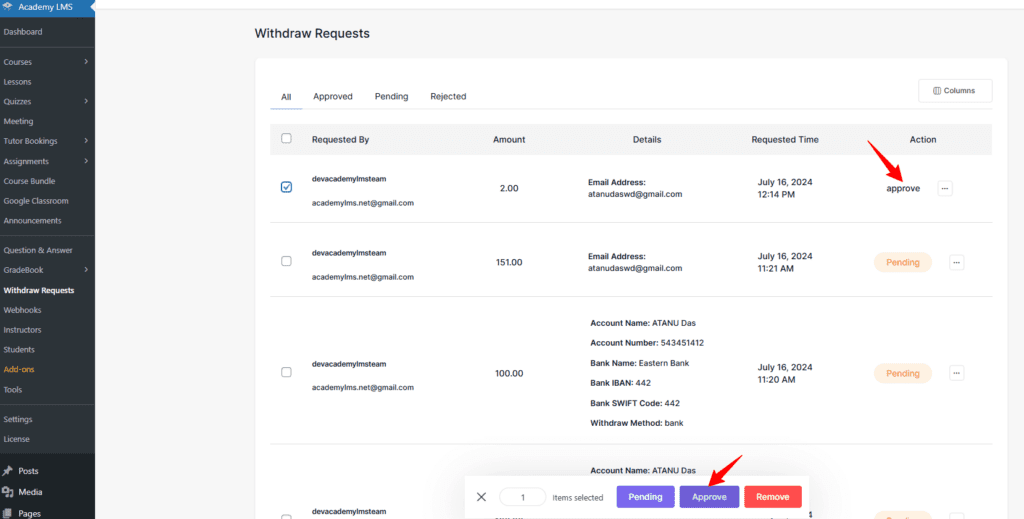
Go to Academy LMS → Withdraw Requests, select a request and click Approve. Send the payment yourself through the method the instructor chose. The status changes to Approved, and the instructor sees it in their dashboard.
With the Email add-on, instructors also get an email when a request is approved or rejected.