









Add students and instructors to a Mailchimp audience automatically when they register or enroll.
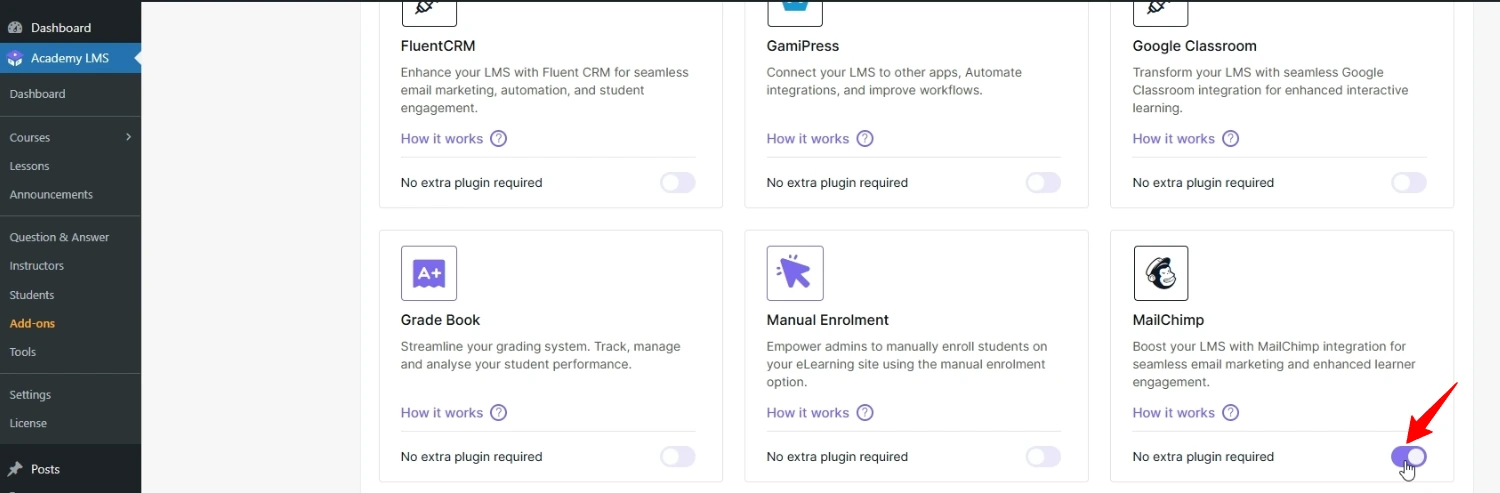
1. Turn on the add-on
Go to Academy LMS → Add-ons and turn on Mailchimp.
2. Get your Mailchimp API key
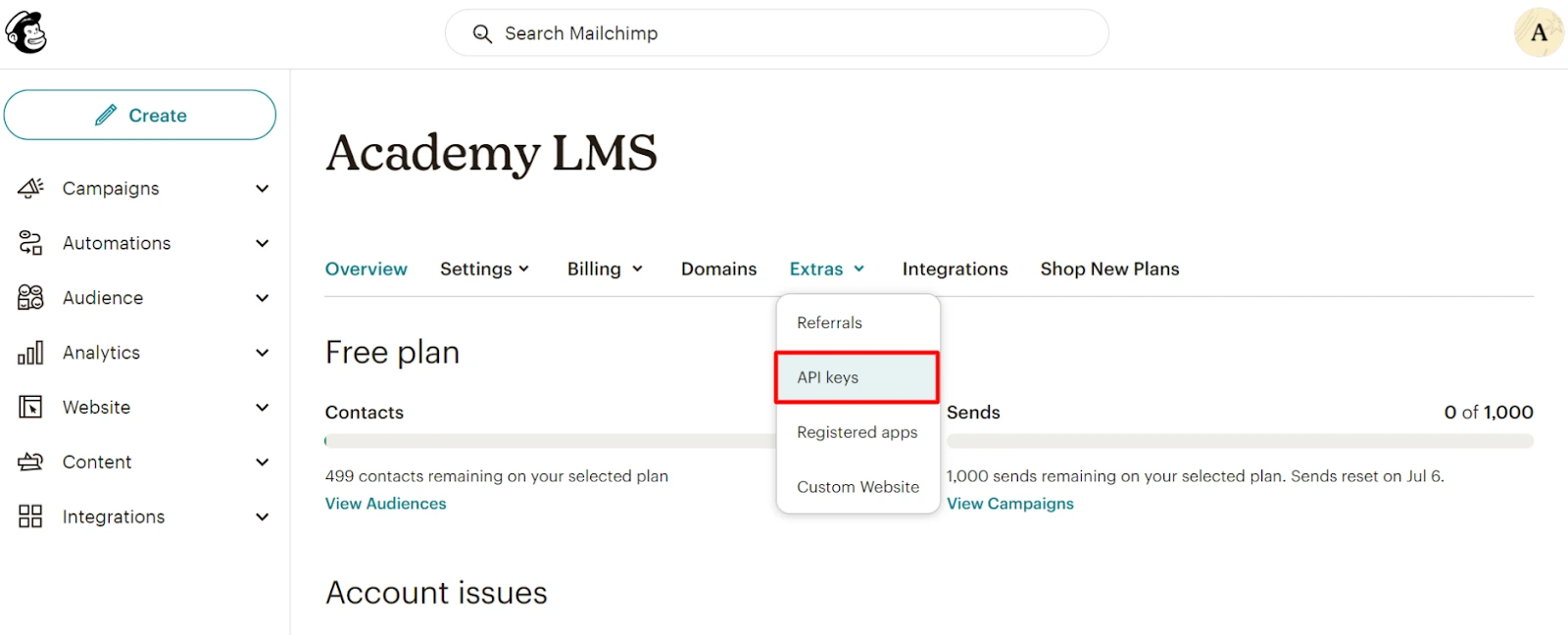
1.Log in to Mailchimp.
2.Go to Account & Billing → Extras → API Keys.
3.Generate a key and copy it.
3. Connect Academy LMS
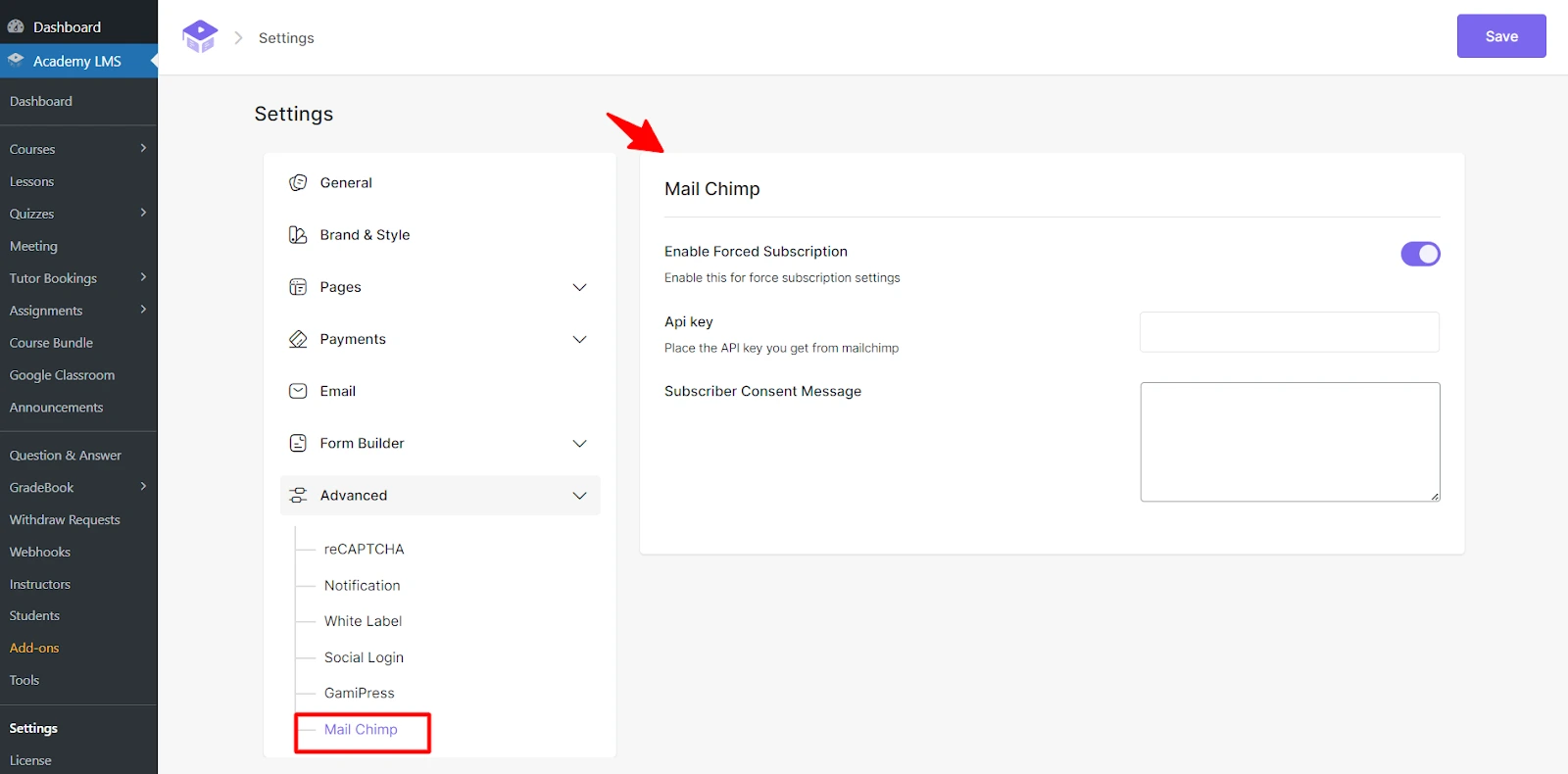
1.Go to Academy LMS → Settings → Advanced → Mailchimp.
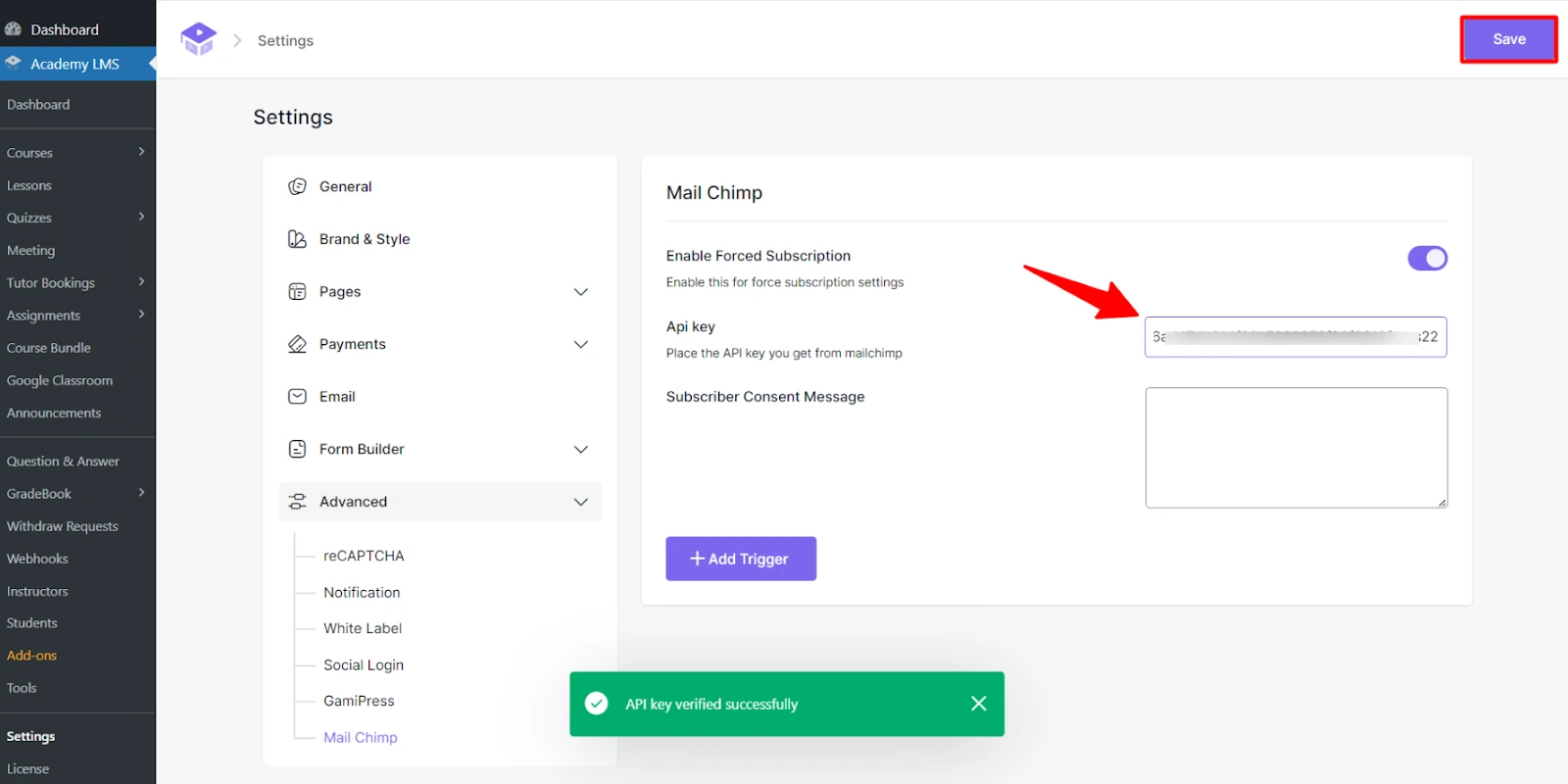
2.Paste the API key. Academy LMS verifies it.
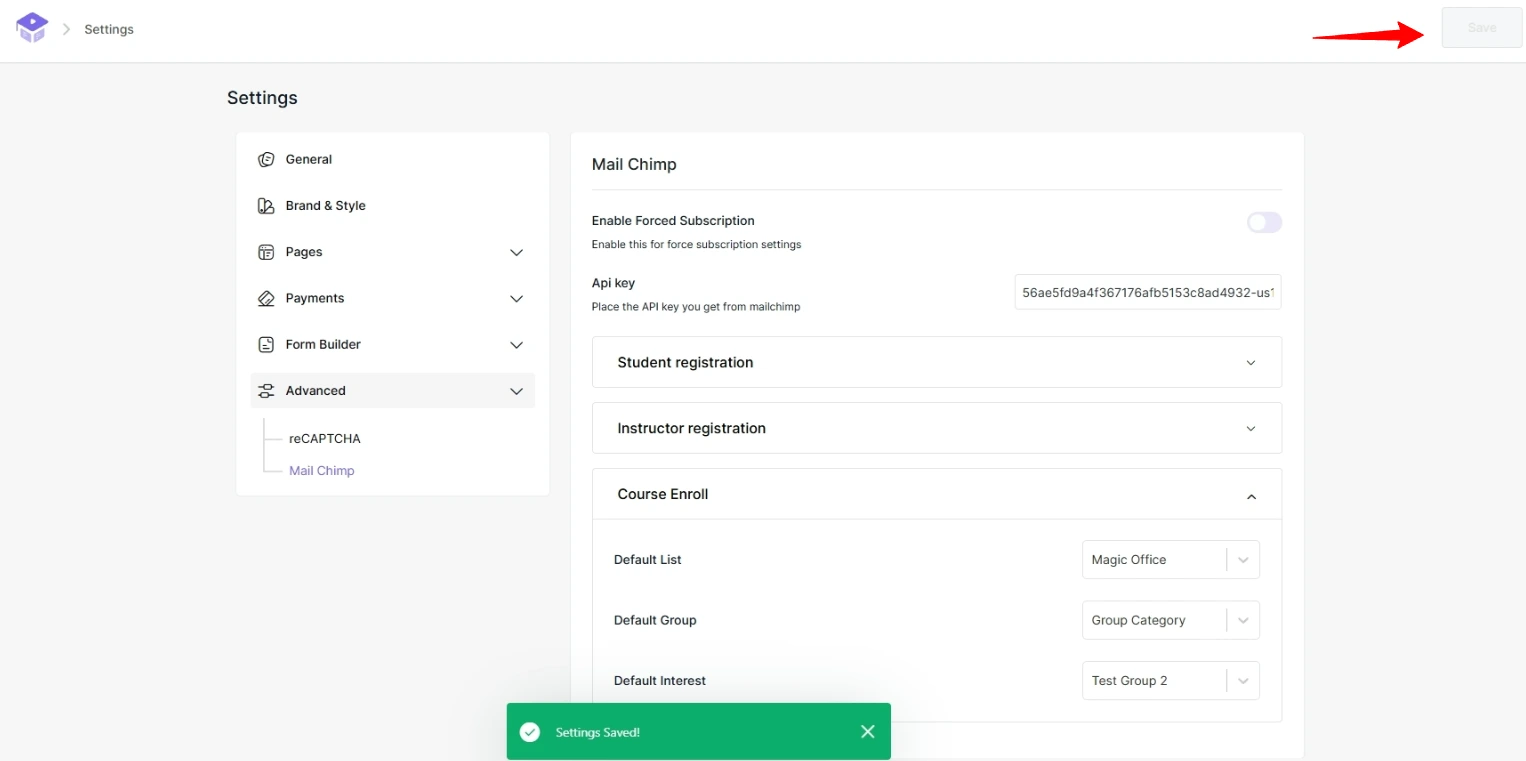
3.Click Save.
4. Add triggers
A trigger decides when a person is added to Mailchimp and where they go.
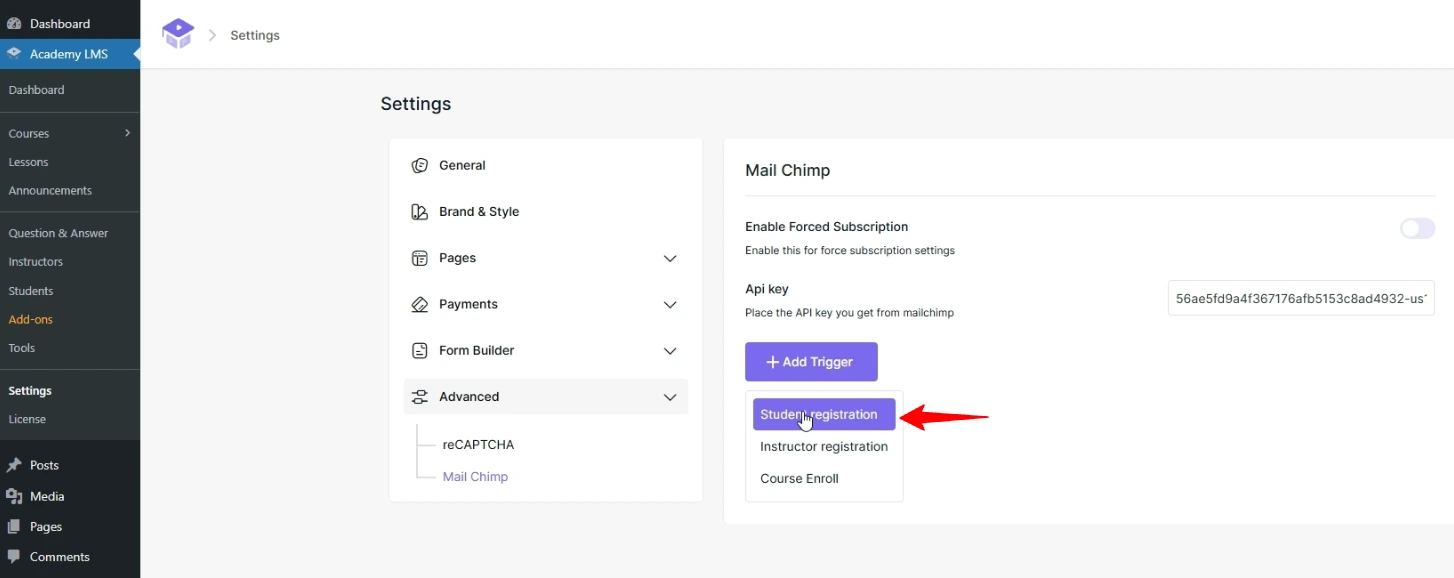
1.Click Add Trigger.
2.Choose the event:
|
Trigger |
Fires when |
|
Student Registration |
A new student registers |
|
Instructor Registration |
A new instructor registers |
|
Course Enrollment |
A student enrolls in a course |
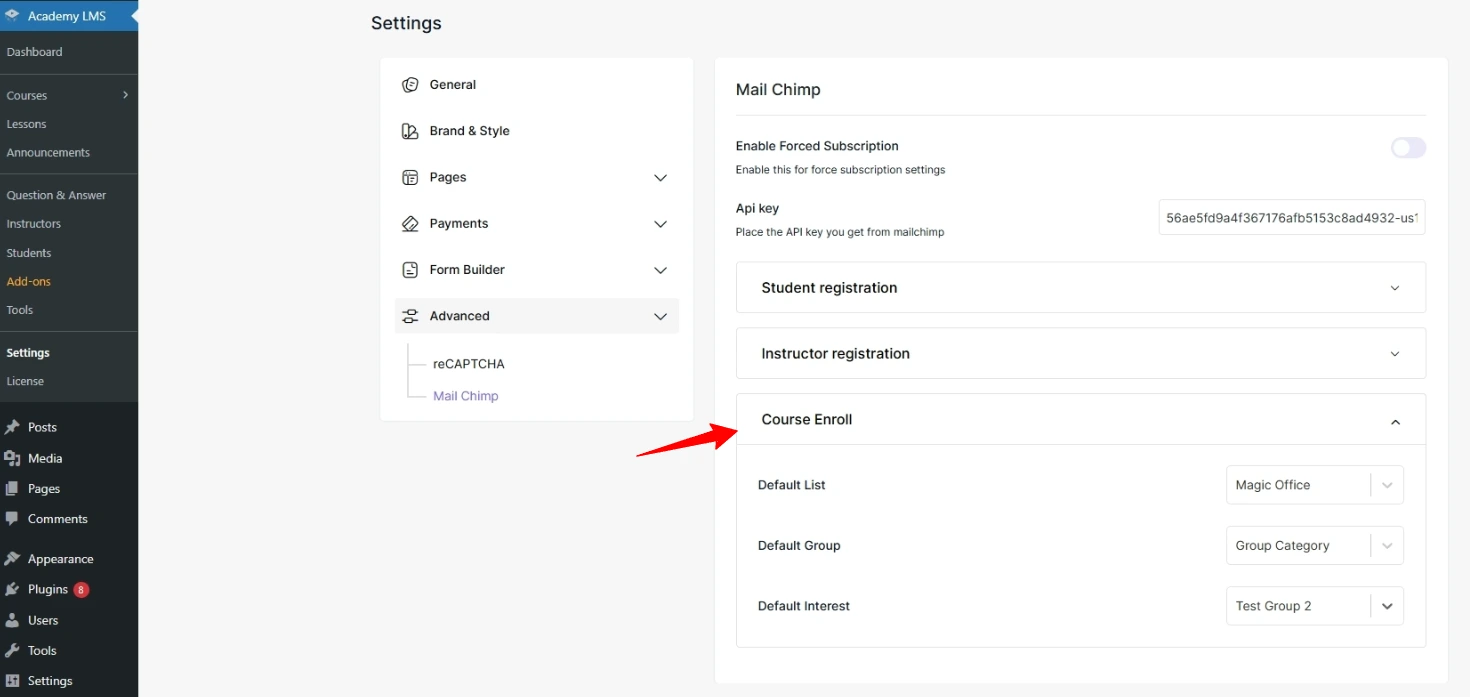
1.Choose the Default List, Default Group and Default Interest.
2.Click Save.
Note: For the Student Registration trigger to work, WordPress must allow sign-ups. Go to Settings → General and tick Anyone can register.