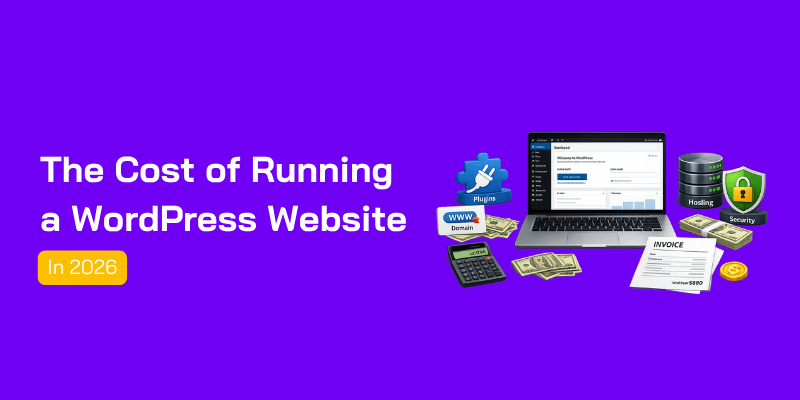

Everyone tells you WordPress is free. And technically, they’re right. The software itself costs nothing to download if you are going to use open source software like WordPress and its themes and plugins.
But here’s what nobody mentions: running a WordPress LMS website is never actually free.
You need hosting powerful enough to handle video content and concurrent learners. You need an LMS plugin. A payment gateway. Email automation. Security. Backups. And probably a developer when something breaks.
Most people launching a WordPress LMS only discover the real costs after they’ve already gone live. By then, they’re buried in subscriptions, surprised by renewal prices, and wondering why their monthly bill keeps climbing.
Let me break down exactly what you’ll spend running a WordPress LMS website in 2026.
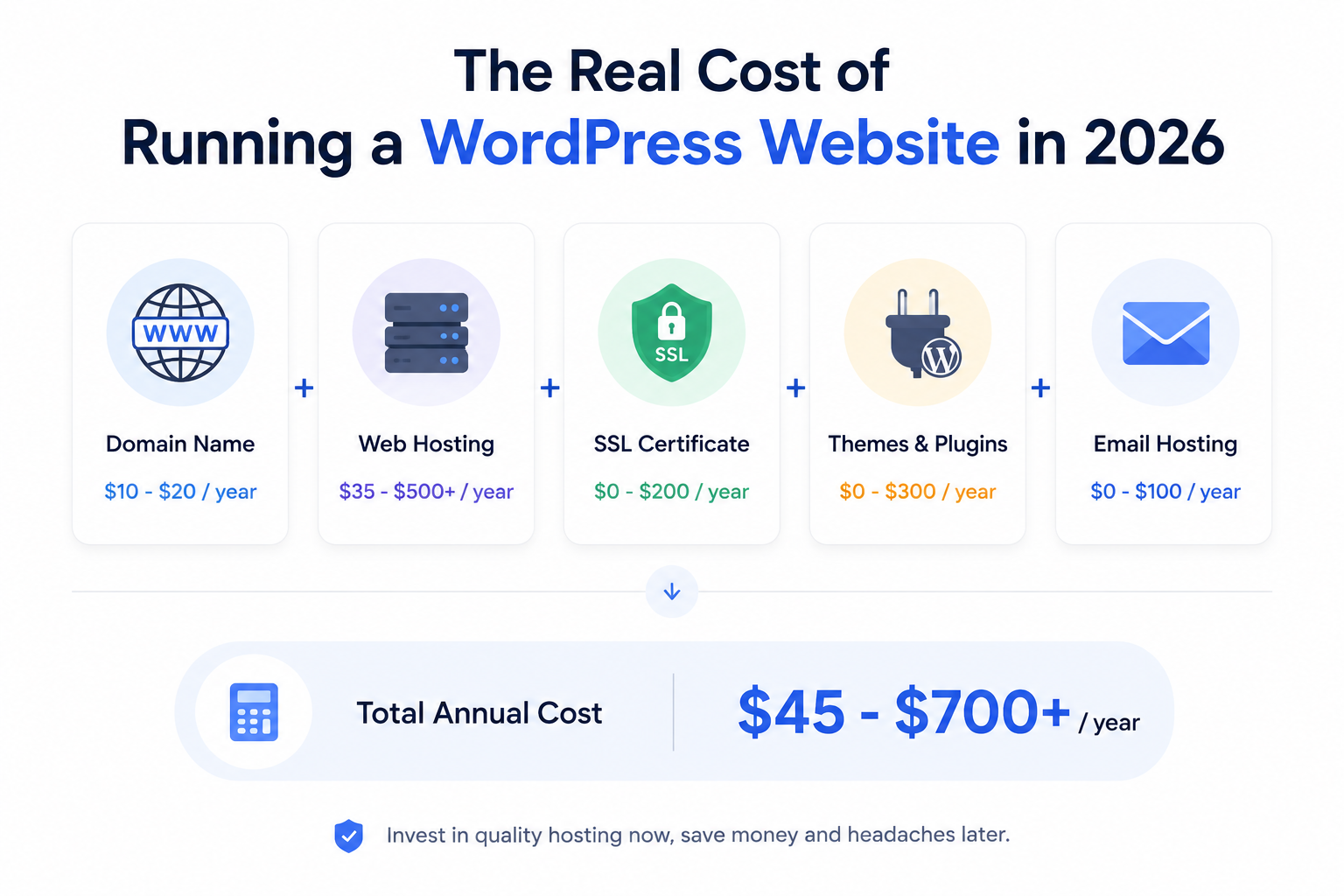
Domain Name: $10-$20/year
Your domain name is your address on the internet. You can’t run a website without one.
- .com domains typically cost $10-$15 per year
- Alternative extensions (.net, .org, .io) range from $12-$50 per year
- Premium domains (short, brandable names) can cost hundreds or thousands
Most registrars offer cheap first-year pricing ($2-$5), but renewal prices jump to $15-$20. Always check renewal costs before buying.
Web Hosting: $35-$500+/year
This is where your website actually lives. Hosting is your biggest ongoing expense, and the quality you choose directly affects your site’s speed, security, and reliability.
Shared Hosting ($35-$150/year)
Perfect for small blogs and starter sites. You share server resources with other websites. It’s affordable, but performance suffers when traffic spikes.
Managed WordPress Hosting ($20-$500/year)
Built specifically for WordPress. Faster servers, automatic updates, better security, and expert support. This is what growing businesses and serious site owners use.
VPS/Cloud Hosting ($200-$1000+/year)
For high-traffic sites that need dedicated resources. More technical to manage, but you get full control.
SSL Certificate: $0-$200/year
SSL encrypts data between your site and visitors. Google requires it for rankings. Browsers flag sites without SSL as “not secure.”
Most quality hosting providers include free SSL certificates. If yours doesn’t, you’ll pay $50-$200/year for a basic certificate.
Total Essential Costs: $45-$700/year
The Recommended Costs (You Probably Want These)
These aren’t technically required, but most websites need them to function properly.
WordPress Theme: $0-$99 (one-time)
Your theme controls how your site looks.
Free Themes
WordPress.org offers thousands of free themes. They work fine for basic sites, but you’ll look like every other website using the same theme. Customization options are limited.
Premium Themes ($59-$99 one-time)
Better design, more customization options, regular updates, and dedicated support. You pay once and use it forever. Popular marketplaces include ThemeForest and Elegant Themes.
Essential Plugins: $0-$300/year
Plugins add functionality to your site. Most sites need at least 5-10 plugins.
Free Plugins
Security (Wordfence), SEO (Rank Math), caching (LiteSpeed Cache), backups (UpdraftPlus) – all available for free.
Premium Plugins ($50-$300/year)
Advanced SEO tools, page builders, email marketing integrations, e-commerce extensions. If you’re running a business site, you’ll likely need some premium plugins.
Email Hosting: $0-$100/year
Professional email ([email protected]) makes your site look legitimate.
Free Options
Some hosting providers include free email accounts. Gmail and Zoho offer free tiers with limited storage.
Paid Options ($50-$100/year)
Google Workspace ($6/user/month) or Microsoft 365. Better storage, more features, professional support.
Total Recommended Costs: $50-$500/year
The Hidden Costs Nobody Talks About
Here’s where most budgets blow up. These expenses sneak in after launch and keep adding up.
Maintenance and Updates: $0-$500/year
WordPress needs regular updates. So do your themes and plugins.
DIY Maintenance (Free)
You do it yourself. Takes 2-4 hours per month. Free, but your time has value.
Maintenance Services ($50-$500/year)
Professional services handle updates, backups, security monitoring, and performance optimization. Worth it if you don’t have technical skills.
Security: $0-$200/year
WordPress sites get hacked. A lot. Over 30,000 websites are compromised daily.
Basic Security (Free)
Free security plugins provide decent protection. But they’re reactive – they catch problems after they happen.
Advanced Security ($100-$200/year)
Server-level firewalls, malware scanning, automatic removal. Prevents attacks before they reach your site.
Backups: $0-$150/year
If your site crashes or gets hacked, backups are your only lifeline.
Free Backups
Some hosting includes daily backups. Free plugins can backup to cloud storage.
Premium Backup Services ($50-$150/year)
More frequent backups, longer retention, one-click restoration. Critical for business sites.
Developer Help: $0-$2000+/year
Something will break. You’ll need custom code. You’ll want features your plugins don’t offer.
DIY (Free)
You learn to code or watch YouTube tutorials. Time-consuming, but free.
Freelance Developers ($50-$150/hour)
Quick fixes cost $100-$300. Major customizations run $1000-$5000+.
Total Hidden Costs: $0-$3,350/year
Real Numbers: What You’ll Actually Spend
Let’s put this all together with realistic scenarios.
Scenario 1: Basic Blog ($100-$200/year)
- Domain: $12
- Shared hosting: $50
- Free theme: $0
- Free plugins: $0
- Free SSL: $0
- Free email: $0
- DIY maintenance: $0
Total: $62/year
Works fine for hobby blogs. But don’t expect speed, support, or scalability.
Scenario 2: Small Business Website ($400-$800/year)
- Domain: $15
- Managed WordPress hosting: $200
- Premium theme: $79 (one-time)
- Essential plugins: $150
- Professional email: $72
- Maintenance service: $200
- Security: $100
Total: $600-$800/year
This is what most small businesses actually spend. Professional appearance, reliable performance, proper security.
Scenario 3: E-commerce Store ($1000-$3000/year)
- Domain: $15
- High-performance hosting: $500
- Premium theme: $99
- E-commerce plugins: $500
- Email marketing: $300
- Maintenance: $400
- Advanced security: $200
- Developer help: $500
Total: $2,000-$3,000/year
Running an online store requires serious infrastructure. Skimping here means lost sales and security risks.
How to Keep Costs Down
You don’t have to spend a fortune. Here’s how to keep costs reasonable without sacrificing quality.
1. Choose Hosting Wisely
Hosting is your biggest expense, but also your most important investment. Cheap hosting costs you more in the long run through slow performance, security issues, and lost traffic.
Look for managed WordPress hosting that includes:
- Free SSL certificates
- Daily backups
- Server-level caching
- Security features
- Expert support
2. Get Everything in One Place
Here’s a money-saving tip most people miss: instead of buying hosting, domain, SSL, and email from five different providers, get everything from one place.
When you use separate services, you’re juggling multiple logins, multiple bills, and multiple renewal dates. Something always slips through the cracks. Your domain expires because you forgot to renew it with a different registrar. Your SSL certificate lapses because it’s with another provider.
With HostWP.io, you get everything bundled together – hosting, domain registration, free SSL certificates, daily backups, and professional email – all under one roof. One login, one bill, one renewal date.
It’s simpler, cheaper, and everything works together seamlessly.
3. Start Simple, Scale Later
You don’t need to premium everything on day one. Start with:
- Affordable managed hosting
- Free theme (upgrade later)
- Essential free plugins
- Add premium tools as you grow
4. Avoid “Free” Hosting
Free hosting sounds great until your site gets slow, crashes during traffic spikes, or gets hacked. The real cost of free hosting is lost visitors, damaged reputation, and emergency fixes.
5. Invest in Quality Hosting
This might sound counterintuitive, but spending more on hosting often saves money overall. Better hosting means:
- Fewer security issues
- Less downtime
- Better performance (higher conversions)
- Reduced need for developer fixes
- Built-in features you’d otherwise pay for separately
Final Remarks About the Real Cost of Running a WordPress LMS Website
Running a WordPress LMS website isn’t free. But with the right decisions upfront, it doesn’t have to drain your budget either.
Here’s a realistic look at what you can expect to spend annually:
The biggest mistake LMS site owners make is underestimating infrastructure. Cheap hosting that works fine for a blog will buckle under video-heavy courses and simultaneous student logins.
The smartest move? Start lean — grab your domain, a solid managed WordPress host, and a reliable LMS plugin like Academy LMS. Then scale your costs only as your student base grows.
You don’t need to spend thousands on day one. But you do need to spend wisely — because in the world of online learning, a slow site, a payment failure, or a security breach doesn’t just cost you money. It costs you students.