

Students enroll in your course with a goal. Keeping them moving toward that goal takes clear lessons, useful feedback, and visible progress.
LMS gamification can support that experience. Points recognize completed activities, achievements mark milestones, and rewards give students something meaningful to work toward.
For a WordPress learning website, Academy LMS and GameEngine can connect these rewards to course activities. In this guide, you’ll learn how the integration works and follow a practical example: rewarding students in a beginner course and letting them unlock a bonus practice page.
What Is LMS Gamification?
LMS gamification means adding game elements to an online learning experience. Common examples include points, badges, levels, challenges, leaderboards, and progress milestones.
A student might complete a lesson, receive points, pass a quiz, and unlock an additional resource. Each reward connects to an activity in the learning journey.
Gamification differs from game-based learning. Gamification adds elements such as rewards and milestones to a course; game-based learning uses a game itself to teach a topic.
Why Use Gamification in WordPress Courses?
A useful reward system gives students clear answers to three questions: What have I accomplished? What should I do next? What am I working toward?
Gamification can help you:
The effect depends on the course design and the audience. Rewards should support clear learning objectives, and you should check their usefulness against learner feedback and results. Absorb’s gamification guide emphasizes this connection between rewards and meaningful learning outcomes.
How Academy LMS and GameEngine Work Together
Academy LMS organizes your courses and learning activities. GameEngine connects supported activities to rewards.
For example, completing an Academy LMS lesson can trigger a points award in GameEngine.
The integration documentation lists these actions:
|
Academy LMS action |
Possible use |
|
Lesson completion |
Recognize steady progress |
|
Quiz passed |
Reward a successful assessment |
|
Course completion |
Celebrate finishing the course |
|
Assignment evaluated |
Recognize a reviewed submission |
|
New enrollment |
Welcome a new learner |
|
Course published |
Recognize instructor activity |
An evaluated assignment is not necessarily a passed assignment. Choose that trigger when you want to recognize the review milestone; check the grade separately when your goal is to recognize competence. See the Academy LMS integration documentation.
Start with lesson completion and quiz passing, then expand once students understand the system.
Practical Example: Gamify a Beginner Course in Academy LMS
Imagine you teach a course called Build Your First WordPress Website.
The course has four lessons:
A final quiz checks whether students can apply the key concepts. For this example, set the passing grade to 80%. Academy LMS lets you configure the passing percentage in its quiz builder.
Create a reward plan using a dedicated point type called Website Builder Points:
|
Learning activity |
Points per activity |
Available points |
|
Complete each of the four lessons |
10 |
40 |
|
Pass the final quiz |
60 |
60 |
|
Total |
100 |
At 100 points, students can access an optional Website Launch Practice page containing an extra exercise and a self-review checklist.
These values are an illustrative design, not default Academy LMS settings. The larger quiz reward reflects its role in checking understanding.
To preserve the meaning of the 100-point milestone, keep this point type exclusive to the selected course activities and prevent repeated rewards for the same activity. Test those conditions before introducing the system to students.
How to Set Up Gamification With Academy LMS
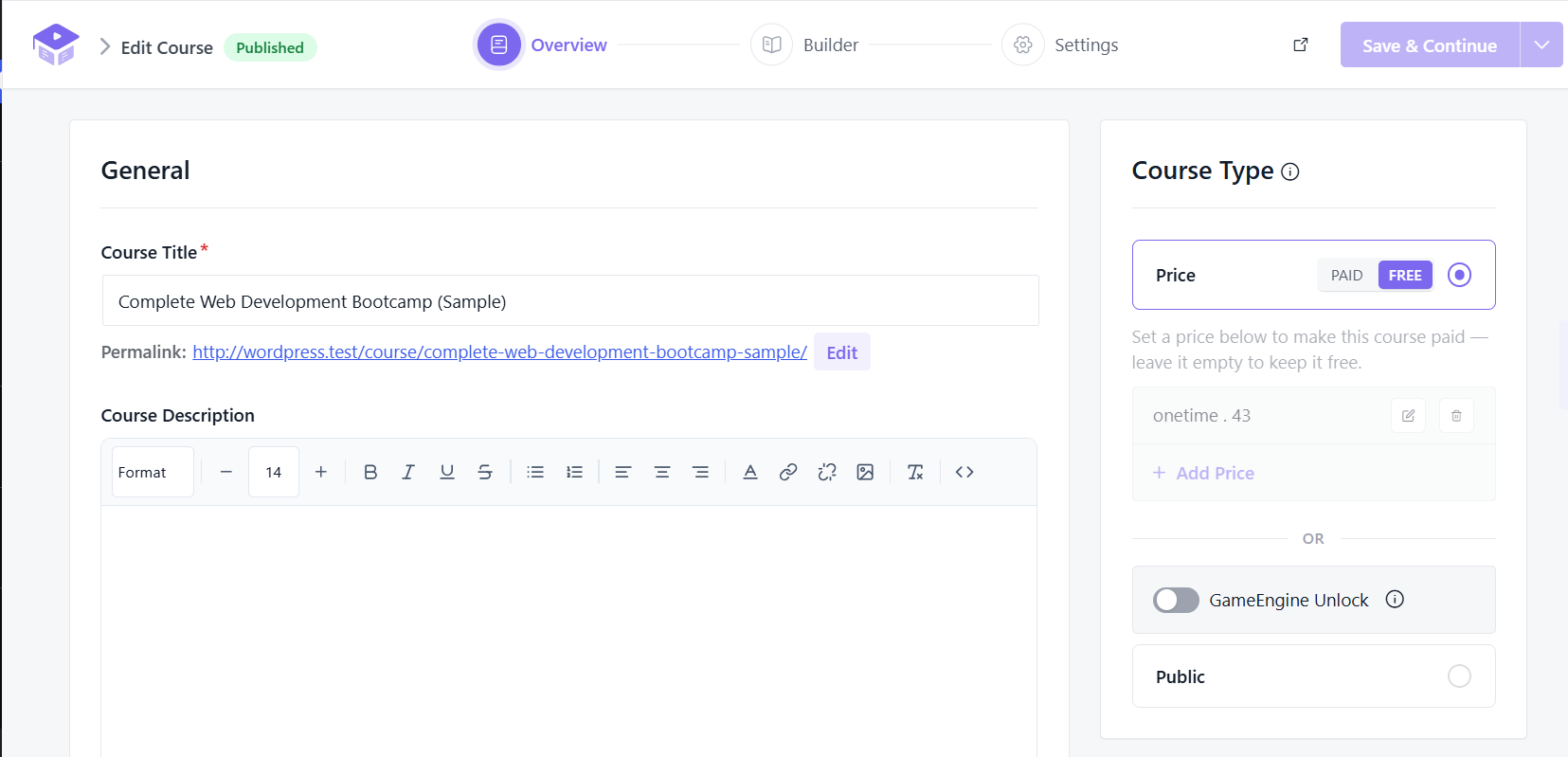
1. Prepare Your Course
Install and activate Academy LMS and GameEngine on your WordPress website.
You are creating a new course in Academy LMS with four lessons and a final quiz. Give each lesson a clear outcome and make the quiz assess those outcomes.
2. Enable the Integration
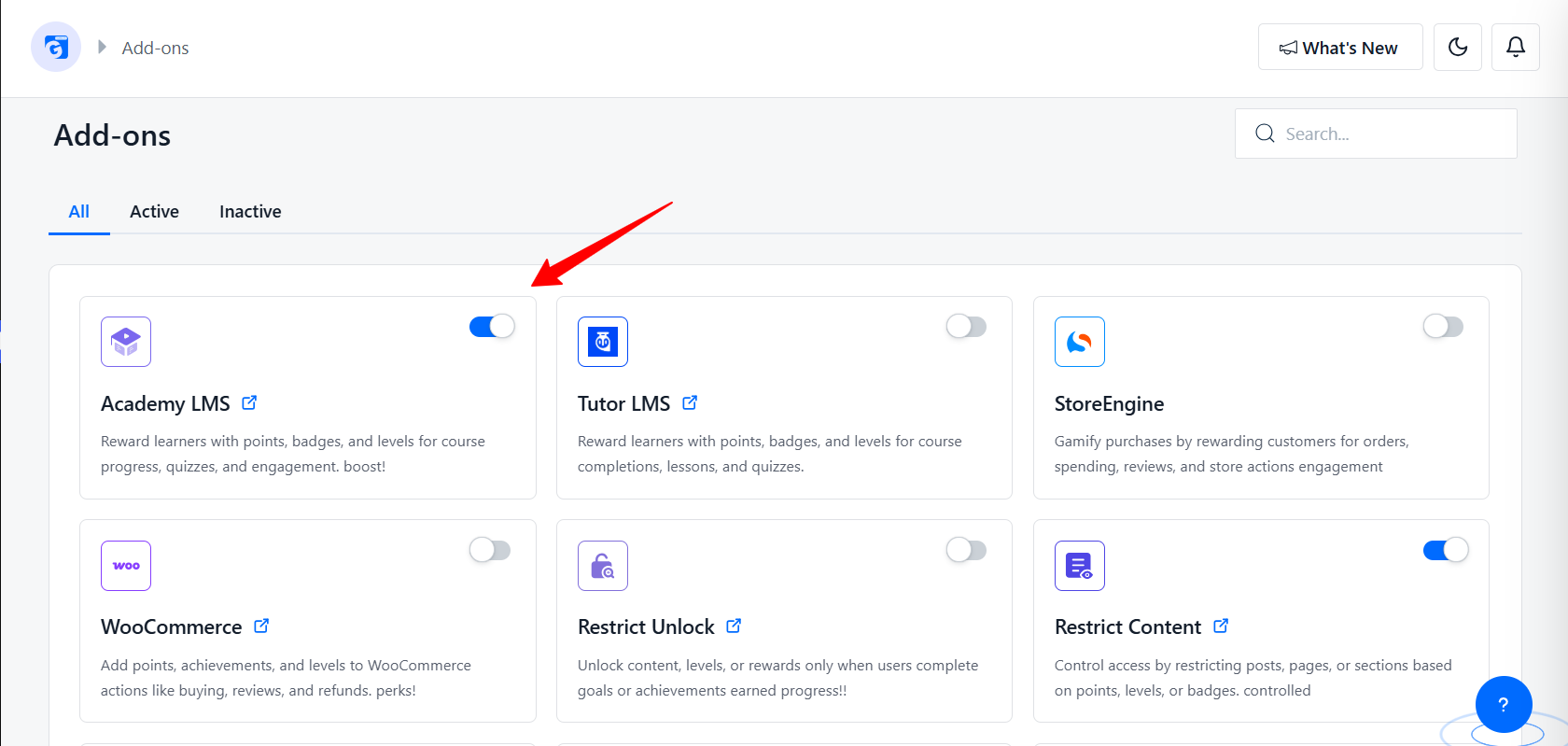
Go to GameEngine → Addons and enable Academy LMS.
Next, open GameEngine → Points System and create the Website Builder Points type.
3. Configure the Reward Rules
In the points editor, find Academy LMS under Available Hooks. Move the lesson completion and quiz passing hooks to Active Hooks.
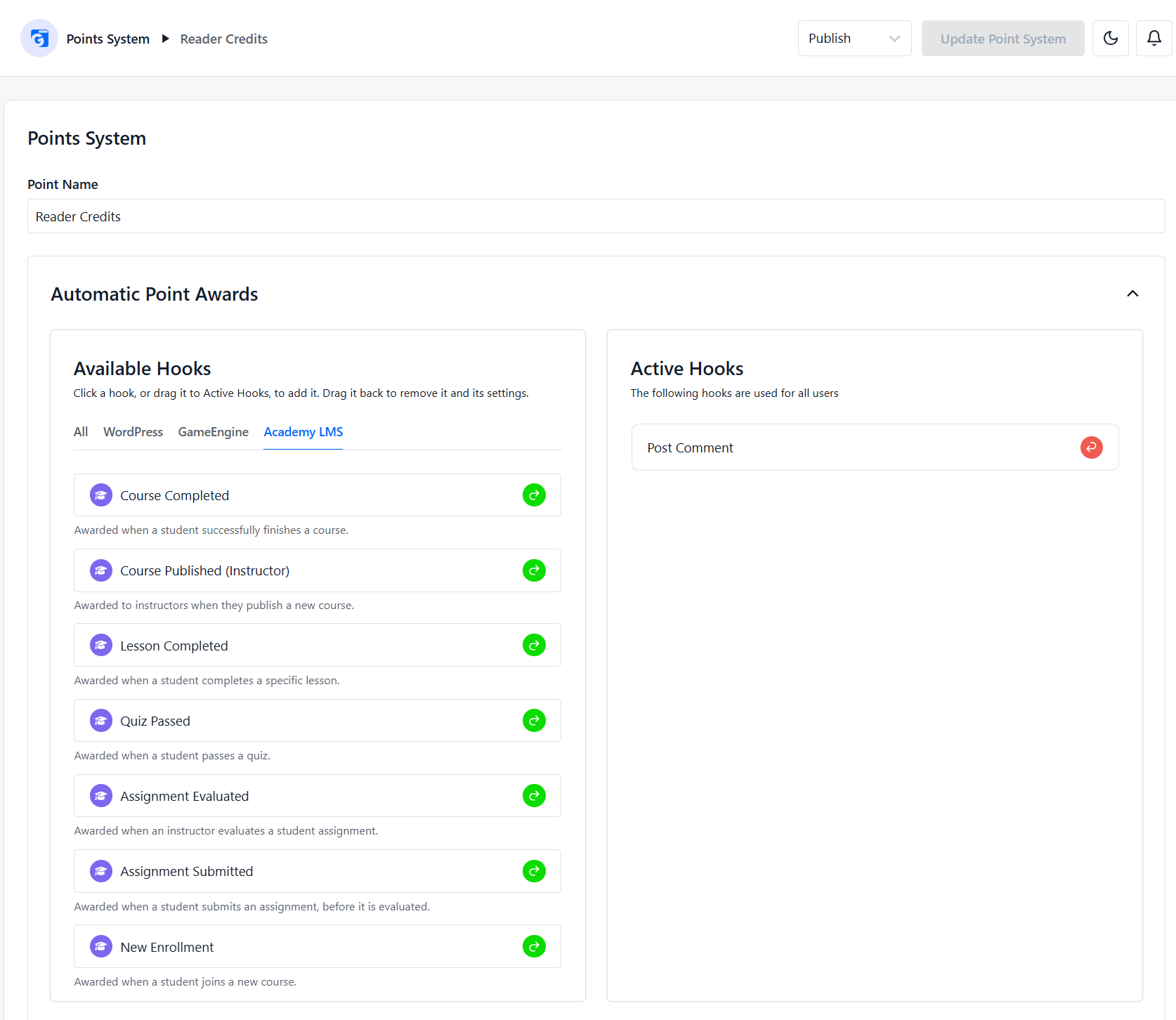
Use the available selection controls to target the example course and its activities. Apply the values from the reward table, then save the point system. The integration guide documents this workflow.
Review any reward limits available in your installed version. The intended result is one award per selected lesson and one award for passing the final quiz.
4. Show Students Their Progress
Give learners an easy way to see their rewards.
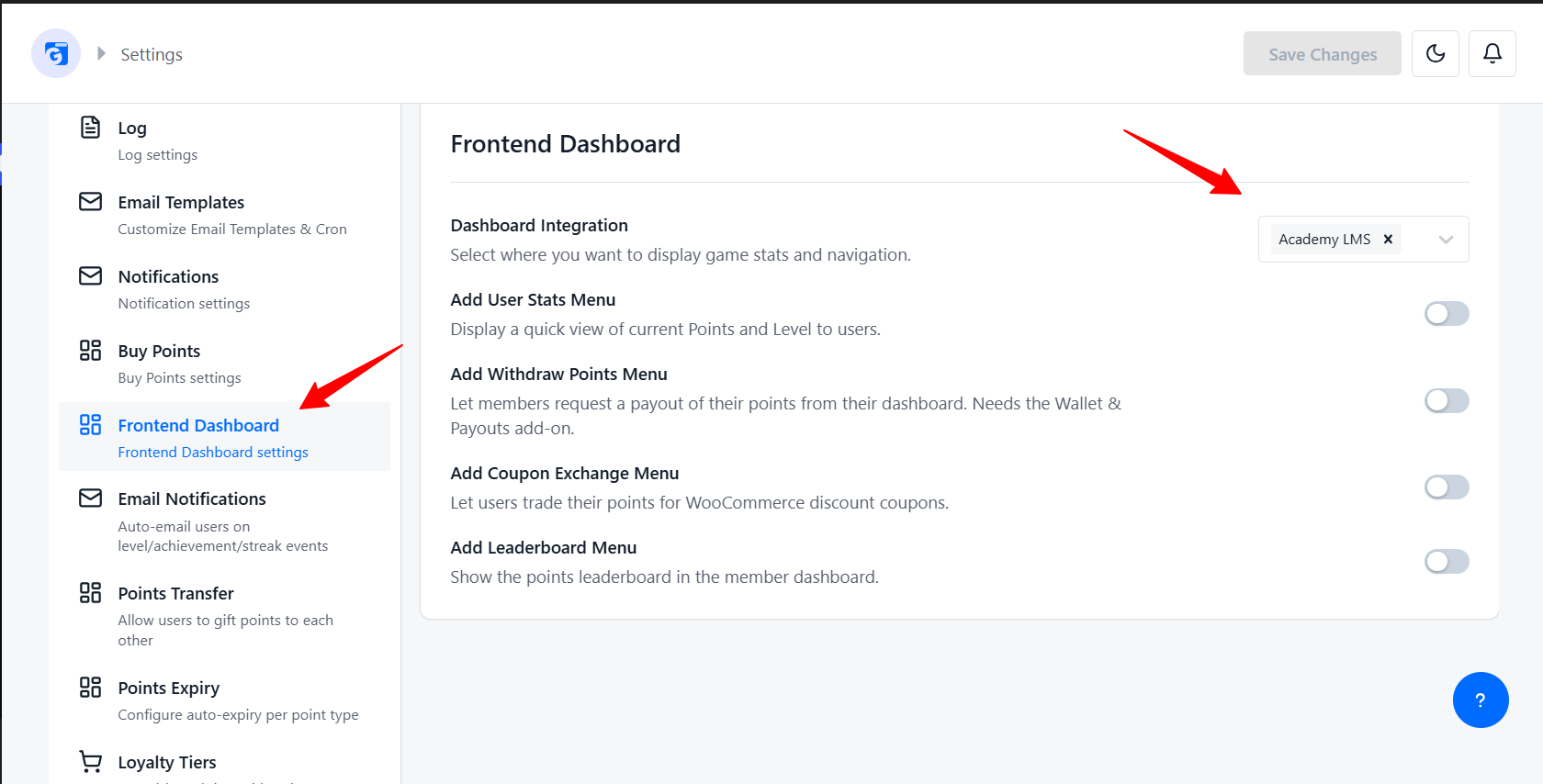
GameEngine’s Smart Dashboard documentation describes enabling the Academy LMS dashboard integration through GameEngine → Settings → Dashboard. Select Academy LMS and save your changes.
Add a short explanation near the start of the course:
“Earn 10 Website Builder Points for each completed lesson and 60 points for passing the final quiz. Reach 100 points to access the bonus Website Launch Practice page.”
The explanation should match the rules students actually experience.
5. Configure the Bonus Page
Create a WordPress page containing the bonus practice material.
Enable GameEngine’s Restrict Content add-on. In the page editor, use the GameEngine Content Restriction settings to configure the points requirement and a helpful lock message.
For this example, use a 100-point requirement. Check that the rule reads the intended point type in your installed setup. If your version does not expose a point-type selector, verify its behavior before using multiple point currencies.
A suitable message is:
“Reach 100 Website Builder Points to open this practice page. Complete the course lessons and pass the final quiz to earn them.”
Publish the page and test access. See GameEngine’s content restriction guide for the documented settings.
6. Test the Student Journey
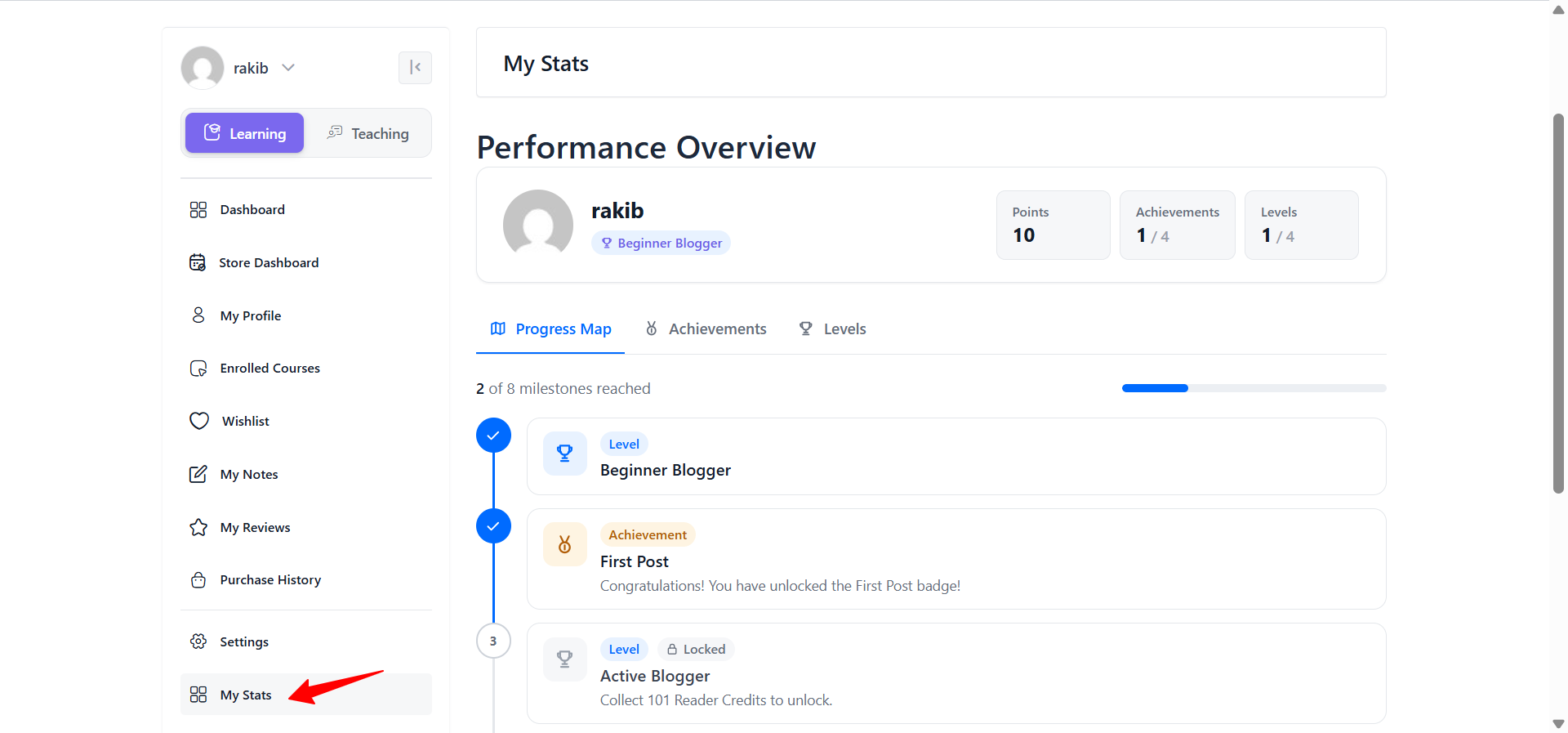
Use a fresh student account to check the complete experience:
Also check that unrelated activities cannot earn Website Builder Points.
This test confirms that your reward system matches the learning journey you describe.
Using Gamification to Control Access
Different access rules serve different purposes. Choose the control that matches what you want students to unlock.
|
Your goal |
Appropriate approach |
|
Unlock an optional WordPress bonus page |
GameEngine content restriction |
|
Release course lessons in sequence or on a schedule |
Academy LMS Pro Content Drip |
|
Decide who can enroll in a course |
Academy LMS enrollment and payment configuration |
GameEngine’s WordPress plugin listing states that its restriction feature can lock an Academy LMS course’s description. That restriction does not control enrollment. Keep this distinction clear when planning access to paid or private courses. GameEngine plugin details
Academy LMS Pro’s Content Drip handles scheduled, sequential, and prerequisite-based release of learning materials. Its documentation also notes that a quiz attempt can satisfy progression conditions without requiring a passing result. Check the exact rule when designing a learning path that depends on assessment success. Academy LMS Content Drip documentation
For the example above, points unlock optional practice material. Students should already have access to the teaching and feedback they need to reach that milestone.
Best Practices for LMS Gamification
Begin with one clear objective. Choose a problem you can observe, such as students abandoning the course before the final quiz.
Connect rewards to relevant actions. Lesson completion can be recognized as participation. Passing a well-designed assessment provides stronger evidence of understanding.
Keep the rules easy to follow. One point type and one meaningful reward are enough for an initial course experiment.
Make rewards useful. An additional practice activity, worked example, or advanced exercise can extend what students have learned.
Recognize individual progress. Students should have attainable milestones even if they never appear at the top of a leaderboard.
Review how students respond. Ask whether the rewards clarify their next steps and whether any rule feels confusing or discouraging.
How to Measure Whether Gamification Helps
Record your course’s existing results before adding rewards. Then compare a similar group of learners over a comparable period.
|
Metric |
What it helps you understand |
|
Course completion rate |
Whether more enrolled students finish |
|
Final quiz participation |
Whether students reach the assessment |
|
Quiz performance |
Whether students demonstrate understanding |
|
Bonus activity participation |
Whether the reward leads to further practice |
|
Learner feedback |
Whether the system feels clear and useful |
Use consistent definitions. For example, calculate completion rate as the number of students who completed the course divided by the number enrolled in the group being measured.
An increase in points earned shows activity in the reward system. Assessments and practical work help you judge learning. Changes between groups can also reflect differences in content, teaching, or learner experience, so interpret the results in context.
Final Thoughts
A good online course needs more than lessons, quizzes, and videos. Students also need motivation to keep moving forward.
That’s where LMS gamification for WordPress can help.
For Academy LMS users, GameEngine provides a way to connect learning activities with gamification. You can reward actions such as completing lessons, passing quizzes, completing assignments, finishing courses, and other supported Academy LMS activities.
The key is to keep your system simple and purposeful.
Start with a few meaningful rewards, give students clear goals, and make their progress visible. As you learn what motivates your audience, you can gradually expand your gamification strategy.
With the right approach, gamification doesn’t distract students from learning. It gives them another reason to keep going.
Frequently Asked Questions
Can I add gamification to an existing Academy LMS course?
Yes. GameEngine’s Academy LMS integration lets supported learning activities trigger rewards. You can apply a reward plan to an existing course.
Should I reward enrollment?
You can, but choose rewards according to your objective. In the practical example, all available points come from lessons and the final quiz so that the bonus is tied to course activity.
Does an evaluated assignment mean the student passed?
No. Evaluation indicates that the submission has been reviewed. A passing result depends on the assessment criteria and grade.
Can points automatically unlock enrollment in another course?
Do not assume that they can. The documented GameEngine restriction on Academy LMS course pages applies to the description. Use the appropriate enrollment controls for access to another course.
Do I need leaderboards?
No. A clear points system, visible progress, and one useful reward can provide a complete starting experience.Start with one Academy LMS course and a reward plan your students can understand. Test the learning journey, explain the milestones clearly, and use actual participation and assessment results to decide what to improve.