








Looking for a free WordPress LMS plugin to start your online course business?
You can open Google or the WordPress plugin directory, search for “free LMS,” and you’ll immediately see the most popular plugins first. Thousands of active installs and impressive download numbers make them look like the obvious choices.
But the truth is, popular doesn’t mean it’s the best or free for you.
In my experience, many popular plugins use their popularity to attract users with free plans. But once you start building your course business, you’ll discover that the main features you need are behind paid plans.
And that’s not the only challenge. Running an online course business takes more than creating courses and managing students.
You’ll probably need a better video player for your lessons, a community where students can interact, gamification to keep learners engaged, and an eCommerce solution to sell courses through memberships, subscriptions, or lifetime access.
So, finding the right LMS plugin is only the first step. You also need the right tools to build a complete course business.
In this guide, we’ll solve both problems and help you choose the best LMS plugin and combination of tools you need to build your course business completely for free.
TLDR: 7 Best Free LMS Plugins at a Glance
Short on time? Here’s how the seven free plugins compare. Every rating is from WordPress.org, checked on our live test, not a feature page.
|
Plugin |
Best for |
Free payments |
Free certificates |
Standout free feature |
Pro starts |
Rating |
|
Academy LMS |
Selling courses free |
✅ Stripe + PayPal |
✅ Yes |
AI course & certificate builder + multi-instructor |
$99/yr |
⭐ 4.9 |
|
Masteriyo |
A fast, modern setup |
✅ Stripe/PayPal/Razorpay |
✅ Yes |
React-powered builder |
$99/yr (renews $199) |
⭐ 4.8 |
|
MasterStudy |
A feature-rich free builder |
✅ PayPal + Stripe |
❌ Pro |
H5P interactive lessons |
$149/yr |
⭐ 4.5 |
|
Tutor LMS |
The best free quizzes |
❌ Needs WooCommerce |
❌ Pro |
10+ quiz question types |
$199/yr |
⭐ 4.4 |
|
LearnPress |
A zero-budget start |
⚠️ PayPal only |
❌ Add-on |
Bundled with many themes |
Add-ons $30+ |
⭐ 4.3 |
|
LifterLMS |
Coaching & memberships |
❌ Paid add-on |
✅ Yes + badges |
Badges & achievements |
Bundles $199/yr |
⭐ 4.8 |
|
Sensei LMS |
Block-editor fans |
❌ Needs Pro |
✅ Yes (PDF) |
Built by Automattic |
$179/yr |
⭐ 3.5 |
Only three of the seven let you sell a course for free: Academy LMS, Masteriyo, and MasterStudy. The rest make you pay, add WooCommerce, or buy an add-on before you can take a single payment.
How We Tested These LMS Plugins
We did not rank these by reading feature lists. Our senior WordPress developers and QA team ran a real test: one clean WordPress site, the same course built on each plugin, and tried to sell a real course.
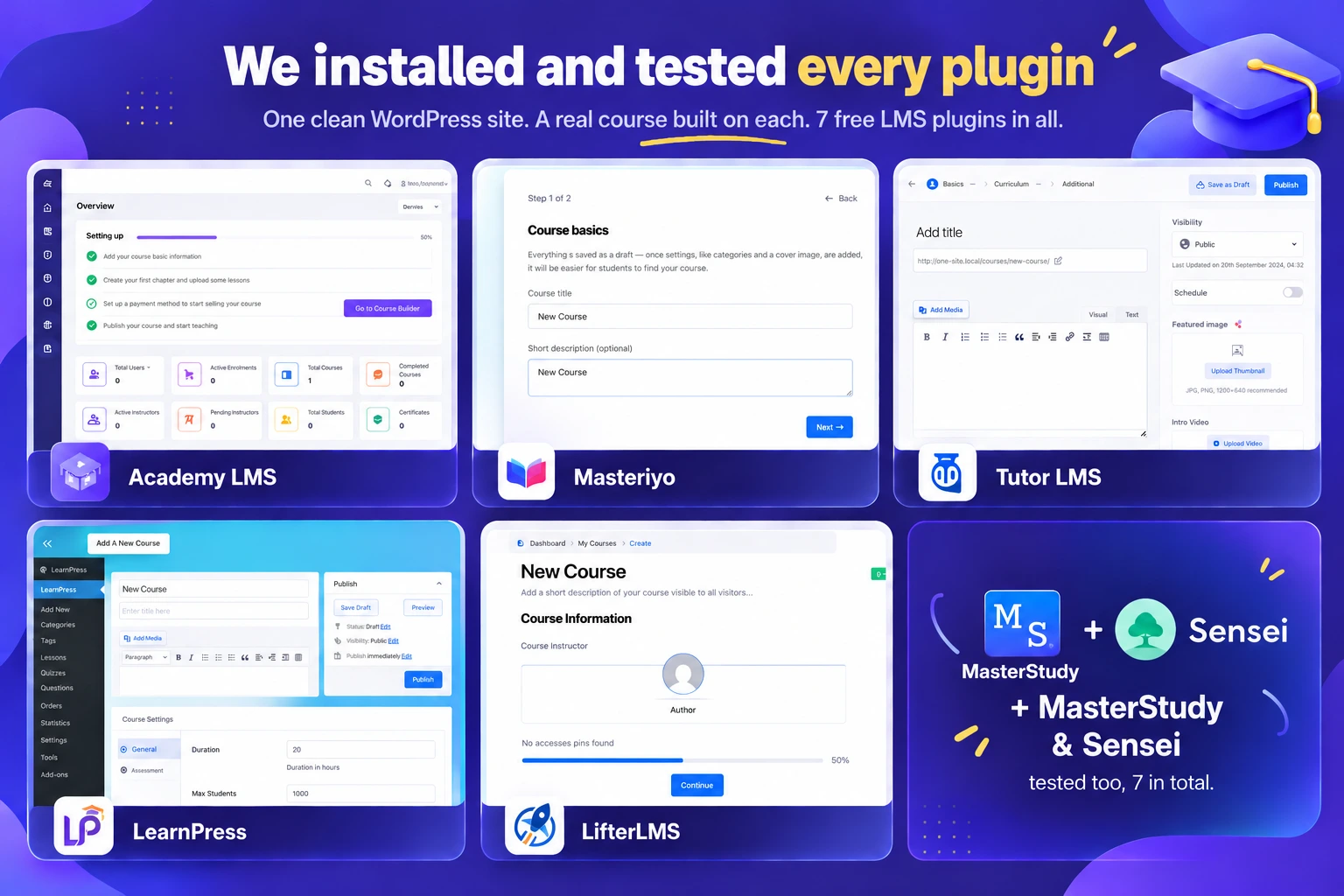
Then we scored every plugin on the six things that decide whether a free LMS can actually run a course business. We call it our LMS Sixers:
What Is the Best Free WordPress LMS Plugin?
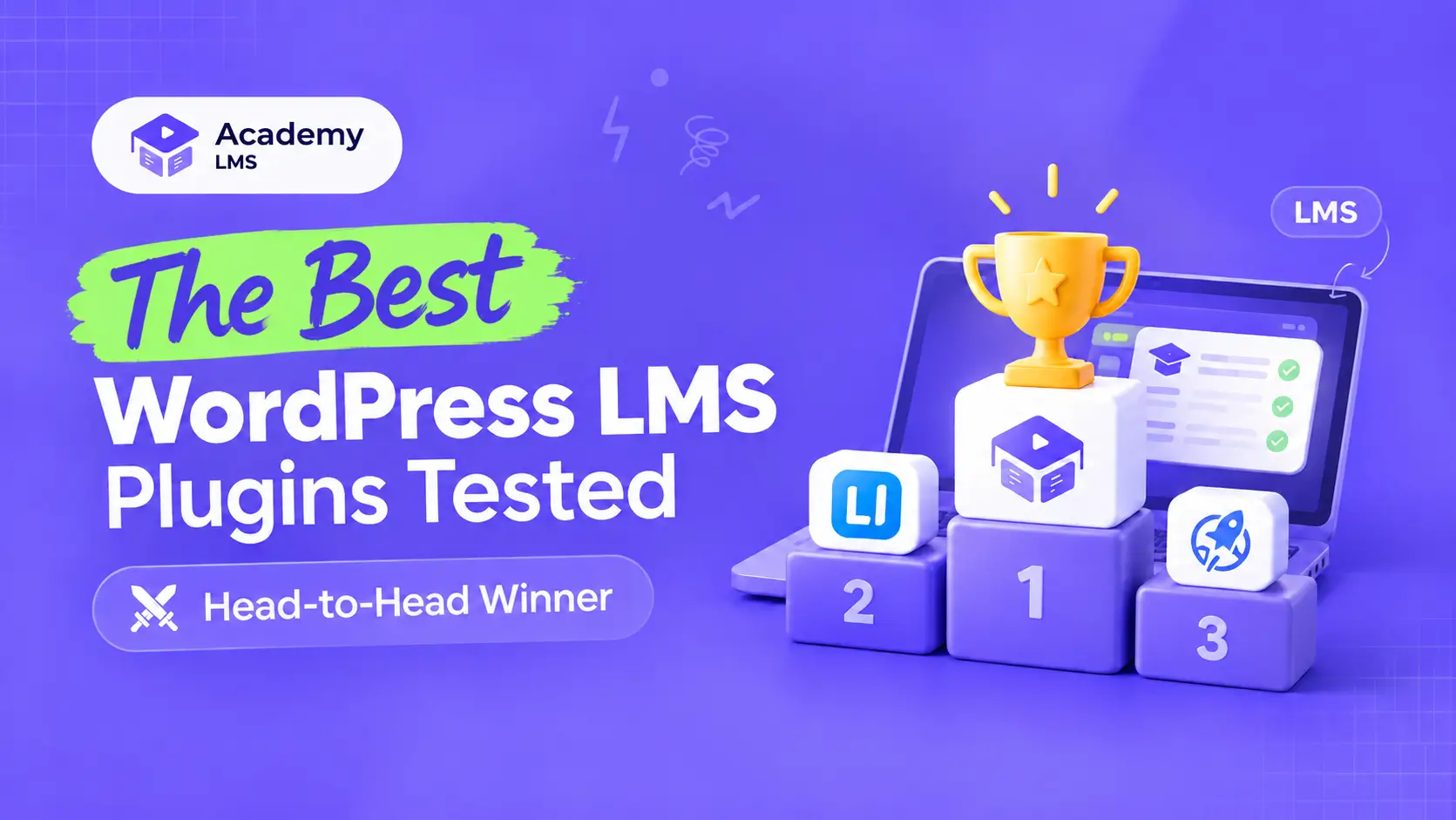
After testing seven plugins, we found Academy LMS to be the best free WordPress LMS plugin for starting an online course business.
The free version of Academy LMS includes all essential features like course creation, student management, quizzes, certificates, an AI course builder, and multiple instructors.
It also offers a native eCommerce solution through StoreEngine (recommended), so you can sell courses using different pricing models.
But it’s not the only option. Other popular free WordPress LMS plugins include LearnPress, Tutor LMS, Masteriyo, and LifterLMS. Each offers different features and limitations, so the right choice depends on what you need to build your online course business.
What Is a WordPress LMS Plugin, and How Is It Different from a SaaS?
A WordPress LMS (Learning Management System) plugin turns your website into an online school. You can create courses and quizzes, enroll students, track their progress, and collect payments, all from your own website.
A SaaS platform like Teachable or Kajabi works differently. You rent their software and pay monthly.
But that’s not all. As your business grows, you’ll pay extra for essential features, higher plans, and even transaction fees. What looks cheap at first can quickly become expensive.
A WordPress LMS plugin works differently. You own your website, courses, and students.
And with the right plugin, like Academy LMS, you can choose a lifetime plan and pay once instead of paying every month. No platform fees on your sales, no extra charges for every feature.
New to this? Start with our guide on what a learning management system is.
1. Academy LMS — The Most You Can Do for Free
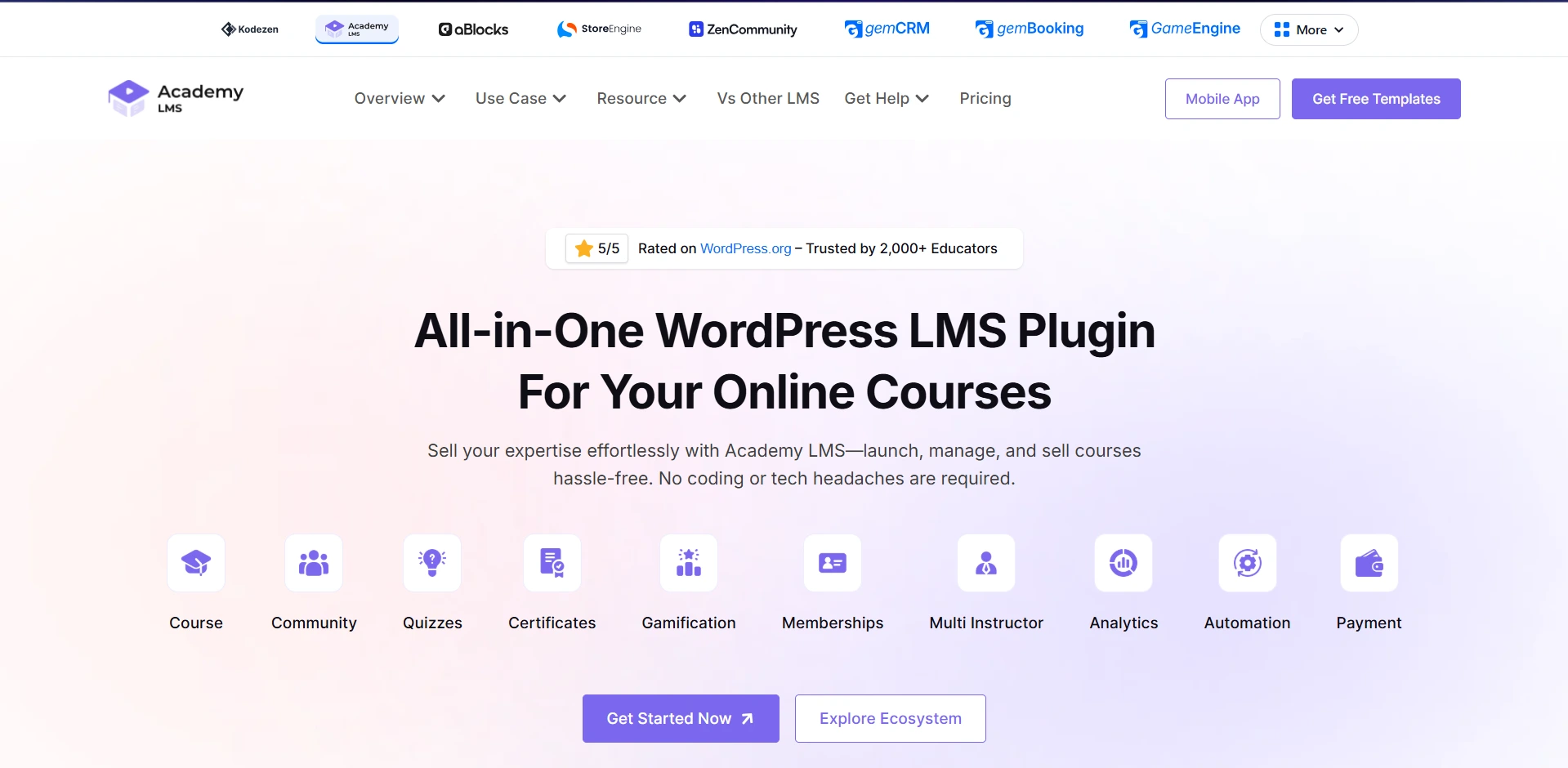
Academy LMS is a strong choice if you want to build an online learning website without immediately investing in a premium LMS. Its free version includes essential features like course creation, quizzes, certificates, payments, AI course building, and multiple instructors.
Course creators rate it 4.9 out of 5 on WordPress.org, the highest score in this guide.
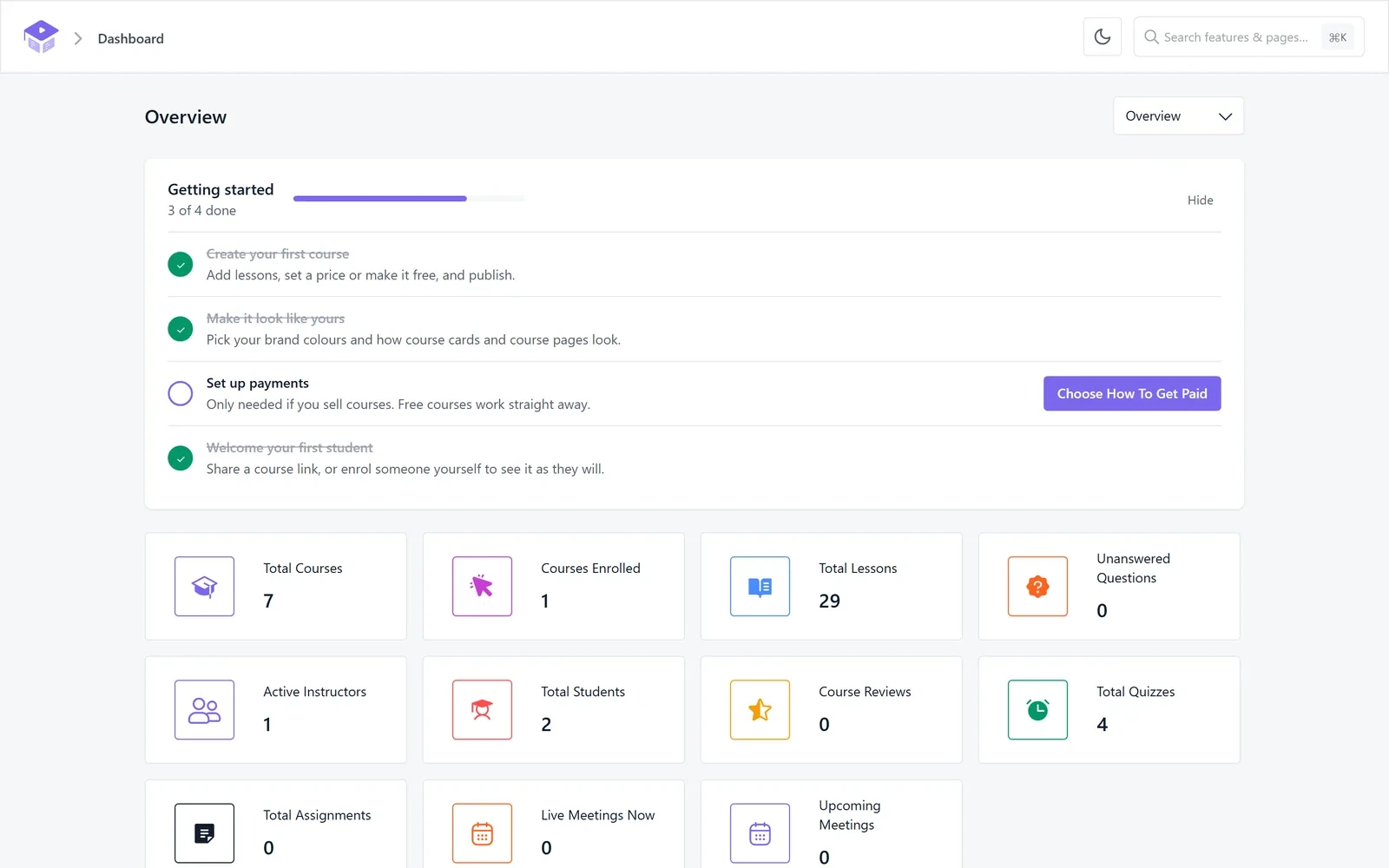
We installed it on a clean WordPress site and followed the setup wizard. It configured pages, roles, and payments in just a few steps. Our first course was ready the same day, without opening the documentation.
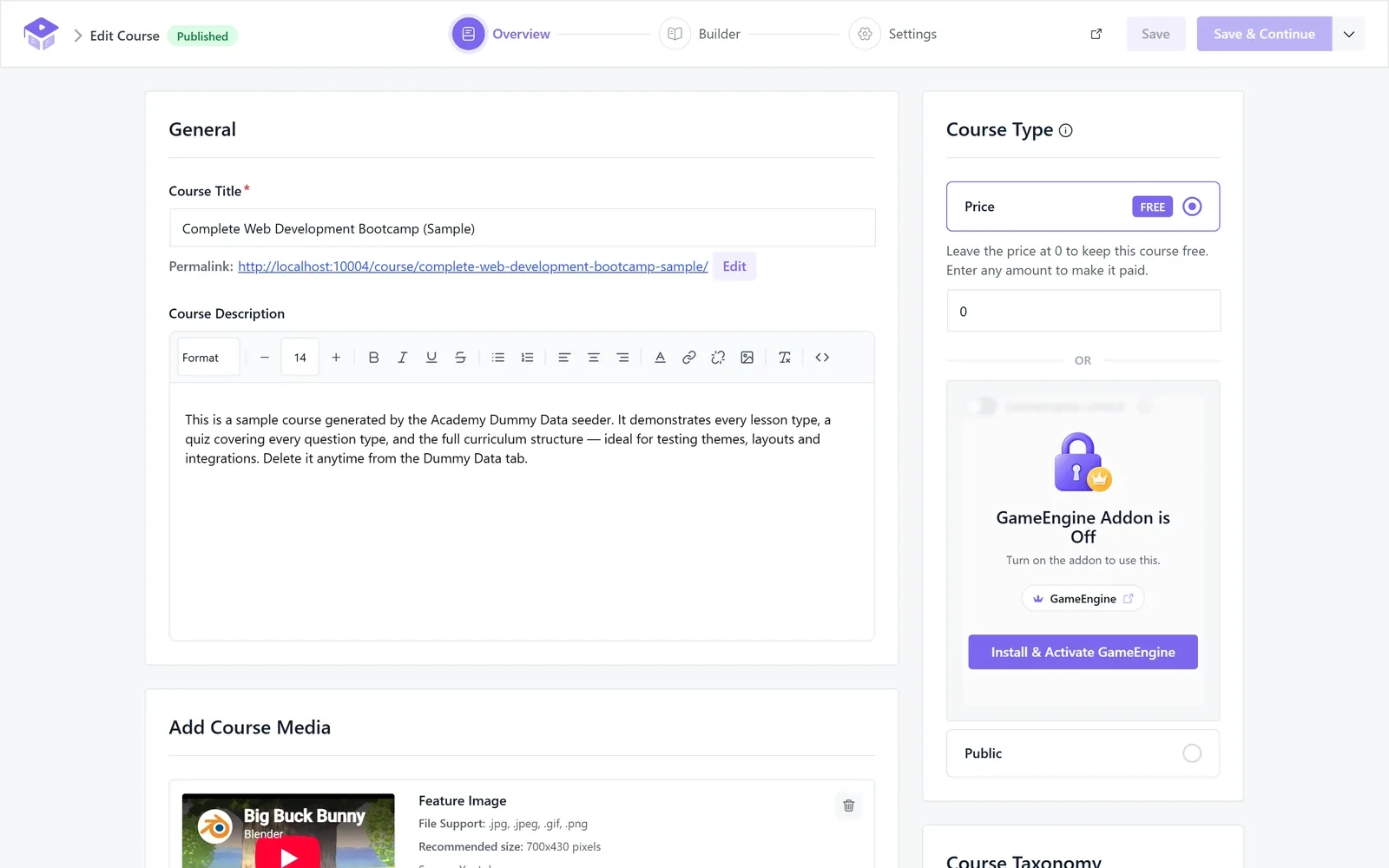
Building courses is just as simple. You can add course details, organize lessons, and set course rules all from one screen.
Its React-powered admin and REST API make the dashboard fast and smooth, with no full-page reloads. It feels more like a modern app than a traditional WordPress plugin.
Here is what makes its free version stand out:
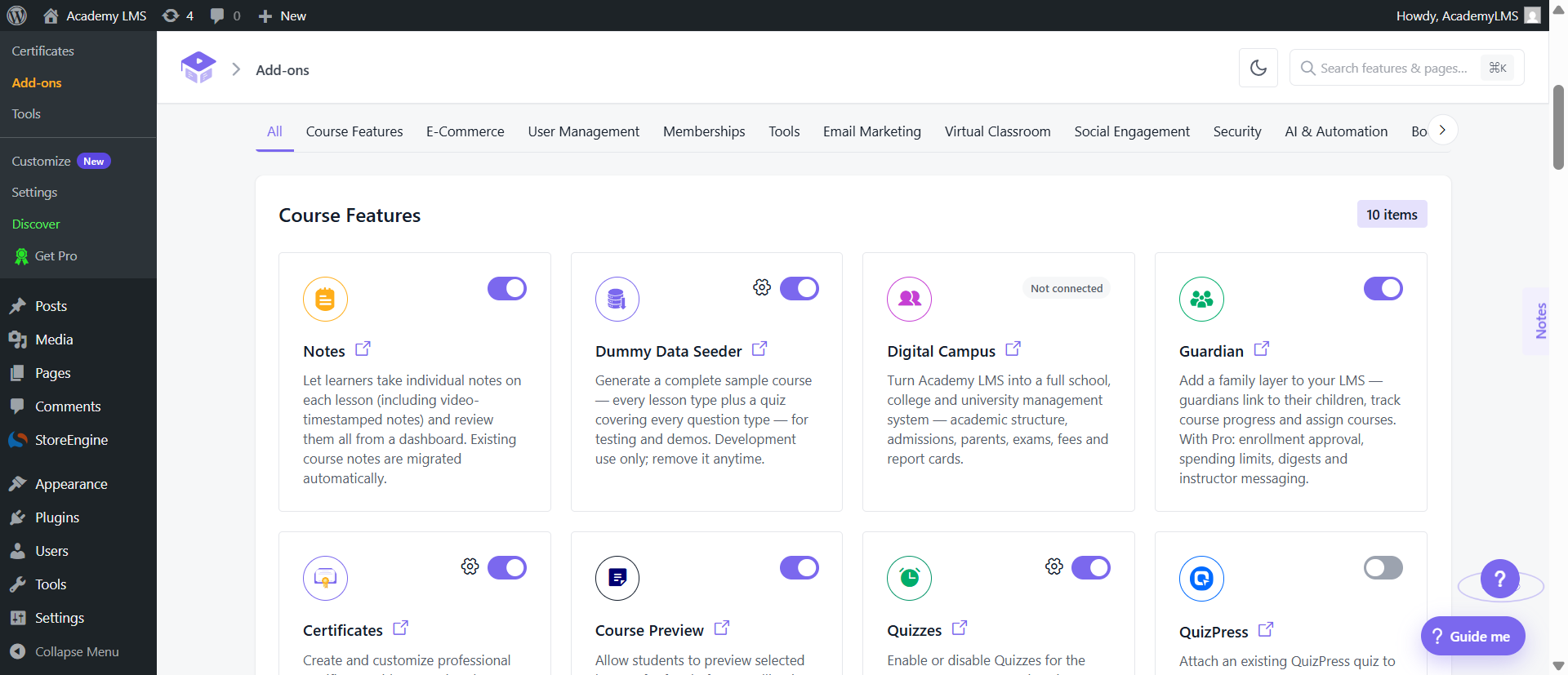
But creating courses is only half the job. Your students also need a comfortable place to learn.
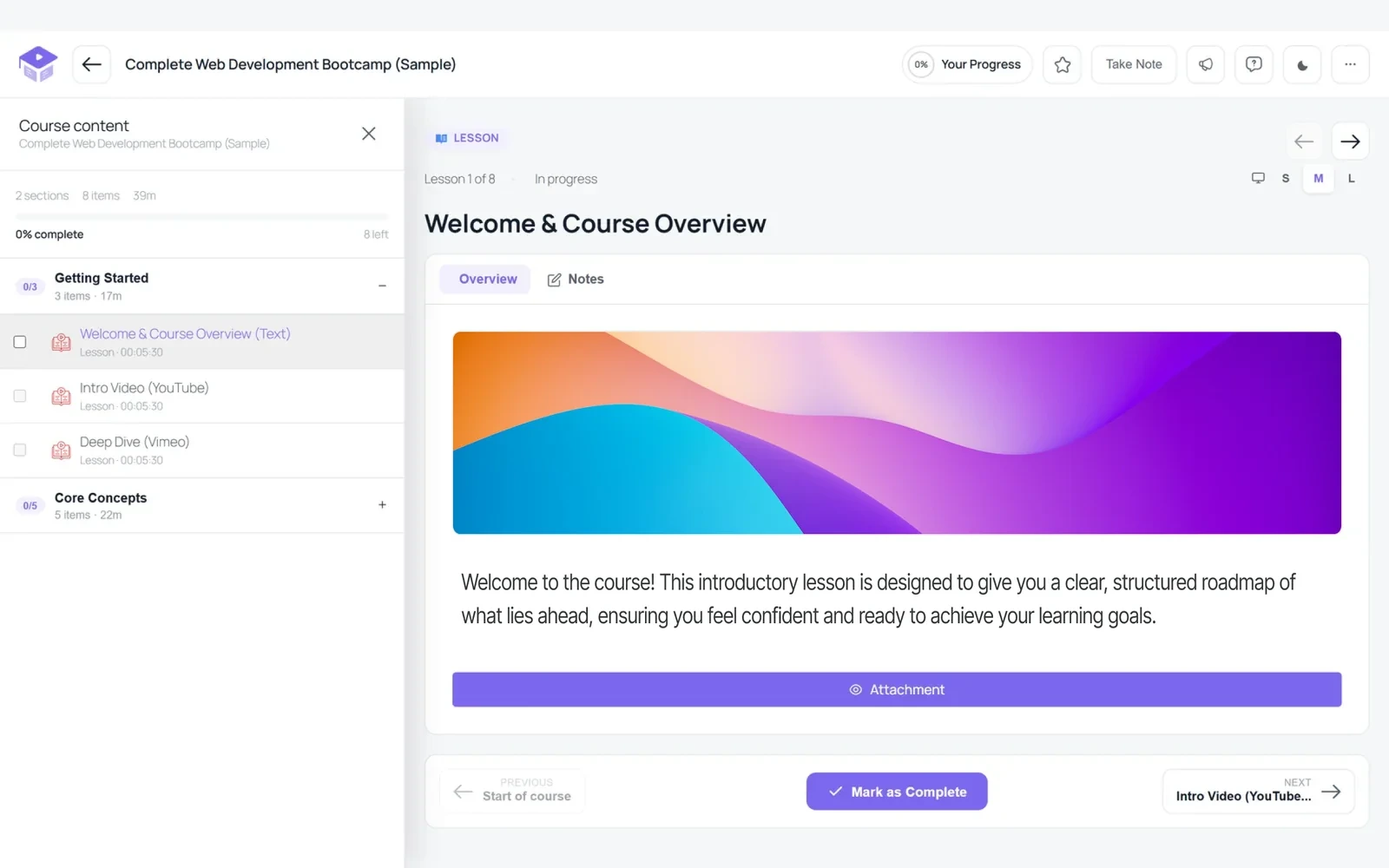
Academy LMS provides a dedicated Learn page where students can access lessons, take notes, ask questions, and track their progress.
They can also adjust text size, use text-to-speech, and switch to dark mode. It also works smoothly on mobile devices.
And when your course business grows, Academy LMS Pro is there to help. It adds SCORM, content drip, live Zoom and Google Meet classes, assignments, a grade book, and white-label options.
It also includes a full school module with exams, attendance, and fees.
Academy LMS also fits neatly with the tools you already use. It connects with StoreEngine, WooCommerce, and Easy Digital Downloads for payments, and ships 47 Gutenberg blocks and Site Editor templates to style your course pages.
Pricing
Academy LMS has a free version on WordPress.org. Its Pro plans include yearly options with a 14-day money-back guarantee:
Prefer a one-time payment? Academy LMS also offers lifetime plans, so you don’t have to commit to yearly payments. At $99/year, it has the lowest starting Pro price among the plugins in this guide.
Best for: Beginners, solo course creators, and training businesses that want to build and sell courses, completely for free.
Not ideal if: You need SCORM, content drip, or live classes but don’t want to upgrade to Pro.
2. Masteriyo — A Fast, Modern Free Course Builder
Masteriyo is a great choice if you want a course builder that feels fast and modern. It has one of the most generous free tiers in this guide, and course creators rate it 4.8 out of 5 on WordPress.org from 183 reviews.
The builder runs on React, so putting a course together feels quick and smooth. We built a sample course within some hours, without opening the docs.
Masteriyo is also one of only three plugins here that let you sell a course for free. It has built-in payments through Stripe, PayPal, Mollie, and Lemon Squeezy, so you can charge students without adding WooCommerce.
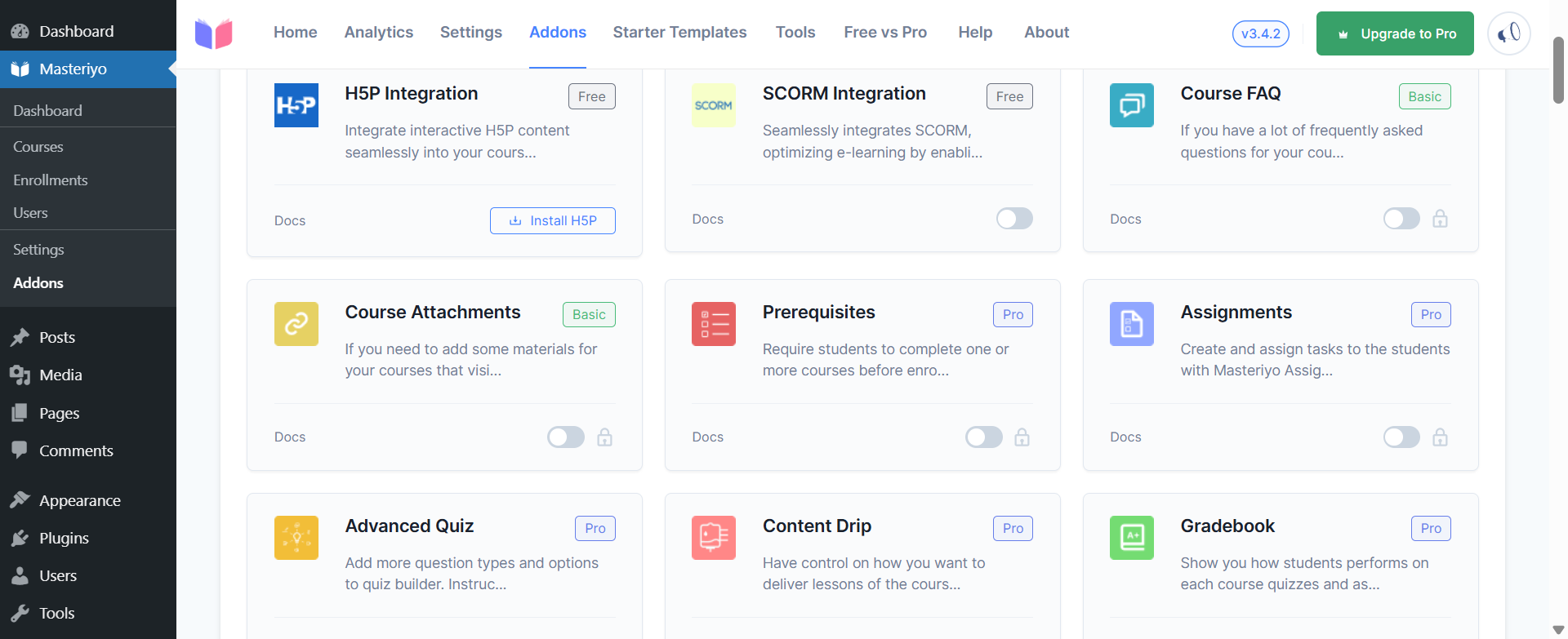
Here is what you get for free:
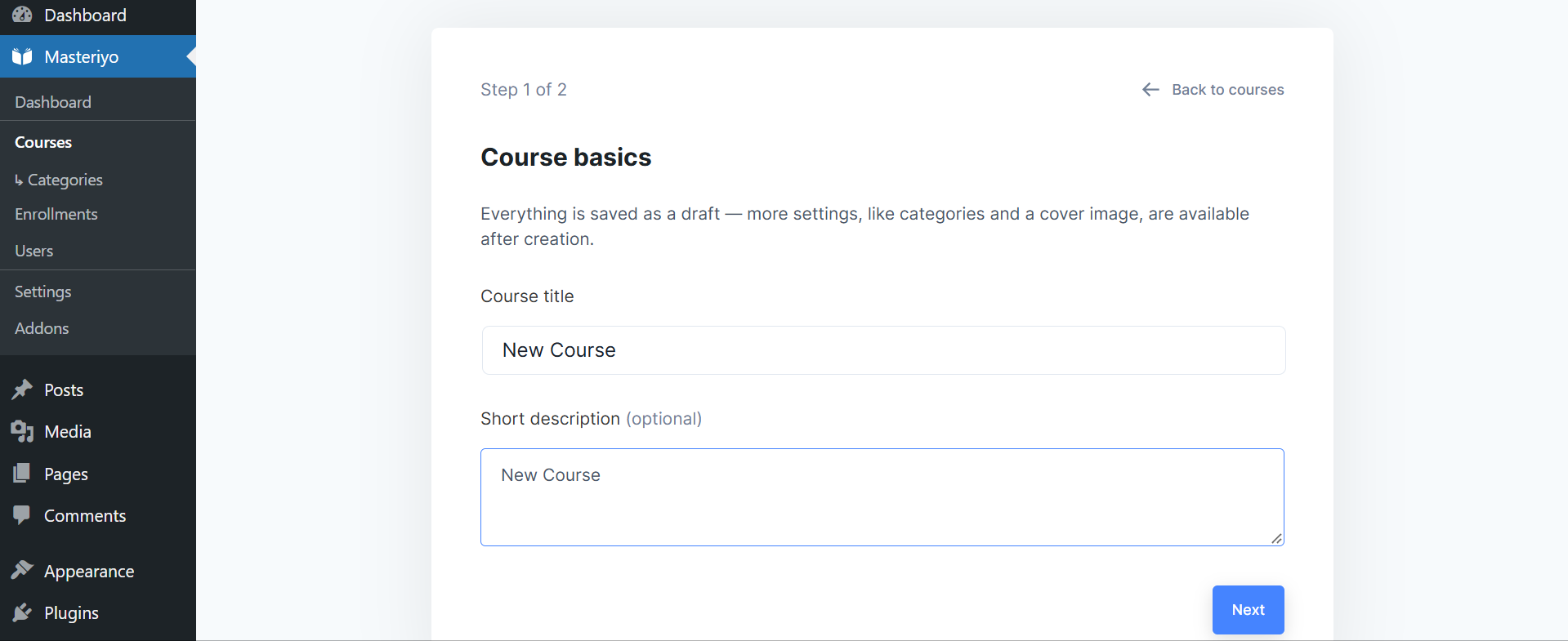
There is one limit worth knowing before you start. Multiple instructors and revenue sharing are Pro features.
So a single-teacher course runs free, but a marketplace with many instructors needs a paid plan. Pro also renews at the full price, not the first-year rate.
Pricing
Masteriyo is free on WordPress.org. Pro plans are yearly, with a 14-day money-back guarantee:
Note: Keep in mind that plans renew at the full price ($199, $299, $799), so the second year costs more than the first.
Best for: Solo creators who want the fastest, most modern free builder.
Not ideal if: You want a free multi-instructor marketplace from the start.
3. MasterStudy LMS — A Feature-Rich Free Builder, Great for Quizzes
MasterStudy LMS is a strong pick if your courses depend on testing. Its free quiz builder covers eight question types, more than any other free plugin here.
It is also one of only three plugins in this guide that let you sell a course for free. It is rated 4.5 out of 5 on WordPress.org from 486 reviews.
The free version handles the full job, not just the basics. You can build and sell a complete course without hitting a paywall on the structure.
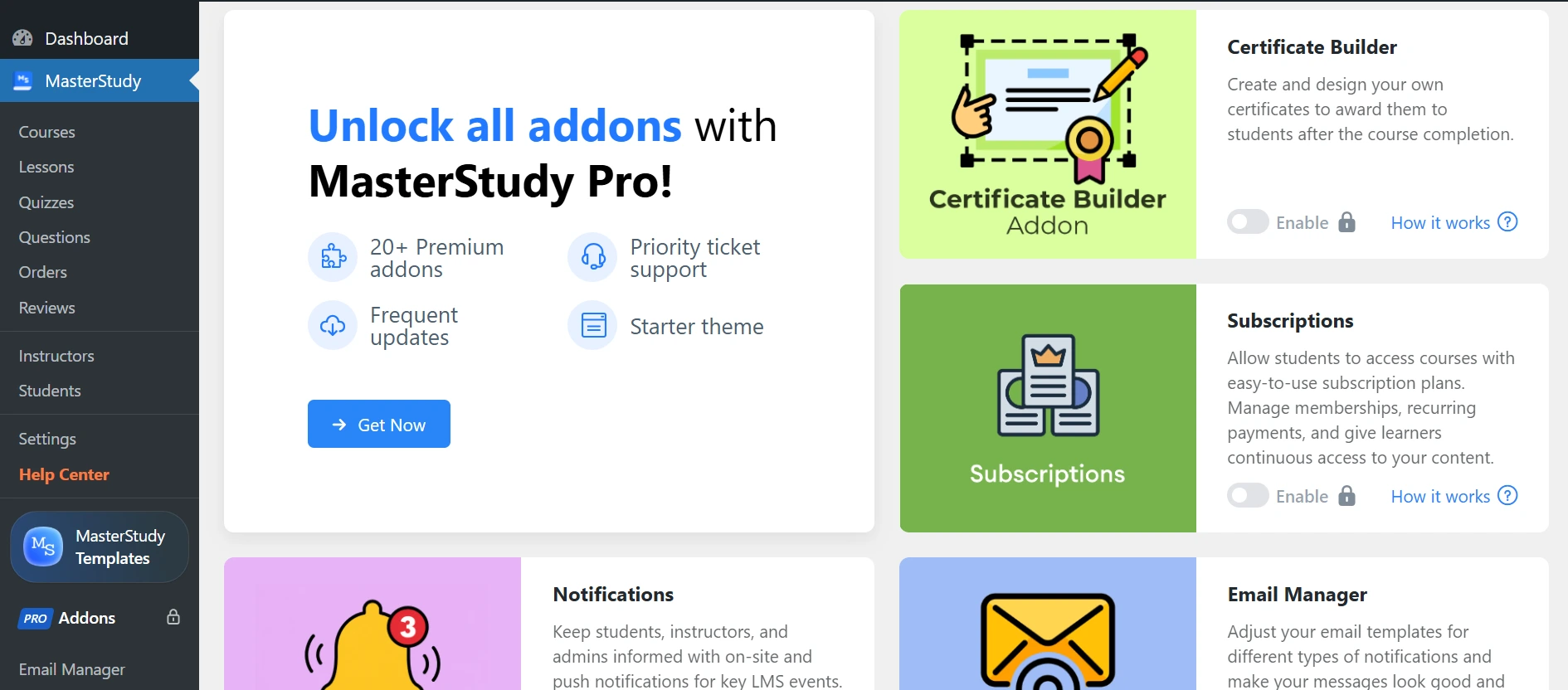
Here is what you get for free:
Those eight quiz types are the real highlight. They let you test real understanding, not just multiple choice.
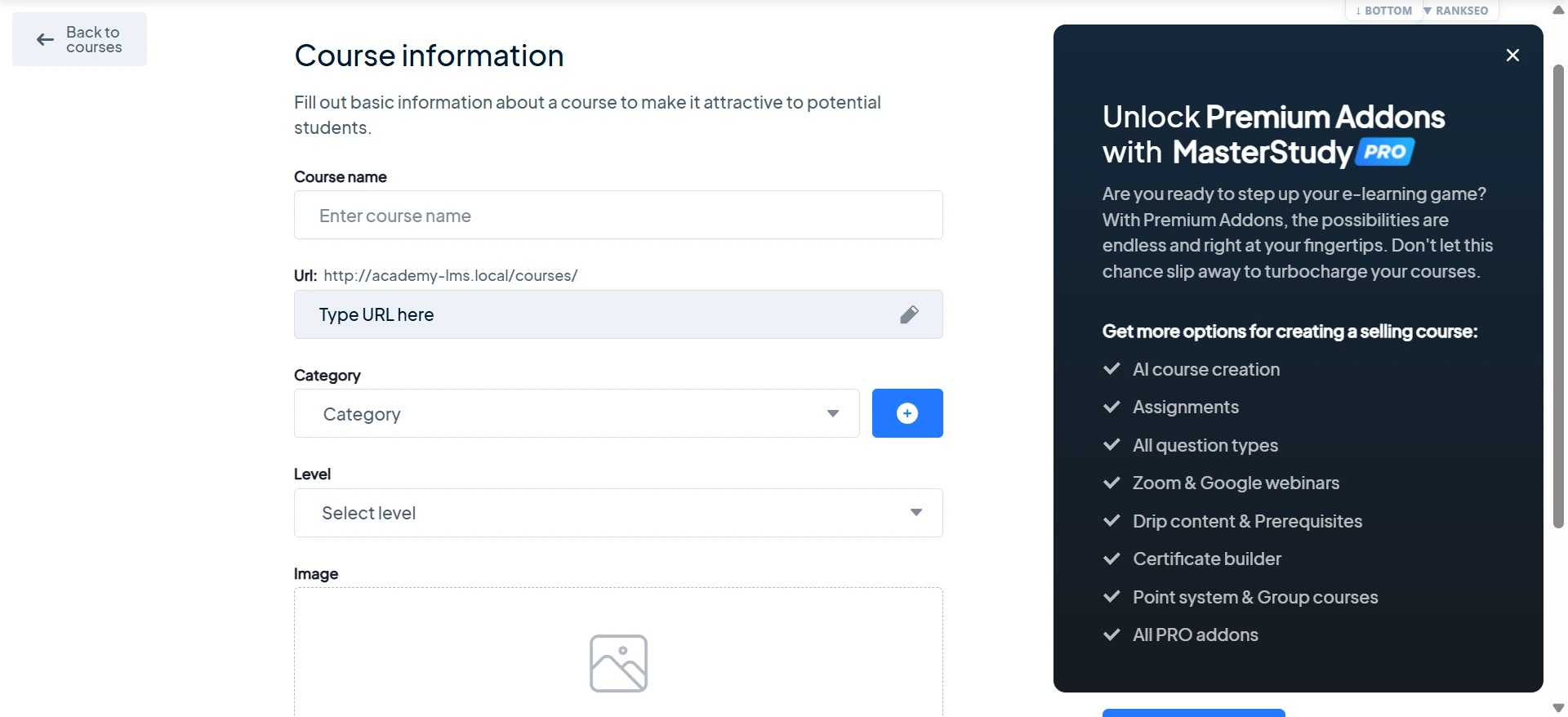
The admin feels more like traditional WordPress than the app-style builders in some other plugins. It is functional rather than flashy.
A few features most course sites want, AI, multiple instructors, and content drip, sit in the Premium plan. So if you need those, plan for the upgrade.
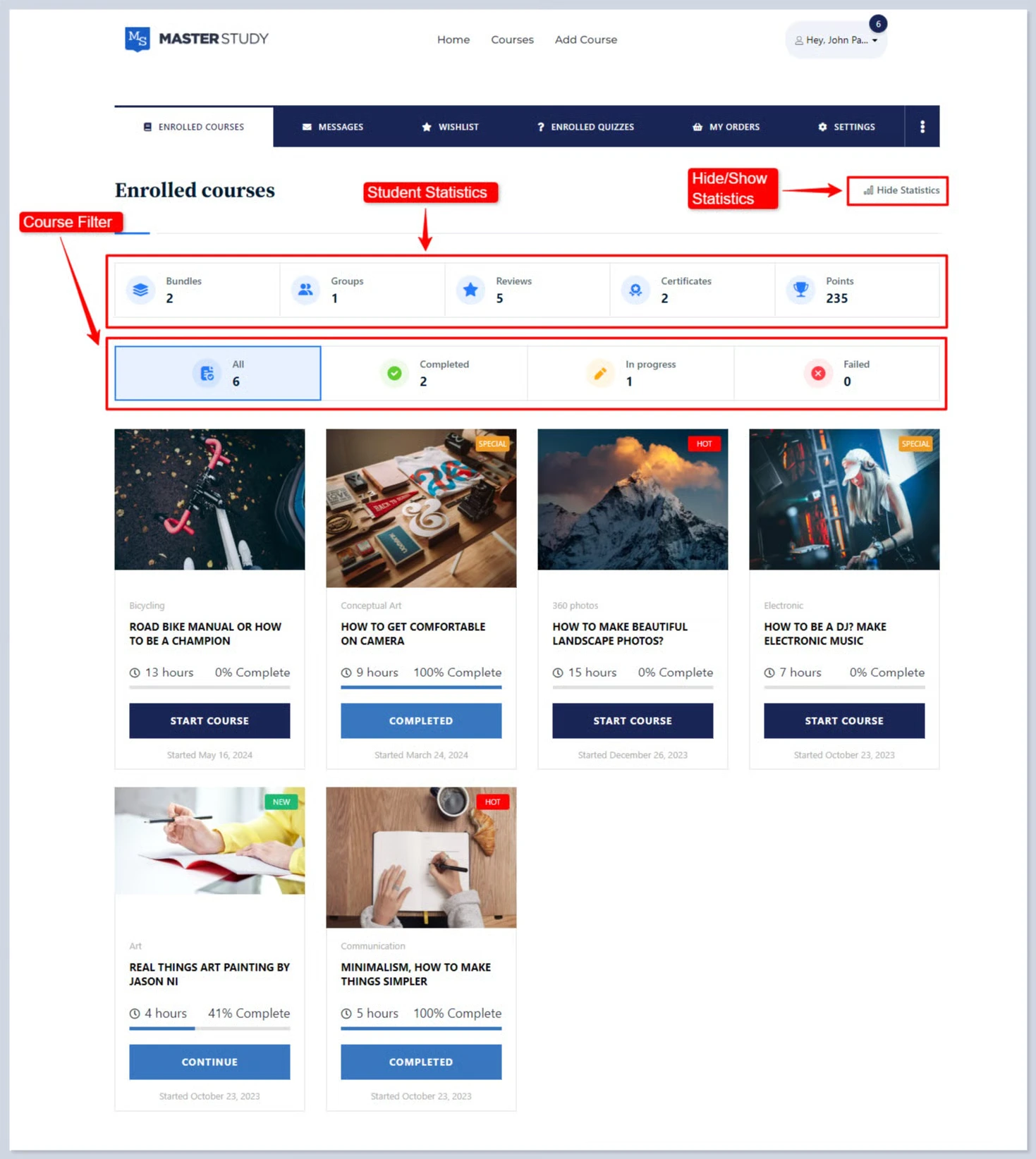
For students, the experience is built around learning and testing. They move through lessons and quizzes at their own pace and can ask the teacher questions in built-in Q&A. With eight quiz types, the assessment side feels genuinely complete.
Pricing
MasterStudy has a free Starter plan. Paid plans are yearly, with a 14-day money-back guarantee:
Best for: Creators who teach through quizzes and want the deepest free testing tools.
Not ideal if: You need free AI, multiple instructors, or content drip from day one.
4. Tutor LMS — The Most Popular Free Course Builder
Tutor LMS is the most popular free WordPress LMS, installed on over 100,000 sites. It is rated 4.4 out of 5 on WordPress.org from 589 reviews.
Its free version is a polished course builder with a strong quiz tool. It is a safe, well-supported choice if you want something many people already use.
What makes Tutor so popular is its frontend drag-and-drop builder. Instructors can build courses from the front of the site, without ever opening the WordPress dashboard.
That is a real help if you hand the tool to non-technical teachers.
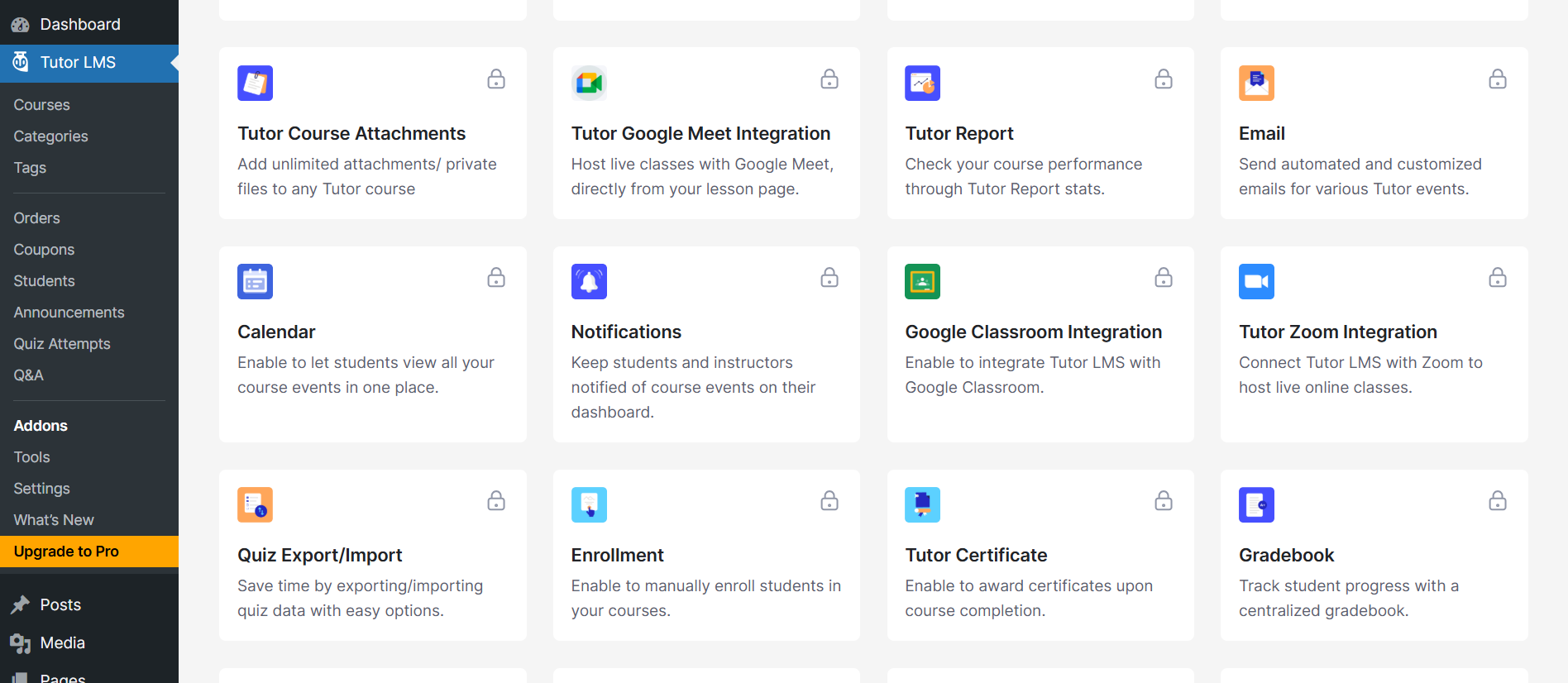
Here is what you get for free:
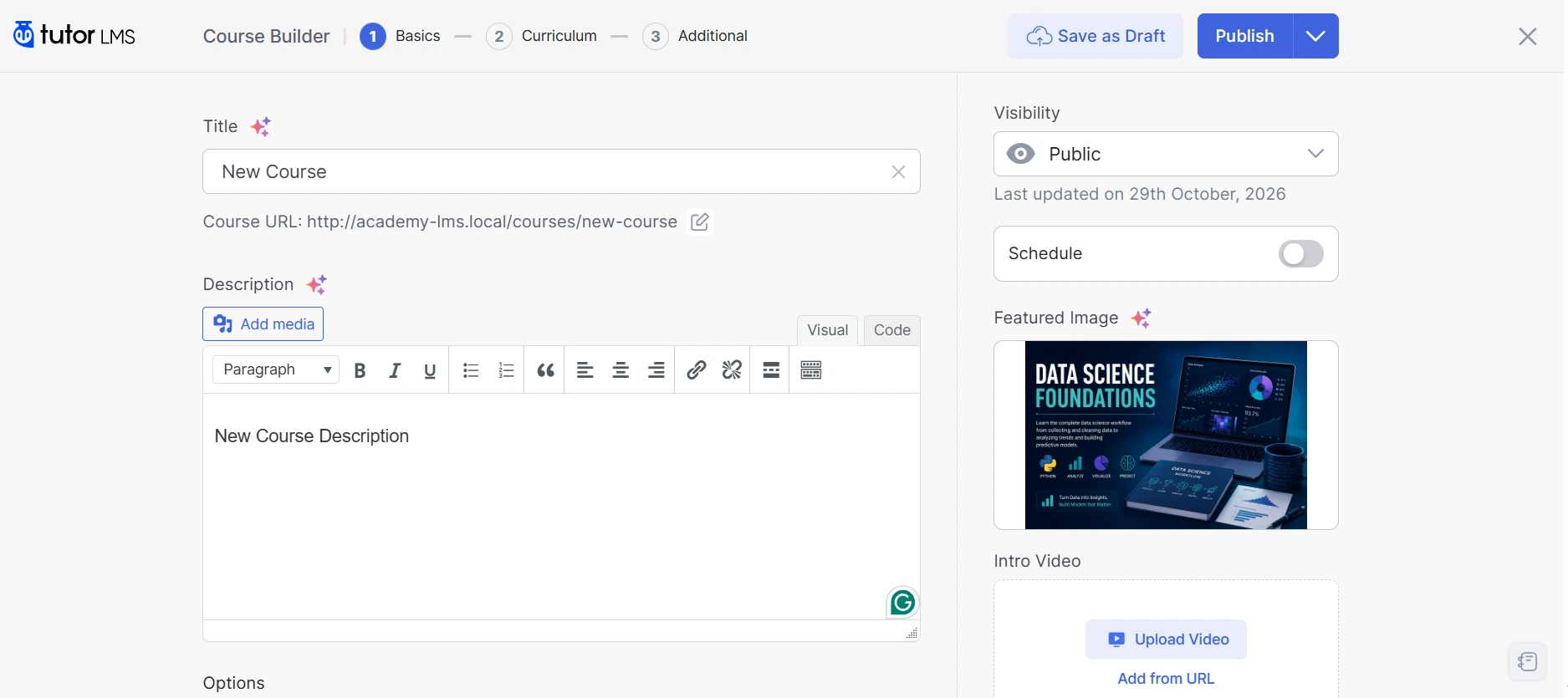
There is an important catch on the free plan. The features that actually make money, certificates, multiple instructors, content drip, and AI, are all Pro.
So you can launch a free course on Tutor, but you can’t certify it or run a marketplace without paying. Pro also starts at $199 a year, the highest entry price in this guide.
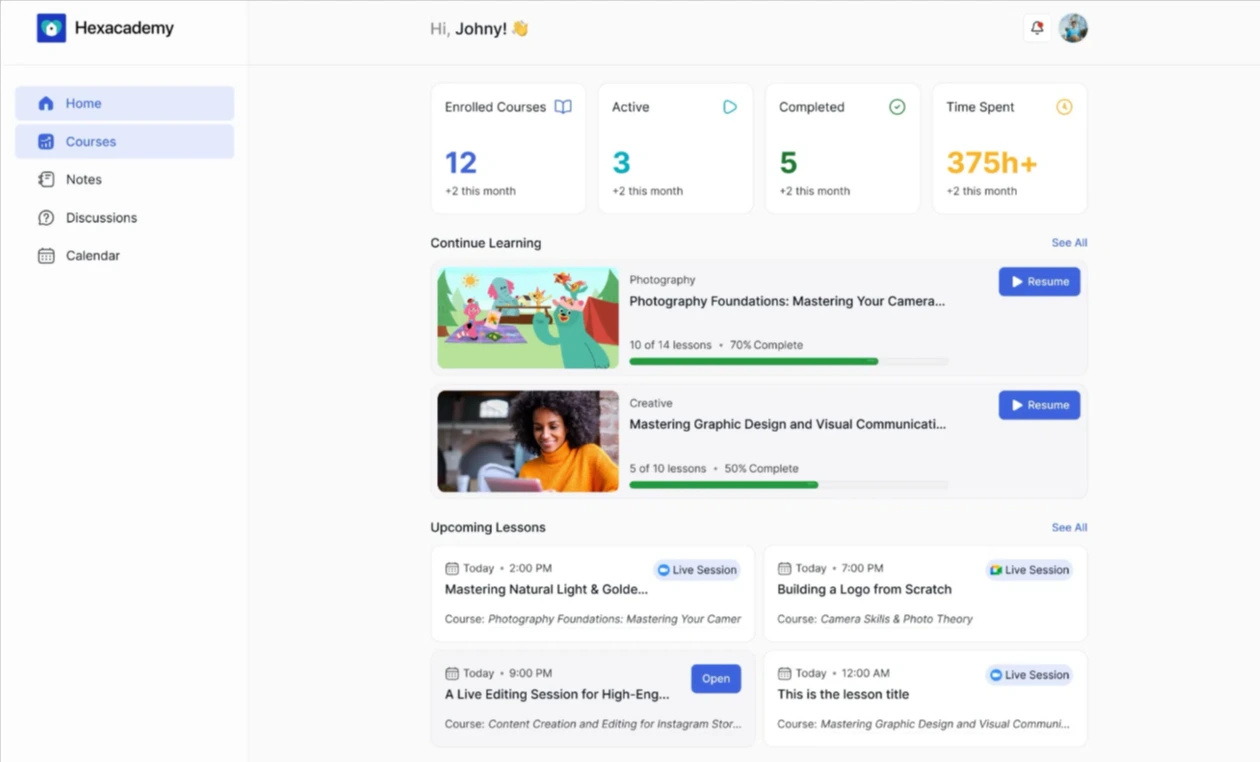
Students get a clean course player with lesson discussions and Q&A on every lesson. It is a familiar, well-supported experience, which matters a lot when you lean on free support.
Pricing
Tutor LMS is free on WordPress.org. Pro is yearly or lifetime, with a 30-day money-back guarantee:
Best for: Creators who want the most popular, best-supported free builder and are happy selling simple courses through WooCommerce.
Not ideal if: You need certificates, multiple instructors, drip, or AI without paying.
5. LearnPress — A Free Core You Extend With Add-ons
LearnPress is a free WordPress LMS built on a light core and a large add-on library. It runs on 70,000+ sites and is rated 4.3 out of 5 from 597 reviews.
The core is genuinely free and can sell courses through built-in PayPal. It is a good fit if you like to start small and add only what you need.
The core installs light and fast. You get a clean course builder for lessons and quizzes with no cap on how many you create.
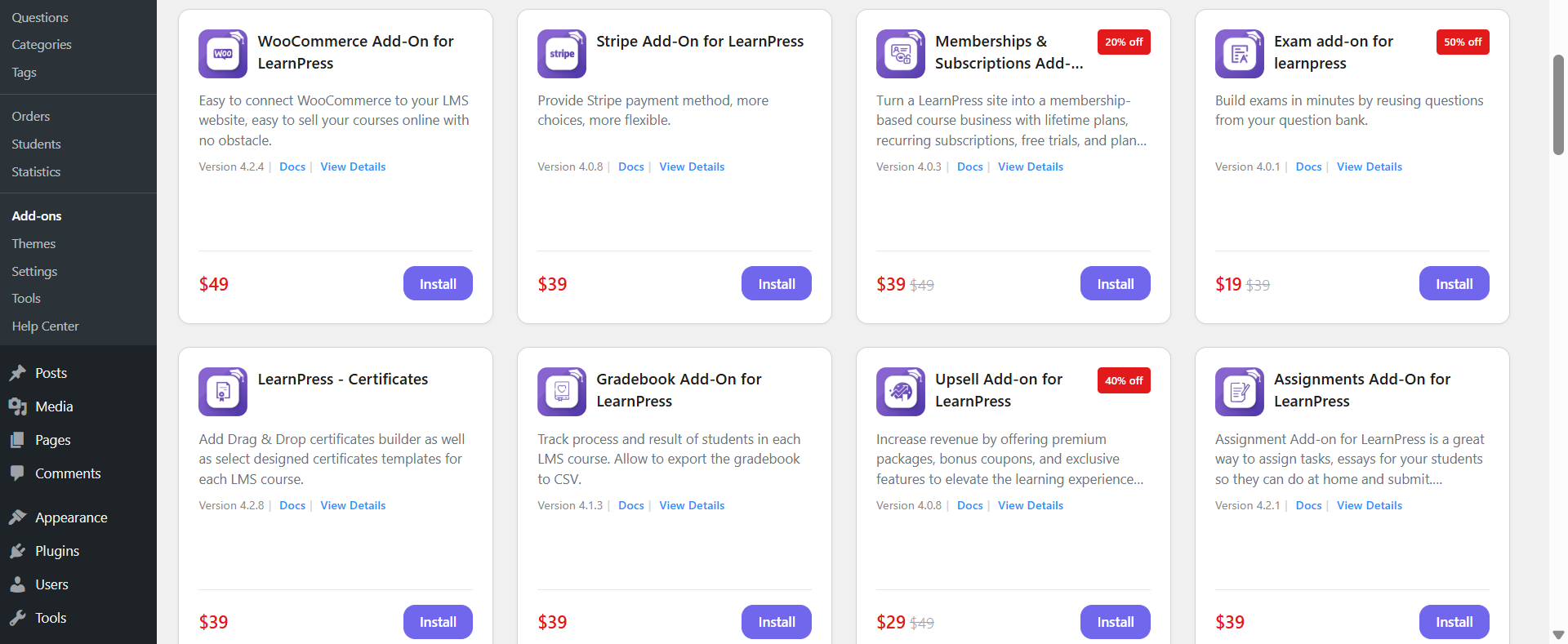
Here is what you get for free:
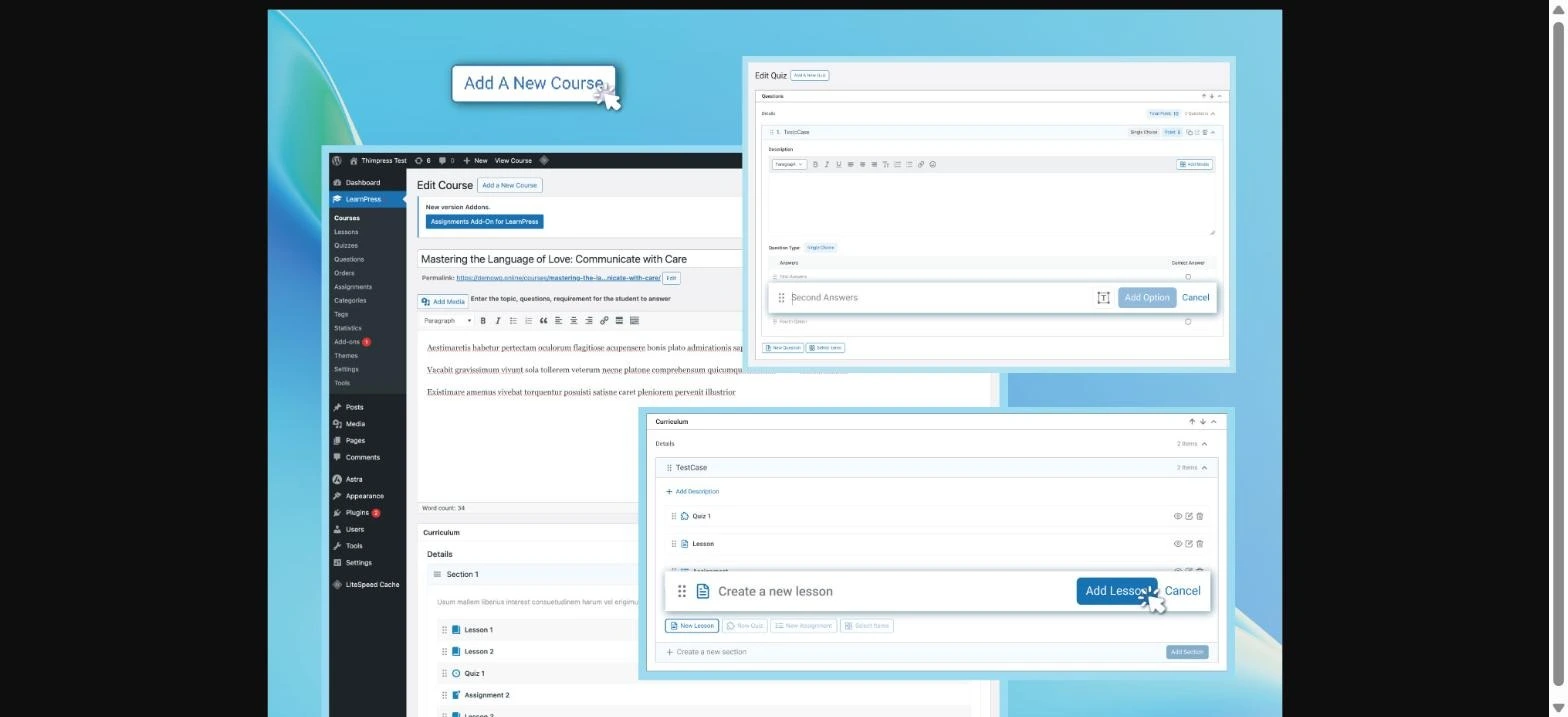
There are two things to plan for. Because features live in separate add-ons, a complete site means installing and setting up each one, so your setup time grows with how finished you want the site to be.
And “free to sell” really means “free to sell through PayPal.” Card payments through Stripe or WooCommerce, plus certificates, drip, and multiple instructors, are paid add-ons you buy one at a time.
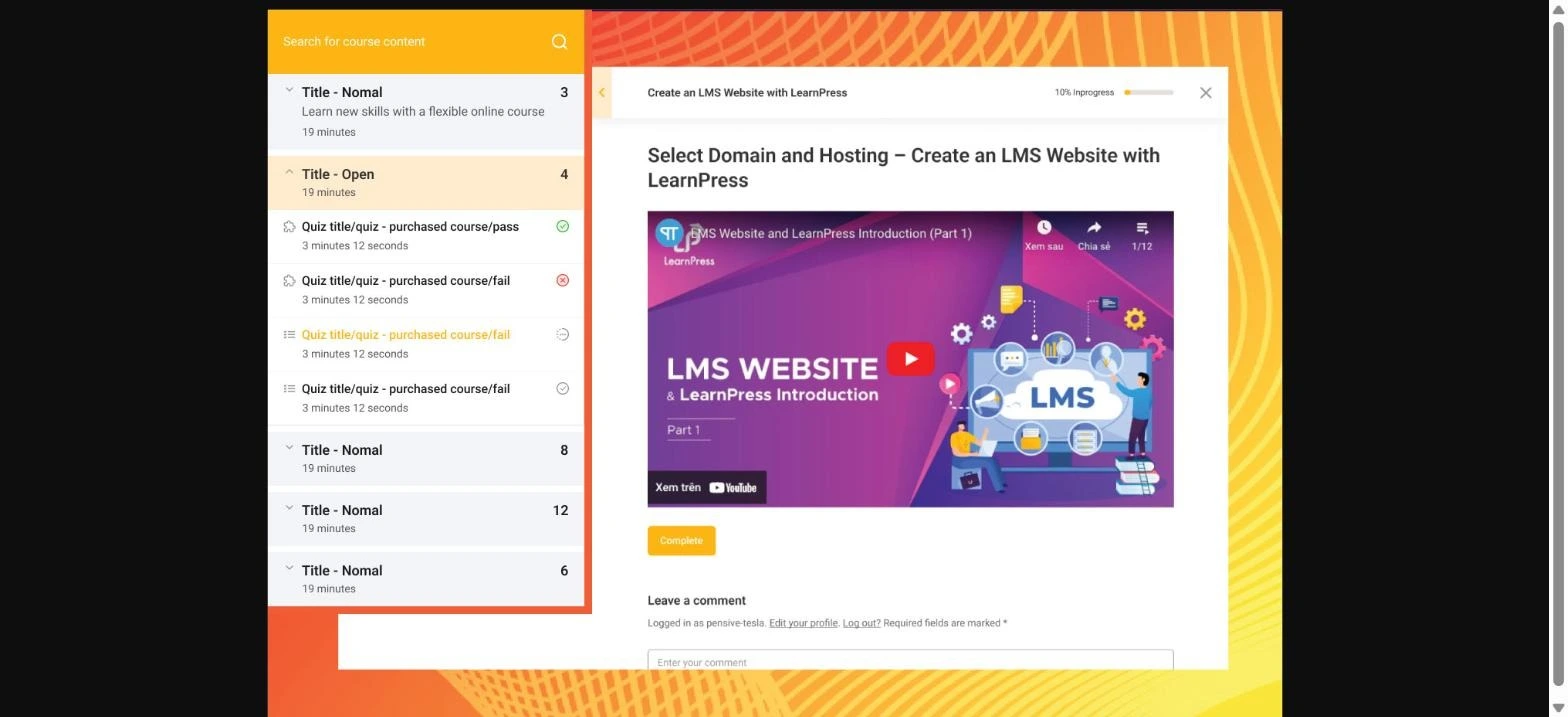
Students get a standard course player, and the free bbPress and BuddyPress add-ons bring in forums and member profiles. Course reviews and wishlists give your catalog a storefront feel, a nice touch most free plugins charge for.
Pricing
The LearnPress core is free. Paid add-ons from ThimPress are one-time licenses for 1 site:
The first 12 months of updates are included, and renewal is optional at roughly 70%. (These figures are from a third-party review, so confirm them at ThimPress checkout.)
Best for: Builders who want a light free core and prefer paying once for only the add-ons they need.
Not ideal if: You want certificates, card payments, and multiple instructors working out of the box.
6. LifterLMS — The Most Complete Free Core
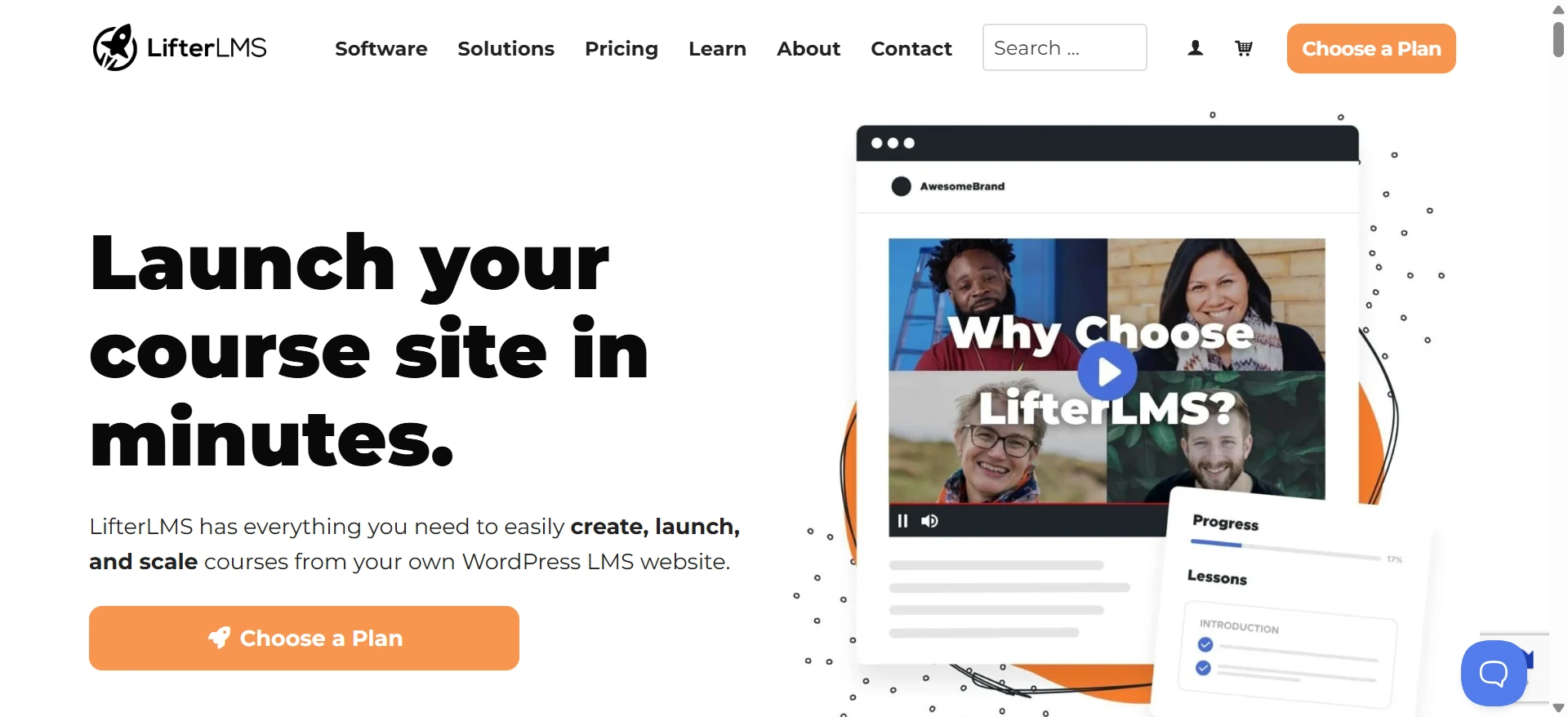
LifterLMS has the most feature-complete free core in this guide. It is rated 4.8 out of 5 from 393 reviews on 10,000+ sites.
Unlimited courses, memberships, certificates, achievement badges, and content drip are all free. For engagement, the free core is hard to beat.
Certificates and achievement badges are built in, so you can award and gamify course completion for free, something Tutor and LearnPress charge for.
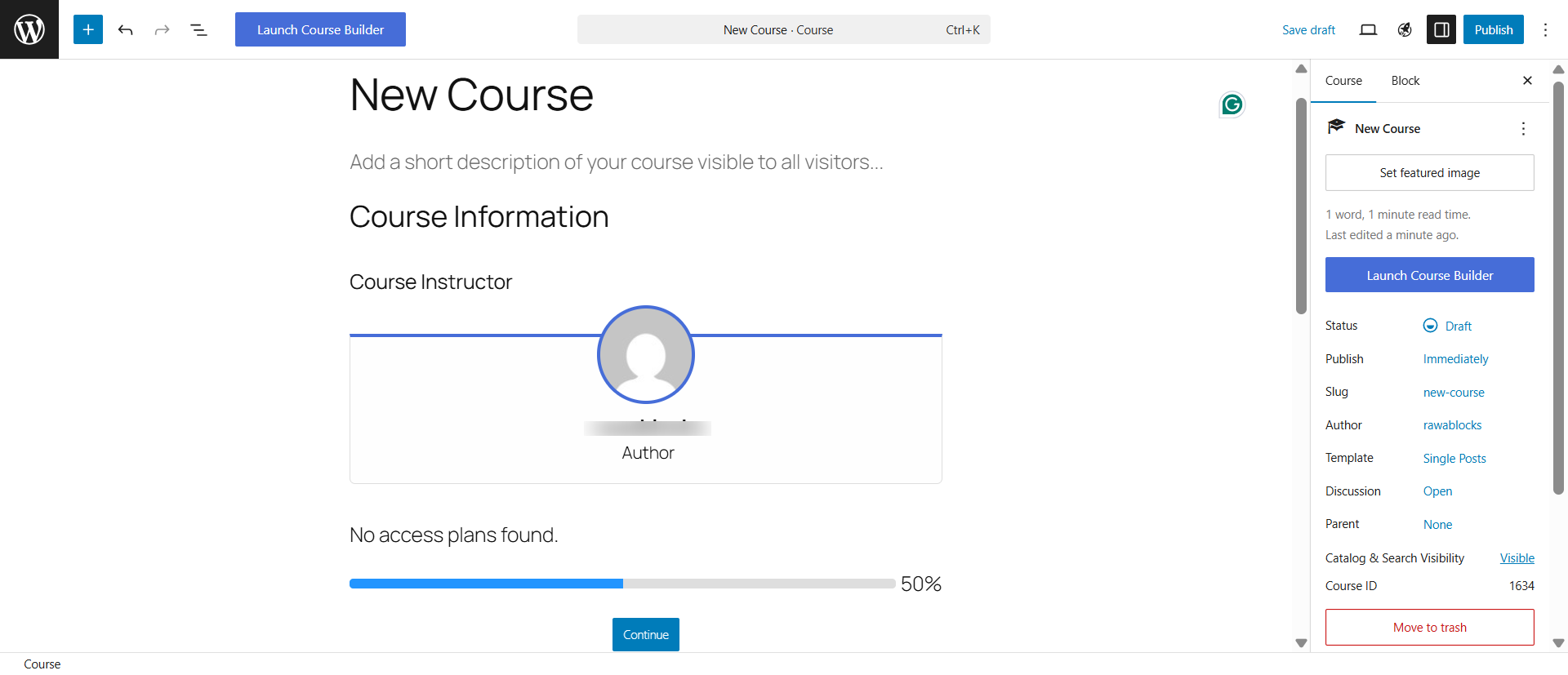
Here is what you get for free:
It ships a setup wizard and a free “Academy” of courses that teach the plugin. It needs more configuration than the app-style builders, but the onboarding is the best documented here.
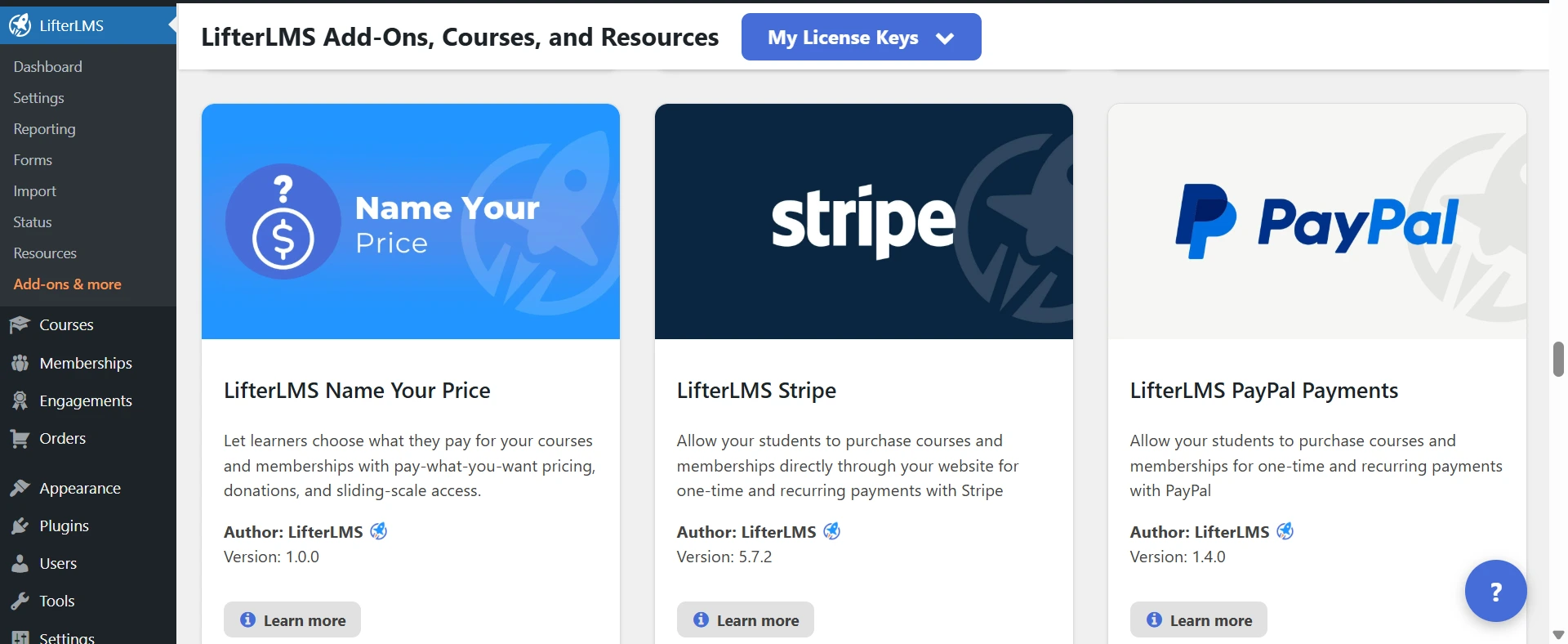
The one real catch is payments. The free core records payments manually, so you can enroll paying students, but you handle the transaction yourself.
Automated Stripe and PayPal checkout arrive with a paid bundle, which starts at $199 a year.
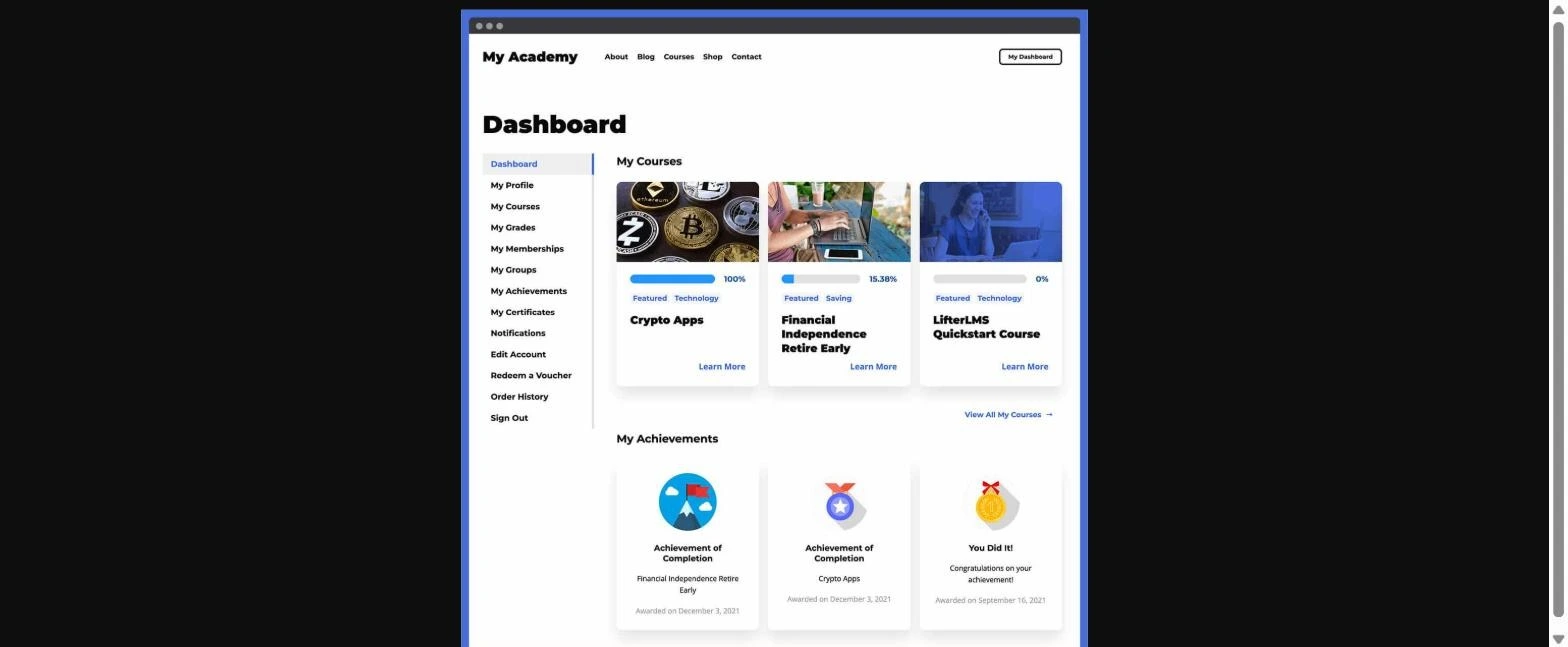
The student side is one of LifterLMS’s strengths. Learners get a clean dashboard, clear progress tracking, and gamified badges and certificates that genuinely push them to finish. For engagement, the free core beats some paid tiers elsewhere.
Pricing
The LifterLMS core is free. Paid bundles are yearly, with a 30-day money-back guarantee (renewals at full price):
Best for: Membership and subscription sites that want a rich, free core and will pay a bundle once they are ready to take card payments.
Not ideal if: You need automated Stripe or PayPal checkout from day one, or the lowest entry price.
7. Sensei LMS — Clean Block-Native Teaching
Sensei LMS is a free WordPress LMS from Automattic, the company behind WooCommerce. Its free version is a clean Block Editor course builder with free PDF certificates.
It is rated 3.5 out of 5 from 40 reviews, the smallest base here, but it carries real pedigree from its maker.
If you already work in the WordPress Block Editor, Sensei feels at home right away. There is no separate builder to learn.
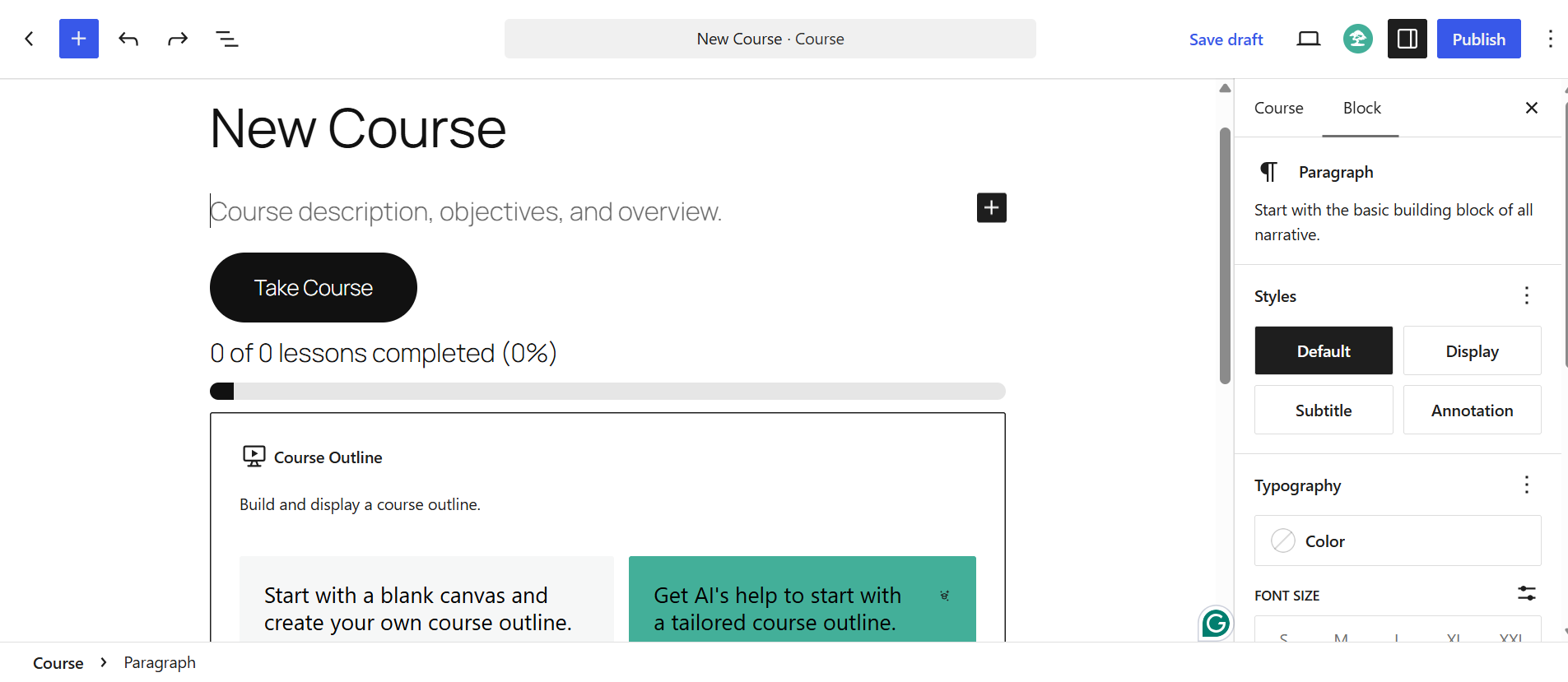
Here is what you get for free:
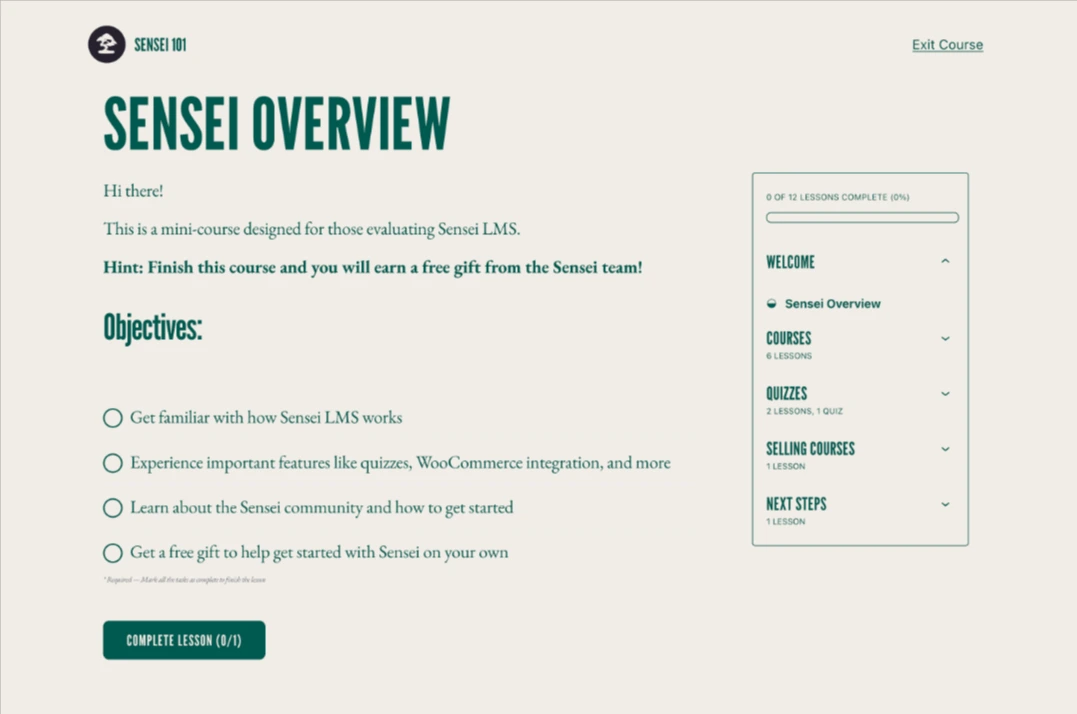
For delivering content, the free version is genuinely pleasant to use. The one hard limit is money.
You cannot sell a course on the free version. Course selling runs through the WooCommerce integration in Sensei Pro, along with subscriptions, memberships, AI, interactive blocks, and drip.
So free Sensei teaches well, but it does not take payments on its own.
Pricing
Sensei LMS is free on WordPress.org. Paid is a single plan, with a 14-day money-back guarantee:
There is no lifetime plan.
Best for: Creators already in the Automattic and WooCommerce world who want clean, block-native course building and will pay for Pro to sell.
Not ideal if: You need to sell a course, use AI, or add interactive content for free.
Which WordPress LMS Does the Most for Free?
Across the five free features that actually decide a course business, Academy LMS is the only plugin that gives you all of them.
|
Plugin |
Sell free (native payments) |
Free AI course builder |
Free certificates |
Free multi-instructor + revenue share |
Free question bank |
|
Academy LMS |
✅ Stripe + PayPal |
✅ |
✅ |
✅ |
✅ |
|
Masteriyo |
✅ 4 gateways |
✅ |
✅ |
❌ Pro |
❌ Pro |
|
MasterStudy |
✅ Built-in |
❌ Pro |
❌ Pro |
❌ Pro |
❌ Pro |
|
Tutor LMS |
⚠️ WooCommerce only |
❌ Pro |
❌ Pro |
❌ Pro |
❌ Pro |
|
LearnPress |
⚠️ PayPal only |
❌ Pro |
❌ Pro |
❌ Pro |
❌ Pro |
|
LifterLMS |
⚠️ Manual only |
❌ Pro |
✅ |
❌ Pro |
❌ Pro |
|
Sensei LMS |
❌ Pro |
❌ Pro |
✅ |
❌ Pro |
❌ Pro |
Three plugins let you sell for free. But only one lets you sell, certify, and run a marketplace for free.
One LMS Isn’t Enough: Build a Complete Course Business for Free
Here is something most “best LMS” guides skip: a course website is more than courses.
To run a real learning business, you also need a well-designed site, a place for students to talk to each other, a reliable way to sell, and a video player that does not buffer.
An LMS plugin handles the teaching. It is not meant to handle all of that, and the ones that try get heavy and expensive.
WordPress lets you build each part with a separate free plugin. If you start with Academy LMS, you can add the rest from the same free KodeZen ecosystem, so the pieces are built to work together:
Each plugin handles a different part of your site, so you add only what you need. You can start on free versions and expand as you grow.
One honest note: these plugins extend different parts of your website. They don’t replace advanced LMS features like SCORM or live classes, which may still need an Academy LMS Pro license.
How to Choose a Free WordPress LMS
A plugin is only free if it lets you finish the job: build, sell, and certify a course. Here are the five questions we checked on every plugin. Use the same five.
Run any plugin through these five. The ones that only look free show themselves fast.
Match the Best LMS to Your Business
Different goals, different winners. Here is the best pick for each.
|
Your business |
Best pick |
Why |
|
Academy LMS |
Quizzes, AI builder, certificates, multi-instructor, and payments, all free |
|
|
LearnDash |
Deep reporting and formal course structure |
|
|
MemberPress |
The strongest access rules and subscription billing |
|
|
LifterLMS |
Engagement tools like badges and achievements |
|
|
A simple free start |
LearnPress or Tutor LMS |
Quick, familiar, and free to begin |
|
Academy LMS |
Free multiple instructors with revenue sharing |
The Verdict
We installed all seven. Built the same course on each. Tried to sell a real course.
One thing was clear: most free LMS plugins are free to build, not free to earn. Tutor, LearnPress, LifterLMS, and Sensei all make you pay before you can sell, certify, or add a second instructor.
Three let you sell for free: Academy LMS, Masteriyo, and MasterStudy. Masteriyo has the most generous solo free tier, and MasterStudy has the deepest free quizzes. Both are strong picks if their free tier fits your plan.
But only Academy LMS lets you build, sell, and certify a course, with multiple instructors, for free.
And it does it in a modern builder you can launch today, then extend into a complete course business with other free tools. So if we started a course site tomorrow on zero budget, we would start here.
Compare Academy LMS Side by Side
Want a closer look at Academy LMS against a specific plugin? These comparisons go deeper on features, pricing, and limits:
Frequently Asked Questions
What is the best free WordPress LMS plugin?
Academy LMS is the best free WordPress LMS for most course creators, because it is the only one that lets you build, sell, and certify a course with multiple instructors for free. Masteriyo, MasterStudy, and Tutor LMS are also good options for different needs.
Can I sell online courses with a free WordPress LMS?
Yes, but only three plugins let you do it for free with native payments: Academy LMS (Stripe and PayPal), Masteriyo (four gateways), and MasterStudy. Tutor needs WooCommerce, LearnPress is PayPal only, and LifterLMS and Sensei need a paid plan.
Is Academy LMS completely free?
Academy LMS has a free version with course creation, quizzes, certificates, multiple instructors, an AI course builder, and native payments. Advanced features like SCORM, content drip, and live classes need Academy LMS Pro, which starts at $99 a year.
Can I build a complete course website with only free plugins?
Yes. Use a free LMS for courses, then add free plugins for the rest: aBlocks for design, ZenCommunity for community, StoreEngine for eCommerce, and TruePlayer for video. This lets you launch a full course business without buying every premium upgrade.
Do I need WooCommerce to sell courses?
Not always. Academy LMS, Masteriyo, and MasterStudy have built-in payments, so you can sell without WooCommerce. Tutor LMS and Sensei LMS rely on WooCommerce or a paid plan to take money.
Which free LMS gives free certificates?
Academy LMS, Masteriyo, LifterLMS, and Sensei LMS include free certificates. MasterStudy, Tutor LMS, and LearnPress put certificates behind Pro or a paid add-on.
Is a free WordPress LMS good enough for a professional course site?
Yes. A free LMS can run a professional course site when it covers the essentials: build, sell, and certify. As you grow, you may want SCORM, live classes, or detailed reporting, and you can upgrade or add other plugins then.