









Looking for the best WordPress LMS plugin to build and sell your online courses?
Academy LMS is the best WordPress LMS plugin for most creators. It packs an AI-powered course builder, quizzes, certificates, a digital campus, and built-in payments into one free plugin — so you can launch your first course the same day.
It runs everything from your own site. You own the data and keep the revenue — no Teachable or Kajabi fee.
But it is not your only option. LearnDash fits universities and large training teams, MemberPress fits memberships and paywalled content, and Masteriyo or LearnPress suit a fast, free start. The best pick depends on your goal, your budget, and how much you can really do for free.
So we did not just read feature pages. We installed all seven, built a real course on each, and ran live checkouts — scoring them on setup, free tier, payments, student experience, and value.
Below: an honest side-by-side comparison, what each one gives you free versus paid, and the right pick for your use case.
Best WordPress LMS Plugins Compared at a Glance
In a hurry? This quick overview is for you. Here is how the 7 best WordPress LMS plugins stack up. All data is from each plugin’s official site and WordPress.org.
|
Plugin |
Best for |
Free version |
Free quizzes + certificates |
Built-in payments (no WooCommerce) |
Price (free → Pro/yr) |
User rating |
|
Academy LMS |
Most creators (best overall value) |
✅ Yes |
✅ Both, free |
✅ Free (StoreEngine / WooCommerce) |
Free → $99 |
⭐ 4.9 (highest) |
|
LearnDash |
Universities & large training teams |
❌ No |
✅ Both |
✅ Native (Stripe/PayPal) |
$259 |
⭐ 4.3 |
|
MemberPress |
Membership + course sites |
❌ No |
✅ Both |
✅ Stripe (Launch)* |
$199.50* |
⭐ 4.8 |
|
Tutor LMS |
Quiz-heavy free courses |
✅ Yes |
⚠️ Basic (free) |
❌ Needs integration |
Free → $199 |
⭐ 4.4 |
|
LifterLMS |
Coaching & membership programs |
✅ Yes |
⚠️ Basic; payments add-on |
⚠️ Paid add-on |
Free → $199 |
⭐ 4.8 |
|
LearnPress |
Simple, low-cost courses |
✅ Yes |
⚠️ Quiz free, cert add-on |
⚠️ PayPal free (Stripe add-on) |
Free → add-ons $30+ |
⭐ 4.3 |
|
Masteriyo |
Fast free setup |
✅ Yes |
✅ Both, free |
✅ Free (Stripe/PayPal/Razorpay) |
Free → $99 |
⭐ 4.8 |
What Is a WordPress LMS Plugin and How Is It Different from a SaaS?
A WordPress LMS (Learning Management System) plugin is a tool that turns a WordPress website into a fully functional online school or course platform. It lets you build courses, lessons, and quizzes — enroll students, track their progress, and collect payments, all from your own site.
Think of it as the engine behind your course business. You write the lessons. The plugin runs everything else.
The other choice is a hosted platform like Teachable or Kajabi. Those charge monthly fees and own your data. A WordPress LMS plugin keeps your courses, students, and income on your own site. To go deeper, read our guide on what a learning management system is.
How We Tested These WordPress LMS Plugins
We did not just read feature pages. We installed all seven plugins on a clean WordPress site and built a real course on each one.
We judged every plugin on six things. We called it LMS Sixers:
Every rating in this guide comes from that hands-on testing, not from marketing claims.
1. Academy LMS — All-in-One LMS Plugin for WordPress
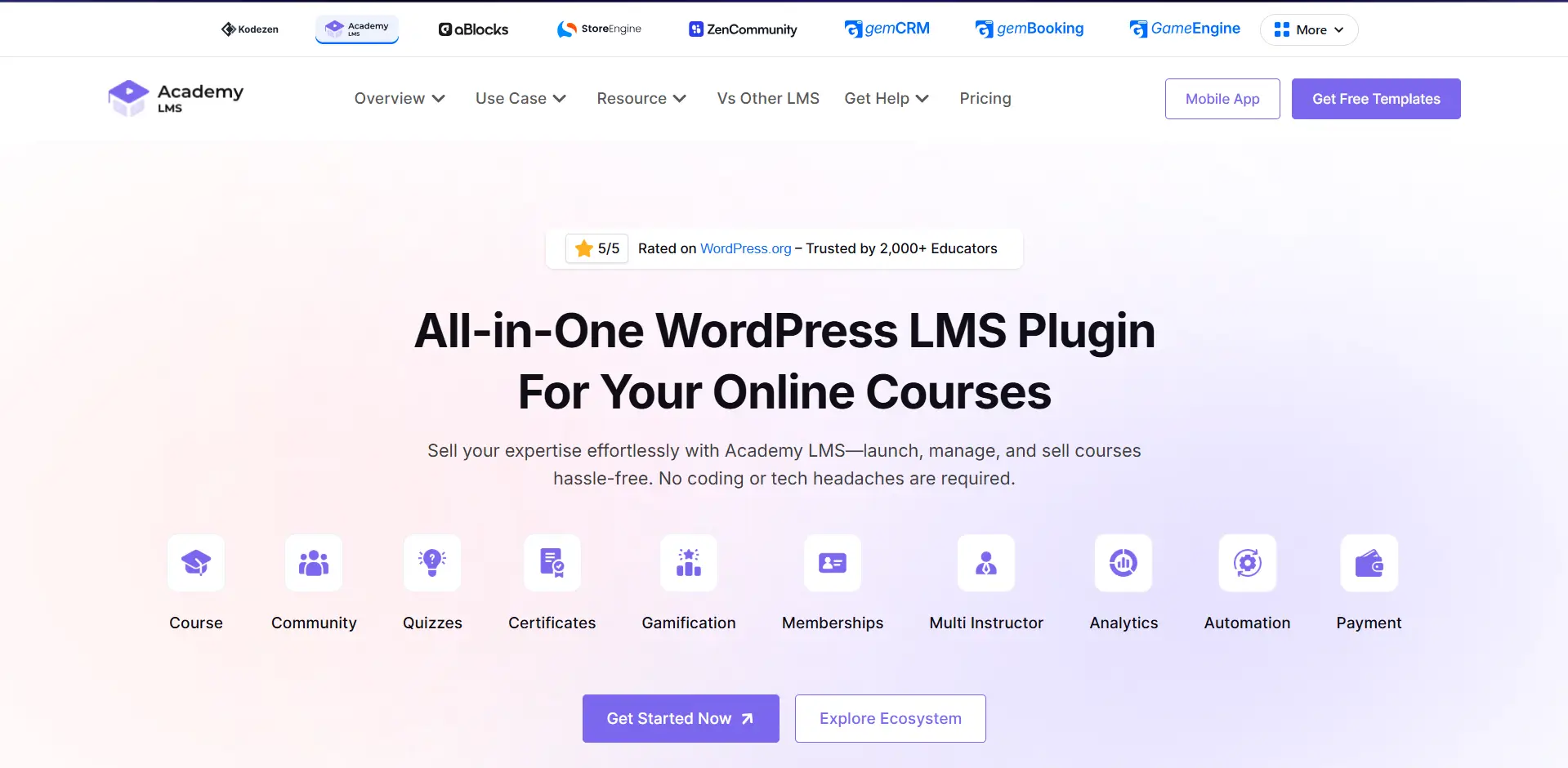
Academy LMS is the best WordPress LMS plugin for most course creators. It packs a full course platform, quizzes, certificates, payments, and an AI course generator into a free plugin. Its Pro plans are more affordable than almost every rival.
It is the flagship plugin of the Kodezen Ecosystem. Academy LMS runs on a React-powered admin, so it feels like a real app, not a slow WordPress screen. It also uses REST API technology for fast, smooth performance without unnecessary page reloads.
A deep add-on library lets it do things other plugins need separate tools for, which makes it one of the toughest names to beat in the LMS space.
What’s New in Academy LMS 4.0
The new version, Academy LMS 4.0, rebuilds almost every screen:
Setting It Up: Live in One Sitting
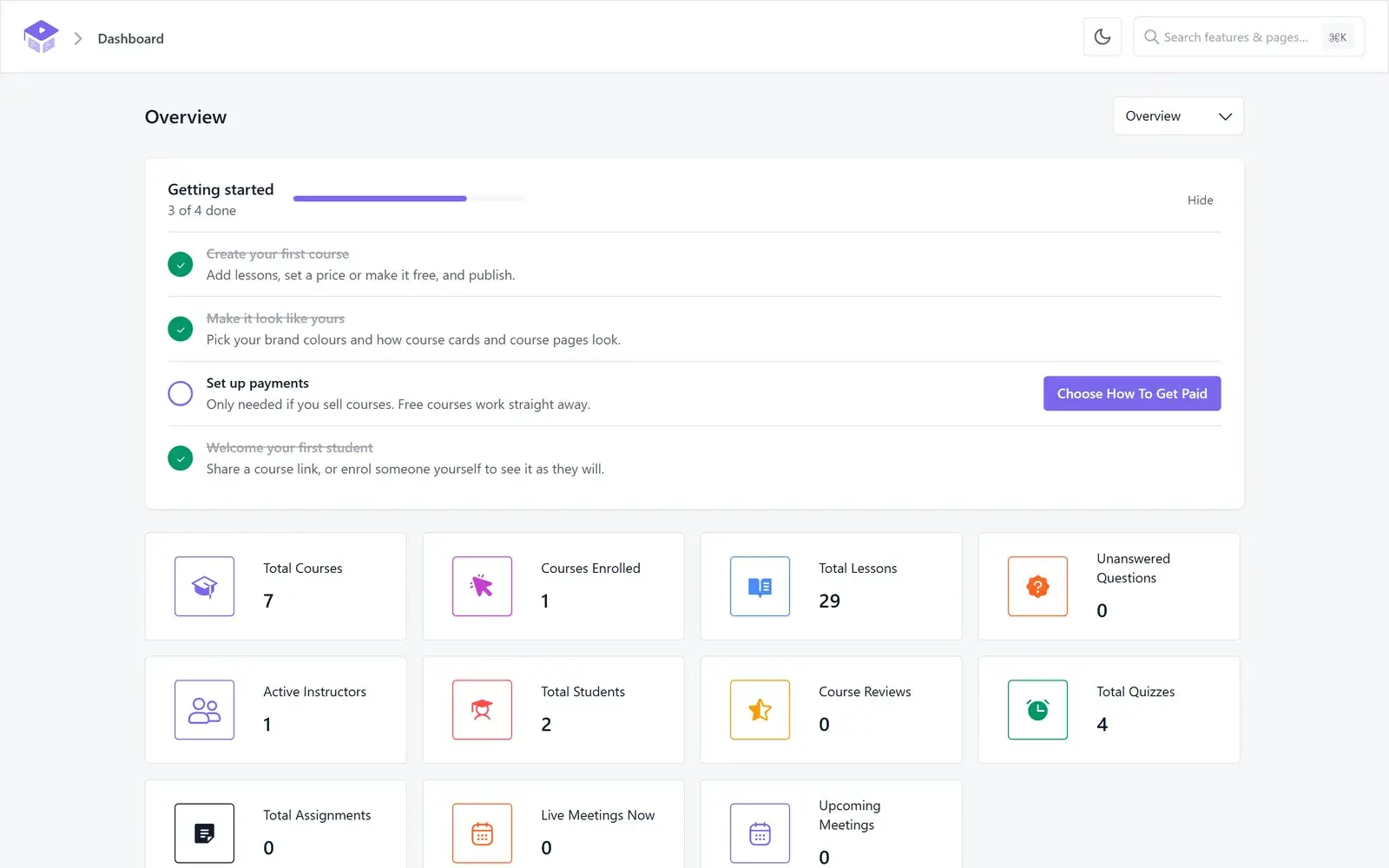
We installed Academy on a clean site and let the setup wizard lead. It sorted the pages, roles, and payments in a few steps, and we had our first course live the same day. We never opened the documentation once.
Building a Course in Three Steps
Building the course was the part that surprised us. Everything happens on one screen, in three clear steps: add the details, drag the lessons into order, then set the rules. We never hunted for a setting, because each step shows only what belongs to it.
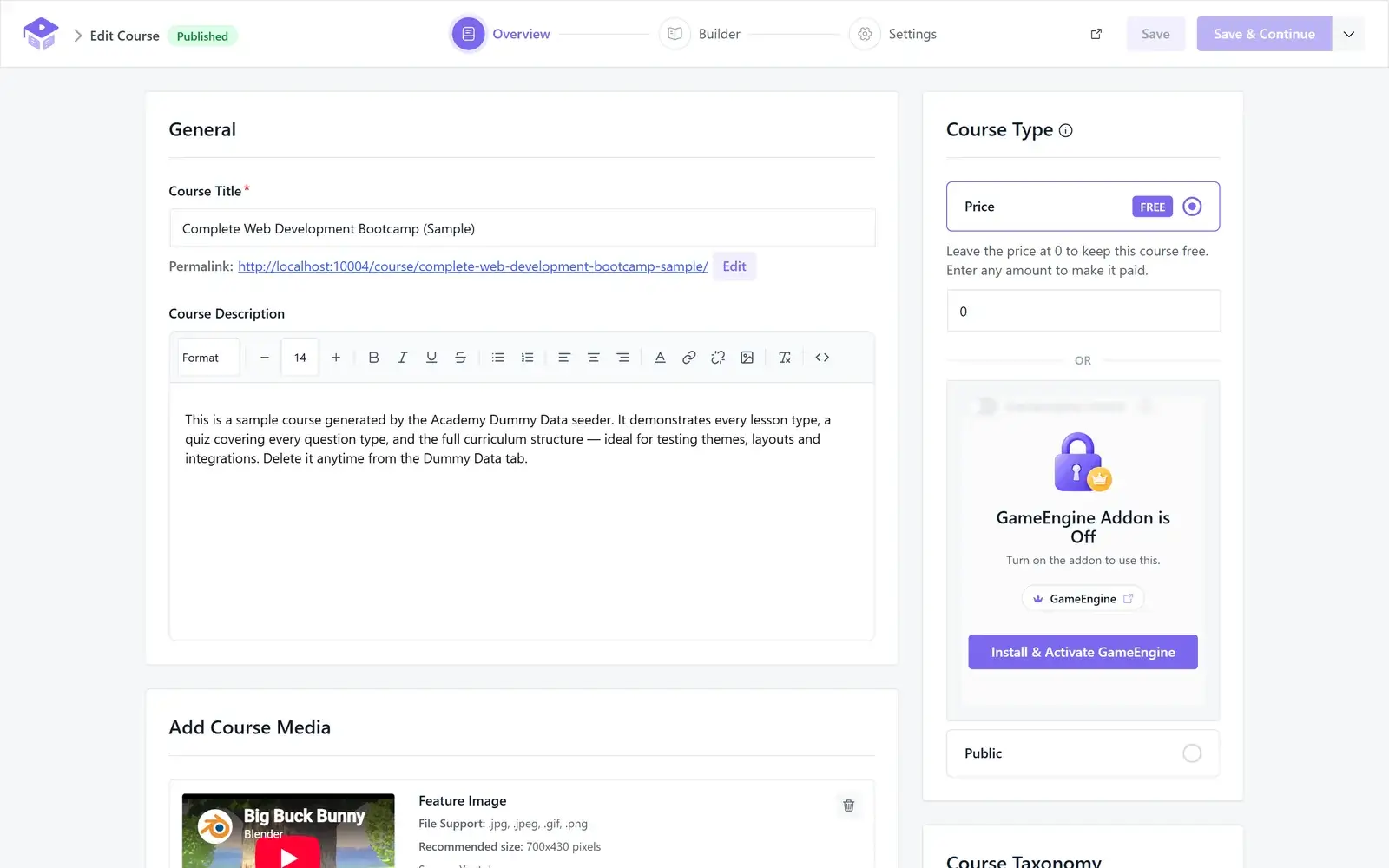
When a feature needed an add-on, Academy pointed us to the exact one instead of leaving us to search. It felt less like configuring a plugin and more like using an app built for the job.
What Do You Get for Free with Academy LMS?
Can a free WordPress LMS really include advanced features? With Academy LMS, yes. The free version includes advanced quizzes, certificates, course previews, student notes, and AI Studio — giving you powerful tools to create and manage courses without paying for Pro.
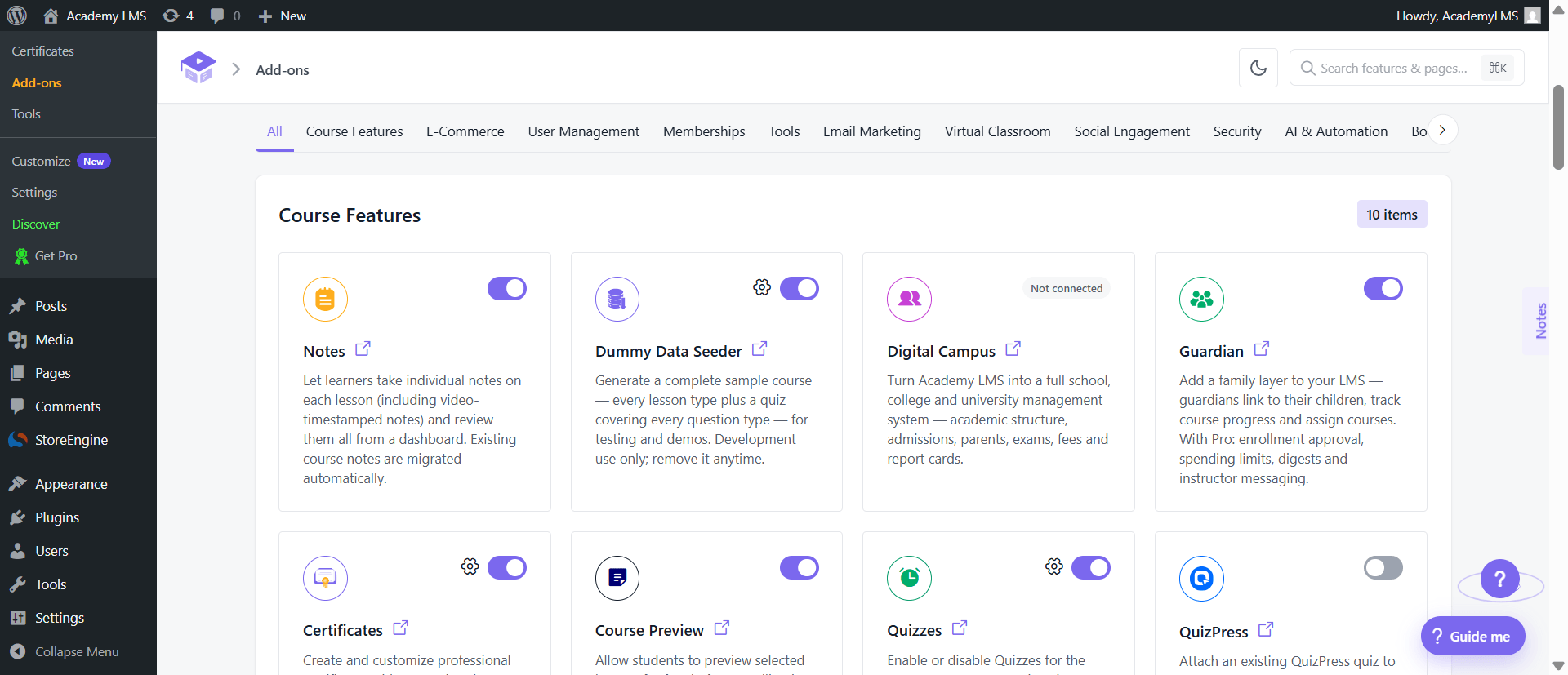
Can it handle more than online courses? Yes. Add-ons like Digital Campus and Guardian let you extend Academy LMS into a complete learning system for schools, colleges, students, and parents.
That makes the free version far more than a basic LMS — it gives you the foundation to build a complete digital learning platform for free.
AI course creation (free)
Academy LMS includes AI Studio in the free version. You type a prompt, and it drafts course outlines, lessons, quizzes, and images. Most rivals lock AI behind a Pro plan.
Selling and payments (free)
You can charge for courses right away, through StoreEngine, WooCommerce, or Easy Digital Downloads. Academy LMS’s native StoreEngine works as its payment engine, giving you the flexibility to create different payment and access options such as memberships, subscriptions, free trials, limited-time access, and lifetime access.
Academy LMS supports multiple instructors with revenue sharing and frontend withdrawals, so a marketplace works out of the box. No course limits, and no platform cut of your sales.
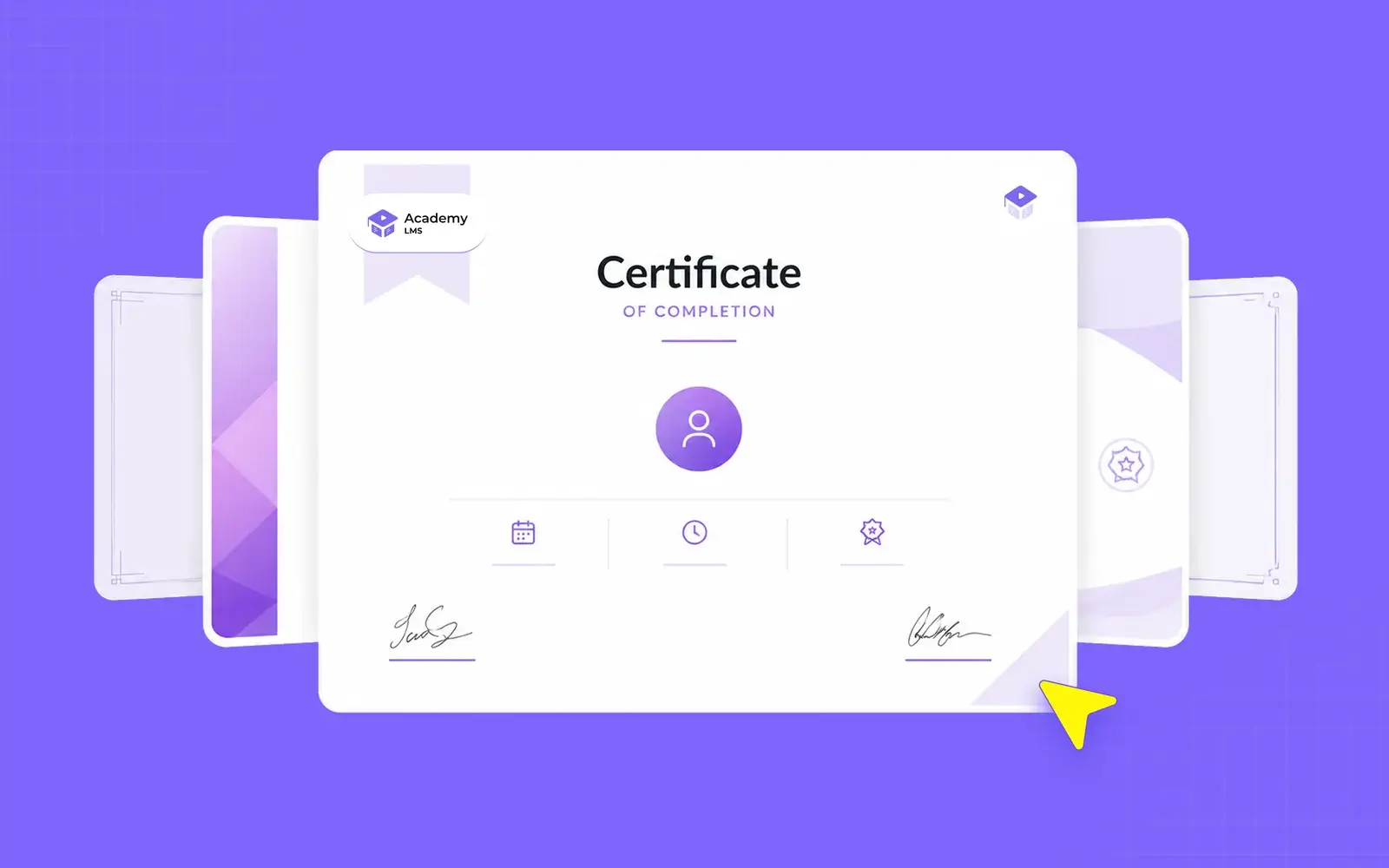
Certificates (free)
Design completion certificates in a visual builder, with QR-code verification. Students get a certificate worth sharing.
Free in Academy LMS, paid or missing elsewhere:
|
Feature |
Academy LMS |
Tutor LMS |
Masteriyo |
|
AI course creation |
✅ Free |
Pro |
— |
|
Question bank |
✅ Free |
Pro |
Pro |
|
Multi-instructor + revenue share |
✅ Free |
Pro |
Pro |
|
Guardian / Family (parents) |
✅ Free |
— |
— |
|
Certificate builder |
✅ Free |
Pro |
Free |
|
Digital Campus |
✅ Free |
— |
— |
The Student Side: a Learn Page They Stay On
We then viewed the course as a student. The learn page is calm and focused. Notes, questions, and progress slide in from the side, so you never lose your place in a lesson.
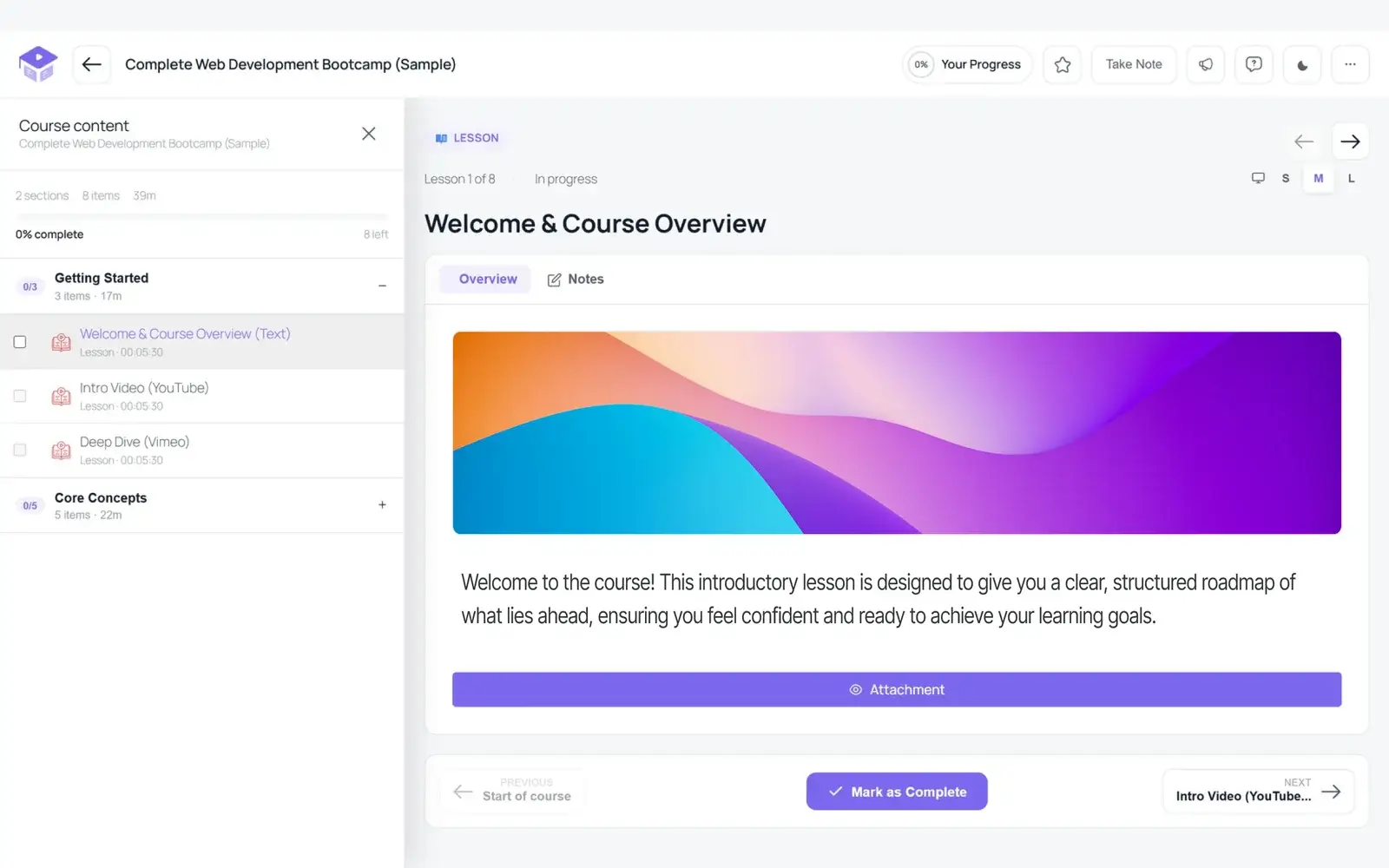
You can make the text larger, switch to dark mode for night study, and it holds up well on a phone. This is the screen students live in, and it shows the most care.
Value: the Most for the Least
When we added it up, Academy gave us more for free than any plugin we tested, and its paid plans still start lower than the rest. For a creator watching the budget, that mix is hard to beat.
When you grow, Pro grows with you. Pro adds the tools bigger teams need: SCORM, drip-fed lessons, live classes with Zoom and Google Meet, assignments, a grade book, gamification, and white-label branding. Version 4.0 also adds a Course Active Timer that runs on the server, so a student cannot reset it, and a full school module with exams, attendance, and fees.
Built to a Standard You Can Trust
Academy 4.0 now follows WordPress VIP coding standards, the same bar used for enterprise WordPress sites, and it is updated almost every week. Course creators rate it 4.9 out of 5 on WordPress.org, the highest score of any plugin in this guide.
Honest Limitation
SCORM, content drip, and live classes are Pro-only. If you run corporate training that needs SCORM from day one, budget for the upgrade.
Pricing
Academy LMS is free on WordPress.org. Pro starts at $99/year for one site, the lowest entry price in this guide, up to $699/year for unlimited sites. Every plan has a 14-day money-back guarantee.
Try Academy LMS
Bottom line: for most creators, Academy LMS is the simplest way to launch a course site today, and it keeps up as you grow.
You also get more than an LMS. Academy is part of the Kodezen ecosystem, a family of WordPress plugins built to work together. Need a community, advanced quizzes, a video player, a CRM, gamification, or automation? Each one is its own plugin, and each has a free version. So you can grow your course business without paying for a stack of separate tools.
2. LearnDash — Best for Universities and Big Training Teams
LearnDash is one of the oldest and most popular premium WordPress LMS plugins. It is built for organizations that run structured, formal training, more than for creators starting on a budget.
It has no free version, which tells you who it is built for. You pay from day one, starting at $259 a year. In return, you get deep reporting and a mature feature set that large teams rely on.
It is used at scale, with more than 100,000 active sites and 25 million learners taught. On Trustpilot it holds a 4.3 out of 5 from 210 reviews.
What Stands Out in LearnDash
Setting It Up
LearnDash is paid, so we used the 48-hour trial to test it. Setup is straightforward: you install it, connect a payment gateway, and start building. It is a little more hands-on than a wizard-driven plugin, but nothing here is difficult.
Building a Course
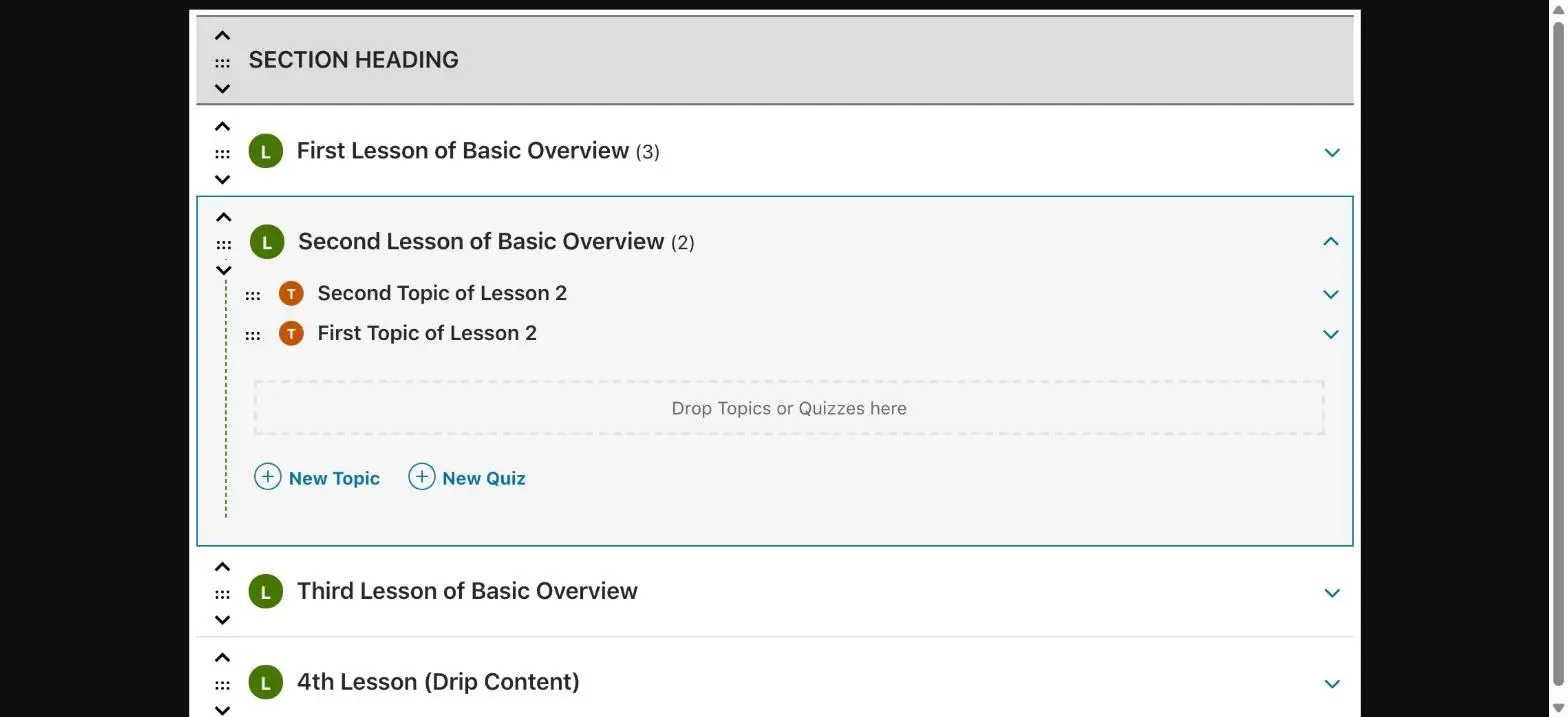
Courses are organized into sections, lessons, and topics, and you drag them into order. Shared Course Steps let you reuse a lesson across courses, which saves real time on a big catalog.
The quiz engine is a highlight, with eight question types covering everything from multiple choice to sorting and audio. One note: the AI course and quiz builders are Pro-plan features, so on the entry tier you build the manual way.
The Free Tier
There is no free tier at all. The only way to try LearnDash is the 48-hour trial, and after that you pay to keep using it. If you want to launch on zero budget, this is where LearnDash rules itself out.
The Student Side
Students get a clean lesson view, and focus mode removes your header and menus so only the content shows. A progress bar and a course sidebar keep learners oriented as they move through the lessons.
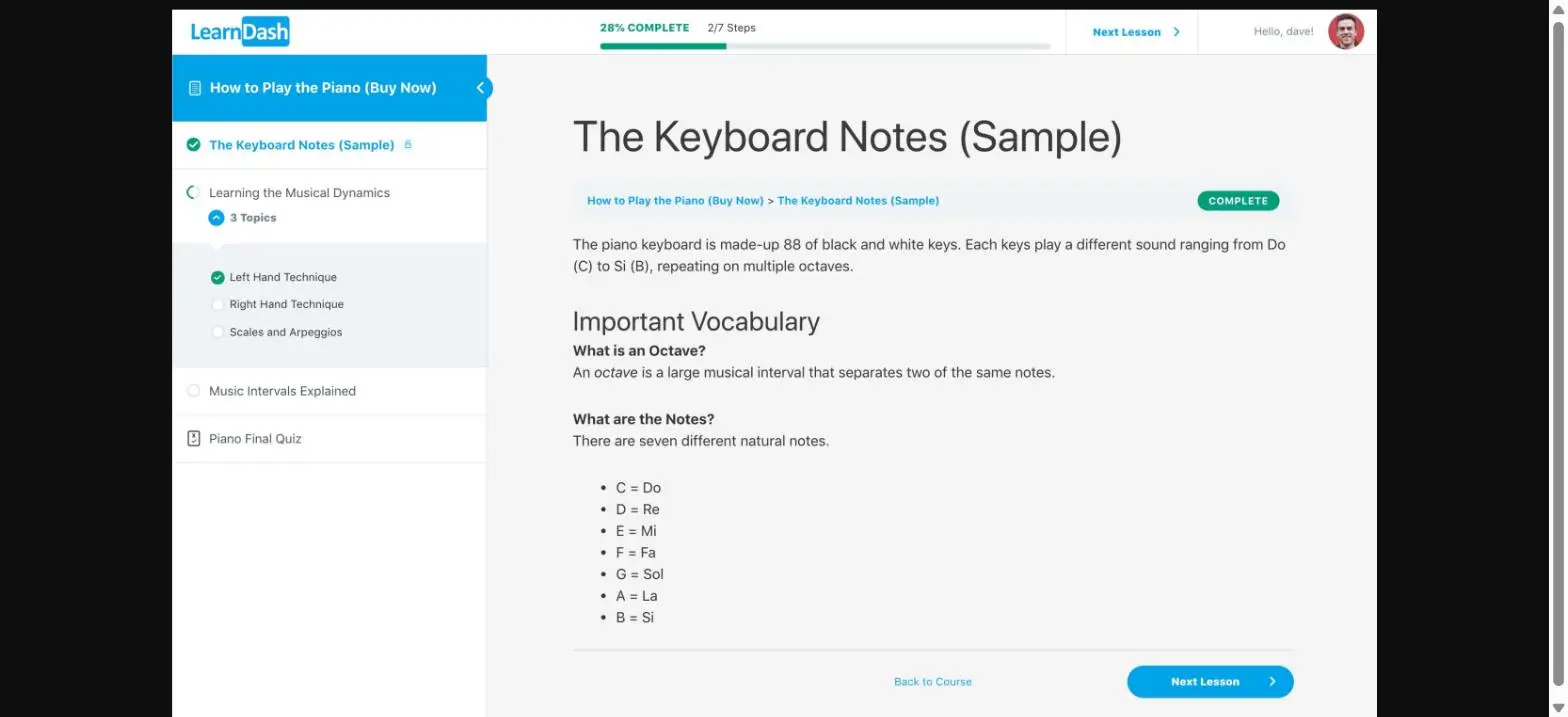
The design leans more traditional than the newest plugins, but it does the job well.
Selling and Payments
Stripe and PayPal are built in, so you can sell courses without WooCommerce. If you want to run a marketplace with multiple instructors, or sell seats to a company, those tools live on the top Elite plan at $599 a year.
Value for Money
This is where you feel the price. The features most people want, the AI builders and ProPanel reporting, are not in the $259 Essentials plan, so serious users end up on Pro or Elite. Next to the strong free plugins on this list, that is a real investment to make before you have earned your first dollar.
Reporting and Analytics
Reporting is LearnDash’s strongest area. On the Pro plan, ProPanel gives you a live dashboard of enrollments, quiz results, completion rates, and where learners drop off. If you have to prove that staff finished a compliance course, this is genuinely useful.

Honest Limitation
There is no free tier, and the features that matter most sit on the higher plans, so the real cost is usually well above the entry price. LearnDash is also heavier than newer plugins, so you will want a fast, quality host.
Pricing
Essentials is $259 a year, Pro is $399, and Elite is $599, each with unlimited courses and learners. A 48-hour trial lets you try before you buy.
Bottom Line
LearnDash suits universities and large training teams that need serious reporting and have the budget for it. If you want most of that power with a free version and a lower price, see our full Academy LMS vs LearnDash comparison.
3. MemberPress — Best for Memberships and Paywalled Content
MemberPress is not really an LMS first. It is a membership plugin that also builds courses. If your business runs on recurring access, subscriptions, and paywalled content, it is one of the strongest tools on WordPress.
It has no free version, and it is priced for established businesses. Plans start at $199.50 for the first year, and it openly aims at “seven-figure creators.”
Still, the people who use it rate it highly. On Trustpilot it holds a 4.8 out of 5 from 553 reviews.
What Stands Out in MemberPress
Setting It Up
There is no free plugin, so we set MemberPress up on a paid license. For a membership tool, the onboarding is smooth: you create your membership levels, choose what each level can see, and connect a payment gateway.
It also supports more payment methods than most, from cards and PayPal to Apple Pay, Google Pay, and buy-now-pay-later. If memberships are your goal, this setup feels natural.
Building a Course
MemberPress Courses surprised us. It is better than you would expect from a membership plugin, with a drag-and-drop editor where you add sections, lessons, and quizzes in a familiar WordPress layout.
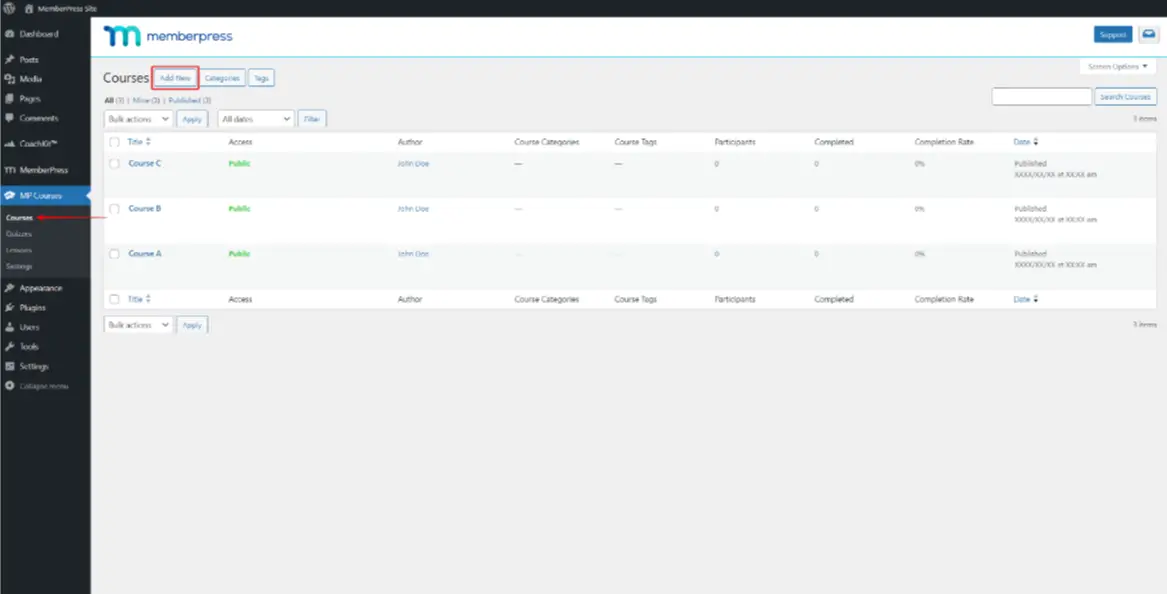
You also get quizzes with randomized questions, assignments, certificates, and drip content that unlocks lessons over time. Just remember these course tools live inside a membership product, so the deeper teaching features of a dedicated LMS are not the focus here.
The Free Tier
There is no free version at all. To use MemberPress, you start on a paid plan, and the entry Launch plan adds a 4.9% fee on every transaction. For a new creator testing an idea, paying upfront and giving up a cut of each sale is a hard place to begin.
The Student Side
Members get a clean course view and a simple dashboard where they manage their subscription and pick up where they left off. Drip content and access rules keep them on the right lesson at the right time.
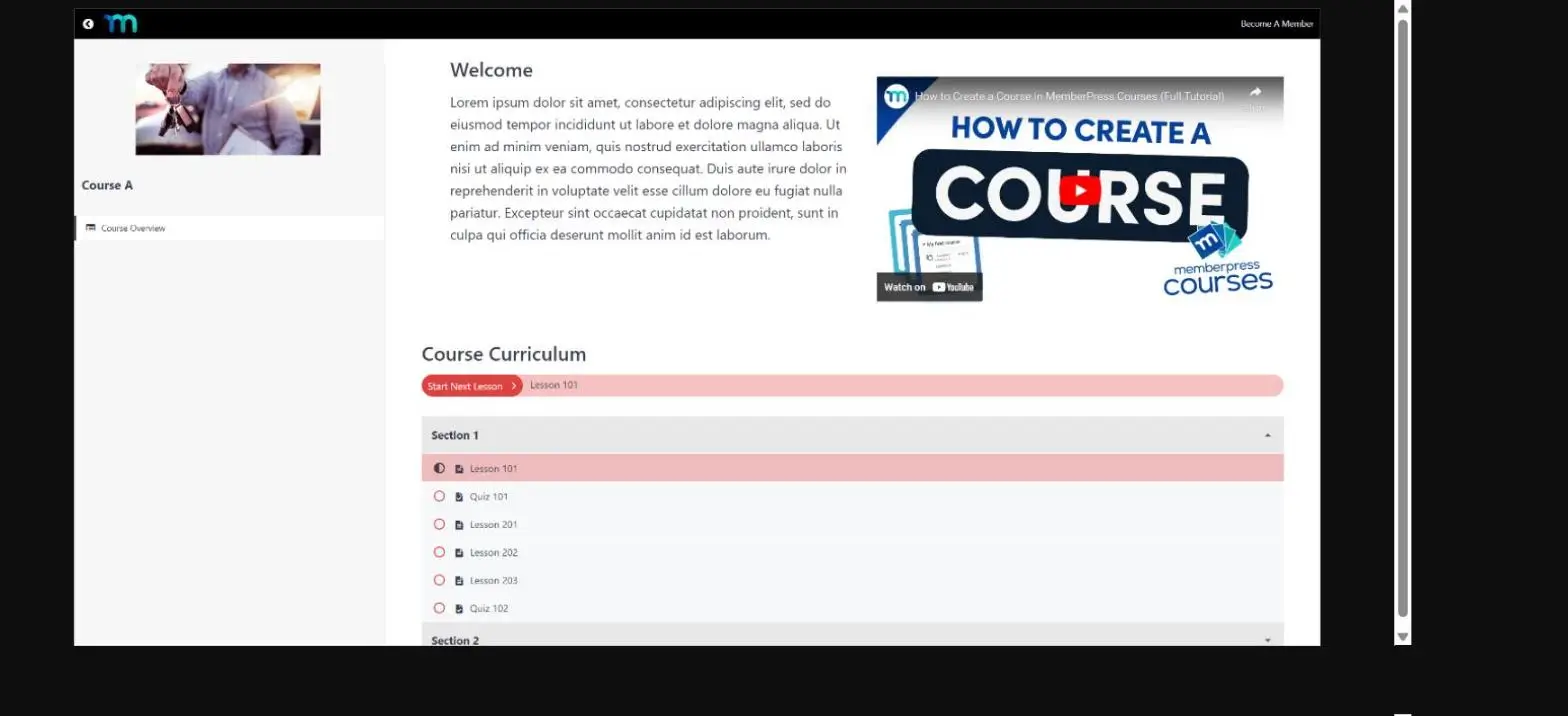
The experience is tidy, but it is built around membership access more than an immersive, distraction-free lesson player.
Selling and Payments
This is where MemberPress shines. Its access rules let you lock any page, post, category, or course behind a plan, so you decide exactly who sees what.
Subscription billing handles renewals, upgrades, and cancellations cleanly, and you get coupons, high-converting pricing pages, tax calculation, and PDF invoices out of the box. For a recurring-revenue business, few plugins give you this much control in one place.
Value for Money
The value depends on what you need. For a membership or subscription business, the price earns its keep, because you get a full billing and access engine, not just a course tool.
But if you only want to build and sell courses, you are paying for a membership system you may never use. And the 4.9% fee on the entry plan takes a bite out of every sale until you upgrade.
Honest Limitation
There is no free tier, the entry plan charges a 4.9% transaction fee, and the plugin is membership-first. For a simple course creator, that is more than you need, and the plans renew higher than the first-year price.
Pricing
Launch is $199.50 the first year (renews at $399) and includes a 4.9% transaction fee. Growth is $349.50 and Scale is $499.50, both with 0% transaction fees. There is no free version.
Bottom Line
MemberPress is the right pick when memberships and paywalled content come first, and courses second. If your main goal is to build and sell courses, a course-first plugin like Academy LMS gives you the same essentials with a free version and no transaction fees.
4. Tutor LMS — Modern, but the Essentials Sit in Pro
TutorLMS is one of the most popular WordPress LMS plugins, with a modern interface and a large free user base. It is easy to start with, but its “free” label is worth a closer look before you commit.
It is widely used, with more than 100,000 active installs. On WordPress.org it holds a 4.4 out of 5 from 500+ reviews.
What Stands Out in Tutor LMS
Setting It Up
Tutor LMS is free, so we installed it from WordPress.org and had it running in minutes. A setup wizard walks you through the basics, and the dashboard is clean and modern.
To charge for a course, though, you have to add WooCommerce. It is a free plugin, but it is an extra step, so native one-click selling is not part of the free core.
Building a Course
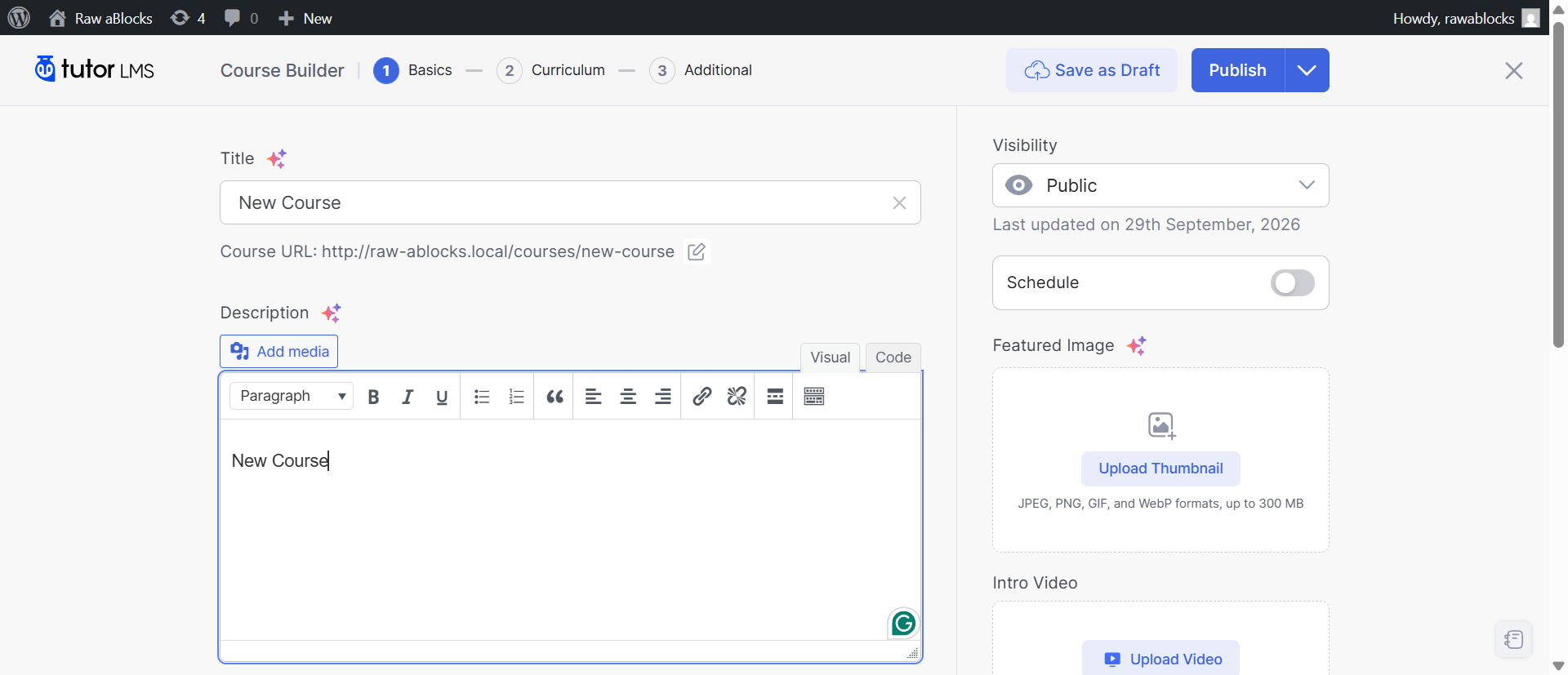
The course builder is one of Tutor’s highlights. You organize a course into topics, then drop in lessons, quizzes, and assignments, and you can build right from the front end of your site.
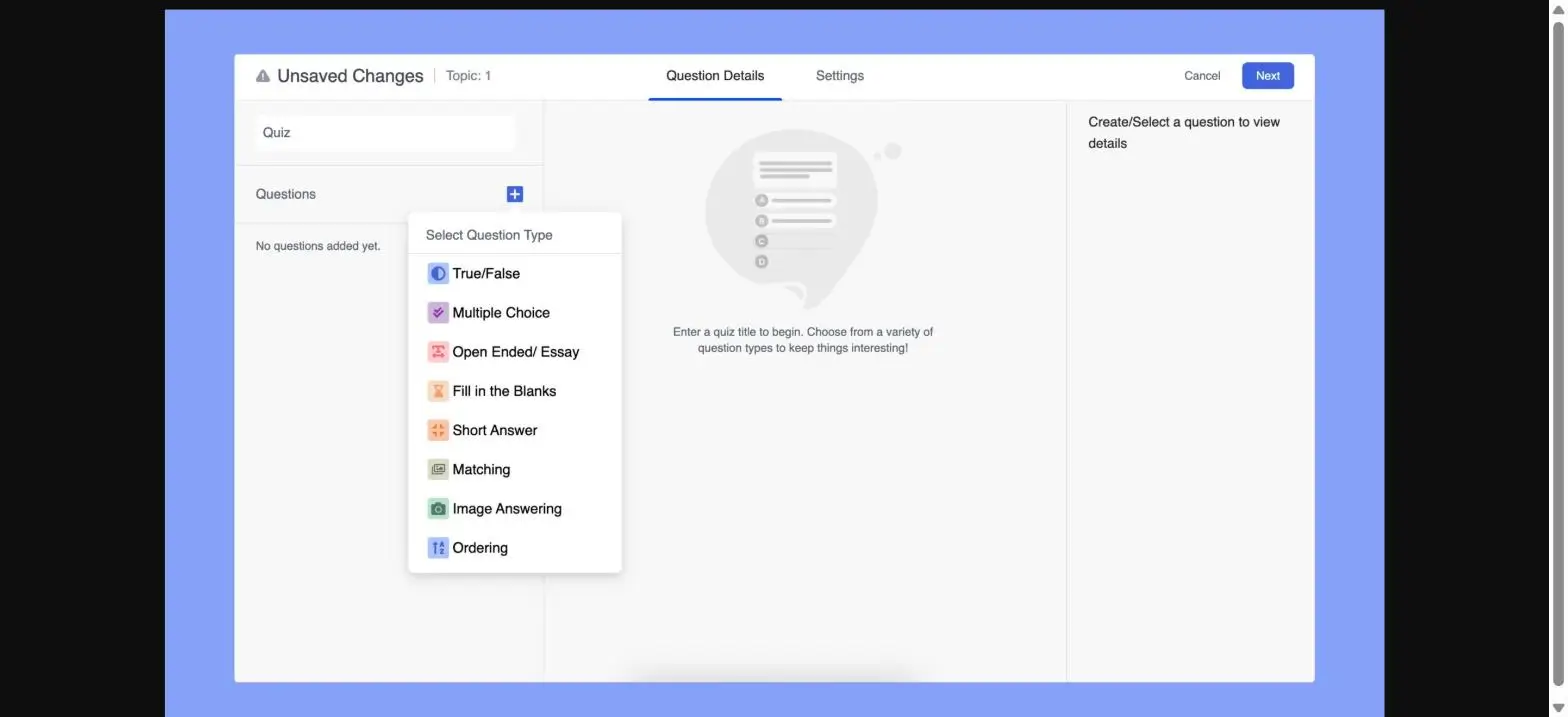
The quiz builder looks strong, with 13 question types like true/false, multiple choice, fill-in-the-blank, and matching. The catch is that the more advanced types are reserved for Pro, so the free set is smaller than the number suggests.
What “Free” Really Includes
Tutor’s free version covers the basics: unlimited courses, video lessons, a course preview, Q&A, and a quiz builder with the standard question types.
But many features you would call essential are Pro, not free. A drag-and-drop certificate builder, content drip, assignment grading, the advanced quiz types, and the multi-instructor marketplace all need a paid plan. Even selling a course needs WooCommerce added on top.
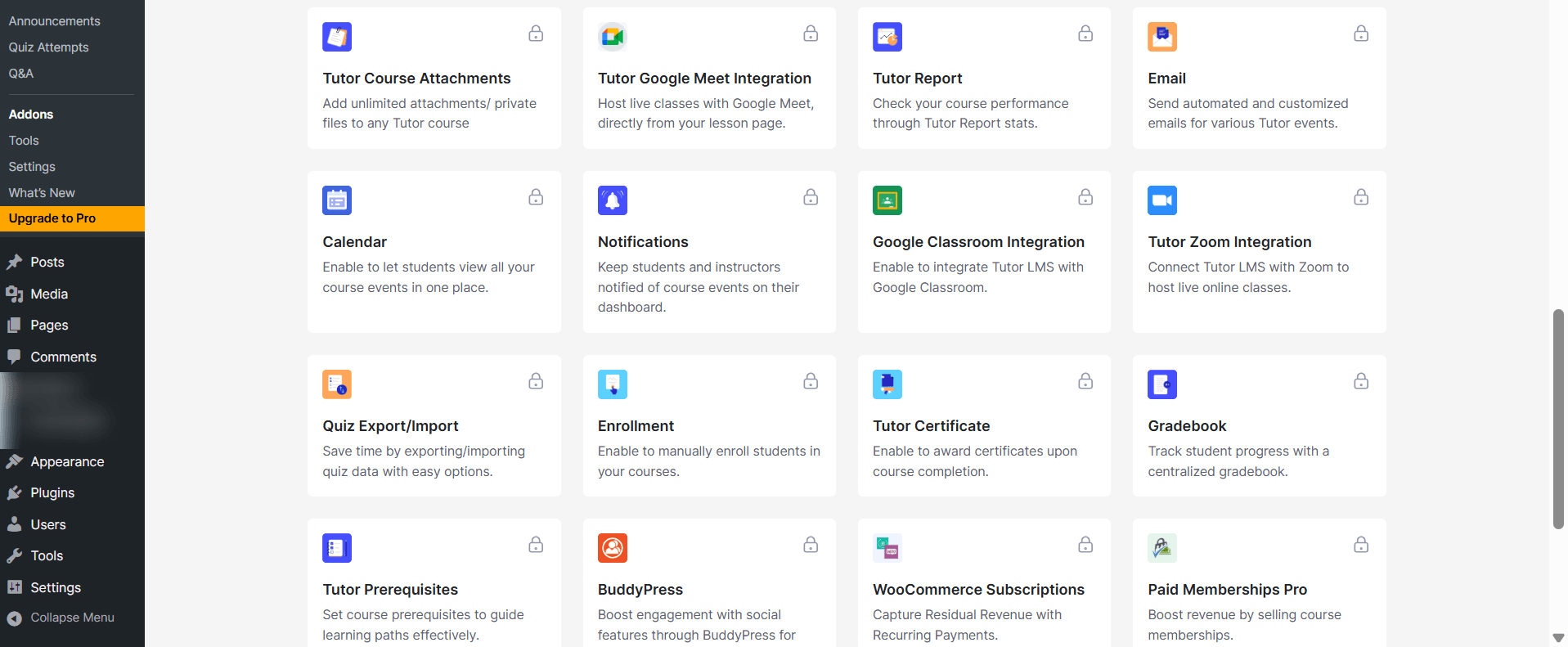
So the free version is better seen as a starting point than a complete toolkit. For comparison, Academy LMS includes many of these same features — certificates, a question bank, multiple instructors with revenue sharing, and AI course creation — in its free version.
The Student Side
The student learning area is clean and app-like. A progress bar and course sidebar sit beside the lesson, and students can take notes or ask questions without leaving the page.
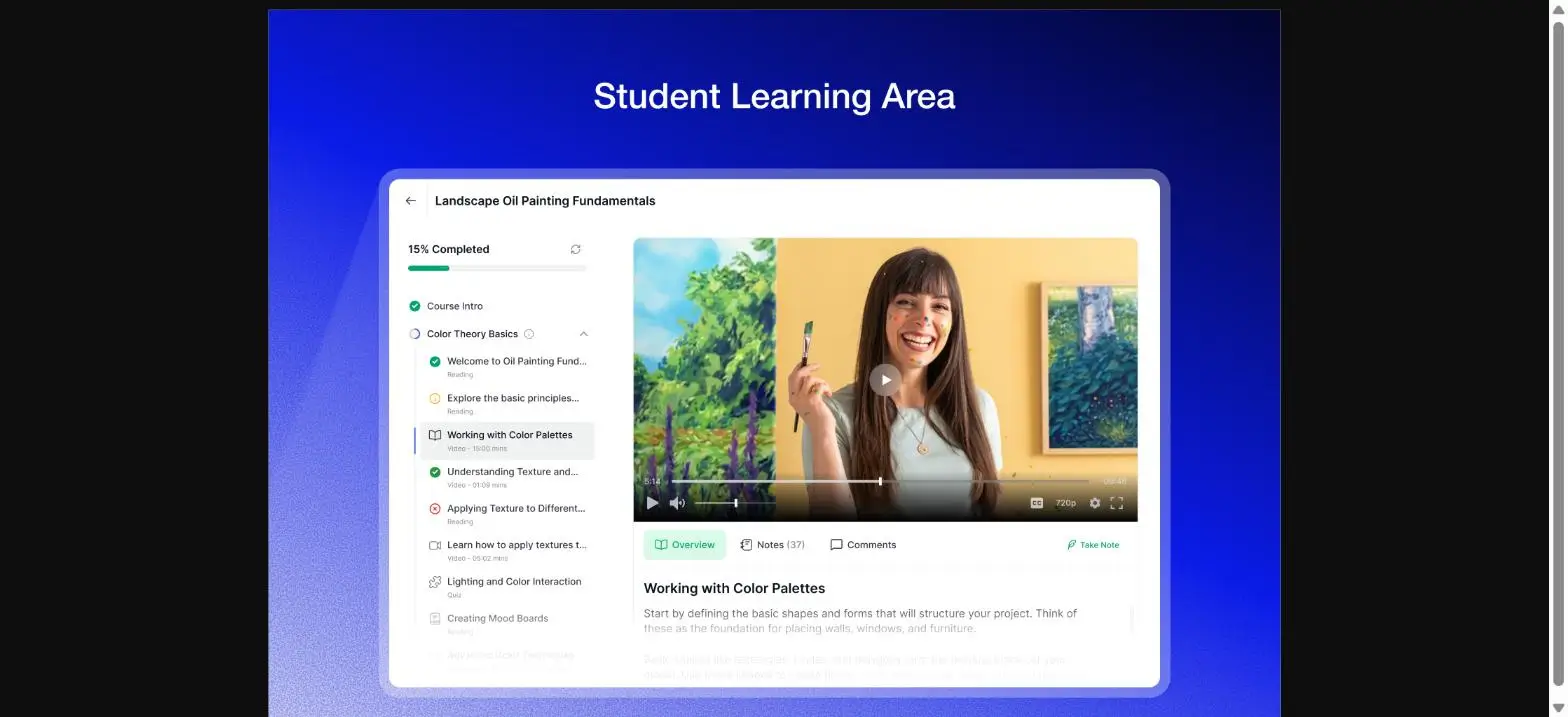
It feels modern on both desktop and mobile, and it is one of the nicer free student views we tested.
Selling and Payments
Tutor sells courses through WooCommerce, so you install that free plugin and connect your gateway. It works, but it is more setup than a plugin with checkout built in.
A full multi-instructor marketplace, course bundles, and subscriptions only arrive on Pro.
Value for Money
For most creators, Tutor Pro is not really optional, because the certificate builder, content drip, assignments, and marketplace all live there.
Pro starts at $199 a year. That is double Academy LMS’s $99 entry price, and Academy already includes many of those features for free, so the value gap is real.
Honest Limitation
The free version is limited to the basics, selling depends on WooCommerce, and the features that complete a course business sit in Pro at $199 a year.
Pricing
Tutor LMS is free on WordPress.org. Pro starts at $199 a year for one site, with Business at $399 and Agency at $799. Lifetime plans are available.
Bottom Line
Tutor LMS is a modern, capable plugin, but its free version is more of a starting point than a full solution, because the essentials sit in Pro. It is a solid choice if you want a clean, modern LMS and are ready to move to Pro as you grow.
5. LifterLMS — Best for Memberships and Coaching Programs
LifterLMS is a free WordPress LMS built for memberships, coaching, and structured learning programs. It fits best when your courses are part of a larger membership or coaching business, not just standalone lessons.
It has a smaller but loyal user base, with more than 10,000 active installs and a high 4.8 out of 5 rating on WordPress.org from nearly 400 reviews. Learners have earned over 9 million certificates and 1.8 million badges on the platform.
What Stands Out in LifterLMS
Setting It Up
LifterLMS has a free core, so we installed it and ran its 5-step setup wizard. It creates the pages you need and gets a basic course site ready quickly.
The dashboard is clean, and if your goal is a membership or coaching site, the structure makes sense from the start.
Building a Course
The course builder is drag-and-drop, and you organize your course into sections and lessons. LifterLMS supports a wide range of lesson types, from video and audio to PDFs, assignments, and quizzes.
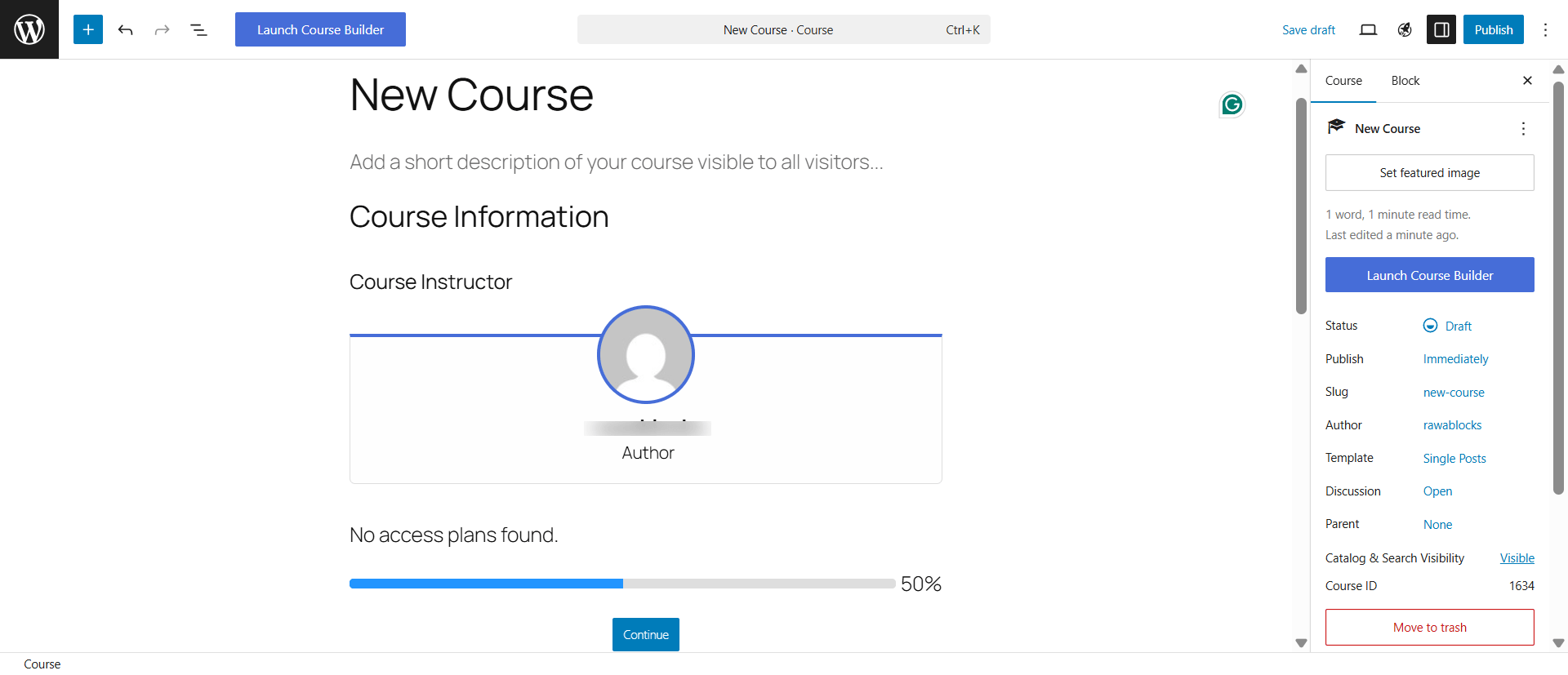
Engagement is where LifterLMS shines. It can award certificates and badges automatically as students hit milestones, which helps keep people moving through longer programs.
What You Get for Free
The free core is genuinely capable for teaching. You get unlimited courses and students, quizzes, and membership tools, with no limits on how much you publish.
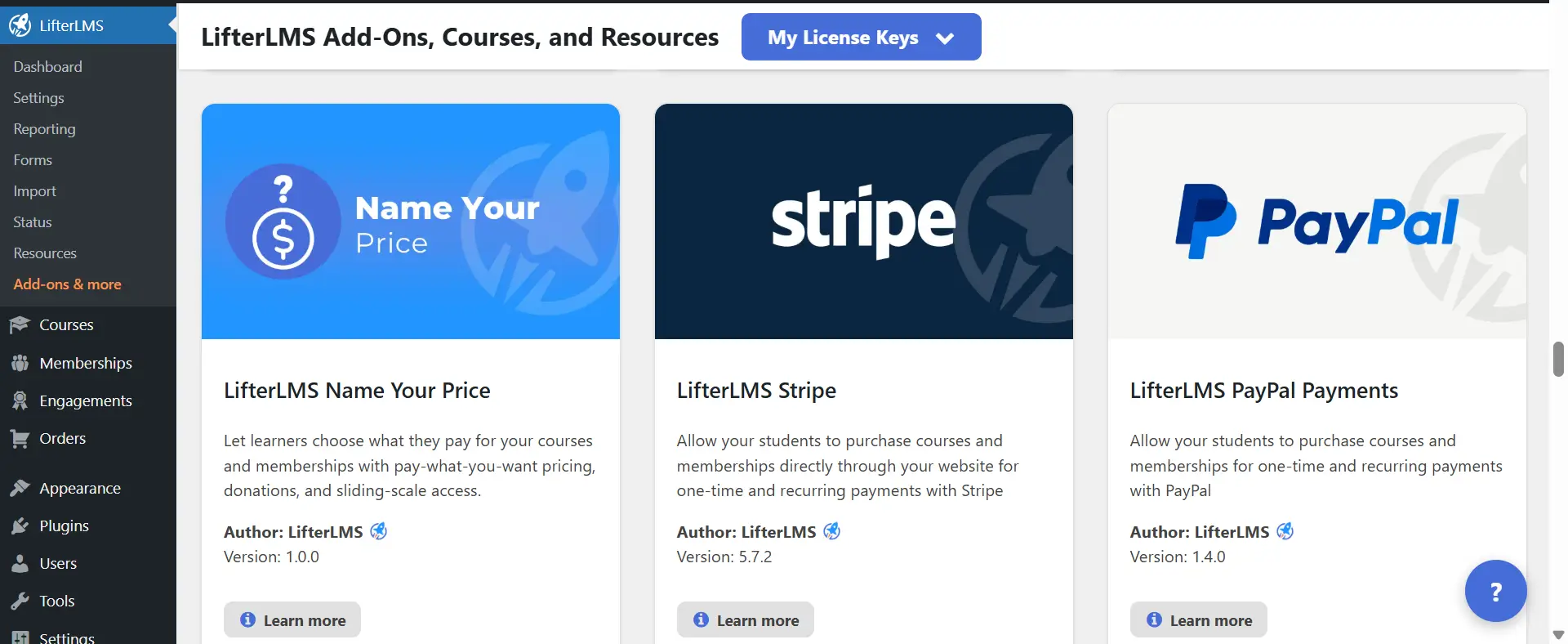
The catch is monetization. To accept card payments through Stripe or PayPal, you need a paid add-on, so the free version alone cannot run a real checkout.
The Student Side
The student dashboard is one of LifterLMS’s nicer touches. Learners see their courses, progress, memberships, achievements, and certificates all in one place.
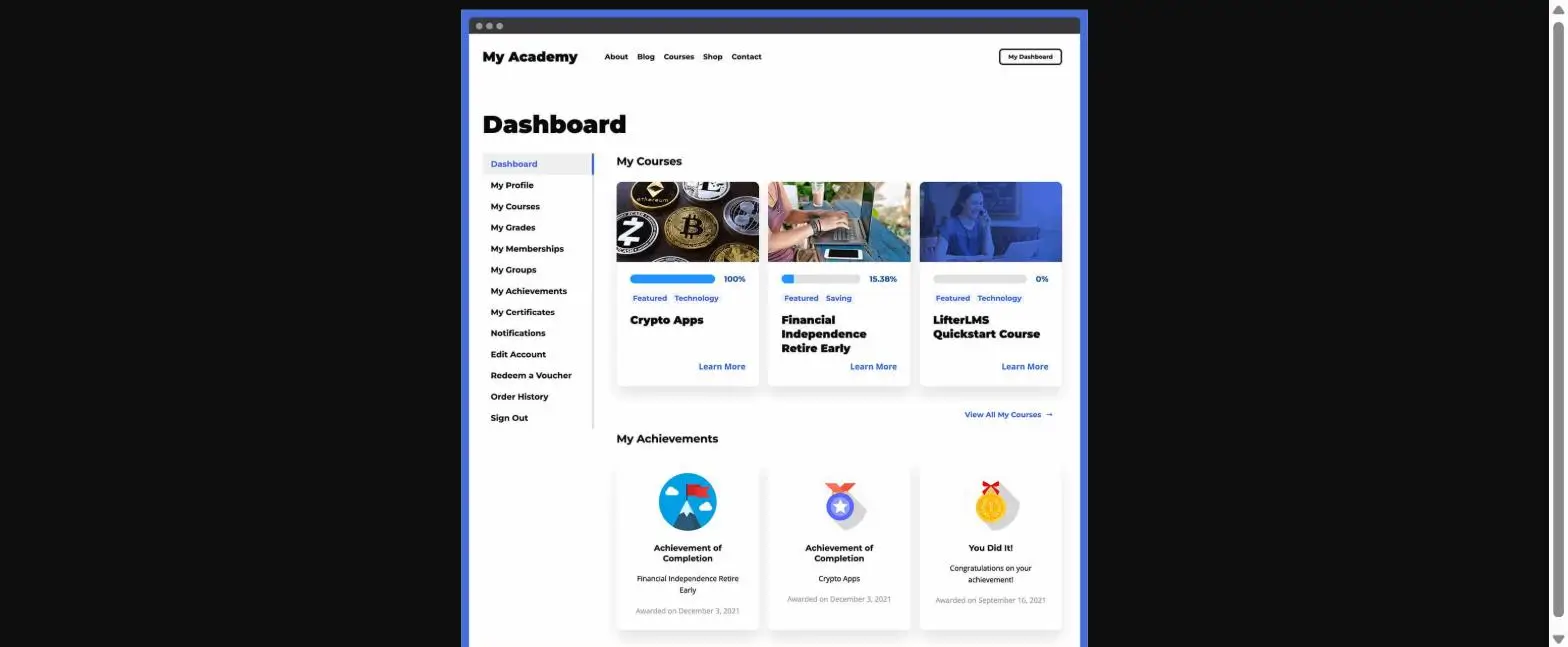
It is a tidy, motivating experience, especially for membership and coaching students who log in often.
Selling and Payments
This is the honest catch. LifterLMS sells through paid add-ons, not the free core. Stripe, PayPal, and other gateways each come through the add-on store or a bundle.
So while the plugin is “free,” charging money for a course means buying into a paid plan first.
Value for Money
LifterLMS uses an add-on and bundle model. The Earth bundle is $199 a year, Universe is $299, and Infinity is $799, depending on how many add-ons and sites you need.
For a membership or coaching business, that can be worth it. But if you just want to sell a course, paying $199 a year to unlock a payment gateway is a lot, especially next to plugins that include payments for free.
Honest Limitation
The free core cannot take card payments on its own, and the add-on model gets pricey as you add features. Its ecosystem is also smaller than the biggest names, so there are fewer third-party extensions.
Pricing
LifterLMS core is free. Paid bundles are Earth at $199 a year, Universe at $299, and Infinity at $799, each adding more add-ons, sites, and support.
Bottom Line
LifterLMS is a great fit for membership sites and coaching programs that value engagement and structure. If your main goal is to build and sell courses without paying for a payment add-on, a course-first plugin like Academy LMS includes payments and the core tools for free.
6. LearnPress — Best for a Simple, Free Start
LearnPress is the most-installed free WordPress LMS, with a simple approach that makes it easy to publish your first course. It fits if you want a no-cost start and do not need advanced features on day one.
It is widely used, with more than 70,000 active installs, and it often comes bundled with education themes. On WordPress.org it holds a 4.3 out of 5, the lowest of the free plugins in this guide, but still solid.
What Stands Out in LearnPress
Setting It Up
LearnPress installs from WordPress.org for free, and if your theme already bundles it, you may have it set up already. Creating a course uses the familiar WordPress editor, so there is almost no learning curve.
You add a course, build the curriculum, and publish, all within a screen that feels like editing a normal post.
Building a Course
The course builder is straightforward. You add a course, then structure it with sections, lessons, and quizzes.
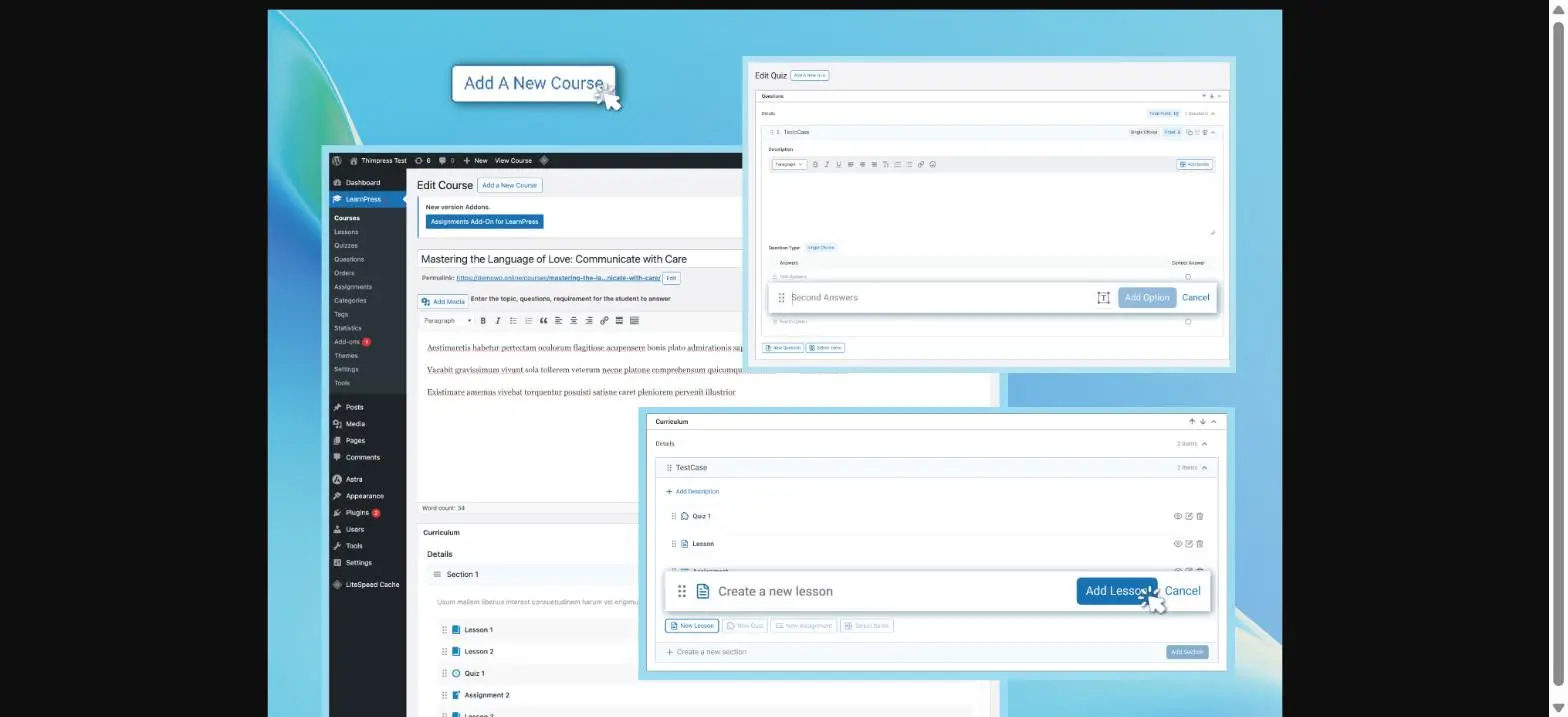
It gets the job done, but the interface feels more dated than newer plugins, and some pieces, like assignments and certificates, come as separate add-ons rather than built in.
What You Get for Free
The free version covers the basics well: unlimited courses and lessons, quizzes, a student dashboard, and PayPal payments so you can charge from the start.
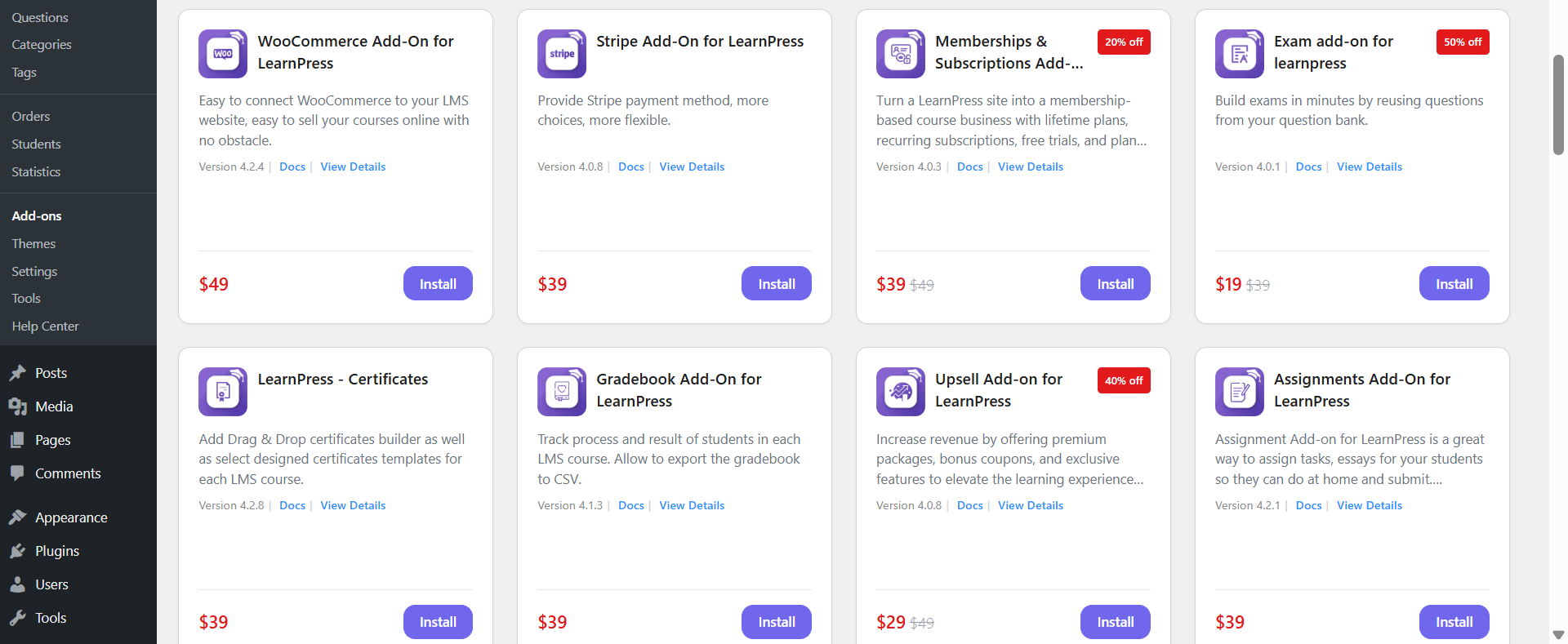
The limits appear fast, though. Stripe, certificates, content drip, a gradebook, and assignment grading all come as paid add-ons, so a complete setup means buying several of them.
The Student Side
The student learning page is clean and modern, more polished than the admin side. Learners get a course sidebar, progress tracking, video lessons, and a personal dashboard.
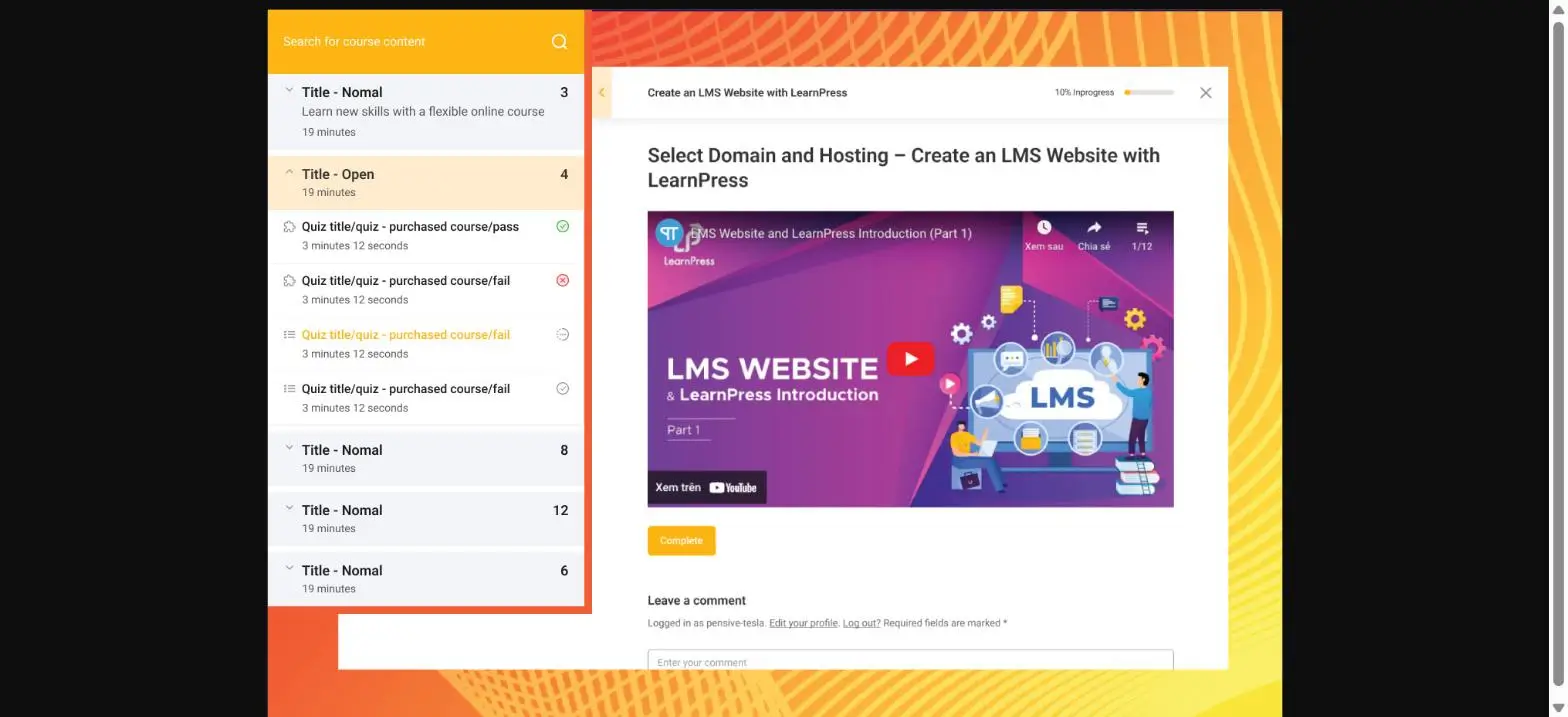
It works well on mobile too, which matters for learners on the go.
Selling and Payments
LearnPress lets you sell with PayPal for free, which is more than some rivals offer. To add Stripe, WooCommerce, or subscriptions, you install paid add-ons.
For a simple PayPal-only course, the free version is enough. For anything more, you move into the paid add-ons.
Value for Money
LearnPress uses an à-la-carte add-on model. Individual add-ons run about $30 to $49 each, and the full bundle is around $299.
If you only need one or two extras, this can be cheap. But if you want certificates, Stripe, and drip together, the costs stack up, and you may pay more than a plugin that includes them for free.
Honest Limitation
The free core is basic, and the features most creators need are paid add-ons. The admin interface is also dated, and its 4.3 rating is the lowest of the free plugins here.
Pricing
LearnPress core is free. Add-ons cost roughly $30 to $49 each, and the complete add-on bundle is around $299.
Bottom Line
LearnPress is a solid choice for a simple, free start, especially if it came with your theme. If you want certificates, a question bank, and built-in payments without stacking up add-ons, a course-first plugin like Academy LMS includes them free.
7. Masteriyo — Best for a Fast, Modern Free Setup
Masteriyo is one of the newest WordPress LMS plugins, and it has quickly become a strong free option. It is built on React, so it feels fast and modern, and it is the closest free rival to Academy LMS.
It is smaller than the older names, with around 6,000 active installs, but it is well liked, holding a 4.8 out of 5 on WordPress.org.
What Stands Out in Masteriyo
Setting It Up
Masteriyo installs free from WordPress.org, and a setup wizard creates all the pages you need in a few minutes. In our test, it was one of the quickest free plugins to get running.
The interface is genuinely modern, closer to Academy’s app-like feel than to the older plugins on this list.
Building a Course
The course builder is clean and organized around chapters and content. You add text and video lessons, quizzes, and more, then publish.
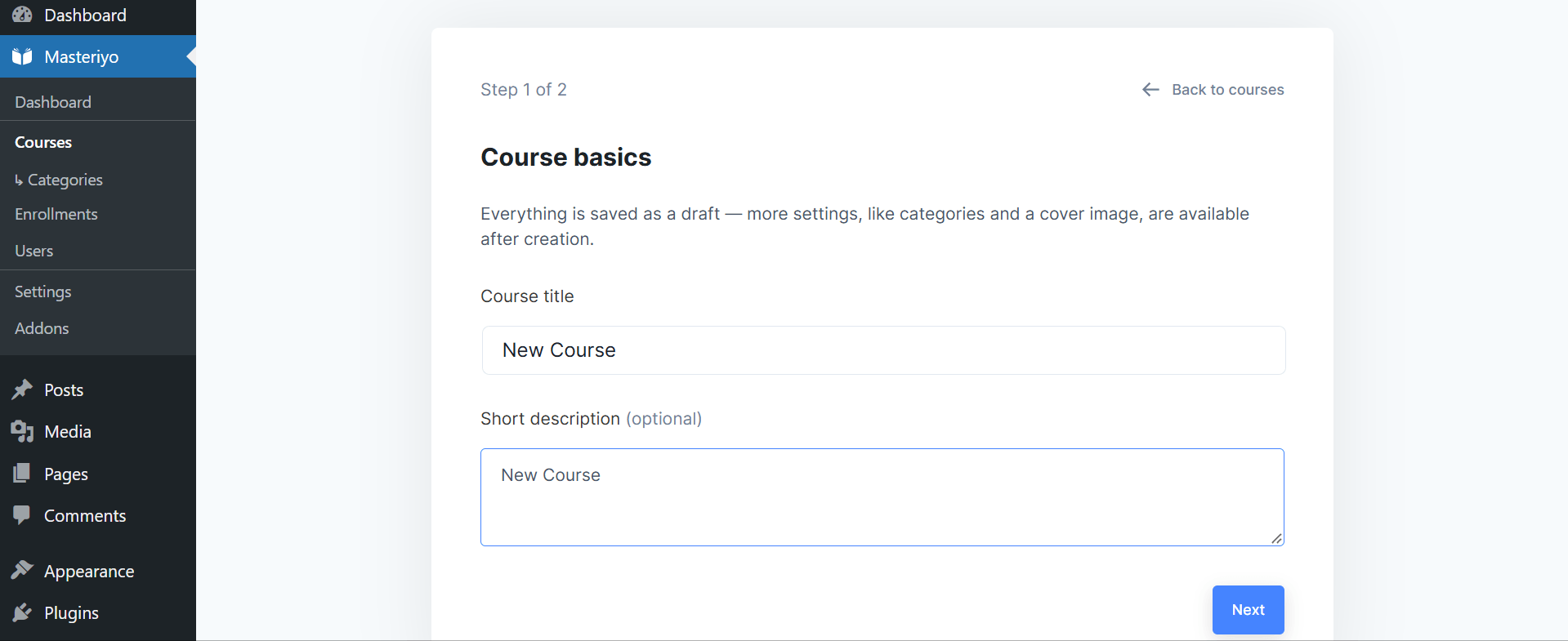
The quiz builder is a strong point, with 8 question types like true/false, multiple choice, matching, and fill-in-the-blanks. The reusable question bank, though, is a Pro feature.
What You Get for Free
Masteriyo has one of the most generous free tiers here. You can build courses, run quizzes, design certificates, and take payments through Stripe, PayPal, or Razorpay, all without paying or adding WooCommerce.
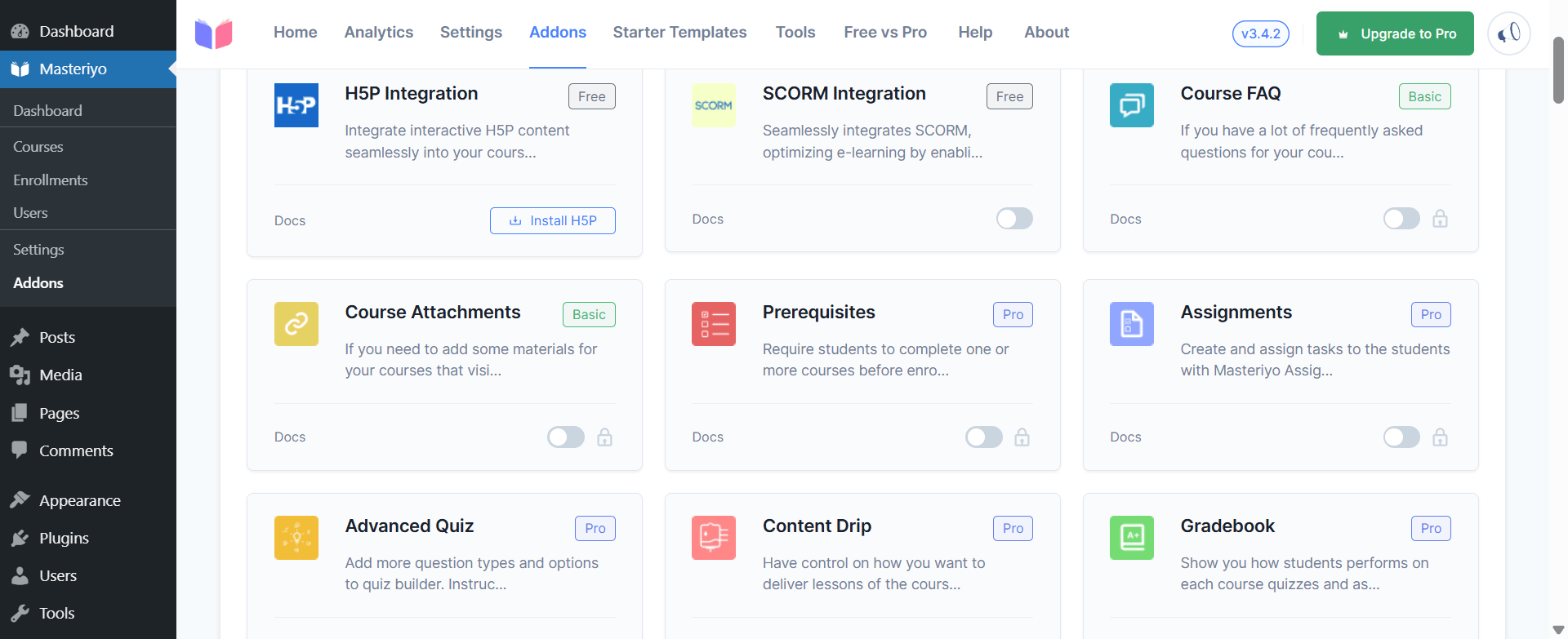
That covers most of what a solo creator needs to launch. The gaps show when you want to scale.
The Student Side
Students get a clean, focused learning page. Masteriyo’s focus mode strips away the header and menus so learners see only the lesson, much like the newer plugins.
It is a modern, comfortable experience on desktop and mobile.
Selling and Payments
This is a real strength. Unlike some rivals, Masteriyo includes card payments in the free version, so you can charge for a course on day one without extra plugins.
Subscriptions, a full multi-instructor marketplace, and other advanced selling tools arrive on Pro.
Value for Money
Masteriyo Pro starts at $99 the first year, the same entry price as Academy, though it renews at $199.
The catch is what sits behind Pro. Multi-instructor, the question bank, content drip, assignments, and live classes are all paid, while Academy includes several of those, plus AI course creation, in its free version.
Honest Limitation
Masteriyo is the newest and smallest of these plugins, so it has a shorter track record and a smaller add-on ecosystem. The tools that grow a course into a business are Pro.
Pricing
Masteriyo is free on WordPress.org. Pro starts at $99 the first year (renews at $199), with higher tiers at $149 and $399.
Bottom Line
Masteriyo is an excellent free choice if you want a fast, modern LMS and mainly need the basics. If you want the advanced tools — a question bank, multiple instructors, and AI, included free — and a larger ecosystem to grow into, see how it compares in our Academy LMS vs Masteriyo comparison.
Free vs Paid WordPress LMS: Which Should You Pick?
Most people should start with a free WordPress LMS plugin and upgrade only when a paid feature pays for itself.
A good free plugin covers the basics: unlimited courses, quizzes, students, and sometimes payments. Academy LMS, Masteriyo, Tutor LMS, LifterLMS, and LearnPress all have a free version, while LearnDash and MemberPress are paid only.
But “free” is not equal. Academy LMS gives you the real essentials for free, including a question bank, certificates, multiple instructors, and payments. Others hold those back: Tutor and LearnPress keep certificates and advanced quizzes for paid add-ons, and LifterLMS needs a paid add-on just to take card payments. To compare the no-cost options, see our guide to the best free WordPress LMS plugins.
Pay only when a feature will earn or save you more than it costs, like content drip, live classes, a course marketplace, or SCORM for corporate training. Academy Pro starts at $99 a year, the lowest here, while LearnDash and MemberPress begin around $199 to $259.
How to Choose the Right WordPress LMS Plugin
Before you pick a plugin, weigh it against a few simple questions. These are the factors that matter most in real use.
Run any plugin through these six checks and the right choice becomes clear. If you want an all-in-one, modern, and free WordPress LMS that ticks every box, Academy LMS is the safest place to start.
Best WordPress LMS Plugin for Different Use Cases
Different projects need different tools. Here is the best fit for the most common cases.
|
Use case |
Best pick |
Why |
|
An all-in-one, modern free LMS |
Academy LMS |
Quizzes, question bank, certificates, multi-instructor, and payments, all free |
|
University & compliance training |
LearnDash |
Deep reporting and formal course structure |
|
Membership & paywalled content |
MemberPress |
The strongest access rules and subscription billing |
|
Coaching & structured programs |
LifterLMS |
Engagement tools like badges and achievements |
|
A simple, no-cost start |
LearnPress or Tutor LMS |
Quick, familiar, and free to begin |
|
A course marketplace |
Academy LMS |
Free multi-instructor with revenue sharing |
Which WordPress LMS Should You Choose?
The best WordPress LMS plugin comes down to your goal. For most creators, Academy LMS offers the strongest mix: a genuinely capable free version, built-in payments, and Pro from $99 a year. Choose LearnDash for big institutions, MemberPress for memberships, LifterLMS for coaching, and Masteriyo or LearnPress for a quick, free start.
Whatever you pick, the real win of WordPress is ownership — you keep your site, your students, and your revenue. If you want the simplest way to launch today and room to grow, start free with Academy LMS.
Try Academy LMS Free
Frequently Asked Questions
Which is the best WordPress LMS plugin?
For most creators, Academy LMS is the best WordPress LMS plugin. It puts an AI course builder, quizzes, certificates, and built-in payments in one free plugin, with Pro from $99 a year. LearnDash is better for large universities, and MemberPress for membership sites.
Is there a free WordPress LMS plugin?
Yes. Academy LMS, Masteriyo, Tutor LMS, LifterLMS, and LearnPress all have free versions. Academy LMS gives the most for free, including a question bank, certificates, multiple instructors, and payments.
Is WordPress good for an LMS?
Yes. With an LMS plugin, WordPress becomes a full course platform — you build courses, run quizzes, enroll students, and take payments on a site you fully own. It is the most flexible, low-cost way to run an online school, and unlike Teachable or Kajabi there is no monthly fee or cut of your sales. For the basics, read what a learning management system is.
Can I sell courses on WordPress without WooCommerce?
Yes. Academy LMS (through StoreEngine), Masteriyo, LearnDash, and MemberPress all take payments natively — no WooCommerce needed. Tutor LMS requires WooCommerce, and LifterLMS needs a paid payment add-on before you can charge.
How do I create an LMS website in WordPress?
Install an LMS plugin, run its setup wizard, build your first course (lessons, a quiz, and a certificate), connect a payment option, then publish. With a modern plugin like Academy LMS, you can go from install to a live, paid course the same day.
What is the easiest WordPress LMS to use?
Academy LMS and Masteriyo are the easiest, thanks to modern, app-like setup wizards and a single-screen course builder. Older, editor-based plugins like LearnPress work but feel more manual.
Does a WordPress LMS support SCORM?
Yes, but usually on paid plans. Academy LMS supports SCORM on Pro, and LearnDash and LifterLMS support it on higher tiers. If you run corporate or compliance training, see our guide to SCORM on WordPress.