
A well-structured learning path helps students take courses in the right order instead of jumping between topics randomly. One of the simplest ways to create this structure in a WordPress LMS is by using course prerequisites.
If you’re building an online academy with WordPress, setting prerequisites can ensure that learners understand the basics before moving on to more advanced lessons.
In this guide, we’ll explain how course prerequisites work and how you can use a WordPress LMS to create a more organized learning experience.
What Are Course Prerequisites?
Course prerequisites are courses or learning requirements that students need to complete before they can access another course.
For example, imagine you have a web development academy with these courses:
Instead of allowing students to start with React immediately, you can structure the learning path like this:
HTML → CSS → JavaScript → Advanced JavaScript → React
Here, JavaScript Basics can be a prerequisite for Advanced JavaScript, while Advanced JavaScript can be a prerequisite for the React course.
This approach creates a logical progression and prevents beginners from starting with material that assumes previous knowledge.
Why Course Prerequisites Matter in a WordPress LMS
Without prerequisites, students can enroll in courses in almost any order. That may be fine for a general-purpose course marketplace, but it can create problems when your courses are designed as a structured curriculum.
Using course prerequisites with a WordPress LMS can help you:
Create a Clear Learning Path
Students can easily understand which course they should take first and what comes next.
Prevent Knowledge Gaps
Advanced courses often assume that students already understand specific concepts. Prerequisites help ensure those concepts have been covered.
Improve Course Organization
Instead of presenting dozens of unrelated courses, you can turn your course catalog into structured learning paths.
Make Advanced Courses More Meaningful
When learners arrive at an advanced course with the required foundation, the content can focus on more complex topics instead of repeating the basics.
A Practical Example With Academy LMS
Let’s say you sell WordPress courses and have a multi-tier curriculum. You can create branching paths rather than forcing everyone into the exact same sequence:
This structure gives learners flexibility. A student only interested in front-end design can follow the theme path, while an aspiring developer can follow the plugin path.
Step-by-Step: Setting Up Course Prerequisites in Academy LMS
Setting up course prerequisites in Academy LMS involves installing and activating Academy LMS, configuring the required add-on, creating your courses, and then defining which courses students must complete before moving to the next level.
In this guide, we’ll walk through the complete process step by step.
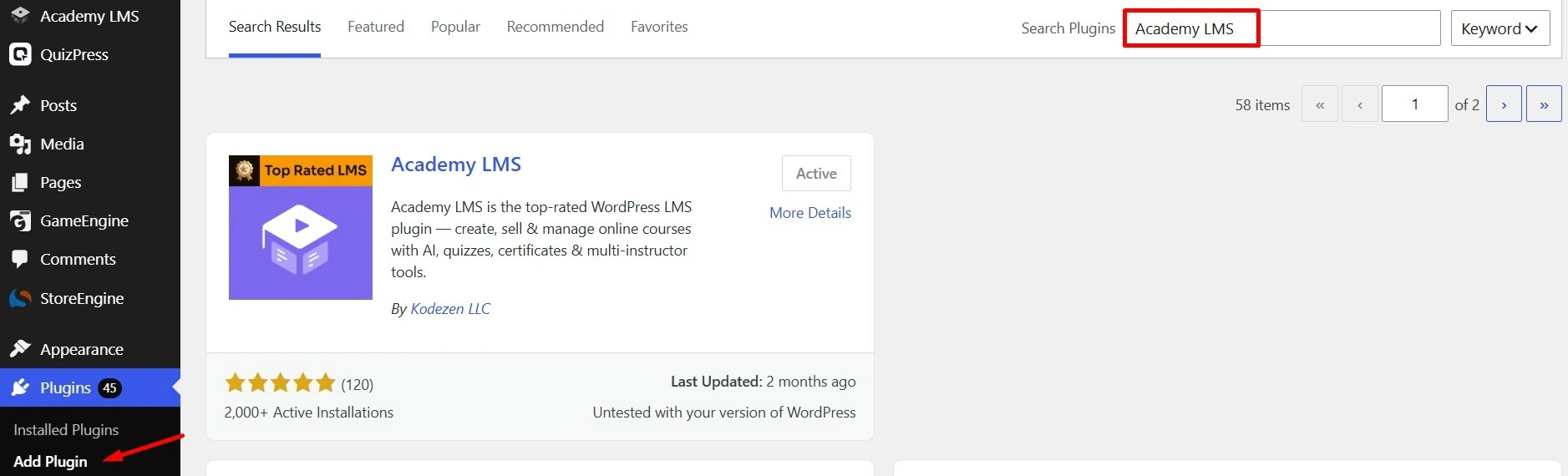
Step 1: Install Academy LMS
From your WordPress dashboard:
Step 2: Activate Prerequisite Add-on
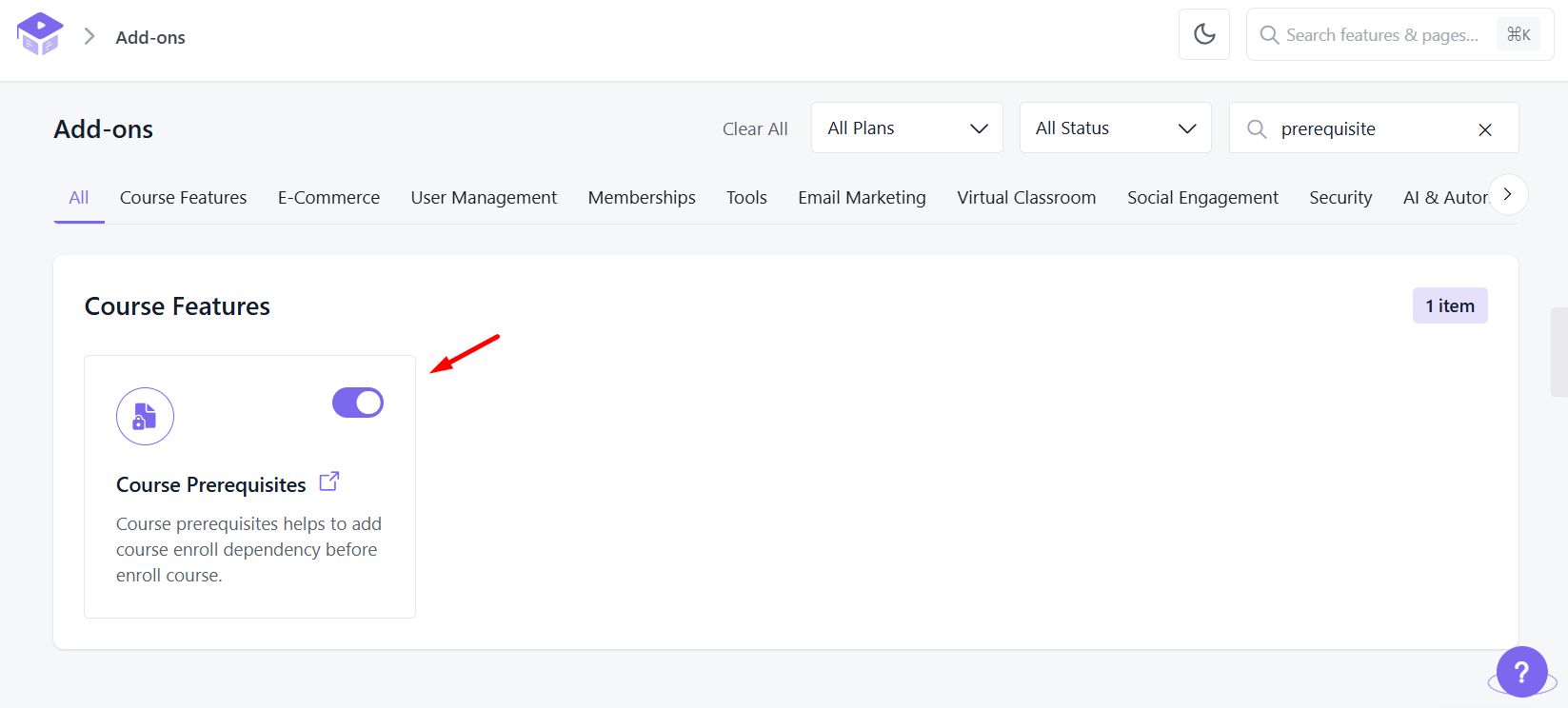
Go to the Academy LMS add-on section, search for the add-on prerequisite, and activate the add-on.
Step 3: Configure Settings
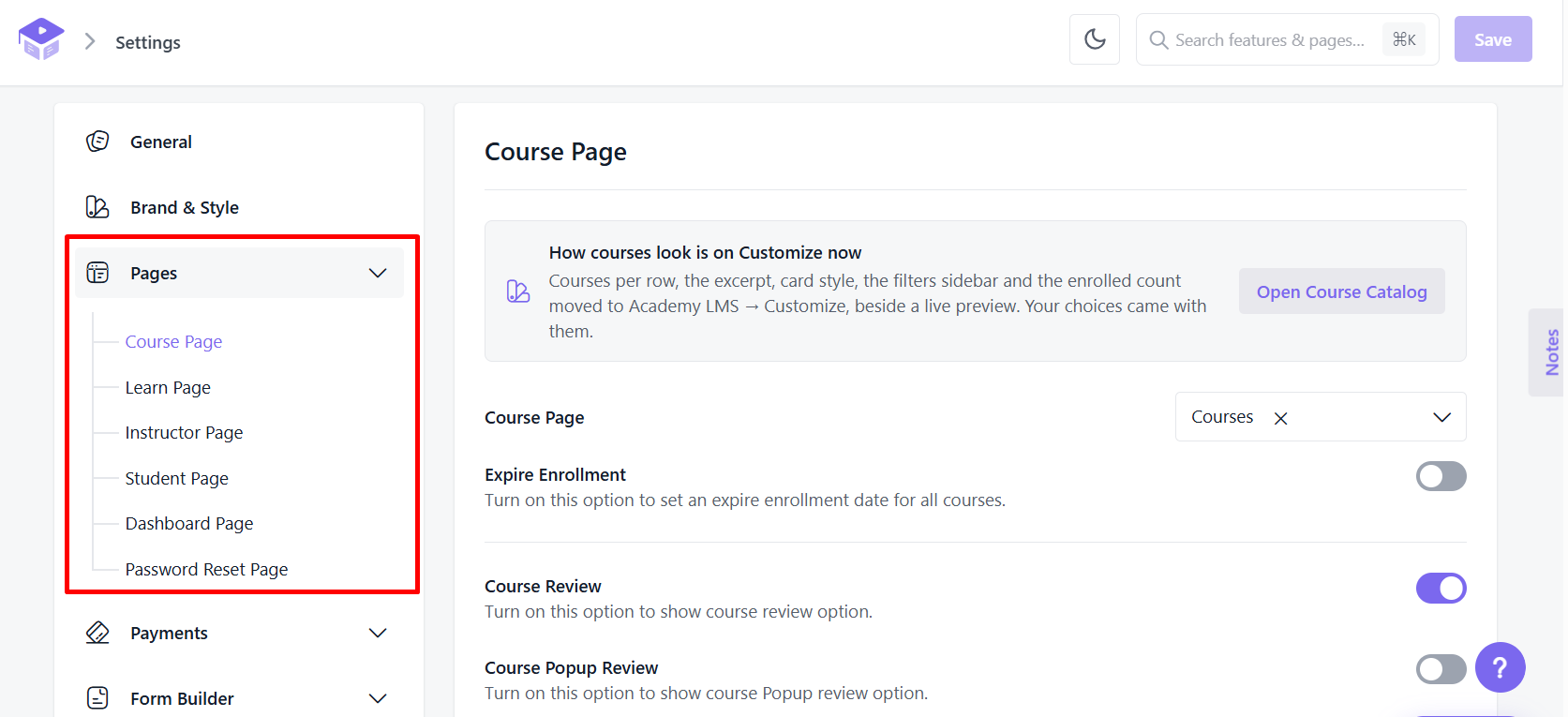
Before creating your courses, configure the basic Academy LMS settings.
Depending on your setup, configure the relevant:
Step 4: Create Your First Course
Go to the Academy LMS course management area and create your first course.
For example:
WordPress Fundamentals
Add:
Then add the required lessons, learning materials, and necessary course settings.
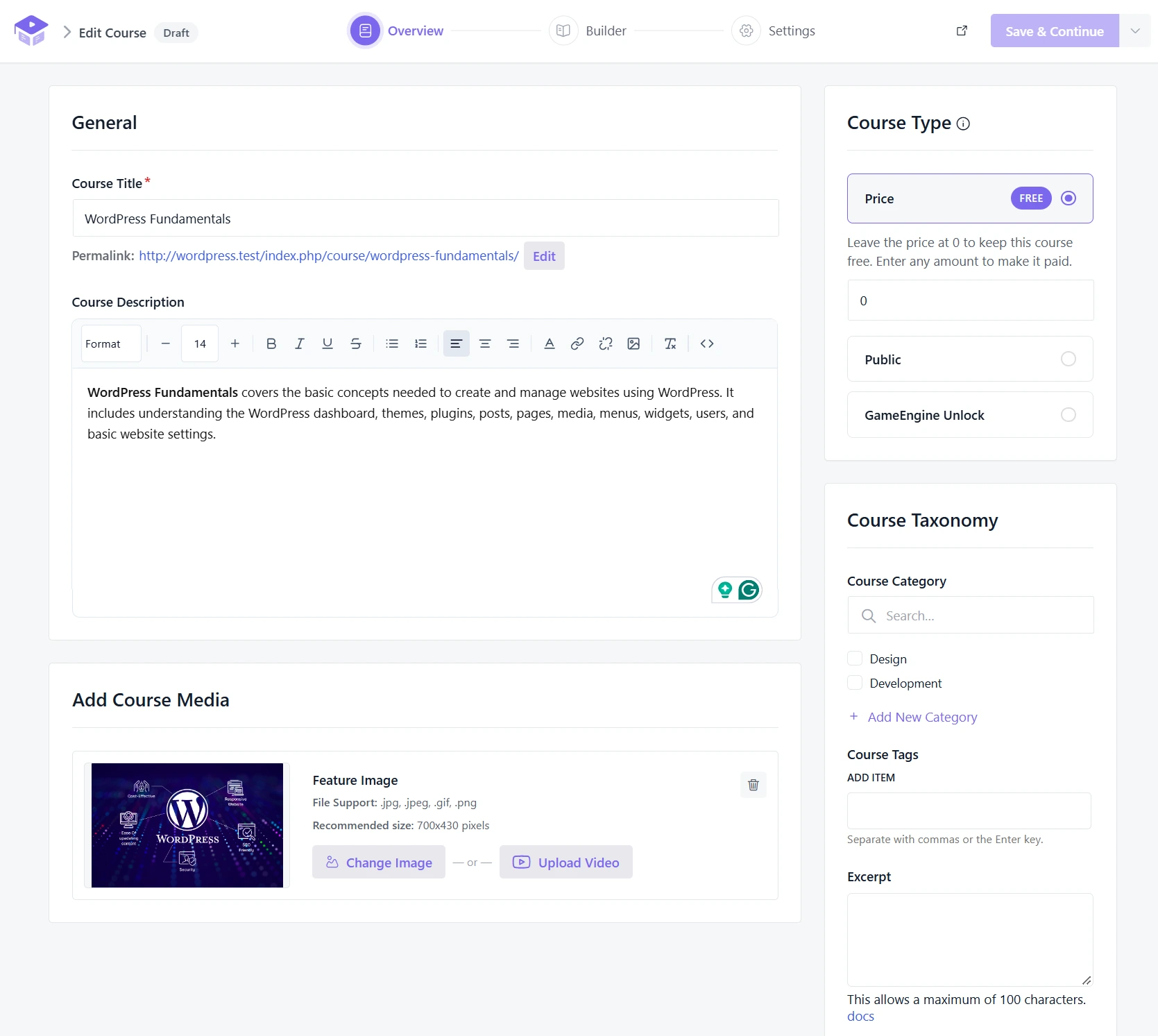
Step 5: Create the Next Course
Create the next course:
WordPress Theme Development
Add the lessons, quizzes, and other required content.
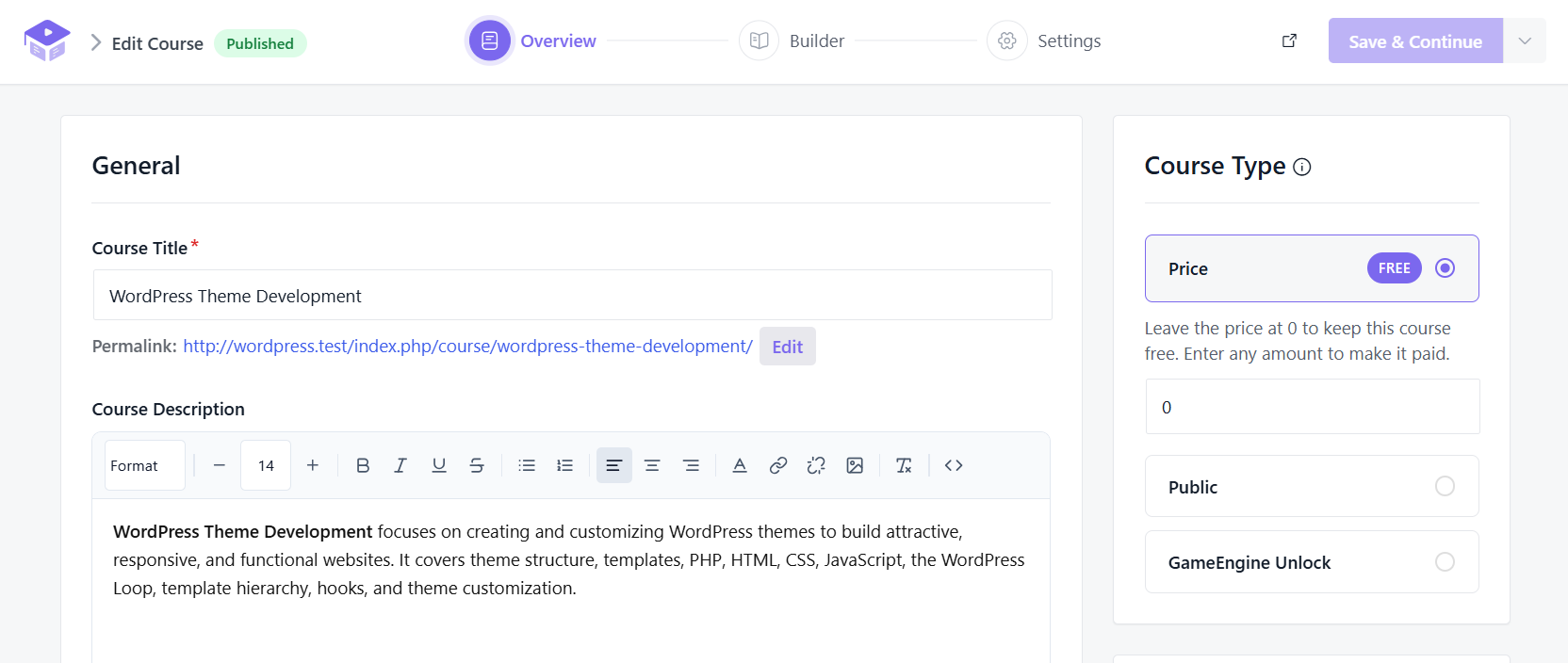
Step 6: Configure the Course Prerequisite
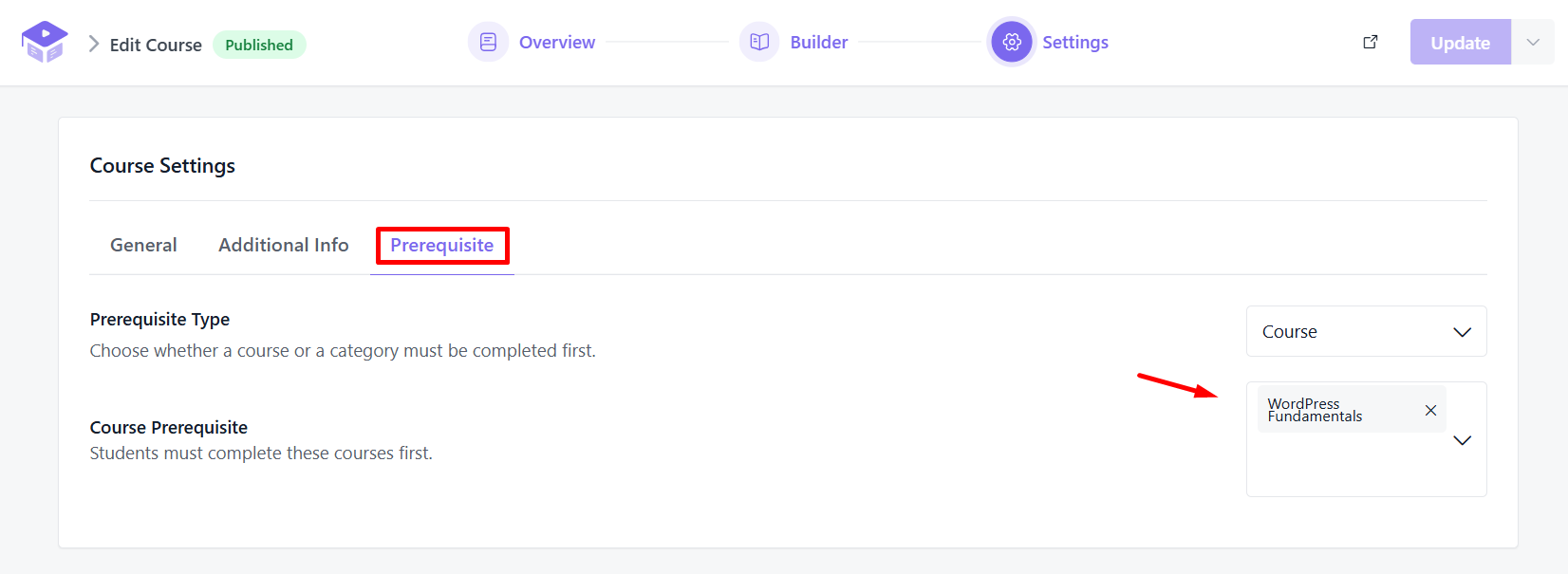
Open WordPress Theme Development for editing and locate the prerequisite setting.
Select:
Prerequisite Course: WordPress Fundamentals
Save or update the course.
Step 7: Test the Prerequisite Setup
Use a test student account to verify the setup.

Check that:
Best Practices for Designing Learning Paths
1. Don’t Make Every Course a Prerequisite
One common mistake when designing an LMS is making the learning path unnecessarily restrictive.
Not every course needs a prerequisite. Introductory courses or standalone topics like WordPress Security Tips or Blogging Best Practices should remain open to everyone.
2. Use Course Difficulty to Guide Students
Prerequisites and difficulty levels work best together. You can group your catalog logically:
3. Prerequisites vs. Recommended Courses
Consider using prerequisites only when completion of the previous course is genuinely necessary.
If an advanced SEO course benefits from basic SEO knowledge but doesn’t strictly require it, do not lock the course. Instead, simply recommend the foundational course in the text description.
4. Keep Learning Paths Simple
A good learning path shouldn’t feel like a maze. Avoid creating long, exhausting chains like
A → B → C → D → E → F
unless necessary. Instead, divide a large curriculum into logical stages:
Foundation → Intermediate → Advanced.
Create Prerequisites Based on Learning Objectives
The best way to decide whether a course needs a prerequisite is to look at its learning objectives.
Ask: “What does a student need to know before starting this course?”
For example, if your course teaches Custom WordPress Plugin Development, students may need to understand:
You can then determine which previous courses should cover those topics.
This is much better than simply making the previous course in your catalog the prerequisite.
Common Course Prerequisite Mistakes
Final Thoughts
Course prerequisites in WordPress LMS are a practical way to turn a collection of courses into a structured learning experience.
With Academy LMS, you can organize your courses into logical progressions and guide students toward the knowledge they need before moving to more advanced material.
The key is not to add prerequisites everywhere. Instead, identify genuine knowledge dependencies, organize courses into clear paths, and give students enough flexibility to choose the learning route that fits their goals.
A well-designed prerequisite structure should answer one simple question for every learner:
“What should I learn before taking this course?”
When your LMS can answer that question clearly, your entire learning experience becomes easier to navigate.
Frequently Asked Questions
What are course prerequisites in a WordPress LMS?
Course prerequisites are courses or learning requirements that students must complete before accessing another course. They help create a structured learning path and prevent knowledge gaps.
How do I set up course prerequisites in Academy LMS?
Install and activate Academy LMS, enable the prerequisite add-on, create your courses, and then edit the course that requires a prerequisite. From the prerequisite setting, select the course students must complete first.
Can I set one course as a prerequisite for another course?
Yes. You can require students to complete one course before they can access another. For example, WordPress Fundamentals can be a prerequisite for WordPress Theme Development.
Should every course have a prerequisite?
No. Use prerequisites only when students genuinely need knowledge from another course before starting. Standalone or introductory courses can remain available without prerequisites.
How do I test whether a course prerequisite is working correctly?
Use a test student account to verify that the prerequisite course must be completed before the next course can be accessed, and that completing the prerequisite unlocks the next course.