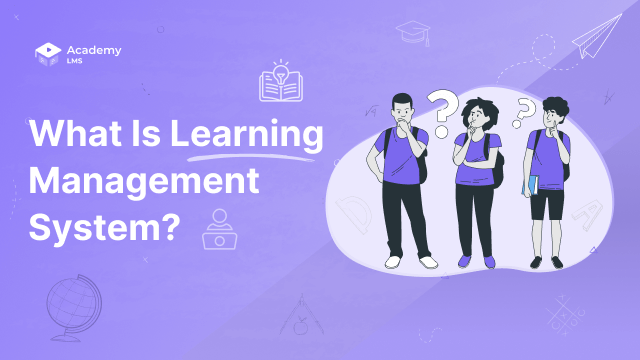

Managing training for more than a handful of people is hard without the right tool. Spreadsheets track completions badly. Emails get lost. There is no easy way to see who finished what or who needs a follow-up.
A learning management system fixes that. A learning management system, or LMS, is software that lets you build courses, enroll learners, deliver content, and track every result in one place. The global LMS market is projected to grow from $34.1 billion in 2026 to $123.8 billion by 2033, according to Grand View Research’s LMS market analysis, a sign of how fast organizations are moving training online.
Read this guide and you will know what an LMS is, how it works, what it costs, and whether you actually need one.
Quick Answer: What Is a Learning Management System?

What Does LMS Stand For?
LMS stands for Learning Management System. The three words explain exactly what the software does: it manages learning in a structured system.
The term became common in the 1990s. Before that, workplace training meant classroom sessions and paper records. When the internet arrived, institutions needed software that could handle thousands of learners at once. The LMS was built to solve that problem. By the early 2000s, open-source platforms like Moodle had made LMS software accessible to schools and businesses of any size.
Today, people use LMS and “learning platform” interchangeably. But LMS is still the standard term in procurement conversations, job descriptions, and compliance documentation.
What Is a Learning Management System?
A learning management system (LMS) is a software platform used to create, deliver, manage, and track educational courses and training programs. Learners log in, access their assigned content, complete lessons and quizzes, and earn certificates. Administrators see every result in a central dashboard.
The core value is centralization. Without an LMS, training content is scattered across email attachments, shared drives, and recorded calls. Completion records live in spreadsheets that get out of date fast. An LMS brings all of that into one place and automates the tracking.
A LinkedIn Workplace Learning Report found that 94% of employees say they would stay at a company longer if it invested in their learning and development. An LMS is the infrastructure that makes that investment scale.

How Does an LMS Work?
An LMS works through a five-step cycle that runs automatically once you set it up.
Most LMS platforms are cloud-based, so learners access them in a browser without installing anything. WordPress-based LMS solutions install on your own site, which keeps all learner data on your own server.

Who Uses an LMS?
LMS platforms are used across three main groups.
Corporate organizations use an LMS for onboarding new hires, delivering mandatory compliance training, and running professional development programs. HR and L&D teams are the primary administrators. Employees are the learners.
Schools and universities use LMS platforms to deliver course materials, manage assignments, and communicate with students. Moodle, Canvas, and Blackboard were built for this market and power millions of classrooms worldwide.
Course creators and small businesses use an LMS to sell online courses. A fitness coach, a marketing consultant, or a software company can build a course library and charge learners for access. This segment has grown fast as platforms have made it simple to launch a course business without technical skills.
The common thread across all three groups: they have content to deliver and learners to track at a scale where manual management stops working.
Core Features of a Learning Management System
Every LMS is different, but these nine features appear in most platforms. The table below shows what each one does and exactly when you need it.
|
Feature |
What It Does |
When You Need It |
|
Course Builder |
Create and organize lessons, modules, and curriculum |
Every LMS use case — this is the foundation |
|
User Enrollment |
Assign learners manually, in bulk, or automatically |
Teams of 10+; required for compliance workflows |
|
Quizzes & Assessments |
Test knowledge with multiple-choice, short answer, or assignments |
Any use case requiring proof of understanding |
|
Progress Tracking |
Per-user completion rates, time-on-course, lesson-level data |
Corporate training, compliance, and course sellers |
|
Certificates |
Automated, verifiable completion credentials |
Compliance programs, paid courses, professional training |
|
Content Drip |
Release lessons on a schedule rather than all at once |
Structured courses, cohort-based learning programs |
|
SCORM Support |
Import and run content built in external authoring tools |
Organizations using third-party course content libraries |
|
Analytics & Reporting |
Dashboard views and exportable learner performance data |
Required for compliance audits; useful for improving any course |
|
Integrations |
Connect to payment processors, CRMs, HR tools, video platforms |
Essential for selling courses; useful for all corporate deployments |
Not every organization needs all nine. A small team running compliance training needs enrollment, quizzes, certificates, and basic reporting. A course creator selling to the public needs the course builder, payment integrations, drip content, and analytics.
Types of LMS
LMS platforms come in several categories. The right type depends on your organization’s size, technical resources, and goals.
Cloud-Based LMS
A cloud-based LMS is hosted by the vendor. You pay a monthly or annual fee and access everything through a browser. Setup is fast. There is no server to manage. TalentLMS, Teachable, and Thinkific are common examples. This is the right choice if you want to launch quickly without IT involvement.
Open-Source LMS
Open-source LMS software is free to download and modify. Moodle is the most widely used open-source LMS in the world. The software is free, but you pay for hosting, setup, and ongoing maintenance. This works well for large institutions with technical teams who want full control over their platform.
WordPress LMS
A WordPress LMS plugin turns an existing WordPress website into a full learning platform. You own all your data. Learners access courses on your domain. Payments and course content stay inside your existing WordPress setup. For course creators and small businesses already on WordPress, this avoids per-seat fees charged by third-party platforms. Academy LMS is built specifically for WordPress and uses custom database tables instead of the default WordPress post system, which keeps course data loading fast as your student base grows.
Enterprise LMS
An enterprise LMS is built for large organizations with complex needs: role-based access, single sign-on (SSO), advanced compliance reporting, and multi-tenant architecture for subsidiaries. SAP SuccessFactors, Cornerstone, and Docebo serve this market. Contracts start in the tens of thousands per year. If you are running training for 10,000 or more employees across multiple countries, this is the category to evaluate. See our breakdown of enterprise LMS features for what to look for at that scale.
Self-Hosted LMS
A self-hosted LMS installs on your own server. You get complete data ownership and control. The tradeoff is responsibility for security patches, backups, and performance. WordPress LMS plugins fall into this category when deployed on your own hosting.
What Can You Use an LMS For?
An LMS fits a wide range of training situations.
Employee onboarding is the most common corporate use case. New hires complete orientation courses, policy acknowledgments, and tool walkthroughs at their own pace. Completion is tracked automatically. Our guide on the benefits of online training for employees covers how structured onboarding improves both time-to-productivity and new-hire retention.
Compliance training is often legally required. Industries like healthcare, finance, and food service must document that employees completed specific training by a set date. An LMS handles enrollment, delivery, and proof of completion automatically.
Customer education reduces support tickets. Software companies use an LMS to teach customers how to use their product. When customers find answers in a course, they call support less.
Professional development keeps employees’ skills current. An LMS lets employees self-enroll in courses relevant to their career goals, and managers can track progress without manual check-ins.
Selling online courses is a business model in itself. Creators on platforms like Teachable or Thinkific, or on their own WordPress sites using an LMS plugin, build course libraries and charge learners for access. A self-hosted LMS gives creators more control over pricing, branding, and customer data than a marketplace.

When an LMS Is Not the Right Tool
An LMS is good at structured, trackable learning. It is not the right tool for everything.
If you have fewer than 20 learners and no compliance requirements, a shared folder and a spreadsheet might genuinely be enough. An LMS adds setup time and recurring cost. The value becomes clear at scale.
If your main goal is content management rather than learning, a CMS is the better fit. A CMS (Content Management System) publishes and organizes content for general audiences. An LMS manages assigned learning for a defined group of enrolled learners. The two tools solve different problems. Our comparison of LMS vs CMS covers the exact differences and helps you decide which one your situation actually needs.
If your training is purely conversational or mentorship-based, a video call platform and a note-taking tool are probably better fits. Some skills transfer through observation and coaching, not course modules.
If you need to publish documentation that anyone can browse, a wiki or knowledge base fits better than an LMS. Tools like Notion, Confluence, or a help center plugin serve that need. An LMS is built for assigned learning, not open-access documentation.
The mistake I see most often is building an LMS-based course for a problem that actually needed a simple FAQ or a recorded walkthrough. Not every knowledge transfer problem is a training problem.
How Much Does a Learning Management System Cost?
LMS pricing varies widely. Here is a realistic breakdown by category.
Free open-source (self-hosted): Moodle is free to download. But you pay for hosting ($10 to $50 per month), initial setup, and customizations. Real annual cost for a small organization: $500 to $2,000.
WordPress LMS plugins: A one-time or annual license fee for the plugin. Academy LMS and similar tools cost $100 to $300 per year. Your main ongoing cost is WordPress hosting, which can be as low as $10 to $30 per month. This is the most affordable entry point for full-featured course delivery.
SaaS LMS (per learner): Platforms like TalentLMS and iSpring Learn charge $3 to $10 per active learner per month. A team of 50 active learners costs $150 to $500 per month. Pricing drops at higher learner counts with annual contracts.
SaaS LMS (flat fee): Some platforms charge a flat monthly rate regardless of learner count. Prices range from $59 to $500 or more per month depending on features and storage limits.
Enterprise contracts: Cornerstone, SAP SuccessFactors, and Docebo start at $15,000 to $25,000 per year for small enterprise deployments. Large deployments routinely exceed $100,000 annually.
For a deeper look at what each tier includes and which questions to ask vendors, see our full guide on learning management system pricing.

How to Choose the Right LMS
Choosing an LMS is a decision that is hard to reverse. Here is a practical framework.
Start with your use case. Employee training, compliance, customer education, and course selling each have different requirements. Write down your top three before you look at any platform.
Calculate the real total cost. Platform pricing is only part of the cost. Add setup time, content creation, and admin overhead. A free open-source tool that takes 40 hours to configure costs more in practice than a $500 per year platform that takes four hours.
Check the integrations you need. An LMS that does not connect to your HR system, payment processor, or video platform will create manual work every time you need to sync data. Confirm integration options before committing.
Run a pilot before full deployment. Most platforms offer free trials. Enroll 10 to 20 real learners in a real course before making a final decision. Things that look smooth in a demo often behave differently in production.
Evaluate the vendor’s track record. Look at how long the company has been operating, whether the product is actively updated, and what support options exist. An abandoned plugin or a startup that shuts down mid-contract is a real risk.
For a complete decision framework with a feature comparison checklist, read our guide on how to choose an LMS. Once you have made your choice, our step-by-step walkthrough on how to implement a learning management system covers exactly what to do next.
Which approach is right for you?
Frequently Asked Questions
What is a learning management system used for?
A learning management system is used to create, deliver, and track training or educational courses. Common uses include employee onboarding, compliance training, customer education, professional development, and selling online courses to paying learners.
What is the difference between an LMS and an eLearning platform?
The terms overlap but differ in emphasis. An LMS focuses on managing and tracking learner progress. An eLearning platform often emphasizes the learner experience and content delivery. Many tools do both. If tracking and reporting matter most, prioritize LMS features. If course quality and learner engagement are the priority, focus on the eLearning side.
Is an LMS the same as a CMS?
No. A CMS (Content Management System) publishes content for general audiences, like a blog or website. An LMS delivers assigned learning to specific, enrolled learners and tracks their progress. WordPress is a CMS; a WordPress LMS plugin adds learning management on top of it.
What does SCORM mean in an LMS?
SCORM stands for Sharable Content Object Reference Model. It is a standard for eLearning content that allows courses built in one tool to run inside any SCORM-compliant LMS. If you build or purchase courses using authoring tools like Articulate Storyline or Adobe Captivate, SCORM support is essential.
How long does it take to implement an LMS?
A simple cloud-based LMS with a few courses can be running within a day or two. A complex enterprise deployment with SSO integrations, custom branding, and migrated content typically takes 4 to 12 weeks. A WordPress LMS plugin can be installed in under an hour if you already have a WordPress site.
Can a small business use an LMS?
Yes. Small businesses are one of the fastest-growing LMS user groups. Affordable WordPress plugins and flat-rate SaaS tools have brought LMS software within reach of teams of any size. Many platforms are designed specifically for solo course creators and businesses with fewer than 50 learners.
What is the best free LMS?
Moodle is the most widely used free LMS in the world. It is open-source, free to download, and supported by a large global community. The tradeoff is that it requires hosting and technical setup. For WordPress users, some LMS plugins offer free core versions with paid add-ons for advanced features.