
I want to start with a confession. For a long time, Academy LMS was a very good online course plugin that was quietly straining against its own edges. Creators kept asking for things that weren’t really “course plugin” requests anymore.
They wanted to prove a student actually watched the lesson, not just clicked play and walked away. They wanted to run a real school — attendance, exams, report cards, fees — not just sell a video course. They wanted the security basics every serious site needs, without stitching together five different plugins to get them.
Every one of those asks was reasonable. And every one of them was telling me the same thing: Academy had outgrown the sentence I used to describe it. 4.0 is us finally building for what people were already using Academy to do.
This is not a feature bump. It’s a ground-up redesign of the entire product, plus three brand-new plugins that turn Academy from “an LMS” into a full teaching-and-running-a-learning-business platform. It’s our biggest release ever — and because it’s that big, we’re shipping it as a beta first, on purpose, so we can get it into your hands, listen hard, and finish landing the rest in Beta 2.
Part 01: A fresh, modern experience
Let me begin with the least glamorous work, because it’s the part I’m proudest of. The old Academy admin was a collection of WordPress pages that reloaded the world every time you clicked, styled with years of accumulated CSS. It worked. It also felt like software from a different era. So we tore it down to the studs.
The entire admin is now built on Tailwind CSS, rebuilt from the foundation up — faster, cleaner, and far easier to move through end to end. Dark, Light, and Auto modes ship across the whole thing, the dashboard and every learning page, with a proper tokenized color system so nothing looks half-finished when you flip the switch.
The curriculum editors are no longer modals. Building a course, editing a lesson, writing a quiz, posting an announcement — each is now its own real page with its own URL. No more cramped pop-ups that lose your place. The new course builder is a clean multi-step flow with a “Save & Continue” that actually behaves the way you expect.
And the piece I get most excited demoing: the Learn page is completely rebuilt. It’s a video-first layout that keeps students focused instead of buried in chrome. Notes, Q&A, Announcements and Progress now live in clean slide-out drawers. There’s a docked, collapsible sidebar, skeleton loaders, full-width or centered column options, and a genuine mobile pass. Students resume right where they left off — and the React and PHP render paths now match exactly, so the page looks identical no matter how it’s served.
Why start here? Because the tools you use to run your courses are as much the product as the courses themselves. If managing your LMS feels like a chore, you do it less. We wanted the back office to feel as good as the front row.
Part 02: Smarter quizzes & assessments
Assessment is where almost every LMS on the market is thin, and it’s where we spent a huge share of our engineering hours. The headline is the Dynamic Question Bank. You build a shared library of questions once, and quizzes pull a random set from it — so no two attempts are the same. That single change kills memorization-by-repetition and makes your assessments far harder to game.
- Chapter & final exams that draw a set number of questions across multiple existing quizzes.
- Required vs. optional quizzes — you decide exactly what blocks a student’s progress.
- Rich-text questions with bold, italics and clean layouts, plus audio in questions for listening-comprehension and language tests.
- Color-coded reports showing average, highest and lowest scores at a glance.
The quiz builder itself got a full pass too: accordion question cards, a settings sidebar, whole-row True/False selection, add-another-right-after-save, and quizzes that publish by default so they don’t silently sit as drafts.Quizzes draw a random set from a shared Question Bank, and reports color-code the highest, average and lowest scores at a glance.
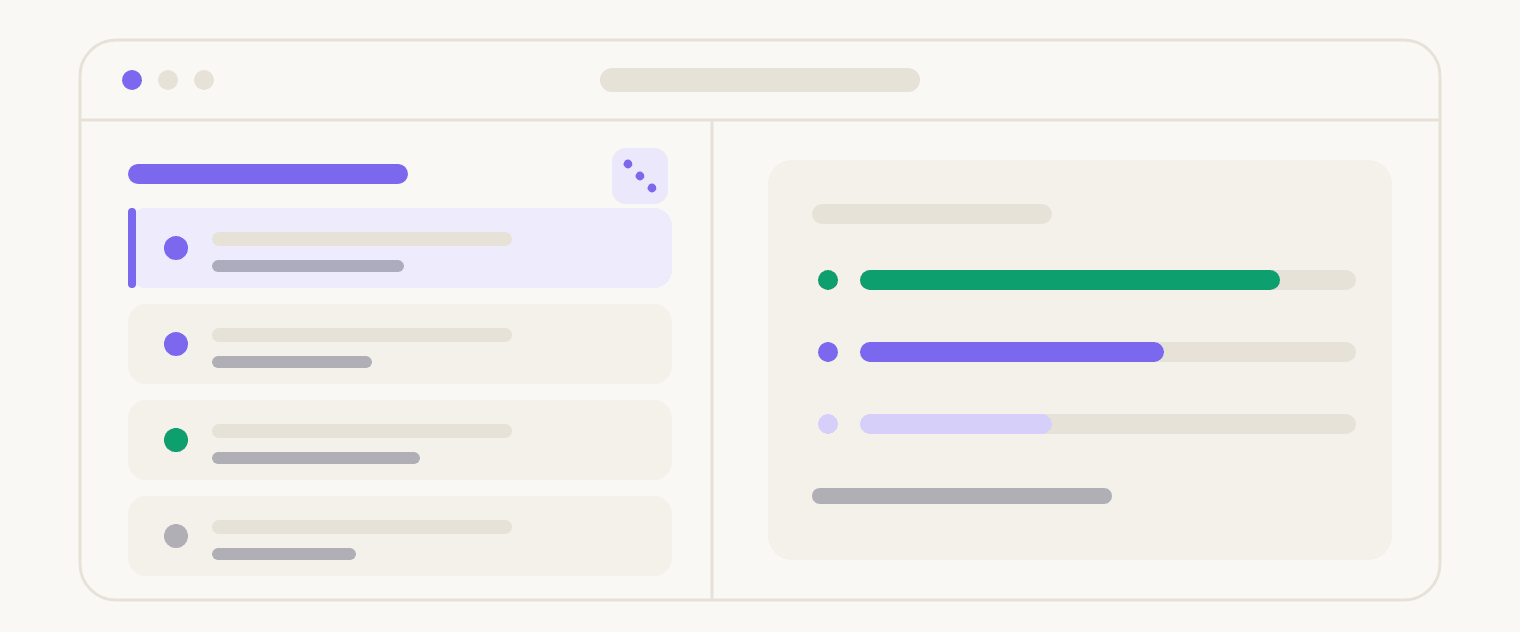
Quizzes draw a random set from a shared Question Bank, and reports color-code the highest, average and lowest scores at a glance.
Part 03: Certificates that prove it
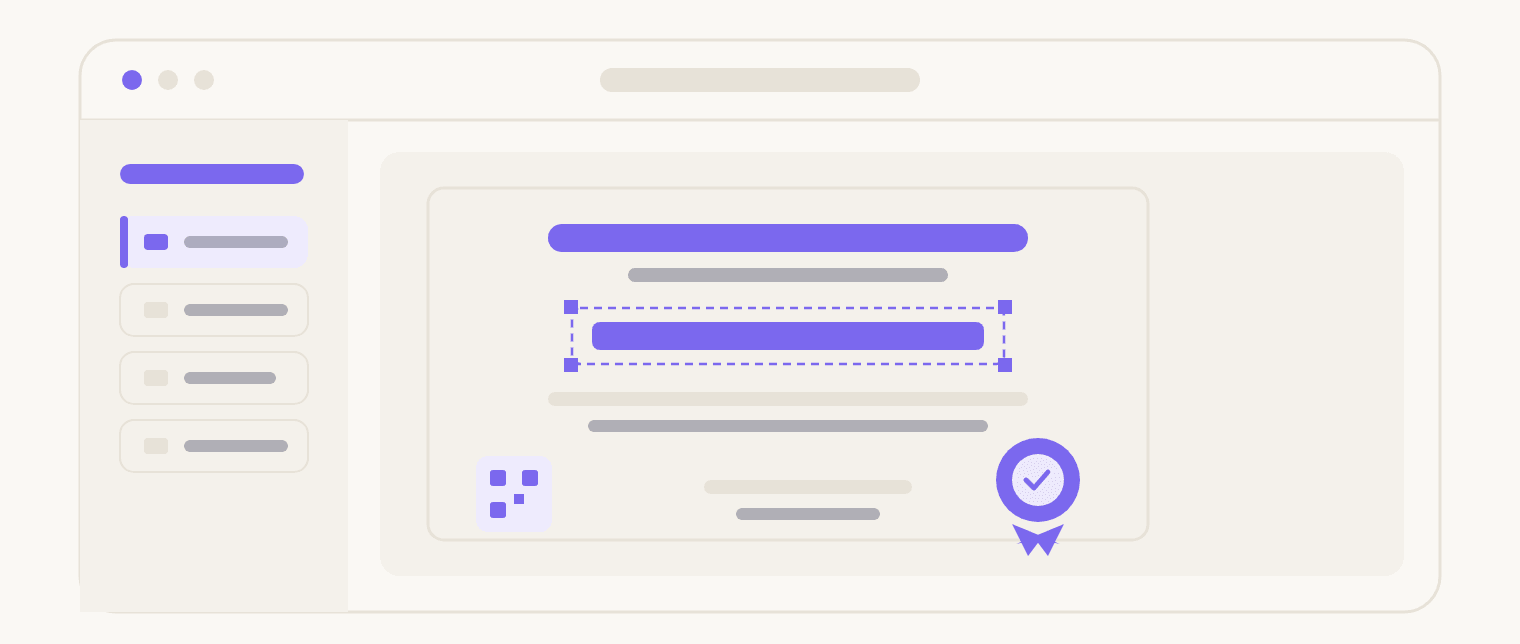
A certificate that can’t be verified is just a nice image. So in 4.0 we made them provable. QR-verified certificates carry a scannable code for instant proof of completion — anyone can confirm a certificate is real in one scan. A free-form designer lets you place every element exactly where you want it, so it looks like your brand, not a template. And admins can now do retrospective issuing — generate certificates for past students on demand, even years after they finished.The free-form certificate designer — drag every element where you want it, add a QR seal, and issue for past students on demand.
Part 04: Better courses, grading & selling
This is the long tail of “it just feels right now,” and there’s a lot of it.
- Courses & lessons — draft courses, preview-before-publish, sticky and drag-to-reorder catalog, category images, lesson grouping with hidden titles, attachment download tracking, progress bars on course cards, and an enrolled-courses shortcode for any page.
- Assignments & insights — an upgraded answer editor with multiple fields, per-assignment upload control, gradebook comments, real enrollment analytics, bulk progress export, and a front-end grade view for students.
- Roles, teams & selling — a new Course Manager role, richer instructor profiles, Group Plus seat expiry and volume pricing, a request-a-quote flow, and a smoother signup with country-code phone validation.
- Setup & control — one-click demo content, settings export/import/reset, an LMS-scoped maintenance mode, and a built-in debug toggle with searchable student tables.
Under the hood we also fixed the stuff nobody notices until it breaks: lesson comments now work under high-performance object-cache mode, SCORM packages unzip correctly, course duplication and timer rendering are fixed. None of these make a headline. All of them are the difference between software you tolerate and software you trust.
Part 05: The ecosystem: three new plugins, and the stories behind them
Here’s where 4.0 stops being “a bigger Academy” and becomes something else. Alongside the core release, we’re shipping three brand-new plugins — and each one exists because of a specific thing our users kept telling us. Let me tell you the story behind each.
TruePlayer
Because “did they actually watch it?” deserved a real answer.
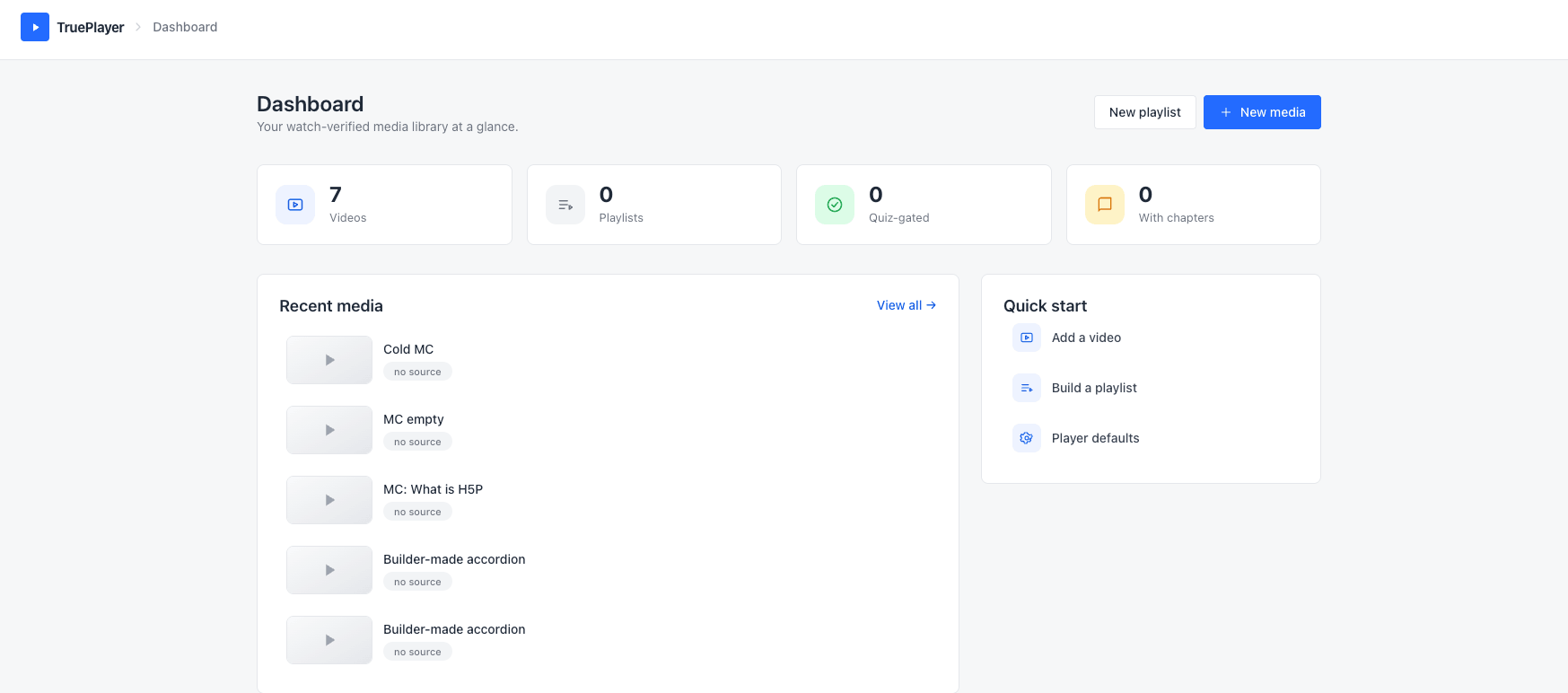
For years, one request came back more than almost any other: let me actually check whether my students are learning. A lot of creators wanted to attach a quiz to a video so a student has to prove they understood it before moving on. We could have buried that inside Academy — but the more we built it, the clearer it became that this was its own thing, valuable to anyone with video on WordPress. So we built it as a separate plugin.
The player
- Native React player with five skins (default, modern, simple, minimal, standard) and a fully themable control bar — accent color, play-button style, roundness, control-bar style and aspect ratio.
- Sources: self-hosted / direct URL, HLS, audio, YouTube and Vimeo.
- Autoplay, loop, save-position resume, sticky-float mini-player, Picture-in-Picture and adjustable playback speeds.
- Smart loading — facade, eager or on-visible — plus caption size, color and background controls.
- Optional bundled H5P engine to import and render interactive content, with xAPI fed straight into the event pipeline.
Watch verification
- Server-authoritative coverage tracking that counts only genuine whole-second progress.
- Anti-skip, seek-jump and playback-rate guards, so fast-forwarding can’t fake a completion.
Quiz gating
- Checkpoint questions inside the video and an end-gate quiz at the finish.
- Server-side grading — answers never reach the browser.
- Fail once and the video locks and resets coverage until the learner re-watches and re-attempts.
Events & automation
- A full event bus — view started, progress milestones, completed, checkpoint passed/failed, quiz passed/failed, locked/unlocked and subscriber added.
- HMAC-SHA256 signed JSON webhooks for automation tools.
- React single-page admin (Dashboard, Media, Editor, Playlists, Presets, Settings), a full REST API and a
trueplayerWP-CLI command.
Pro power-ups
Pro
- Enforcement — lock-on-fail and coverage reset for watch-verification and quiz-gating.
- Premium sources — Bunny, Bunny Storage, Mux and raw HLS, plus signed / expiring private stream URLs.
- Premium skins & presets — floating and ambient players, reusable across videos.
- Playlists — grid and sidebar layouts with autoplay-next.
- Interactive layers over the video — hotspots, banners, forms, shortcodes and a dynamic watermark.
- Completion Attestation — tamper-evident proof-of-completion with a records table, CSV export, a public verify endpoint and printable certificates.
- Academy LMS sync — access-gate playback to enrolled learners and auto-complete the mapped lesson on pass.
- Analytics dashboard, webhook delivery logs, CRM integrations and full white-label.
And because it’s family, TruePlayer plugs straight into Academy: watch-verified, quiz-gated lessons that lock until the video is truly watched, with completion synced back into the course. This is exactly the interactive-video bet we’d been planning. Now it’s real.
GemSecurity
Because every plugin shouldn’t reinvent login security.
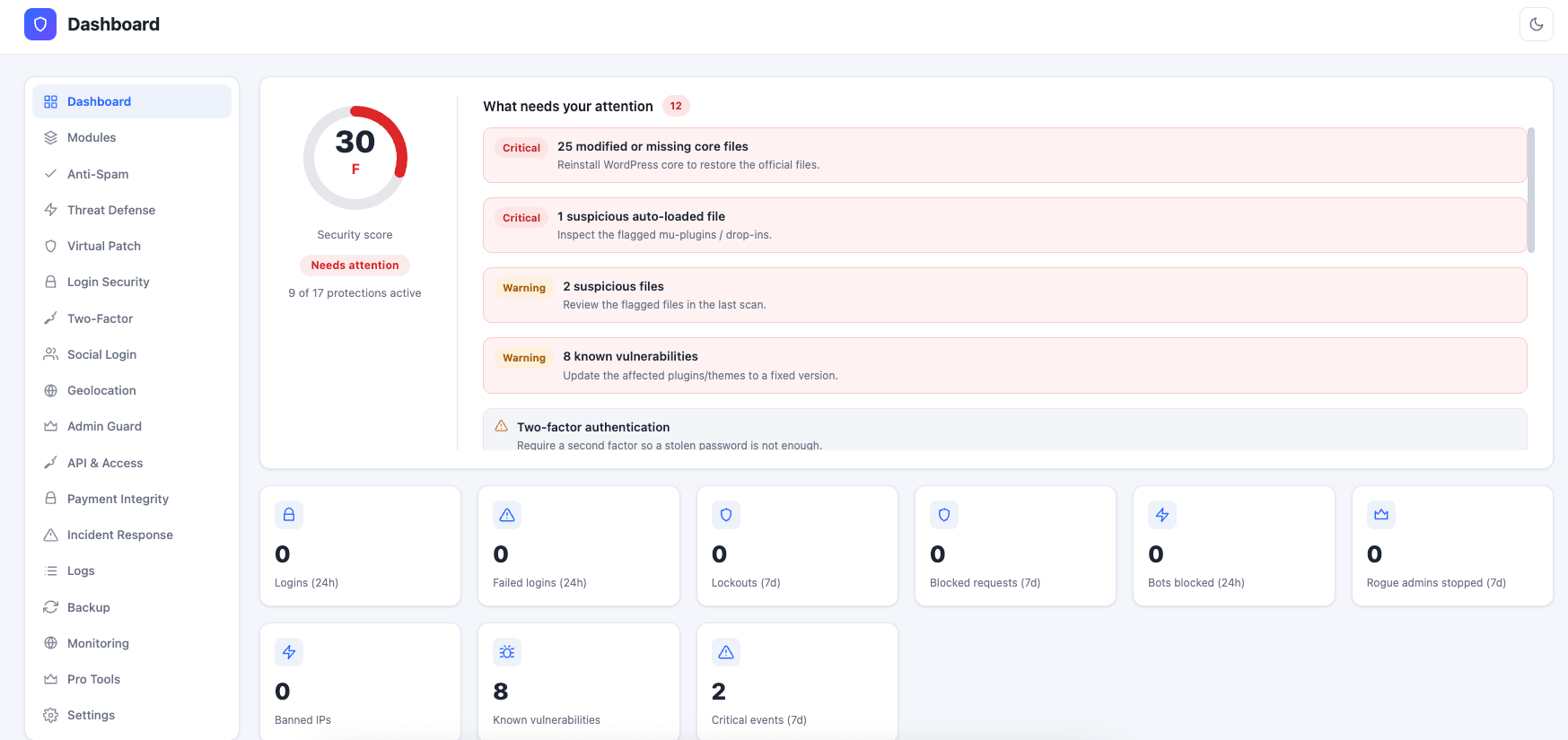
The Kodezen ecosystem has a lot of plugins, and across all of them we kept needing the same building blocks — social login, CAPTCHA, two-factor, brute-force protection. Rebuilding those into every product is wasteful. So we built an all-in-one security dashboard and made a deliberate choice: keep most of it free, and make it work beautifully with Academy and any other plugin you run.
Firewall & hardening
- IP blocklist with CIDR ranges, request rate limiting, 404-flood throttling and bad-bot blocking.
- Web Application Firewall inspecting for SQLi, XSS, LFI and RCE.
- One-click hardening — disable XML-RPC, the file editor, author/REST user enumeration and application passwords, and hide the WP version.
- Security headers — X-Frame-Options, X-Content-Type-Options, Referrer-Policy, Permissions-Policy, HSTS and CSP.
Login security
- Brute-force lockout with configurable thresholds, admin-login email alerts and an absolute admin session timeout.
- Custom login URL — rename
wp-login.php. - Login CAPTCHA — reCAPTCHA v2/v3, hCaptcha and Cloudflare Turnstile.
- Two-factor authentication — authenticator-app TOTP and email OTP, with one-time backup codes.
- Social / OAuth login — Google, Facebook, GitHub and Twitter.
Scanning & monitoring
- WordPress core file-integrity check against official checksums.
- Uploads malware / PHP-pattern scan and a known-vulnerability scanner for core, plugins and themes.
- Admin Guard — an administrator whitelist with rogue-admin auto-remediation.
- Full activity log with retention and CSV export, plus a live security score and trends.
Backup & restore
- Manual database, files and full-site backups, with restore and download.
- A daily scheduled backup, retention, exclude paths/tables and a backup activity log.
- Automatic pre-update backup before plugin, theme or core updates.
Pro power-ups
Pro
- Threat Defense — escalating auto-bans, a ban ledger, a bot blocklist, an early-load request firewall (mu-plugin) and a live traffic view.
- Virtual Patch — mitigate known plugin/theme vulnerabilities before an upstream fix ships.
- Geolocation access control — country login gate, whole-site block and per-user location lock.
- Malware remediation — signature scan across wp-content with quarantine & restore, plus a database-injection scan.
- File integrity — plugin/theme verification vs WordPress.org and a file-change baseline with drift alerts.
- Incident Response & Recovery — forensic timeline, file quarantine, force-logout all users and key/salt regeneration with a pre-recovery snapshot.
- Payment Integrity monitoring for checkout-script tampering, plus uptime, TLS-certificate, DNS-change and SPF/DMARC monitoring.
- Backup Pro — cloud storage (S3, Backblaze B2, Cloudflare R2, Dropbox, Google Drive, OneDrive, FTP), encryption, migration and weekly/monthly schedules.
The honest roadmap part: very soon we’ll remove social login and CAPTCHA from Academy’s own core and recommend GemSecurity for them instead — keeping Academy lighter and focused on teaching. But you’re never locked in: GemSecurity is happy to sit next to whatever security stack you already use. (For teams that need active defense, GemSecurity Pro adds escalating auto-bans, geolocation control, malware remediation, virtual patching, and cloud backups.)
Academy Digital Campus
Bringing the offline school online — we believe it’s a first.
Academy LMS was built for online learning. But schools, colleges, kindergartens and training institutes don’t only live online — they run admissions, attendance, timetables, exams, report cards, fees and ID cards, most of it offline. Those two worlds have always been served by completely separate software. So we built a full School Information System that combines offline education with online learning — and as far as we know, it’s the world’s first LMS to bring both together natively.
Academic structure
- Structure Map and Academic Structure — Campuses, Departments, Academic Years and Terms as one hierarchy.
- Classes & Sections — a class builder with code, capacity, teacher and department; sections with room, capacity and teacher.
- Subjects — per-class subjects with marks, credit hours, weekly periods and optional/elective flags.
Admissions & students
- Admissions pipeline — enroll into a class / section / year / term with admission and roll numbers and lifecycle statuses (applied, enrolled, withdrawn, graduated).
- Students directory with configurable profile fields, bulk promotion to the next class and bulk import.
Guardians & roles
- Parents — parent↔student links with a dedicated Parent role and a “My Children” portal, mirroring Academy’s canonical guardian links.
- Registrar and Accountant roles with scoped capabilities.
Bridge & setup
- Subject↔Course bridge — link each Subject to an Academy Course, plus a generic LMS mapping layer (source→target with weight).
- One-click institution presets — Kindergarten, School, High School, College, University or Custom — with per-module feature flags enforced server-side.
Pro modules
Academy Pro
- Attendance — daily marking with attendance sheets and summaries.
- Timetable — a class routine builder.
- Exams & Results — exam scheduling, grading, report cards and admit cards.
- Fees — fee plans, invoices and payments, manual (office) or online via WooCommerce / StoreEngine.
- Notices — announcements to parents and students.
- Facilities — Library (book issues), Transport (routes & members), Hostel (rooms & allocations) and Inventory / Assets.
- Multi-campus management, printable student ID cards, online admission applications, Campus Analytics, Reports and an Audit Log.
Our packaging philosophy: the deep campus power lives in Academy Pro where institutions expect it, while the free Digital Campus plugin keeps Academy core lightweight. You only carry the school machinery if you actually run a school.
Why we built it this way
Every decision in 4.0 came from the same conviction I keep coming back to:
Fragmentation is the enemy, and depth is the moat.
The default way to run a serious learning business today is a stack of subscriptions that don’t talk to each other — a course platform, a separate video tool, a security service, a school-management system, a payments layer — each renting you your own audience and taking a cut, each a place where data goes stale and students drop off. Academy 4.0 is the bet that it can all live in one place, on infrastructure you own, on WordPress. Learn, assess, prove, secure, and run the whole institution — one login, one design, one source of truth.
This is Beta 1 — and that’s the point
I want to be straight with you: this is a beta, and we’re calling it that deliberately. 4.0 is enormous — a full redesign plus three new plugins — and the responsible way to ship something this big is to get it into real hands early, listen, and keep landing the rest in the open.
There’s more coming in Beta 2, soon: deeper behavioral automation, more of the native engagement stack, richer assessment, and tighter ecosystem integrations. This release is where the shape of the whole thing finally came into focus. Beta 2 is where we keep filling it in.
So — back up your site, spin up a staging copy, update, and go poke around the new admin. I think you’ll feel the difference in the first thirty seconds — and I’d genuinely love to hear what breaks, what delights you, and what you want next.
Thank you for building your courses, your schools, and your businesses with us. After everything that went into this one, I can honestly say — we’re just getting warmed up.