
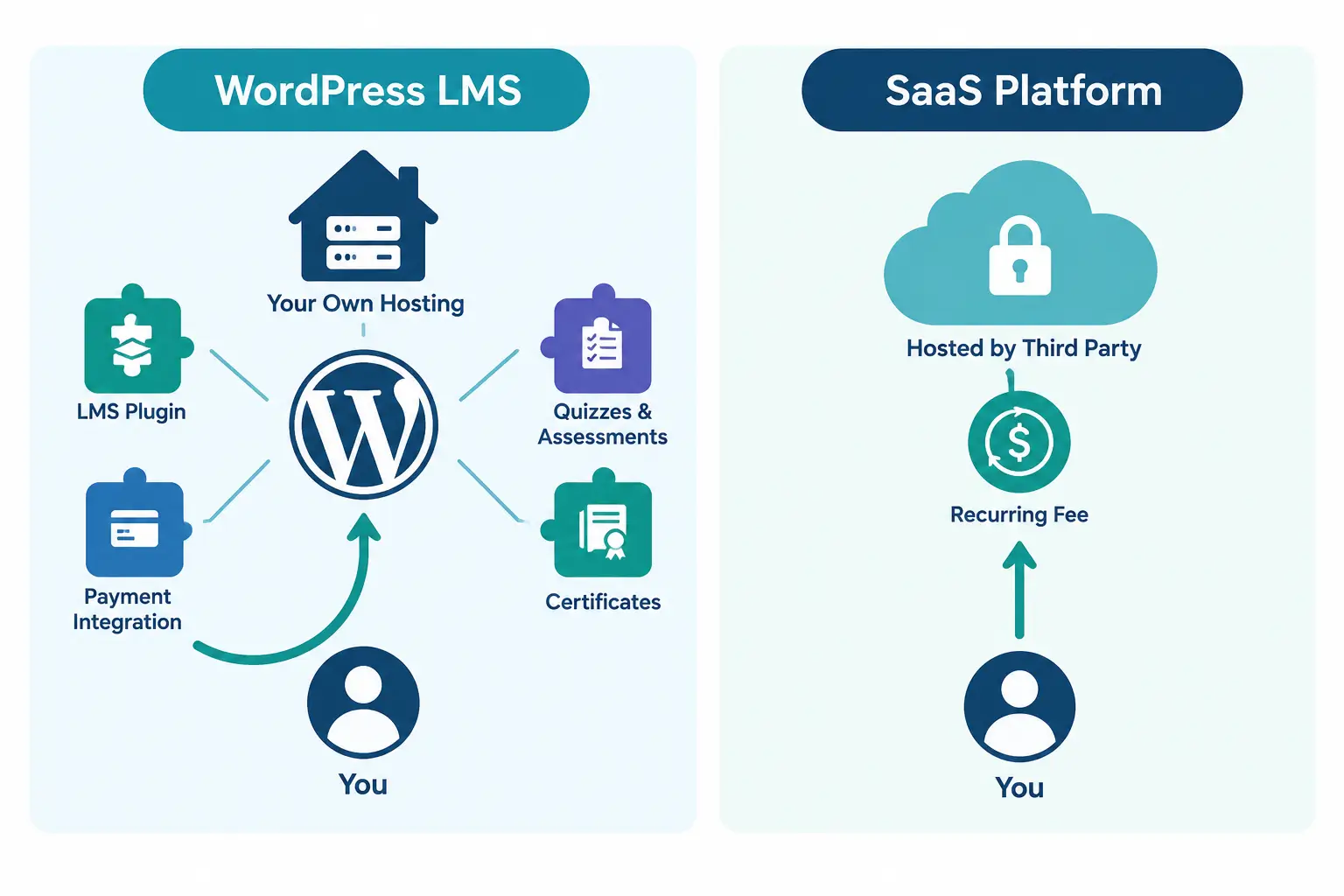
Picture two people launching a course business on the same day. One signs up for a hosted course platform, picks a template, and has a sales page live in an afternoon. The other installs WordPress, adds an LMS plugin, and spends a weekend configuring it. A year later, the first person is paying a monthly fee that’s crept up twice, can’t move their student list without an export fight, and is capped at whatever the platform’s newest pricing tier decided to charge them for. The second person owns every file, every student record, and every dollar of organic traffic their content has earned.
That gap is the entire argument for building a course business on WordPress. It isn’t about which platform looks nicer on day one. It’s about who controls the thing you’re building by year three.
A learning management system, or LMS, is simply the software layer that turns a website into a place where people can enroll, watch lessons, get graded, and receive a certificate. WordPress doesn’t ship with that layer built in, which is exactly why it works so well as a foundation. You add only the pieces you actually need, on top of infrastructure that already powers a huge share of the web, instead of renting a fixed feature set from a single vendor.
Quick Answer: Is WordPress a good platform for building an LMS?
Yes, for most course creators and training organizations, WordPress is a stronger long-term foundation than a hosted SaaS course platform. Here’s why:
• Full data ownership. Your course content, student records, and payment history live on your own hosting, not inside a vendor’s database you can’t fully export.
• Lower long-term cost. A WordPress LMS plugin typically runs a one-time or annual license fee, while hosted platforms like Teachable and Kajabi charge recurring monthly fees that scale with your business.
• SEO built in. WordPress is built on the same content architecture that already drives most organic search traffic on the internet, so every lesson page and blog post you publish compounds your visibility.
• No arbitrary limits. Student counts, course counts, and feature access aren’t gated behind a pricing tier you have to keep upgrading into.
• A plugin for almost anything. Payments, quizzes, live classes, certificates, and CRM integrations are all available as plugins instead of being locked to one vendor’s roadmap.
What a WordPress LMS Actually Involves
A WordPress LMS isn’t a single product. It’s WordPress core plus a course-management plugin that adds the parts a training site actually needs: course structure, lessons, quizzes, enrollment, and progress tracking. Instead of building that from scratch, you install a plugin that handles it, the same way WooCommerce turns WordPress into a store.
What that plugin typically adds:
• Course and lesson creation, usually with a drag-and-drop builder
• Student enrollment and progress tracking
• Quizzes, assignments, and grading
• Certificates on completion
• Payment processing, either built in or through an integration
The part worth understanding early is that WordPress handles the website. The LMS plugin handles the teaching mechanics. You’re not choosing between “WordPress” and “an LMS.” You’re choosing WordPress as the base, then picking which LMS plugin runs on top of it, which is a very different decision than picking a single closed platform.
The Real Cost Comparison: Plugin License vs. Monthly SaaS Fee
This is where the math actually plays out, and it’s worth being specific instead of vague.
Hosted course platforms charge recurring fees that climb as your student list or feature needs grow. Teachable’s entry plans start around $29 to $59 a month on annual billing and still take a transaction fee on that lowest tier, and Kajabi’s starting plan runs $143 to $179 a month once you’re past its most limited testing tier, with Kajabi’s Growth plan running around $199 a month and its top Pro plan around $399 to $499 a month depending on billing terms. Those numbers usually rise again the next time the vendor restructures pricing, which happened to both Kajabi and Thinkific earlier in 2026.
A WordPress LMS plugin flips that structure. You pay for hosting (often $5 to $30 a month for a small to mid-size site) and a plugin license, which is commonly a one-time fee or a modest annual renewal, not a fee that scales with every student you enroll.
|
Cost factor |
WordPress LMS plugin |
Typical SaaS course platform |
|
Pricing model |
One-time or annual license |
Recurring monthly subscription |
|
Student count limits |
None, beyond your hosting capacity |
Often capped per tier |
|
Transaction fees |
None (aside from your payment processor) |
Up to 7.5% on entry-level plans |
|
Feature access |
Add plugins as needed |
Locked behind pricing tiers |
|
Cost trajectory over 3 years |
Roughly flat |
Climbs as you scale or the vendor repriced |
The practical effect: a creator who’s still on a $29 SaaS plan in month one is often paying triple that by year two, once they need more students, more products, or fewer transaction fees. A WordPress setup’s costs stay close to flat, because the plugin already does what you paid for.
Ownership and Control: The Thing People Underestimate Until They Need It
Every hosted course platform reserves the right to change its terms, its pricing, or its feature availability. That’s not a criticism, it’s just how a rented platform works. The risk shows up later, when a pricing restructure or a policy change lands in your inbox and you have no leverage.
On WordPress, the site, the database, and the student records are yours. If you want to switch LMS plugins, change hosts, or move to a different payment processor, you can, because nothing about your content or your audience is locked inside a third party’s account. What this actually solves is the anxiety of building a business on infrastructure you don’t control. You’re not migrating off a platform under pressure; you’re making a choice on your own timeline.
SEO: The Advantage Most Course Platforms Genuinely Can’t Match
This is the part course creators tend to underweight until their traffic plateaus. WordPress currently powers roughly 41.2% of all websites globally, and that scale comes with an enormous ecosystem of SEO tooling, structured-data plugins, and a content architecture search engines already know how to index efficiently.
A hosted course platform typically gives you a handful of static pages: a course listing, a sales page, maybe a blog with limited customization. WordPress gives you the same flexible publishing layer that powers most of the content ranking on Google right now. You can run a full content strategy, blog posts, comparison pages, resource hubs, internal linking between lessons and articles, and let that content compound over years instead of resetting every time you consider switching platforms.
The part most setups miss is that this only pays off if the LMS plugin doesn’t fight the SEO work. A plugin that renders course content as clean, crawlable pages (not JavaScript-heavy widgets buried behind logins) is what actually lets that traffic advantage show up in rankings.
Where the Plugin Choice Actually Matters: A Course Creation Suite Built for This
Everything above explains why WordPress is the right foundation. What determines whether you get the payoff is which LMS plugin you build on top of it, and this is where the differences between plugins stop being cosmetic.
Academy LMS is one of the plugins built specifically to cover this whole workflow inside WordPress, from course structure to live delivery to certification, without forcing you to stitch together five separate tools. Walking through what it actually does is a useful way to see what “a proper WordPress LMS” needs to include.
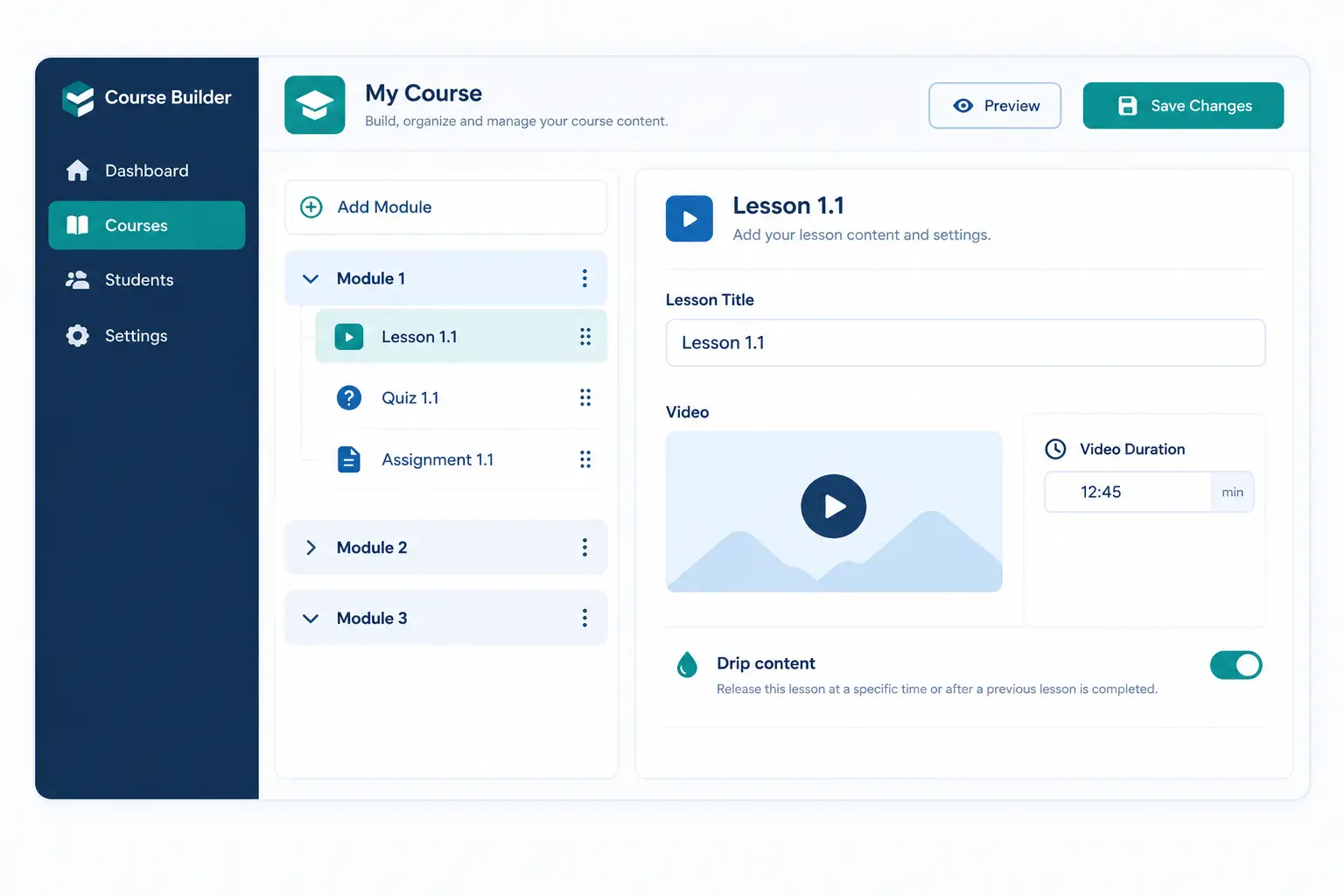
Building structured courses without touching code
The Course Builder works as a drag-and-drop interface for assembling lessons, quizzes, assignments, and meetings into a course structure. Lessons support multiple content types (video, audio, text, PDF, images), multiple video sources, adjustable duration settings, and drip-content rules that release material on a schedule instead of dumping the whole course at once. For longer programs, a sub-curriculum feature lets you group lessons into structured sections, essentially chapters within a course, so a 40-lesson program doesn’t read as one flat list.
One detail that matters more than it sounds: lessons, quizzes, assignments, meetings, and tutor bookings are all reusable across courses. If you run a certification track with a shared foundations module, you build that module once and drop it into every course that needs it, instead of rebuilding it each time.
Assessing learners with more than one question format
The quiz builder supports six question types: true/false, multiple choice, single choice, short answer, fill-in-the-blank, and image answering. That range matters for anything past a basic knowledge check. A compliance-training course needs scenario-based short answers, while a language course benefits from image-based questions. Assignments layer on top with file-attachment uploads, point values, time limits, and a configurable minimum passing score, which is what turns a quiz from a formality into an actual gate for course progression.
Running live sessions and one-on-one tutoring inside the same dashboard
For cohort-based or coaching-style courses, the Live Classes feature integrates directly with Zoom and Google Meet, letting you schedule sessions, assign tutors, set time zones, and enable recording, all from the WordPress dashboard rather than a separate scheduling tool. Tutor Booking extends this to one-on-one sessions, with free or paid booking options, visible tutor availability, and instant confirmations, so a coaching business can run its entire calendar through the same site that hosts its course content.
Certificates, prerequisites, and keeping learners on a real path
The Certificate Builder generates branded, downloadable PDF certificates on course completion, with a unique verification ID so a certificate’s authenticity can be confirmed later, which matters for any course tied to a professional credential. Prerequisites work by locking a course until a student finishes a specified earlier course or category. In practice, this stops a student from jumping into an advanced module before finishing the foundational one, which is the mechanism that keeps a multi-course learning path structured instead of just being a list of unrelated products.
|
Capability |
Free version |
Pro version |
|
Course builder, lessons, quizzes |
Included |
Included |
|
Certificates |
Included |
Included |
|
Multi-instructor revenue sharing |
Included |
Included |
|
Live classes (Zoom, Google Meet) |
Not included |
Included |
|
Content drip, SCORM, assignments |
Not included |
Included |
|
Advanced quiz builder, gradebook |
Not included |
Included |
Source: the free version covers course building, quiz building, certificates, multi-instructor revenue sharing, and course selling, while the Pro version adds live classes, content drip, and SCORM among other advanced tools. (wordpress.org/plugins/academy)
A Real Workflow: Launching a Cohort-Based Certification Course
Here’s what that looks like end to end, using a scenario that comes up constantly: a training company launching a paid, cohort-based certification course.
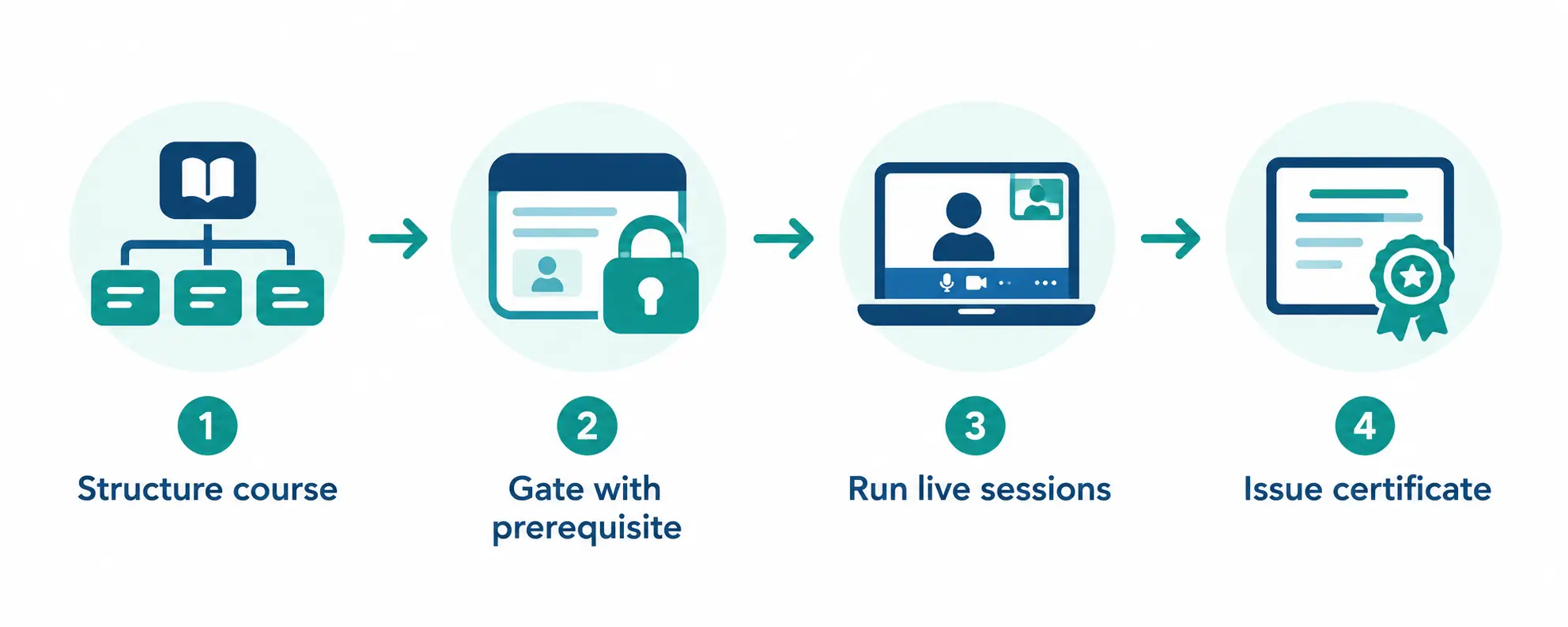
1. Structure the course. Build the curriculum in the Course Builder, grouping foundational lessons into a sub-curriculum so advanced material sits clearly separate from the basics.
2. Gate the sequence. Set a Prerequisite so students can’t access the advanced module until they’ve passed the foundational quiz, keeping the cohort roughly synchronized.
3. Run live sessions. Schedule weekly cohort calls through the Live Classes integration, with recordings automatically available for students who miss a session.
4. Assess and certify. Use mixed question types for the final assessment, then auto-issue a verified certificate to anyone who clears the passing score.
In practice, this matters when a business needs the certification to actually mean something to an employer or licensing body, not just function as a completion badge. The verification ID on the certificate is what makes that credential checkable after the fact.
Where WordPress LMS Setups Go Wrong
Two real stances worth stating plainly, because most guides skip them.
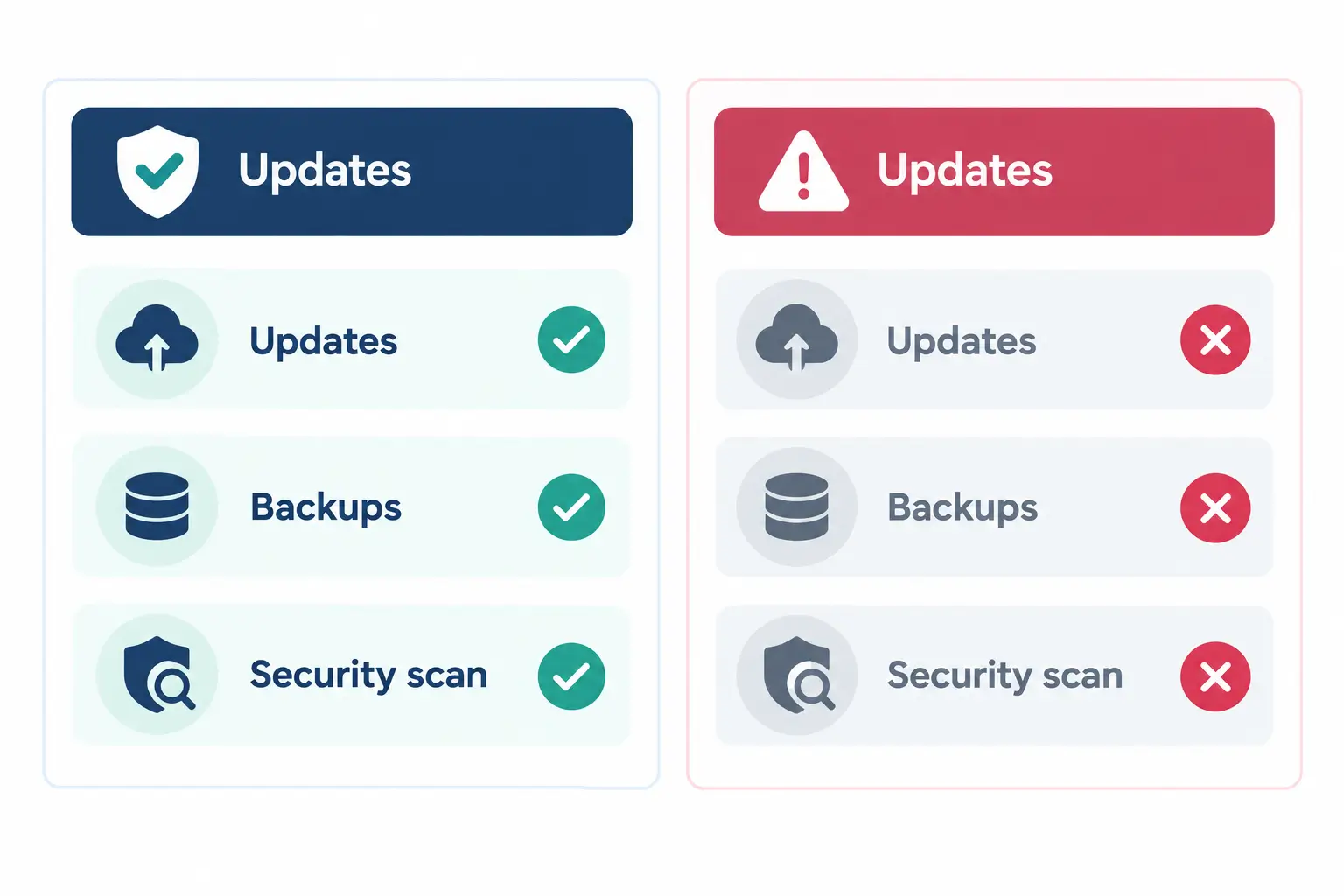
First, a WordPress LMS is not zero-maintenance. You’re responsible for updates, backups, and basic security hardening, work that a SaaS platform absorbs for you. If nobody on your team wants that responsibility, budget for a maintenance service or a managed WordPress host that handles it, because skipping this is how sites get compromised.
Second, not every LMS plugin is built the same way underneath, and choosing based on price alone is a mistake. A plugin with a shallow feature set will force you into three or four separate paid add-ons just to reach parity with what a more complete plugin includes out of the box, at which point the cost advantage over a SaaS platform mostly disappears.
Is a WordPress LMS Right for You?
• If you’re launching your first course and want to test demand fast → a lightweight SaaS trial can validate the idea, but plan to migrate to WordPress once you have paying students, before subscription costs compound.
• If you’re running a training program tied to certification or compliance → a WordPress LMS with prerequisite gating and verifiable certificates is the safer long-term structure.
• If organic search is a core part of your growth plan → WordPress’s content architecture and SEO ecosystem will outperform a SaaS platform’s limited page types over time.
• If you don’t want to manage hosting, updates, or backups at all → a managed WordPress host or a maintenance retainer removes that burden while keeping the ownership advantage.
Frequently Asked Questions
Is WordPress good for building an LMS site?
Yes. WordPress provides the content and hosting foundation, and an LMS plugin adds course creation, enrollment, quizzes, and certificates on top of it. Because you own the hosting and the plugin outright, you avoid the recurring fees and feature caps that come with hosted course platforms.
How much does it cost to build an LMS on WordPress compared to a SaaS platform?
A WordPress LMS typically costs the price of hosting plus a one-time or annual plugin license, often far less over three years than a SaaS platform charging $29 to $199+ a month plus transaction fees on lower tiers. The gap widens as your student count grows, since WordPress doesn’t charge per student.
Do I need coding skills to set up a WordPress LMS?
No. Modern LMS plugins like Academy LMS use drag-and-drop course builders, so creating lessons, quizzes, and certificates doesn’t require touching code. Some technical comfort helps with initial setup and hosting configuration, but day-to-day course management doesn’t.
Can a WordPress LMS handle live classes and cohort-based courses?
Yes, through plugin integrations with Zoom and Google Meet. Academy LMS’s Live Classes feature lets you schedule sessions, assign tutors, and enable recordings directly from the WordPress dashboard, which covers most cohort and coaching-style delivery models.
Is a WordPress LMS secure enough for paid courses and certifications?
It can be, provided you keep WordPress core, themes, and plugins updated and follow basic hardening practices. Certificate features with a unique verification ID, like the one in Academy LMS’s Certificate Builder, also add a layer of credibility for credential-based courses.
What’s the biggest downside of a WordPress LMS compared to a hosted platform?
Maintenance responsibility. A SaaS platform handles updates, backups, and security for you; a self-hosted WordPress LMS puts that on you or your host. For most creators, this is offset by the cost savings and data ownership, but it’s worth budgeting for a managed host or maintenance plan if you don’t want to handle it yourself.