
Assessments are an essential part of online learning. They help instructors measure student progress, identify knowledge gaps, and determine whether learners have achieved the course objectives.
When building an online course, one common question is: Should you use assignments or quizzes?
Both assessment types serve different purposes. Quizzes are generally useful for quickly testing knowledge, reinforcing concepts, and providing immediate feedback, while assignments are better suited to evaluating practical skills, creativity, problem-solving, and deeper understanding.
Understanding the difference between assignments and quizzes can help instructors choose the right assessment method for each lesson, module, or course.
In this guide, we’ll compare assignments and quizzes, explain when to use each, and show how combining both can create a more effective learning experience.
Quick Overview: Assignments vs Quizzes
|
Assignments |
Quizzes |
|
Evaluate practical skills and real-world application |
Test knowledge and understanding quickly |
|
Support projects, files, and detailed responses |
Use structured questions and answers |
|
Encourage creativity and problem-solving |
Provide quick feedback and knowledge checks |
|
Suitable for complex tasks and projects |
Suitable for short, frequent assessments |
|
Often require instructor evaluation |
Can support automated grading for objective questions |
What Are Assignments in an LMS?
An assignment is an assessment where learners complete a task and submit their work for evaluation.
Unlike a traditional quiz, an assignment usually requires learners to create something, explain a concept, solve a problem, or apply what they have learned.
For example, in a WordPress development course, an instructor could ask students to:
Assignments are particularly useful when the learning objective involves application and practical skills.
Depending on the LMS, students may submit files, text responses, links, projects, or other types of work.
For example, the Academy LMS Assignments add-on allows instructors to create assignments, set deadlines, assign points and minimum passing marks, accept file submissions, and evaluate student work.
What Are Quizzes in an LMS?
A quiz is a structured assessment that allows instructors to test a learner’s knowledge using questions and configured answers.
Quizzes are commonly used to check whether students understand concepts covered in a lesson or course.
Common quiz formats can include:
The exact question types depend on the LMS. For example, Academy LMS currently provides seven quiz question types, with Dropdown, Short Answer, Image Answer, and Fill In The Blanks available with Academy LMS Pro.
For example, after teaching students about WordPress themes, an instructor could create a quiz asking:
Which file is commonly used as the main template file in a classic WordPress theme?
Students select or enter their answers, and the LMS can evaluate the response based on the configured answer.
This makes quizzes a convenient option for quick knowledge checks and quiz-based assessment.
If you want to explore the available question formats in more detail, see the Academy LMS Quiz and Question Bank documentation.
Assignments vs Quizzes: What’s the Difference?
The biggest difference between assignments and quizzes is how learners demonstrate their knowledge.
A quiz usually asks learners to answer structured questions. An assignment asks learners to complete a task or produce something.
Here’s a quick comparison:
|
Feature |
Assignments |
Quizzes |
|
Primary purpose |
Evaluate practical application |
Test knowledge and understanding |
|
Answer format |
Projects, files, text, links, etc. |
Structured questions and answers |
|
Grading |
Often requires instructor evaluation |
Can often be automated for objective questions |
|
Time required |
Usually longer |
Usually shorter |
|
Creativity |
High |
Usually limited |
|
Practical skills |
Excellent |
Limited |
|
Knowledge checks |
Good |
Excellent |
|
Immediate feedback |
Depends on evaluation workflow |
Often available |
|
Scalability |
More difficult to grade manually |
Easier to scale |
|
Best for |
Projects and real-world tasks |
Concepts and knowledge |
The right choice depends on the learning objective, rather than simply the type of course.
Assignments vs Quizzes in LMS: When Should You Use Each?
Choosing between assignments and quizzes becomes easier when you start with the learning objective.
Ask yourself:
What do I want the learner to demonstrate?
If the answer is knowledge or recall, a quiz may be the better choice.
If the answer is practical application, problem-solving, or creation, an assignment may be more appropriate.
Let’s look at some common situations.
Use Quizzes to Test Knowledge
Quizzes work well when you want to determine whether learners understand key concepts.
For example, after a lesson about HTML, you could create questions about:
A quiz allows students to quickly demonstrate whether they understand the material.
Quizzes are especially effective at the end of individual lessons or small learning sections.
Use Assignments to Evaluate Practical Skills
Assignments are more suitable when students need to apply their knowledge.
For example, after teaching HTML and CSS, instead of asking only quiz questions, you could give students an assignment:
Create a responsive landing page using HTML and CSS.
This assessment tells the instructor much more about the student’s practical ability.
The student must apply multiple concepts to complete the task successfully.
This is where an LMS assignment feature becomes particularly valuable because instructors can collect and evaluate the learner’s actual work.
Use Quizzes for Quick Knowledge Checks
Not every assessment needs to be lengthy.
A short quiz can be placed after a lesson to reinforce important concepts and help students determine whether they are ready to continue.
For example:
Lesson: WordPress Custom Post Types
Quick quiz:
These short assessments can improve learner engagement without adding significant workload.
Academy LMS allows instructors to configure quiz settings such as passing grade, time limit, question order, feedback behavior, and explanations.
Use Assignments for Projects
Assignments are particularly valuable for project-based courses.
For example, a web development course could include:
Assignment: Build a portfolio website using WordPress.
Students could submit the website URL for instructor review.
The instructor can then evaluate factors such as:
This type of assessment provides a much deeper evaluation than a traditional quiz.
Advantages of Quizzes
Quizzes offer several benefits for online learning.
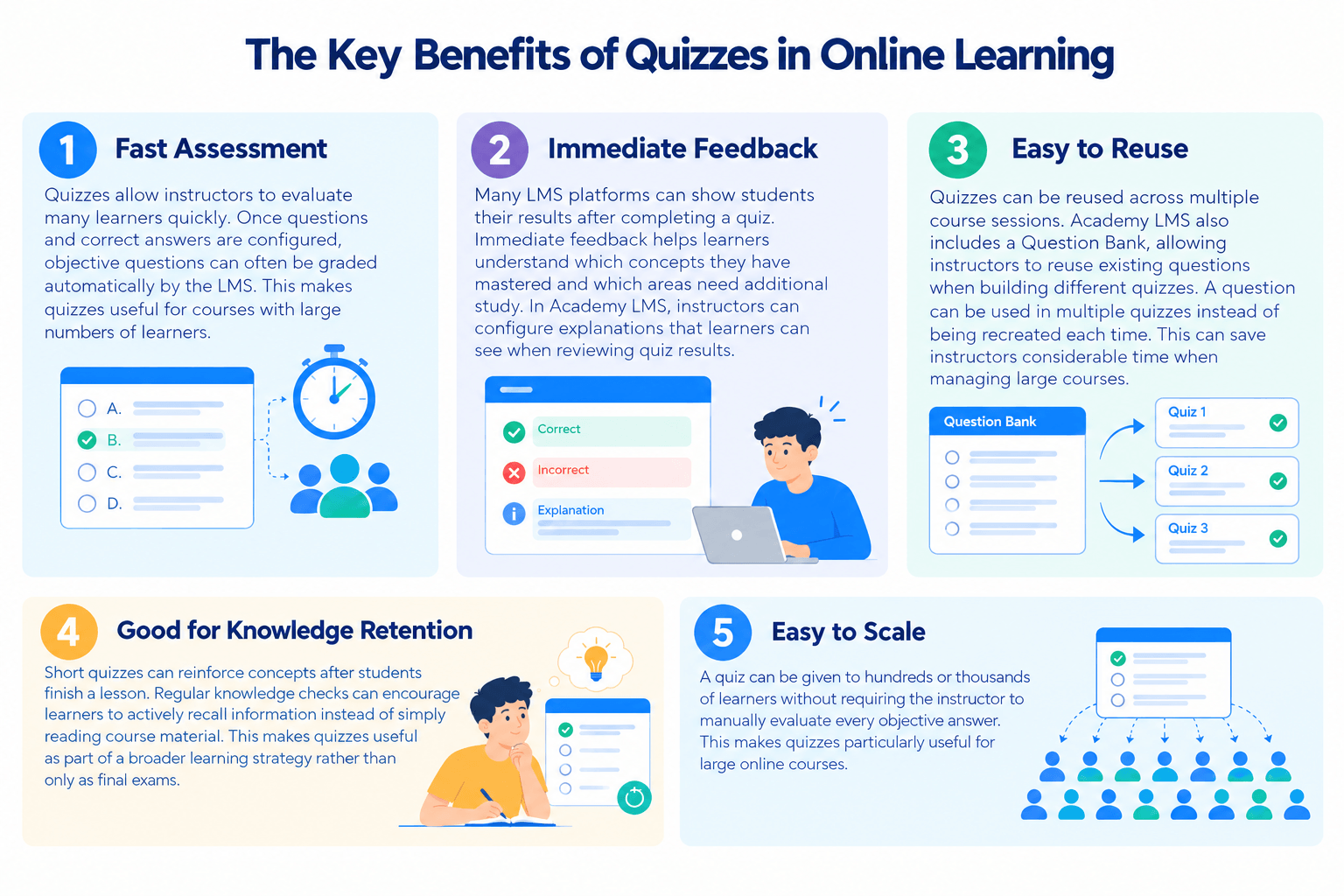
1. Fast Assessment
Quizzes allow instructors to evaluate many learners quickly.
Once questions and correct answers are configured, objective questions can often be graded automatically by the LMS.
This makes quizzes useful for courses with large numbers of learners.
2. Immediate Feedback
Many LMS platforms can show students their results after completing a quiz.
Immediate feedback helps learners understand which concepts they have mastered and which areas need additional study.
In Academy LMS, instructors can configure explanations that learners can see when reviewing quiz results.
3. Easy to Reuse
Quizzes can be reused across multiple course sessions.
Academy LMS also includes a Question Bank, allowing instructors to reuse existing questions when building different quizzes. A question can be used in multiple quizzes instead of being recreated each time.
This can save instructors considerable time when managing large courses.
4. Good for Knowledge Retention
Short quizzes can reinforce concepts after students finish a lesson.
Regular knowledge checks can encourage learners to actively recall information instead of simply reading course material.
This makes quizzes useful as part of a broader learning strategy rather than only as final exams.
5. Easy to Scale
A quiz can be given to hundreds or thousands of learners without requiring the instructor to manually evaluate every objective answer.
This makes quizzes particularly useful for large online courses.
Advantages of Assignments
Assignments provide a different set of benefits.
1. Evaluate Practical Skills
Assignments allow students to demonstrate how they can apply what they have learned.
This is especially important for technical, creative, and professional courses.
For example, a programming course can ask students to build a small application instead of simply answering questions about programming concepts.
2. Encourage Critical Thinking
A well-designed assignment can require learners to analyze a problem, make decisions, and explain their reasoning.
This gives instructors a better view of how students approach complex tasks.
3. Measure Creativity
Assignments provide more freedom than predefined quiz questions.
Students can approach a task in different ways and create unique solutions.
This is particularly useful in subjects such as:
4. Simulate Real-World Work
Assignments can closely resemble tasks students may perform outside the classroom.
For example, a digital marketing course could ask students to create a campaign plan, while a programming course could require them to build a small application.
This makes assignments especially useful for career-focused learning.
5. Provide Deeper Evaluation
A quiz may tell you whether a student knows a concept.
An assignment can show whether the student can actually use that concept.
That difference is one of the most important considerations when deciding between assignments and quizzes.
Which Is Better: Assignments or Quizzes?
There is no universal winner in the assignments vs quizzes debate.
The better assessment depends on what you want learners to achieve.
Use quizzes when you want to:
Use assignments when you want to:
In many cases, the best solution is to use both.
Why You Should Combine Assignments and Quizzes
Assignments and quizzes don’t have to compete with each other.
They can work together as complementary assessment methods.
For example, imagine you’re creating a WordPress development course.
Step 1: Teach the Concept
Start with a lesson explaining WordPress hooks.
Step 2: Add a Quiz
Create a short quiz to test whether students understand:
Step 3: Add an Assignment
After the quiz, give students a practical assignment:
Create a simple WordPress customization using an action hook and submit the implementation.
The quiz confirms that the learner understands the theory.
The assignment confirms that the learner can apply that knowledge.
This creates a more complete assessment strategy.
Academy LMS supports adding lessons, quizzes, and other course content through its course builder, making this type of assessment structure practical for an LMS course.
Example Assessment Strategy for an Online Course
A balanced LMS course could use different assessment types throughout the learning journey.
For example:
Lesson 1: Introduction to HTML
→ Short quiz
Lesson 2: HTML Forms
→ Quiz
Lesson 3: CSS Fundamentals
→ Quiz
Lesson 4: Building a Web Page
→ Assignment
Lesson 5: Responsive Design
→ Quiz
Lesson 6: Final Website Project
→ Assignment
This approach prevents the course from relying entirely on one type of assessment.
It also gives students multiple ways to demonstrate their learning.
If you’re building this type of curriculum in Academy LMS, the course creation documentation explains how to structure courses and add quizzes and other content to the curriculum.
How to Choose the Right Assessment Type
Before creating an assessment, consider these five questions.
1. What Is the Learning Objective?
Start with the objective.
If students need to remember information, use a quiz.
If they need to demonstrate a skill, consider an assignment.
2. How Complex Is the Skill?
Simple concepts can often be evaluated with quizzes.
Complex skills usually require assignments or projects.
For example:
Simple:
“What does CSS stand for?”
→ Quiz
Complex:
“Build a responsive landing page using HTML and CSS.”
→ Assignment
3. Do Students Need to Create Something?
If the expected outcome is a:
an assignment is usually more appropriate.
4. Do You Need Automated Grading?
If automated grading is important, quizzes are generally easier to manage, especially for objective questions.
Assignments often require instructor evaluation because answers and submitted work can vary significantly.
5. How Much Time Should the Assessment Take?
Quizzes are generally better for short assessments.
Assignments are better when learners need more time to research, create, test, or revise their work.
Best Practices for Quiz-Based Assessment
If you use quizzes in your LMS, follow these best practices.
Keep Questions Focused
Each question should measure a specific learning objective.
Avoid unnecessarily complicated questions that test reading ability instead of subject knowledge.
Use Different Question Types
Don’t rely entirely on multiple-choice questions.
Where appropriate, combine different online quiz methods to make assessments more engaging.
For example, depending on your LMS, you could combine:
Academy LMS currently provides seven question types, giving instructors several ways to match questions with different learning objectives.
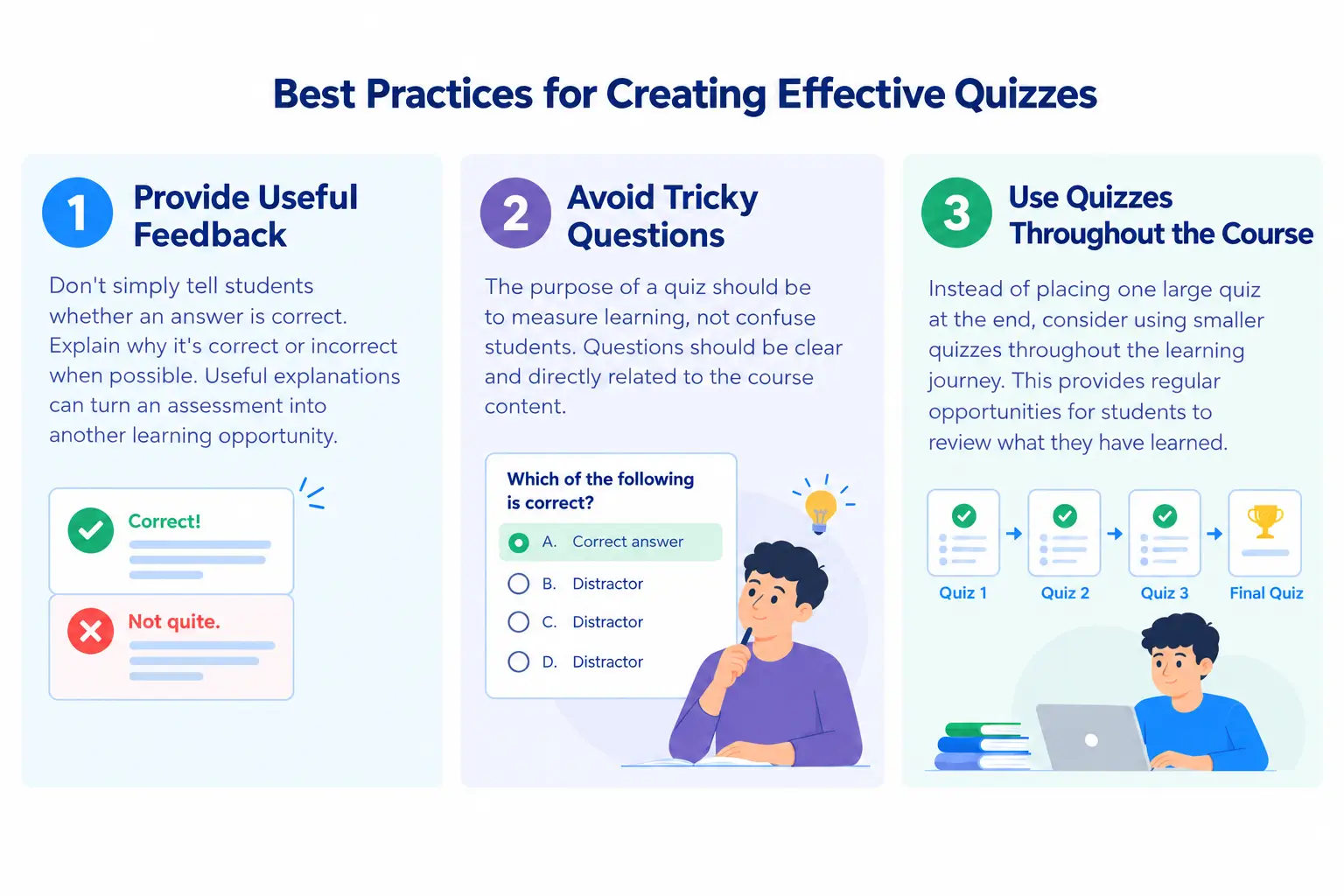
Provide Useful Feedback
Don’t simply tell students whether an answer is correct.
Explain why an answer is correct or incorrect when possible.
Useful explanations can turn an assessment into another learning opportunity.
Avoid Tricky Questions
The purpose of a quiz should be to measure learning, not confuse students.
Questions should be clear and directly related to the course content.
Use Quizzes Throughout the Course
Instead of placing one large quiz at the end, consider using smaller quizzes throughout the learning journey.
This provides regular opportunities for students to review what they have learned.
Best Practices for Assignments
Assignments also need careful planning.
Give Clear Instructions
Explain exactly what students need to complete and submit.
Include:
Academy LMS Assignments supports file submissions, deadlines, file-size requirements, points, passing marks, and evaluation tools.
Define the Expected Outcome
Students should understand what a successful submission looks like.
For example:
Create a responsive WordPress landing page containing a navigation menu, hero section, contact form, and footer.
This is much clearer than simply saying:
Create a WordPress page.
Use a Rubric
A grading rubric can make assignment evaluation more consistent.
For example:
A clear rubric also helps learners understand how their work will be evaluated.
Make Assignments Relevant
The best assignments resemble real-world tasks.
This helps learners understand how they can use their newly acquired skills outside the course.
Assignments vs Quizzes: The Best Approach for an LMS
A strong LMS doesn’t need to choose between assignments and quizzes.
Instead, instructors should use each assessment type where it provides the most value.
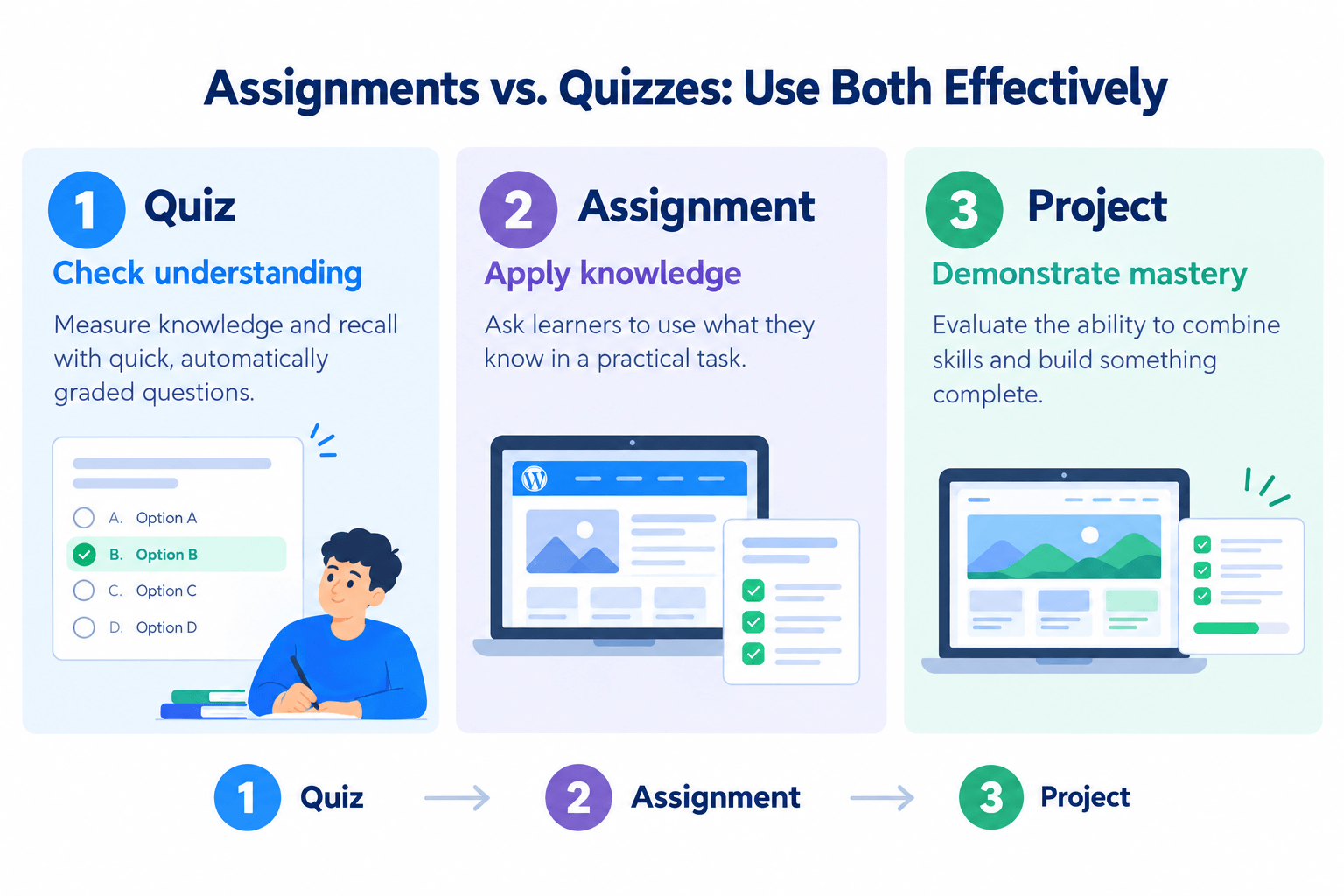
A simple framework is:
Quiz → Check understanding
Assignment → Apply knowledge
Project → Demonstrate mastery
This approach creates a more complete learning experience.
For example, a learner may score 90% on a quiz about WordPress development but still struggle to build a functional WordPress website.
The quiz demonstrates theoretical understanding, while the assignment demonstrates practical ability.
Using both gives instructors a clearer picture of learner performance.
Academy LMS supports courses containing lessons, quizzes, and assignments, making it possible to build this type of mixed assessment strategy within the course curriculum.
Final Thoughts
When comparing assignments vs. quizzes, the most important consideration is the learning objective.
Quizzes are excellent for testing knowledge, reinforcing concepts, and providing quick feedback. Assignments are better for evaluating practical skills, creativity, critical thinking, and real-world application.
Instead of asking:
Which assessment type is better?
ask:
Which assessment type is right for the skill I want to measure?
For many online courses, the most effective strategy is to combine both.
Use quizzes for regular knowledge checks and assignments for deeper, practical assessments.
By using the right assessment at the right stage of the learning journey, you can create a more engaging, effective, and meaningful LMS course.
Frequently Asked Questions
What is the difference between assignments and quizzes?
The main difference between assignments and quizzes is how learners demonstrate their knowledge.Quizzes typically use structured questions and configured answers to test knowledge or understanding. Assignments require learners to complete a task, create something, or provide a more detailed response.
Are quizzes better than assignments?
Neither is universally better Quizzes are better for testing knowledge, reinforcing concepts, and providing quick feedback Assignments are better for evaluating practical skills, creativity, problem-solving, and real-world application The best choice depends on the learning objective.
When should I use an assignment in an LMS?
Use an assignment when learners need to demonstrate a practical skill, complete a project, solve a complex problem, or create a deliverable that cannot be adequately evaluated through structured quiz questions.
When should I use a quiz in an LMS?
Use a quiz when you want to test knowledge, reinforce lesson concepts, check learner understanding, or provide an efficient assessment for objective questions.
Can I use assignments and quizzes together?
Yes. Combining assignments and quizzes is often an effective assessment strategy.Quizzes can measure theoretical understanding, while assignments can evaluate whether learners can apply that knowledge in practical situations.