











When you decide to sell knowledge or gated content online, you will quickly arrive at a fork in the road: should you install a Learning Management System (LMS) plugin or a membership plugin? Both promise to put content behind a paywall, both integrate with WooCommerce or Stripe, and both come with free tiers that look surprisingly similar at first glance. Yet the two categories exist for distinct reasons — and choosing the wrong one can mean months of painful workarounds.
What Is an LMS Plugin?
An LMS (Learning Management System) plugin is purpose-built to deliver structured, educational experiences. Think of it as your digital classroom. The core unit of an LMS is the course — a container that holds lessons, topics, quizzes, assignments, and certificates, all organised into a deliberate learning sequence.
Popular LMS plugins for WordPress include Academy LMS, LearnDash, LifterLMS, TutorLMS, and the free LearnPress. Each one follows the same core approach: learners enroll in a course, move through it step by step, and receive feedback or credentials upon completion.
Core features of an LMS plugin
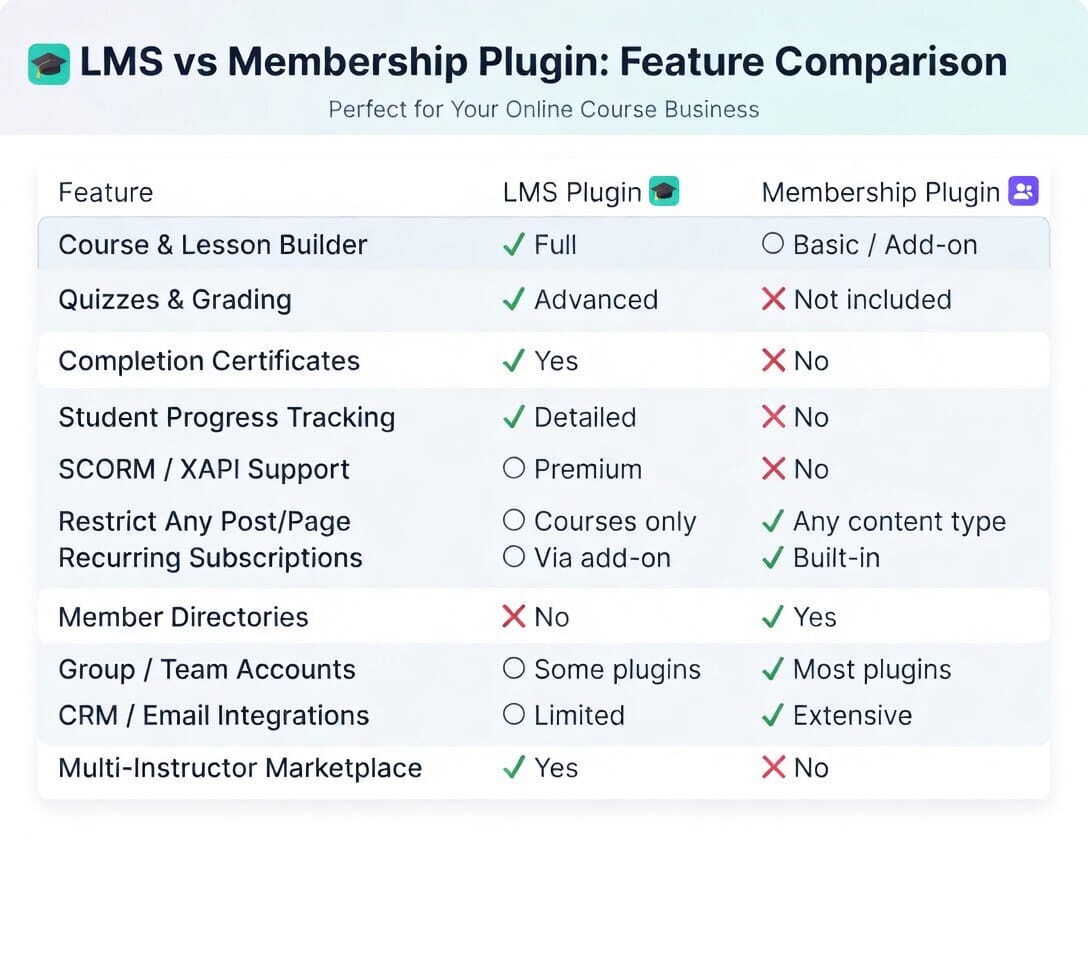
- Course & lesson builder — drag-and-drop editors for organising modules, topics, and sub-topics.
- Quizzes and assessments — multiple-choice, fill-in-the-blank, essay questions, and automatic grading.
- Progress tracking — per-student dashboards showing completion percentages and time-on-task.
- Certificates — auto-issued PDF certificates upon course completion.
- Prerequisites & drip content — unlock lessons based on prior completion or calendar schedule.
- Instructor management — multi-instructor marketplaces with revenue splitting.
- SCORM / xAPI support — import industry-standard e-learning packages (on premium tiers).
What Is a Membership Plugin?
A membership plugin is an access-control system. Its job is simple but powerful: decide who can see what content, and for how long. The core unit here is the membership level — a bundle of permissions that unlocks pages, posts, downloads, forums, or any custom post type your site uses.
Popular choices include MemberPress, Restrict Content Pro, Paid Memberships Pro, MemberMouse, and the community-favourite free plugin Members. Where an LMS asks “how do I teach this?”, a membership plugin asks “who is allowed to see this?”.
Core features of a membership plugin
- Content restriction rules — protect any page, post, custom post type, or category by membership level.
- Subscription billing — recurring monthly or annual plans with automatic renewals and dunning emails.
- Member directories — community-facing profiles and searchable member lists.
- Coupon & discount engine — percentage or flat-rate codes, trial periods, and free trials.
- Drip content by registration date — release new content based on how long someone has been a member.
- Email & CRM integrations — automatically sync members to Mailchimp, ActiveCampaign, or HubSpot.
- Corporate / group accounts — one company purchases seats for multiple users (premium tier).
“An LMS teaches; a membership plugin guards the door. Most successful online businesses eventually need both — but rarely at the same time.”
Where They Overlap — and Where They Don’t
Here is where confusion sets in. Modern LMS plugins have bolted on basic access control (you can require a subscription to access a course). Modern membership plugins have added simple “lesson” post types. The overlap is real, but thin. Once you push beyond the basics, the seams show quickly.
An LMS will never match a membership plugin’s flexibility for restricting arbitrary WordPress content — protecting 500 blog posts, a WooCommerce product, a podcast feed, and a private forum simultaneously requires the surgical rules engine that only a dedicated membership plugin provides. Conversely, a membership plugin’s “lessons” will never match an LMS’s quiz engine, SCORM support, gradebook, or certificate automation.
Which One Should You Choose?
The answer almost always comes down to clarifying your primary deliverable. Ask yourself: am I selling an educational transformation (a course with a beginning, middle, and end), or am I selling ongoing access to a body of content or a community?
Choose an LMS plugin if…
- You sell structured courses with a defined curriculum.
- You need to issue certificates or track completion.
- Students must pass quizzes before advancing.
- You want to build a multi-instructor marketplace.
- Corporate clients ask for SCORM-compatible content.
Choose a membership plugin if…
- You run a subscription newsletter, podcast, or blog.
- You want to protect a mix of content types (posts, videos, downloads, forums).
- Recurring billing and subscription management are the heart of your business model.
- You need a member directory or community layer.
- You sell tiered access (Silver/Gold/Platinum) across your whole site.
Can You Use Both Together?
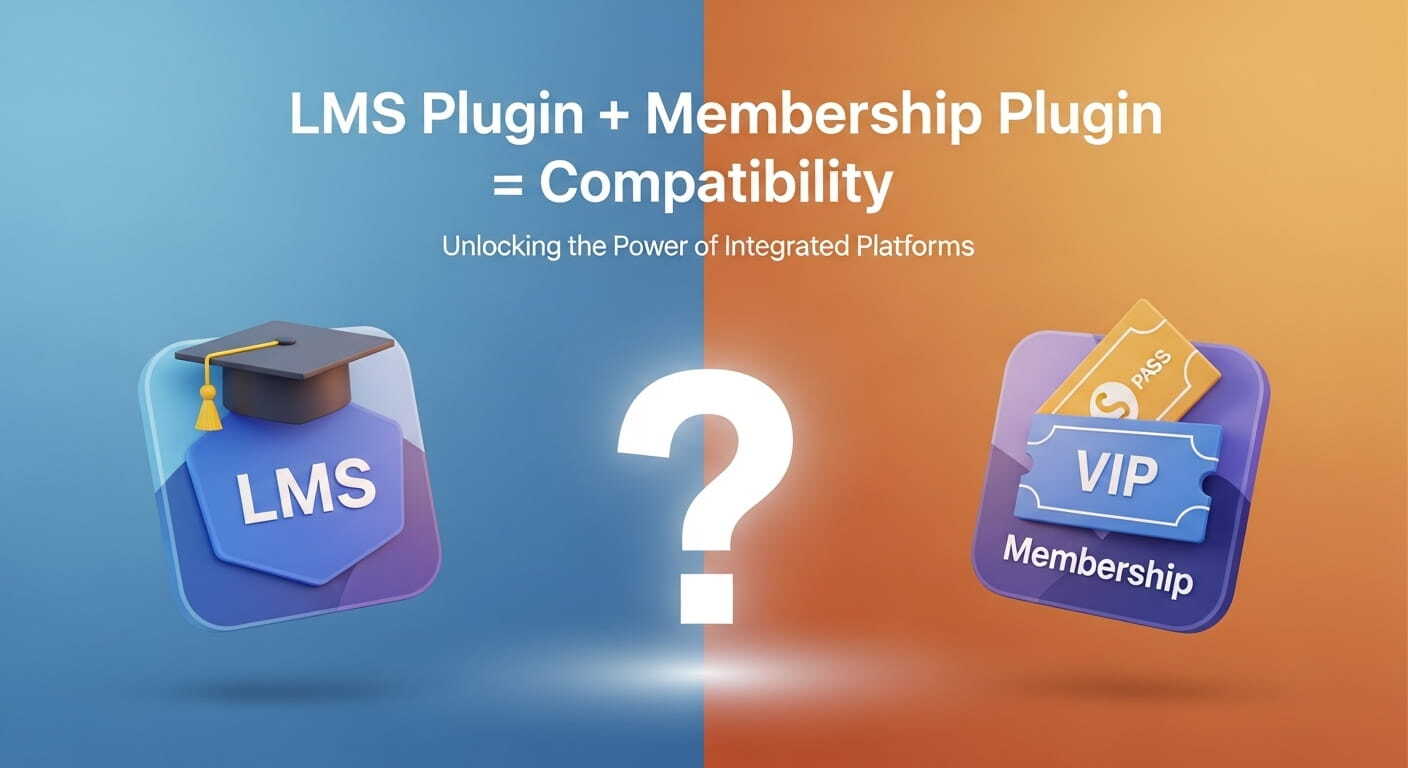
Absolutely — and many successful online businesses do exactly that. A membership plugin handles the billing, access tiers, and community features across the site, while an LMS plugin manages the actual course content within those tiers. LearnDash, for example, publishes official integration docs for MemberPress and Paid Memberships Pro. LifterLMS integrates cleanly with Restrict Content Pro.
A typical setup looks like this: MemberPress (or a similar tool) manages your Gold and Silver subscription plans. Inside those plans, access is granted to specific LearnDash course groups. The membership plugin decides who gets in; the LMS plugin decides what happens once they’re inside. This dual-plugin architecture is more powerful than either tool alone and remains the standard approach for serious online course businesses.
A Word on Cost
Both plugin types include free entry points — LearnPress, TutorLMS (free tier), Paid Memberships Pro, and Members are all available at no cost to get you started. Beyond that, the pricing models begin to diverge. LMS plugins typically charge an annual license fee (LearnDash starts around $199/year, LifterLMS around $149/year), while membership plugins often price by feature tier or number of sites. If you plan to run both, budget accordingly — a LearnDash + MemberPress stack will typically land in the $500–700 per year range before add-ons.
At a Glance
- LMS plugins manage the teaching experience — courses, quizzes, progress, and certificates.
- Membership plugins manage who can see what — access tiers, subscriptions, and site-wide restrictions.
- Many sites use both together for the best results.
Top LMS Plugins
- AcademyLMS
- LifterLMS
- TutorLMS
- LearnDash
- LearnPress (free)
- Sensei LMS
Top Membership Plugins
- StoreEngine
- MemberPress
- Paid Memberships Pro
- Restrict Content Pro
- MemberMouse
- Members (free)
The Verdict
Building a course business? Start with an LMS. Building a content subscription? Start with a membership plugin. Doing both? Pair them.
The Bottom Line
LMS plugins and membership plugins are both access-gating tools, but they sit on opposite ends of the same spectrum. An LMS plugin is an educator’s toolkit: it structures learning, measures outcomes, and rewards completion. A membership plugin is a business-model engine: it manages recurring revenue, protects diverse content, and nurtures subscriber relationships over time. Understanding this distinction will save you considerable time, money, and frustration. Pick the right tool for the core job your site needs to do, and only add the second layer when your business model genuinely demands it.