












By 2025, the Global eLearning website market is about to reach $325 billion according to Forbes. In 2024, the global eLearning market is projected to reach approximately $313.65 billion, up from $260.07 billion in 2023. This growth reflects a potential annual growth rate (CAGR) of 20.6% from 2024 to 2034, with expectations for the market to expand significantly over the next decade, potentially reaching around $2.04 trillion by 2034.
So, eLearning business can be a top pick for you, if you’re planning for a long term business. But, you need a proper solution. While there are several on the market, today we will talk about the most user-friendly solution for WordPress, Academy LMS. WRbet Aviator is an exciting online gaming platform that offers players a unique and thrilling experience. Combining elements of chance and strategy, this game allows users to test their luck and skill as they aim to maximize their winnings. Whether you’re an experienced player or new to the world of online gaming, WRbet Aviator caters to all skill levels with its user-friendly interface and engaging gameplay. For those looking to dive into the action, you can easily access the game by visiting https://wrbetaviator.or.ke/. The platform also emphasizes security and fair play, ensuring that every participant has a fair chance to win. With regular promotions and bonus offers, WRbet Aviator keeps players coming back for more. So, if you’re ready to take your gaming experience to the next level, give WRbet Aviator a try today!
This guide will show you how to create an efficient and scalable Learning Management System (LMS) with Academy LMS in WordPress. Academy LMS is one of the best LMS plugins for WordPress. Let’s design and monetize an interactive learning experience. Bantubet Aviator is an innovative online platform that combines entertainment with the potential for real financial rewards. At its core, the game presents a thrilling betting experience that draws players from all walks of life. Users engage in a unique gameplay style where they predict multipliers that can dramatically increase their stakes. The excitement lies in the anticipation as players watch the multiplier rise, making every second count. To explore the game and dive into this adrenaline-pumping experience, visit their official site at https://bantubetaviator.or.ke/. Here, you’ll find user-friendly navigation and a plethora of features designed to enhance your gaming experience. With a focus on security and fair play, Bantubet Aviator aims to provide a safe environment for players. Whether you’re a seasoned gamer or a newcomer, Bantubet Aviator promises an unforgettable adventure.
Are you ready to convert your skills and passion into profit? Starting an eLearning business by creating and selling online courses on WordPress using Academy LMS is the way to go.
Key Takeaways:
- Create a feature-rich LMS website on WordPress using Academy LMS.
- Set up your eLearning platform with Rapyd Cloud hosting.
- A cost-effective solution to start and grow your online course business.
Table of Contents
What is a Learning Management System?
A Learning Management System (LMS) is a platform designed to deliver online courses with essential features such as quizzes, assignments, video lessons, progress tracking, grade books, live classes, and more. It’s a complete solution for educators, trainers, and institutions aiming to provide structured learning online.
What Do You Need to Build an LMS Website?
To create an eLearning website, you’ll need only two key components:
- A dynamic LMS plugin like Academy LMS.
- An easy to access CMS.
- A robust cloud hosting provider.
Before we start, let’s give you a rundown on Academy LMS, the WordPress Platform and Rapyd Cloud Hosting.
Why Academy LMS?
Academy LMS, developed by Kodezen, transforms your WordPress site into an all-in-one eLearning platform. It offers a suite of features to create, manage, and monetize online courses:
- Build unlimited courses and lessons with an intuitive course builder.
- Develop engaging quizzes and assignments for effective learning.
- Integrate video lessons, downloadable resources, and live classes.
- Enable multi-instructor support for collaborative course creation.
Academy LMS Pro takes functionality further with advanced features such as certificate creation, content dripping, grade books, and private courses.
Also, it gives access to more powerful addons and integrations to create the perfect eLearning website for any niche. Priced affordably, it’s a go-to solution for educators and entrepreneurs alike.
Here’s a complete comparison between Academy LMS and other LMS plugins in the market.
Why WordPress?
As the backbone of over 43.6% of the websites worldwide, WordPress offers unparalleled flexibility and control:
- Affordable and scalable to fit your budget and growth needs.
- Fully customizable with thousands of themes and plugins.
- Seamlessly integrates with third-party tools for payments, marketing, and more.
- Global community support ensures help is always available.
Why Rapyd Cloud for Hosting?
Rapyd Cloud is tailored for dynamic websites like LMS platforms, ensuring unmatched performance:
- High-Speed Performance: Handles heavy traffic and concurrent users effortlessly.
- Scalability: Automatically adjusts server capacity during traffic surges.
- Security: Implements multi-layered protections against vulnerabilities.
- Ease of Use: A straightforward interface lets you focus on your business.
- 24/7 Support: Expert assistance whenever you need it.
Step-by-Step Guide to eLearning Website Creation
Step 1: Setting Up Hosting with Rapyd Cloud
Rapyd Cloud Hosting stands out as an easy-to-use, high-performance hosting solution designed for beginners and experts alike. Its user-friendly interface ensures that even those with minimal technical skills can set up their website quickly.
With a focus on reliability and simplicity, Rapyd Cloud removes the complexity often associated with hosting setups. Its automated tools and clear instructions make the entire process seamless, saving you time and effort.
Creating Rapyd Cloud Account
- Visit Rapyd Cloud: Navigate to the Rapyd Cloud website to explore their hosting plans.
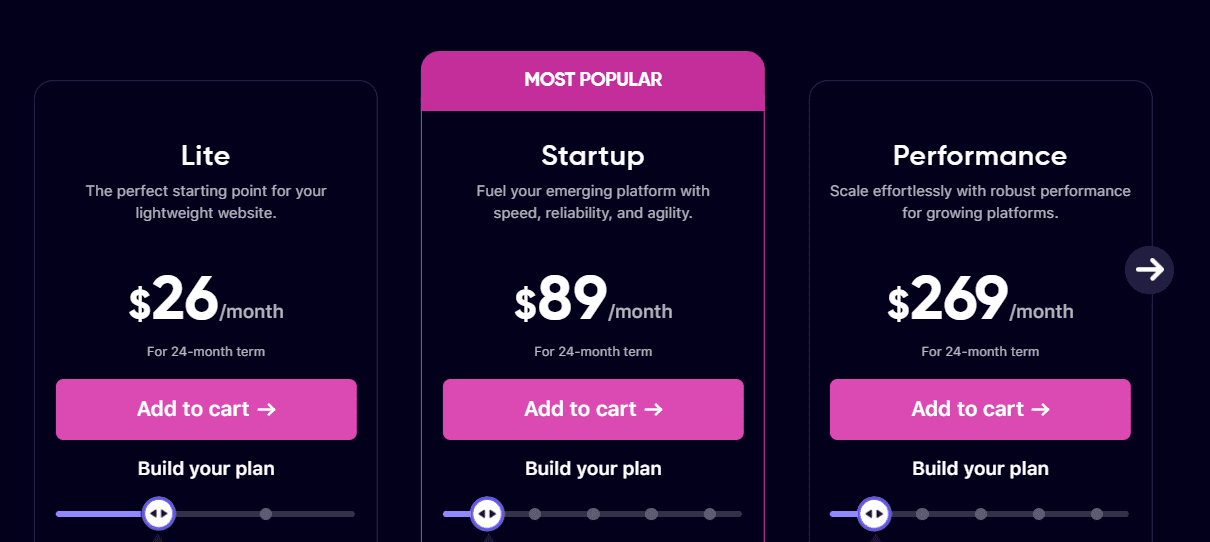
- Choose a Hosting Plan: Evaluate options based on anticipated traffic and storage needs. Rapyd Cloud offers flexible plans, including those suited for startups and large-scale enterprises.
- Sign Up: Complete the registration process by providing your details. Many plans offer free trials to test the hosting environment.
Choosing Site Option
You can choose to create a new site or migrate an existing site. The process is quite quick and easy. Just click on your desired option and follow the steps.

Installing WordPress
Setting up WordPress on Rapyd Cloud is effortless:
- Access Your Dashboard: Log into your Rapyd Cloud dashboard and locate the installation tools.
- Add Details: Add your site name, domain name, location, PHP version, enable WooCommerce (Optional) and click “Add Site”
- Set Up Your Site: Follow on-screen instructions to configure your site’s name, admin details, and primary settings.

With just a few clicks, you’ll have WordPress ready to customize, eliminating the complexities often associated with manual installations.

Once the installation process is done, you can go to your admin dashboard by clicking the “WP Admin” button.
Key Hosting Features
- Performance Optimization: Rapyd Cloud’s servers are engineered for high-speed performance, ensuring minimal load times for the LMS and the website.
- Scalability: Easily upgrade hosting plans to accommodate increasing traffic or storage requirements.
- Enhanced Security: Benefit from advanced security features, including firewalls, malware scanning, and free SSL certificates.
- Ease of Use: The intuitive dashboard and automated tools make it incredibly simple to manage the hosting environment, even if you’re new to website management.
By choosing Rapyd Cloud Hosting, you eliminate the hassle of technical configurations, allowing you to focus on building and enhancing the LMS website. The platform’s seamless usability ensures that even first-time users can confidently set up and manage their hosting.
Step 2: Install the Academy LMS Plugin
Navigate to your WordPress dashboard. Go to Plugins > Add New, search for “Academy LMS”, click Install Now, and activate it.

After activation, follow the setup wizard that guides you through configuring basic settings for Academy LMS.
Step 3: Create Courses
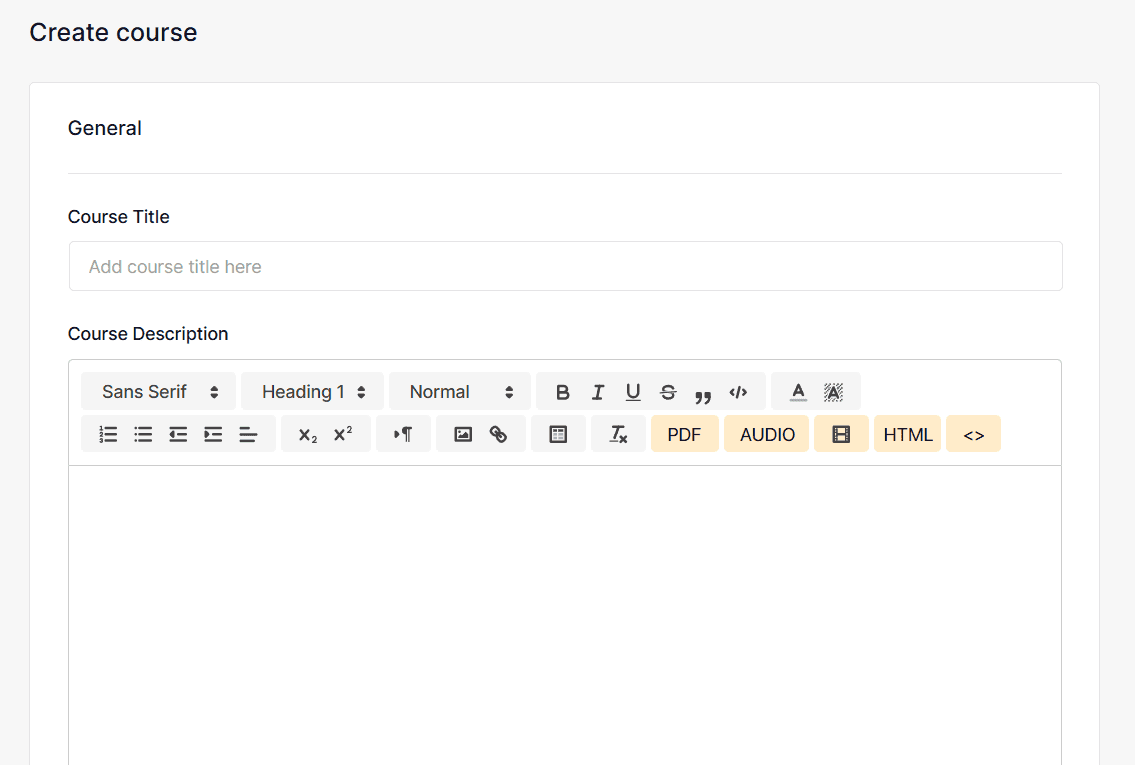
In the WordPress dashboard, go to Academy LMS > Courses, then click on Add New Course.
Now, you have to enter Course Details:
- Course Title: Create a descriptive title that accurately reflects the course content.
- Course Description: Write a detailed description outlining what students will learn, including objectives and prerequisites. Use bullet points or numbered lists for clarity.
- Course Thumbnail: Upload an engaging image that visually represents your course.
Create course curriculum with Course Builder:
Scroll down to the Course Builder section. Click on “Add New Curriculum” to add title and summary. Then you can add content like, lessons, quiz, assignment and meeting. You can either start from scratch or build from existing data.

Adding Lessons Under Topics:
For each topic created, click on the corresponding Lesson button. Fill in the lesson name and content using a rich text editor that allows multimedia integration (text, images, videos). Also, you can add feature images.
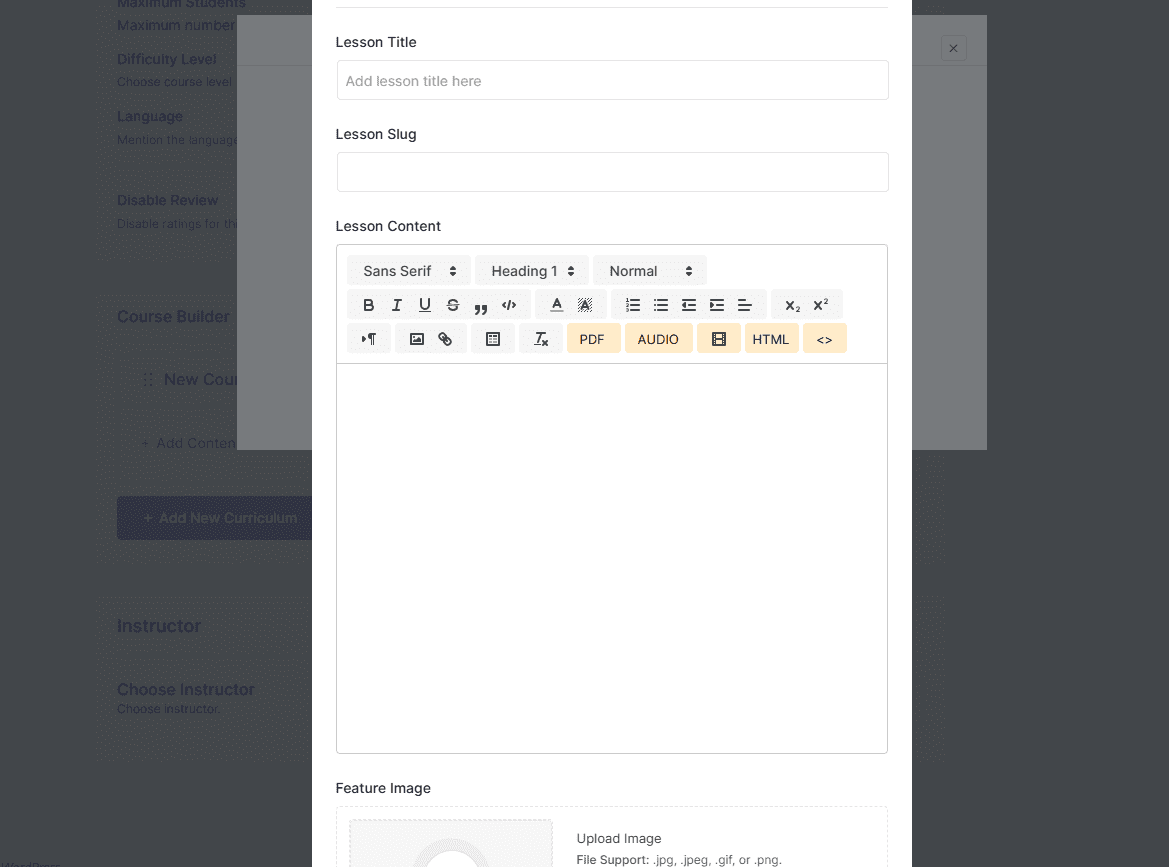
In the lesson settings section, you can add more details like, preview lessons, adding video source, playback time, and add attachments.

Adding Quizzes and Assignments:
You need to enable the Quiz and Assignment addon for this to work. So, go to Academy LMS > Addon. And, enable Quiz and Assignment addons.
For each course, click on the appropriate button to create quizzes or assignments. In the quiz creation window, provide details such as quiz title and description.

Also, Academy LMS provides import/export options for course, quiz, lessons, students and teachers. So, if you have data created earlier, you can upload it directly without manually creating each one by one.
Step 4: More Course Settings
General Settings for Your Course:
Activate a Q&A section where students can ask questions related to course content. This feature encourages engagement and allows instructors to clarify doubts effectively. Also, you can add Announcements and course duration.
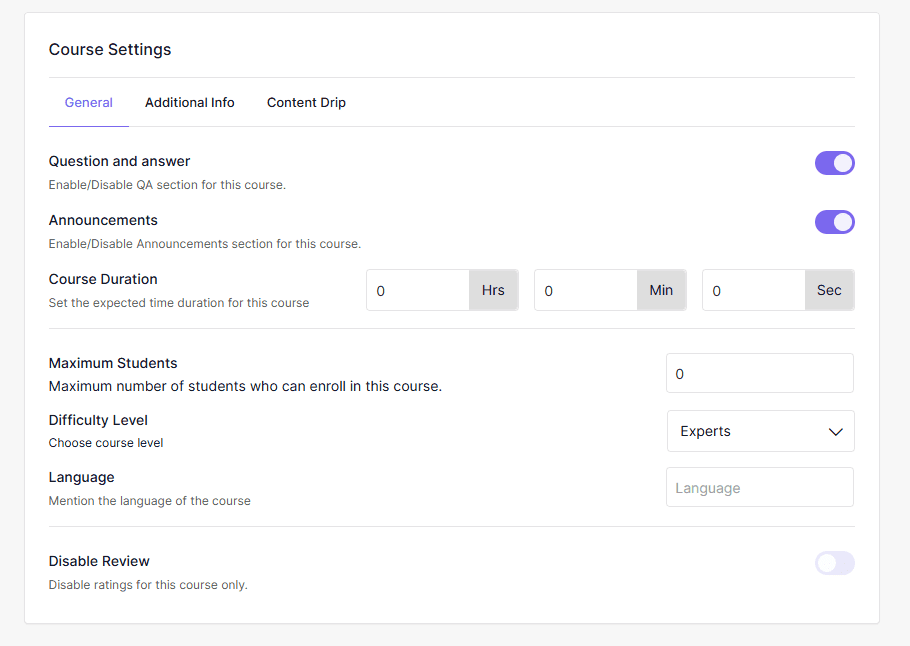
You also get options such as maximum students allowed in the course, difficulty level (Beginner, Intermediate, Expert), language and disable review option.
Course Type:
Decide whether your course will be Free, paid, public. You can also make courses private. Public courses are accessible to anyone; private courses require manual approval for enrollment.
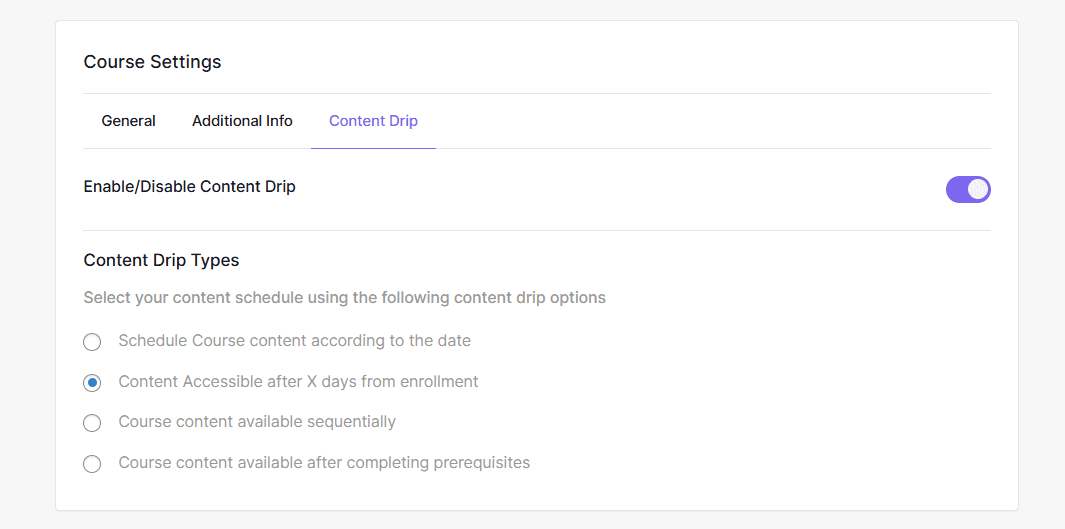
Content Drip:
Academy LMS provides this feature to release content gradually based on specific criteria (e.g., time intervals or completion of previous courses/lessons).
Course Prerequisite:
Also, you can set a prerequisite course in Academy LMS, based on category and course.
Step 5: Set Up Payment Gateways
Academy LMS provides a perfect integration with WooCommerce. You just need to install WooCommerce and set it up based on your preference.
Then, turn on the Academy LMS WooCommerce addon from the addon settings. And simply follow the prompts. Also, academy LMS provides money management options for commission earnings.
Step 6: Launching Your Course
Review all settings once more to ensure everything is configured correctly. Check everything from content visibility to payment processing.
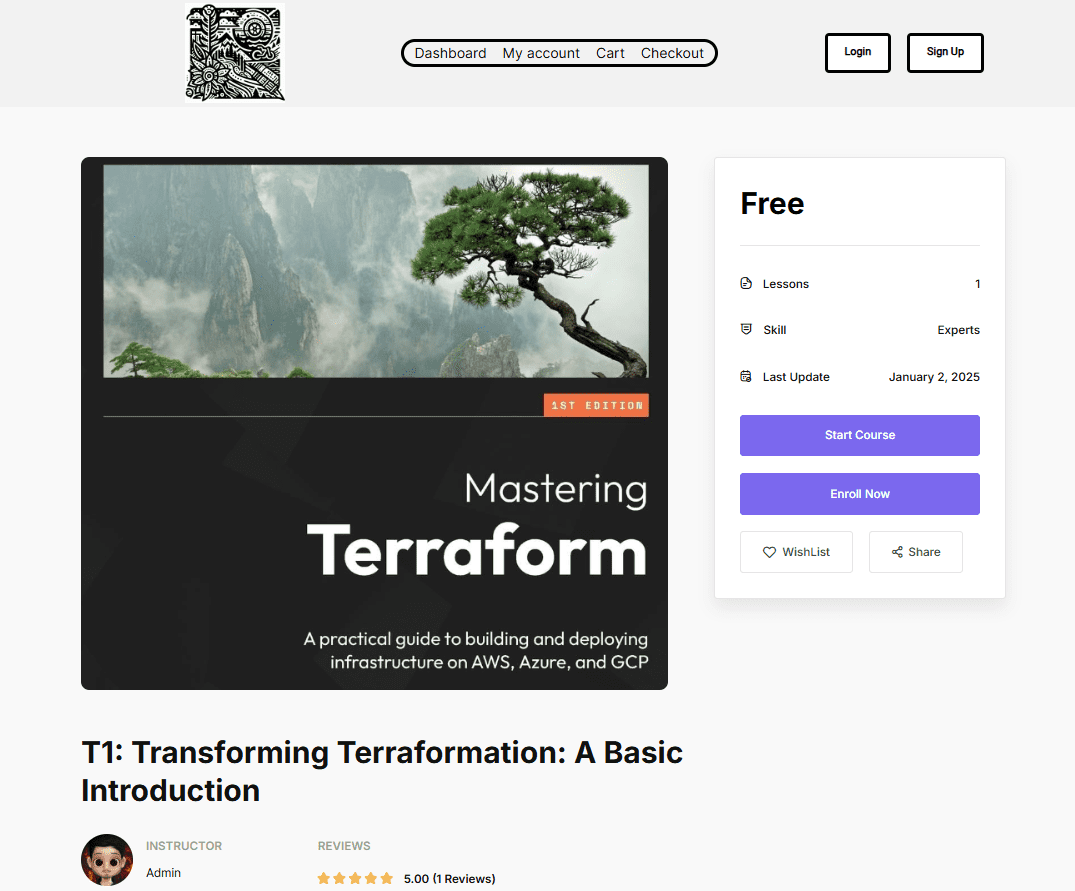
After launching, keep an eye on student engagement metrics through analytics features provided by Academy LMS plugin to identify areas for improvement.
Step 7: Creating website Designs
After adding the data, you have to have a website for it right? Well, the Academy starter template solves this issue. You can create a fully functional and optimized eLearning website with a single click.
And, obviously, creating a structure is the most difficult part, so, once you import a demo for your website, you can quickly customize the data based on your preference without needing to create each page one by one.

Or, if you want to create your website from scratch and have a team or options to do so, WordPress provides amazing plugins like aBlocks to build your website from scratch. And, just for you to know, aBlocks have integration with Academy LMS, and also provides specific blocks to help you with the process.
Conclusion
By following these steps, you can successfully create a fully functional LMS website using Academy LMS hosted on Rapyd Cloud. This combination allows you to focus on delivering quality educational content while benefiting from robust hosting features that ensure a smooth user experience. Start building your online education platform today with confidence!