












Testimonials often play a central role in how visitors decide whether they can trust a product or service. Many designers argue that the way these messages are presented can shape how people feel about a brand.
Sliders and carousels have become a common way to highlight customer stories because they help organise information in a clean and engaging format. Instead of overwhelming the reader with a long list of messages, they guide the viewer through a sequence that is easy to follow and pleasant to read.
Depicter, known as the Best Testimonial Slider and Carousel Plugin, offers a practical way to build a testimonial slider, text and image carousel, and more, through a visual editor that feels smooth and approachable.
The editor allows you to adjust every part of the layout, from spacing and colours to animations and text placement. Many creators appreciate that it gives room for experimentation without requiring any technical skills. Since testimonial content often needs personality and clarity, this level of control can help shape a stronger message and create a polished impression.
Why Using a Testimonial Slider Helps Your Website
A slider moves through customer stories one piece at a time, which many specialists describe as a helpful way to guide visitors’ attention. Instead of reading everything at once, people can take in each testimonial at a steady pace. Depicter lets you set the timing, choose the motion style, and decide how users move between items.
Some prefer gentle transitions that encourage focus, while others choose slightly more lively movement to keep the section active. These adjustments can support different goals, such as improving readability or maintaining engagement.
Carousels offer another style that places several testimonials in one view. This layout is often used when websites want to show variety without taking up extra space. Depicter includes tools for controlling how many items appear in each row, how navigation works and how the design responds to different screen sizes. These controls make it easier to create a section that fits naturally with the rest of the website.
What You Can Build With Depicter
Depicter includes many features that allow you to design testimonial sliders and carousels that look refined and perform smoothly. Some of the key elements include:
- Responsive layouts that automatically adjust the content for phones, tablets, and desktops
- Flexible positioning tools to arrange testimonials in horizontal or vertical sequences
- Supports Dynamic Data to create testimonials from many different sources, such as post comments and product ratings
- Supports Google Reviews, which is especially helpful for businesses that depend on local search and customer ratings.
- Navigation settings that support clicks, arrows, or swipe gestures
- A range of animation styles to shape how each testimonial appears
- Space for images, avatars, ratings, and brand logos
- Layering options for backgrounds and decorative elements
- Tools for combining static content with motion for a more dynamic effect
All of these options help you create a testimonial area that feels organised, visually appealing, and easy for visitors to explore.
A Simple Way to Tell Customer Stories
There has been ongoing discussion in the design world about how moving elements affect user experience. Some believe motion should be subtle, while others feel it can help guide attention when used carefully.
Depicter supports both approaches because creators can choose the level of movement that suits their style. A calm testimonial slider can create a trustworthy tone, while a more animated version can add energy to a product page.
Testimonials matter because they present real voices. When these voices are arranged thoughtfully, they can strengthen credibility and help visitors feel more confident. Depicter makes it easier to shape those stories into a clear, appealing format that works across many types of websites.
How to Build a Testimonial Slider Using the Depicter Plugin
Let’s see How to Create Testimonials for Your Website video with a video tutorial.
Now, let’s cover a step-by-step guide.
Getting the Depicter Plugin Setup
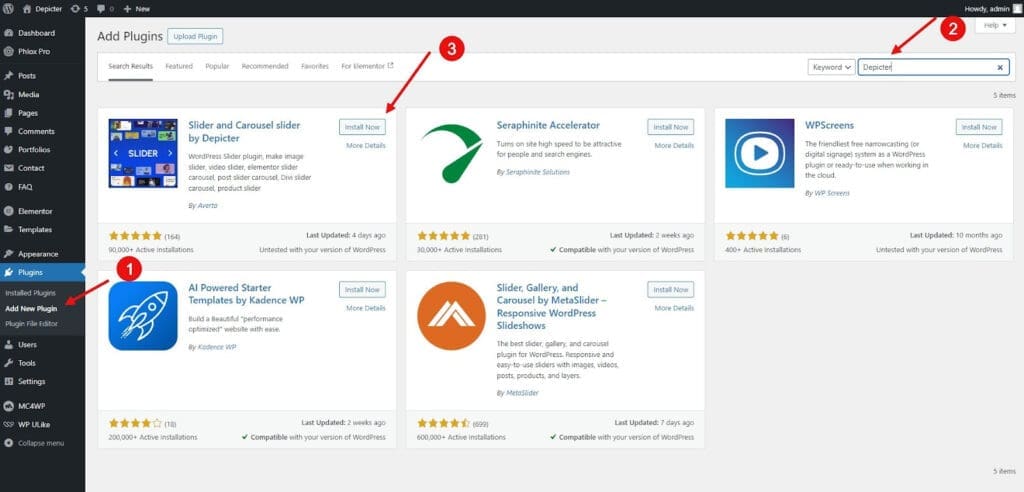
The first thing you need to do is install the Depicter plugin on your WordPress site.
- Navigate to your WordPress dashboard and find the Plugins section.
- Click Add New.
- Use the search bar to find “Depicter.”
- Once it appears, click Install Now and then Activate it to make the features available on your site.
Choosing and Importing a Template
With the plugin active, you can begin. Head over to the Templates library, specifically the Testimonial category.
You want a free testimonial slider? You’ll find a wide selection of professionally designed slider templates, available as both free and premium options.
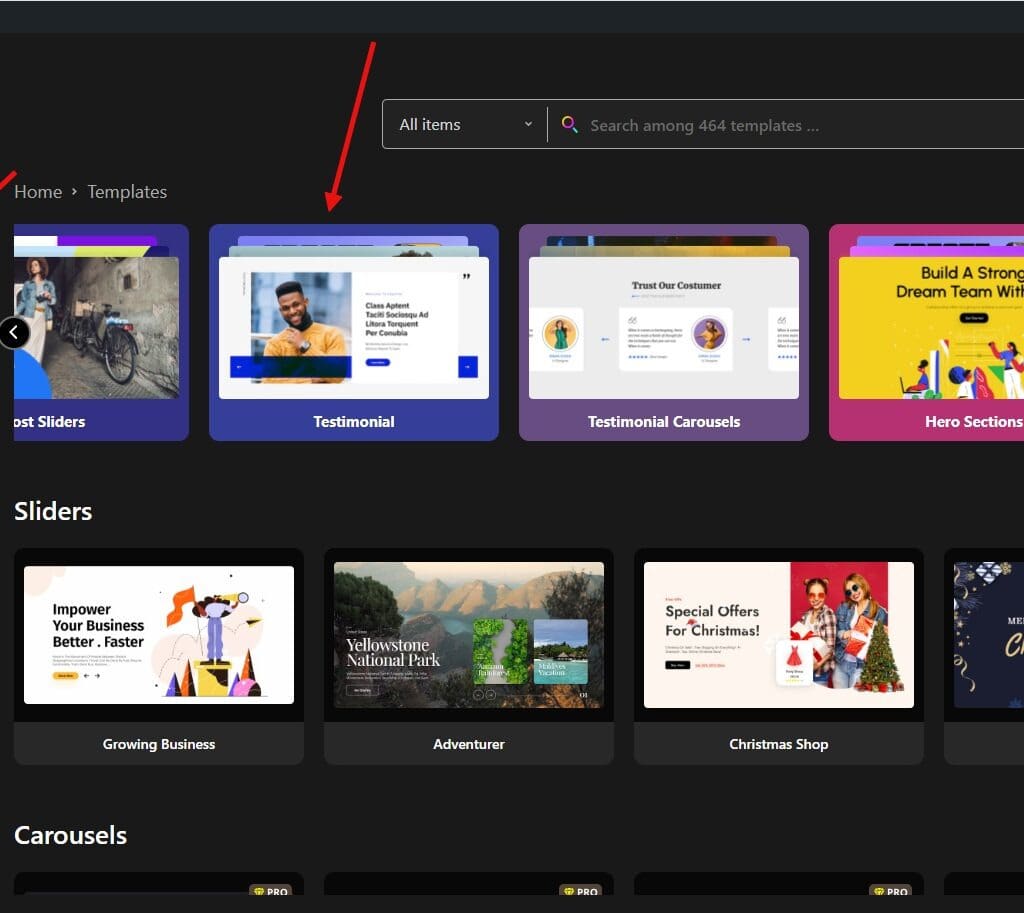
Browse through the options, find one that suits your site’s aesthetic, and click Import.

The selected testimonial design is now ready for you to personalize.
Customizing and Publishing Your Design
This is where you make the slider your own.
You can customize all aspects of the content and design, such as repositioning elements, adjusting the typography, or changing the color scheme to match your brand.
Once you are satisfied with the look, hit the Publish button.
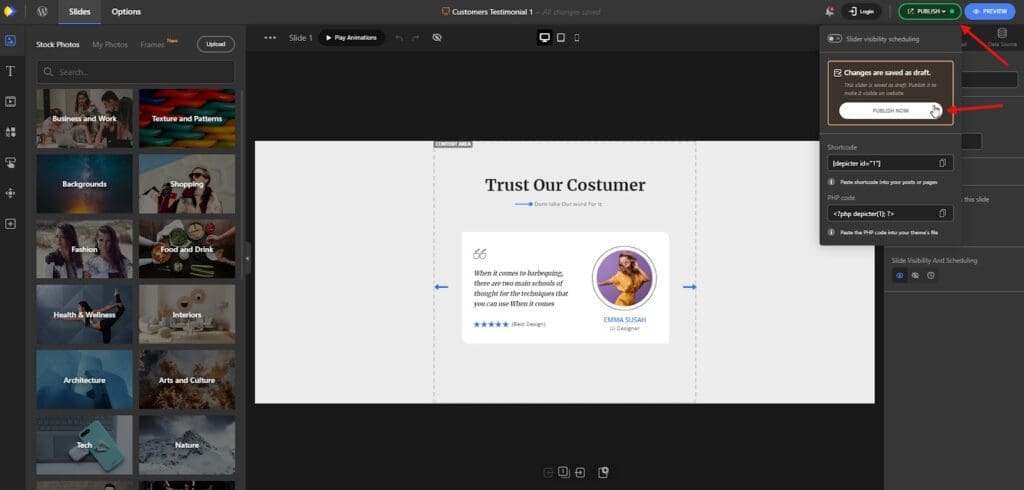
The customized testimonial slider is now ready to be embedded on your site.
Adding the testimonial to your website
Next, you need to add the testimonial to your website. For this example, we’ll use the Elementor page builder.
Open the page you want to edit in your page builder (e.g., Elementor).
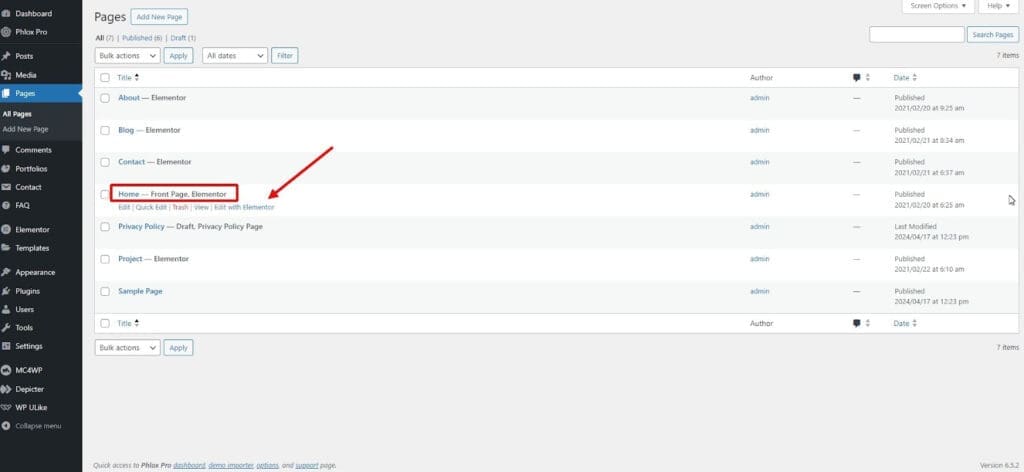
Decide on the ideal section for your testimonials, then find the Depicter widget in the list of available widgets, and drag it into the desired section on your page.

A prompt will appear, allowing you to select the slider you just created. Choose your testimonial, and it will immediately display on the page.

Save the changes by clicking Update, and your work is complete!
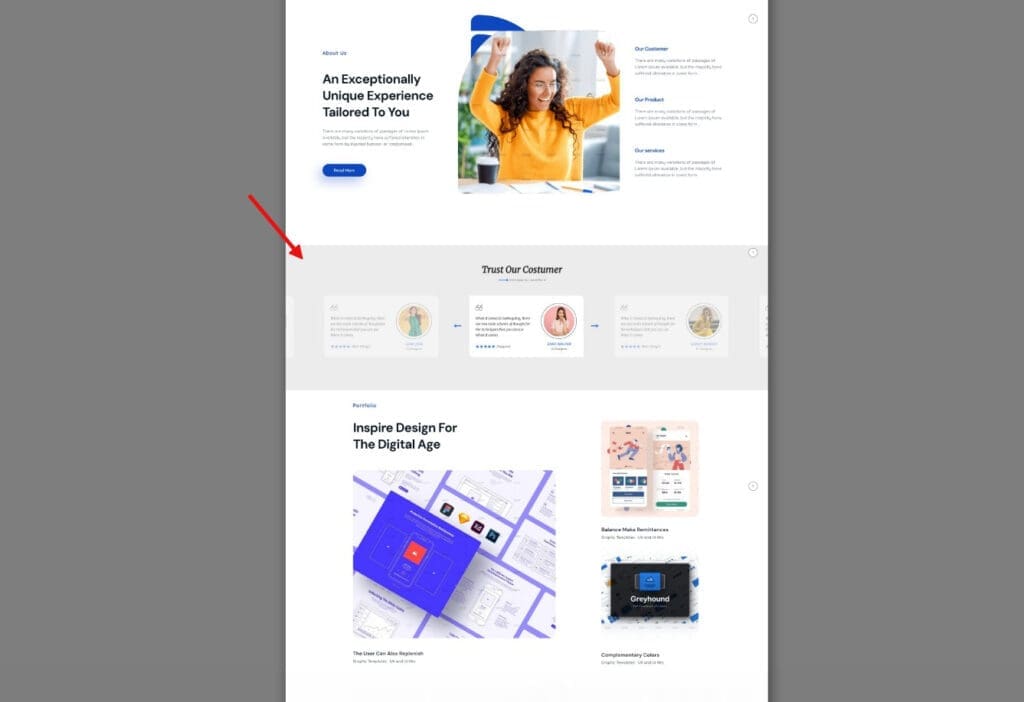
The final result will look like this:
An Alternative for Gutenberg Enthusiasts: The aBlocks Carousel
While dedicated slider plugins like Depicter offer a specialized visual editor, many WordPress creators who prioritize the native Gutenberg block editor will find a powerful alternative in the aBlocks Carousel Block.
As a comprehensive, lightweight suite of Gutenberg blocks, aBlocks provides a highly-customizable Carousel Block that is specifically designed to integrate seamlessly within the standard WordPress editing environment. This makes it an excellent choice for crafting testimonial sliders by leveraging the core block system.
Key advantages with aBlocks:
- Native Block Composition: The aBlocks Carousel is a flexible container, meaning you can nest any of aBlocks’ other essential blocks—such as the Star Ratings, Container, Heading, and Image blocks—inside each carousel slide. This allows for total control over the structure and style of every testimonial card.
- Focus on Performance: ABlocks is engineered to be lightweight and fast, loading only the necessary scripts and styles, which ensures your engaging carousels don’t slow down your website.
- Control over Motion: The aBlocks Carousel Block provides highly customizable controls for transitions, autoplay timing, infinite looping, and navigation (arrows/dots), ensuring the testimonial presentation is smooth and engaging.
Take your content presentation to the next level with aBlocks Carousel. Its smooth and dynamic design keeps your audience engaged at every moment. Showcase multiple items effortlessly with style and elevate the user experience like never before.
Conclusion
This guide provided a clear, step-by-step walkthrough for leveraging the Depicter, a WordPress testimonial plugin, to build and implement a professional testimonial and website carousel. Testimonials are a critical tool for enhancing social proof, which helps new visitors quickly build trust in your brand or service.
We covered the entire creation process, from activating the plugin and selecting a pre-made template to detailed customization and finally embedding the finished Elementor testimonial slider onto a page.